Tags: coloring

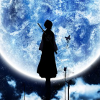
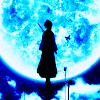
Icon Tutorial #3 (Colouring): Rukia Blue Moon [Beginners; Photoshop/GIMP]

===>

Program: GIMP 2
Steps: 16 (though some can be omitted)
Difficulty: Uber easy. Like, seriously. 8D

The final icon is a bit brighter than the one made with Photoshop. That's basically because GIMP doesn't have Exclusion layers to mute the colours, but it still works all the same, so. x3

( For GIMP users.)
default

Tutorial (Big Time Rush)

Hi everyone! moony_blues asked if I could cross-post this over here, and I was more than happy to oblige. I thought I'd share an icon I've worked on and a tutorial that goes with it. The icon:


Program: GIMP 2.6.11
Difficulty: Easy-Medium (depends on how well you know GIMP)

Collapse )

This was previously cross-posted to rfmadison (my public creative journal), icon_tutorial, and gimp_tutorial.
Lee Taemin (SHINee)

Coloring help!

 
Hello fellow Gimp users ^^

I'm not new to the program but I am curious about one thing. I have a black and white picture that I want to bring to color (realistic like) and I want to know if this is possible with Gimp, and if so, how can it be achieved?

Thanks!
bitch please

Coloring help

Does anyone know if this type of coloring or effect is possible in GIMP and how to achieve it? I posted at a coloring community but figured I'd try here as well.

unknown maker found at fanpop.com
I particularly like the look of the first 5 images in the banner. Anything similar would be fine. Here is one of the images I'd like to use it on if that helps.
Collapse )

PSD Translation Help

I found this amazing PSD for Photoshop and fell in love with it. I downloaded it and opened it in my Photoshop Elements 8 program to see what the file was comprised of. Most of it is color fill layers, levels and a texture, but unfortunately there are two Selective Coloring layers that are vital to the final result. :( Can someone please take a look and tell me the best way to recreate it, GIMP style?