Mobile menu toggle

iOS 26

iOS 26 bento box
Here’s a snapshot of the new iOS 26 features for iPhone users.

iOS 26 marks a major evolution of Apple’s mobile operating system, distinguished by its striking Liquid Glass design — a translucent, fluid aesthetic that brings expressive, glass-like refractions and dynamic controls to the Lock and Home screens, app icons, widgets, and more.

It features improved Apple Intelligence features such as live translation across Messages, FaceTime, and Phone, AI-powered visual search, Contextual Shortcuts, Genmoji enhancements, and screenshot-based ChatGPT interactions.

iOS 26 also refines communication apps with customizable chat backgrounds, polls, draft filtering, advanced call screening and Hold Assist, introduces a unified Games app, optimizes apps like Music, Maps, Wallet, and Clock, adds broader system-level enhancements like Qi 2.2 support for faster wireless charging, accessibility innovations such as Braille input and head tracking, smarter battery management, and seamless eSIM transfers.

All this combines into a more intuitive, personalized, and visually immersive iPhone experience.

Read Cult of Mac’s latest posts on iOS 26:

iOS 26.6 will flag malicious iMessages with a warning before you tap

By

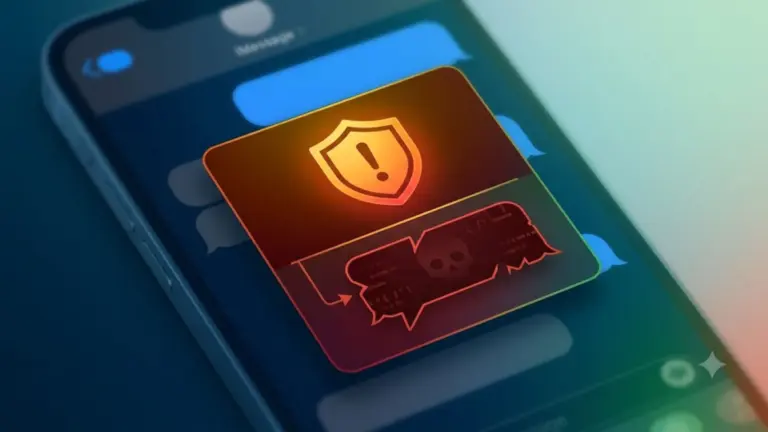
An AI-generated picture of an iPhone with iMessages open used in a story about Apple adding new malicious message warnings.
The iOS 2.6.6 malicious message warning tells you when Apple thinks an iMessage is trying to harm your iPhone.
AI image: Google Gemini/Cult of Mac

Your iPhone will soon speak up before a booby-trapped text message can do damage. The iOS 26.6 malicious message warning is a new pop-up that tells you when Apple thinks an iMessage is trying to harm your device or steal your data. And it gives you a quick way to send that message straight to Apple for investigation.

The alert hasn’t gone live for anyone yet. It was spotted buried in iOS 26.6 beta 5 code, which means it’s still in the testing phase. But its presence indicates iPhone users will soon get a much more visible security layer that makes it harder to ignore message-based attacks.

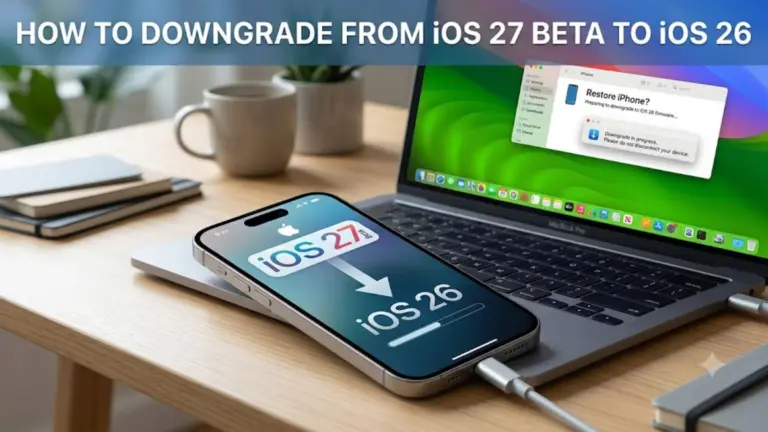
Regret installing iOS 27 beta? Here’s how to get back to iOS 26.

By

An AI-generated picture showing how to downgrade from iOS 27 beta to iOS 26
Here’s how to downgrade from the iOS 27 beta back to stable iOS 26.
AI image: Google Gemini/Cult of Mac

Beta remorse is real. Maybe an app won’t open, maybe things just feel off, or maybe you just want to go back to a stable daily driver while Apple sorts all the issues. Whatever the reason, you can downgrade from iOS 27 beta to iOS 26, and it’s not even that hard.

Here’s what to do.

Apple just added a Google Cloud warning for your iPhone’s AI features

By

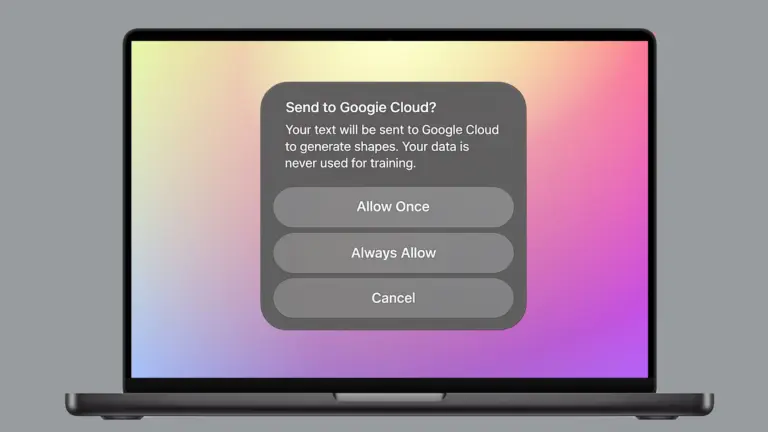
Google cloud warning that appears when using certain Apple Intelligence features.
This Google cloud warning appears when using certain Apple Intelligence features.
Photo: Apple/Cult of Mac

Your iPhone is about to get a lot more transparent about where your data goes. Apple is rolling out a Google Cloud pop-up warning that protects your privacy by letting you know before certain Apple Intelligence features send your prompts off-device, and it’s already live for some users right now.

The heads-up appears when you use certain image- and shape-generation tools. It won’t block you from using these features, though. It simply makes sure you know your data is leaving Apple’s own servers before you hit send.

New iPhone and Mac updates offer dozens of security fixes

By

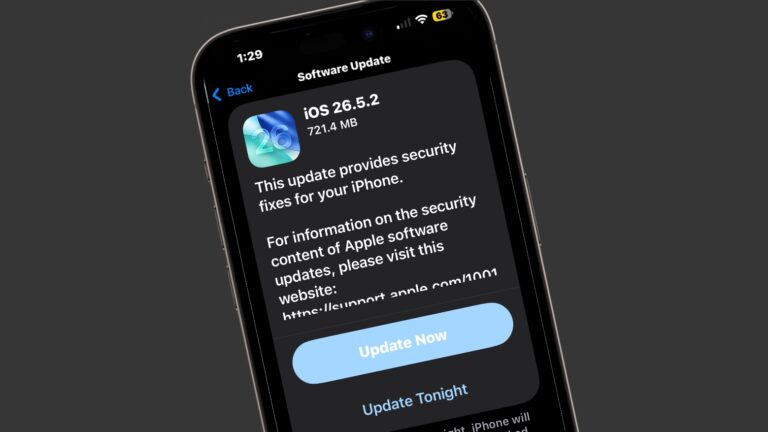
iOS 26.5.2 is packed with security patches.
There are just so, so many security patches in iOS 26.5.2.
Image: Cult of Mac

Apple released iOS 26.5.2, macOS Tahoe 26.5.2 and iPadOS 26.5.2 on Monday with no additional features but lots of security fixes. There are no fewer than 29 of them listed in Apple’s documentation.

Clearly, even though they lack fun new features, you should install these updates ASAP.

Your iPhone can track your medications — here’s how to set it up

By

Image of an iPhone with the words
Your iPhone and Apple Watch can help you track your meds.
Image: MorgueFile/Wikimedia Commons/D. Griffin Jones/Cult of Mac

The Apple Health app on your iPhone makes it easy to track your medications — and help you remember to take them on time. It offers many advanced options and covers all kinds of medicines.

You can set up schedules, log your activity and even get advice on drug interactions. Let me show you how to get started.

iOS 26.5.1 update fixes charging problem with Phone 17 and iPhone Air

By

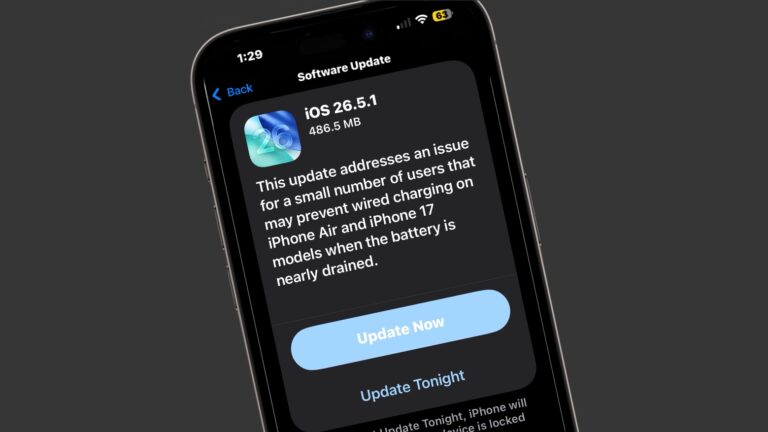
iOS 26.5.1 update
If you're one of the unlucky few the charging problem vexes, here's your solution.
Image: Cult of Mac

Apple made an update available for its iPhone operating system Monday with iOS 26.5.1. It addresses a wired charging problem some users with iPhone Series 17 or iPhone Air handsets face.

Apple said the problem affects a “small number of users.” But for the few users who face it, the problem probably feels pretty big. The same goes for a Mac glitch fixed by macOS 26.5.1, also released Monday.

Apple won’t let you downgrade from iOS 26.5 anymore — here’s why

By

A photo of an iPhone used in a story about the iOS 26.5 update.
Apple officially closed the downgrade window for iOS 26.4.2.
Image: Cult of Mac

Apple stopped signing iOS 26.4.2, meaning iPhone users who updated to iOS 26.5 can no longer roll back to the previous version.

Whenever Apple rolls out an iOS update, it allows users to go back to the previous version if they run into bugs or other issues. But once the company considers the new release stable, it stops signing the older build.

How to set up the colorful Luminance wallpaper in iOS 26.5

By

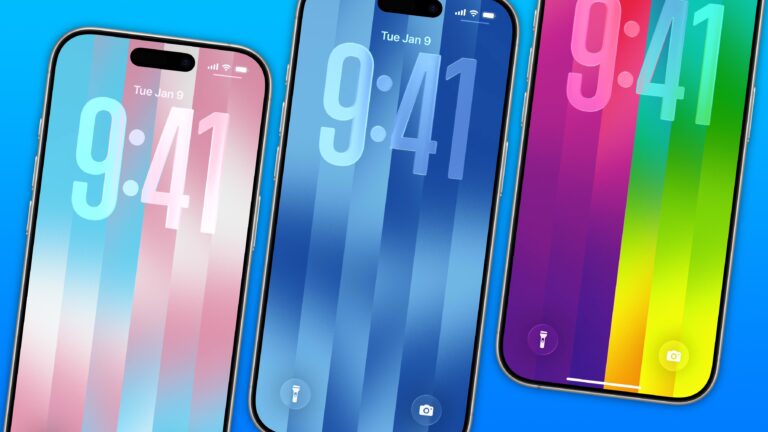
iPhone Luminance wallpaper Lock Screen showing trans colors, LGBTQ Pride colors and blue colors
The dazzling new wallpaper for iPhone.
Image: D. Griffin Jones/Cult of Mac

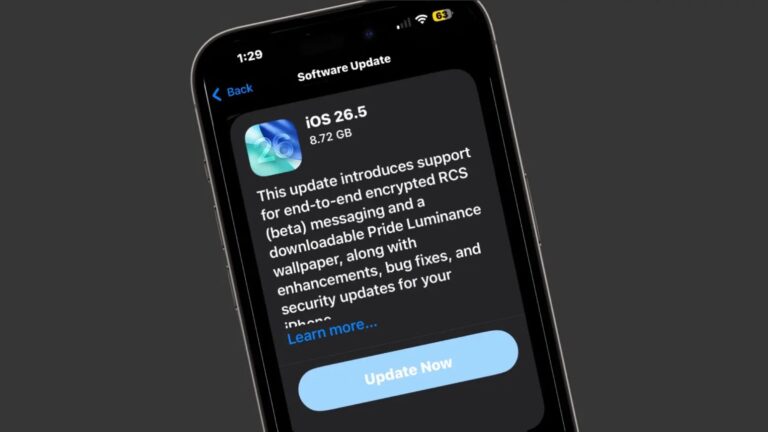
The colorful Pride Luminance wallpaper and watch face add beautiful color gradients to your iPhone and Apple Watch. You can download them both after updating to iOS 26.5 and watchOS 26.5.

Since they’re part of Apple’s annual Pride collection, they come with a bunch of preset styles for various pride flags. But you can customize the Lock Screen wallpaper and the Apple Watch face however you want. With a light and dark shade of the same color, the vertical stripes and gradients shimmer and animate when you swipe up to unlock your phone. Or you can go to the other extreme, picking up to 12 colors from the Luminance palette.

This is easily the best Pride wallpaper Apple has produced yet — in fact, it’s a great wallpaper, period. Check it out in our quick video or keep reading.

Everything new in iOS 26.5: New Pride wallpapers, Apple Maps suggestions and more

By

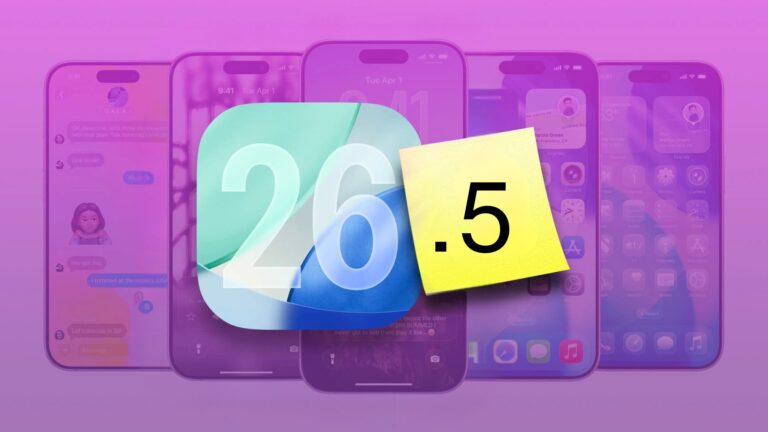
iOS 26.5: new features and changes
iOS 26.5 is a small-yet-big update for your iPhone.
Photo: Rajesh Pandey/Cult of Mac

iOS 26.5 launched Monday, bringing several minor but important usability improvements to your iPhone. The update adds 11 new Pride-themed wallpapers, a suggested places section in Apple Maps, and a new payment option for yearly app subscriptions.

Here are all the new features you can look forward to trying in iOS 26.5.

Fed up with iPhone autocorrect? Here’s how to reset it.

By

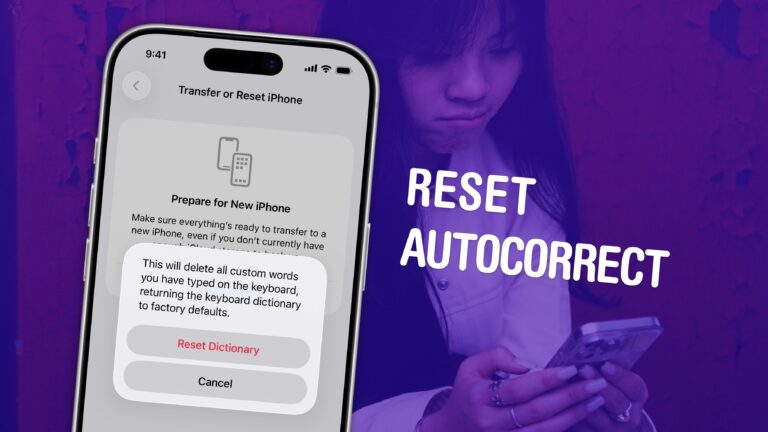
How to Reset Autocorrect on iPhone graphic, with a photo of a woman looking annoyed at an iPhone
Put a stop to the madness.
Image: D. Griffin Jones/Cult of Mac

If you’ve noticed that the iPhone’s autocorrect has been especially bad over the last few months, you’re not alone. It appears that iOS 26.2 introduced a bug that made the keyboard much more frustrating to use. Luckily, the solution is simple. You can learn how to reset autocorrect on your iPhone really quickly. 

First, you need to update to iOS 26.4, the release that fixed the iPhone’s autocorrect bug. Then, resetting your keyboard dictionary will get rid of any bad patterns it may have picked up since December. 

Keep reading or watch our quick video.

Here’s when Apple will launch iOS 26.5

By

iOS 26.5 release date
iOS 26.5 is just a week away!
Image: Cult of Mac

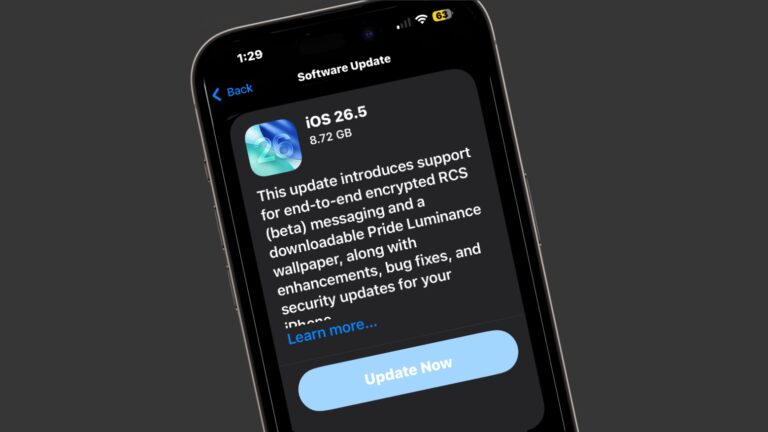
Apple on Monday seeded the iOS 26.5 Release Candidate to beta testers, signaling that eager iPhone users should circle May 11 on their calendars. The major new feature is fully secure, encrypted messages when using RCS… though this will remain in beta even after iOS 26.5 launches.

Monday also brought the macOS Tahoe 26.5 Release Candidate, as well as equivalents for iPad, Apple Watch, Apple TV and more.

Apple makes expensive app subscriptions easier to pay

By

App Store
The App Store just got a new way to pay for annual app subscriptions.
Photo: Apple/Rajesh Pandey

Apple now allows developers to offer monthly subscriptions with a 12-month commitment. This means instead of paying the annual subscription fee upfront, users can pay it monthly.

This change makes it easier for users to subscribe to apps with high annual fees, lowering the barrier to entry.

Apple releases iOS 26.4.2, which ensures deleted messages actually disappear [Updated]

By

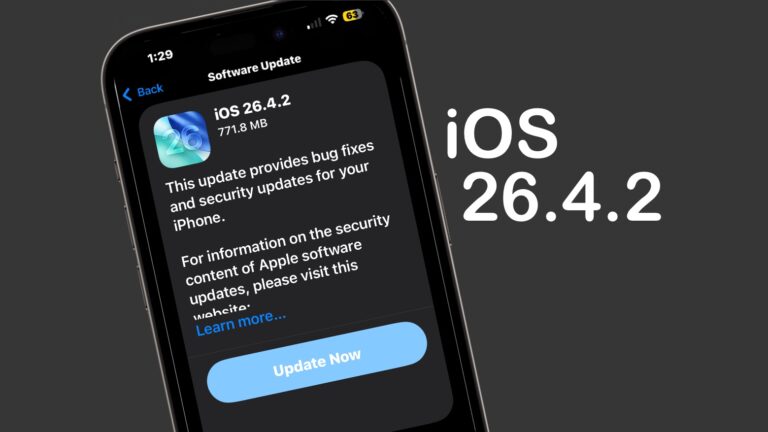
Apple releases iOS 26.4.2 with focus on stability and security
Update your iPhone today to get rid of bugs.
Screenshot: Cult of Mac

Apple on Wednesday released iOS 26.4.2 to fix a bug that allowed messages deleted by a user to remain on the iPhone.

“Notifications marked for deletion could be unexpectedly retained on the device,” Apple said in its security notes about the update. “A logging issue was addressed with improved data redaction.”

Beyond that, it seems like a minor update that focuses on various bug fixes and incremental performance improvements rather than new features. Tablet users got iPadOS 26.4.2 at the same time.

Plus, those not yet willing to make the jump to iOS 26 got their own update — iOS 18.7.8 also appeared on Wednesday, along with iPadOS 18.7.8.

Swap your iPhone’s standard Lock Screen buttons for something more useful

By

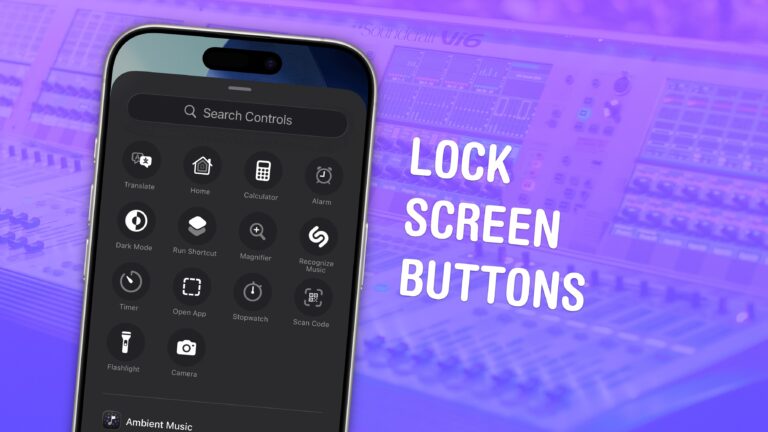
iPhone Lock Screen Buttons graphic, showing button options with a photo of a big sound switchboard
Switch the buttons for whatever you want.
Image: D. Griffin Jones/Cult of Mac

You can change out your iPhone Lock Screen buttons from the standard flashlight and camera icons to whatever you want. There’s a huge selection of buttons you can swap in their place. Just about any button you can put in Control Center is a button you can put on your iPhone’s Lock Screen.

Plus, you can assign different shortcut buttons on different Lock Screens, making them context-dependent (and tied to a Focus Mode if you like). Apple offers a standard selection, but your options will vary depending on what apps you’ve installed.

Here’s how to swap out the iPhone Lock Screen buttons to put whatever you want at your beck and call.

iOS 26.4 adds new way to tone down Liquid Glass

By

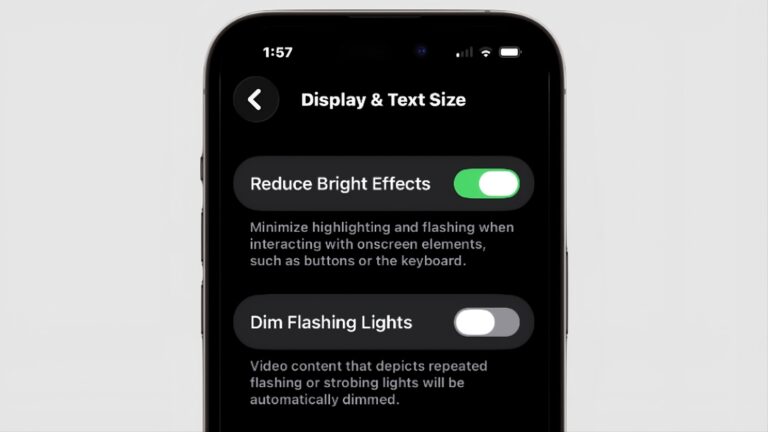
Reduce Bright Effects: A new way to tone down Liquid Glass
There's a new tool to amp down the look of Liquid Glass.
Screenshot: Cult of Mac

Those who aren’t fans of Apple’s Liquid Glass have a new way to disable some of its distracting features. “Reduce Bright Effects” appeared in iOS 26.4, as well as macOS and iPadOS. As the name suggests, it is intended to minimize highlighting and flashing when pushing on-screen buttons.

Here’s how to find the toggle switch.

iOS 26.4.1 fixes major iPhone bug and adds a quiet security upgrade

By

iOS 26.4.1 is a small but important update.
Image: Rajesh Pandey/Cult of Mac

Apple rolled out iOS 26.4.1 for compatible iPhones on Wednesday. While it looks like a minor update on paper, it fixes a frustrating issue and quietly introduces a major security change.

The update resolves an iCloud syncing bug that Apple introduced in iOS 26.4. It also enables Stolen Device Protection by default for enterprise iPhones.

Update your iPhone today to avoid a nasty online hack

By

DarkSword targets iPhones with outdated iOS versions
DarkSword looms over iPhones that haven't been updated.
AI image: ChatGPT/Cult of Mac

Your iPhone is at serious risk of getting hacked if you haven’t updated it recently. Apple and security researchers warn that a sophisticated hacking tool known as DarkSword can compromise iPhones through malicious websites.

The fix is easy and available for every iOS device since 2015. Plus, it doesn’t require you to install iOS 26 or put Liquid Glass on your handset.

Go do it now!

Apple releases critical iOS 18 update for iPhones that didn’t upgrade [Now available]

By

Desert Titanium iPhone 16 Pro
Still on iOS 18? Apple released a new security update you should install right now.
Photo: D. Griffin Jones/Cult of Mac

Apple released an iOS 18 update on Wednesday to patch a major security vulnerability for iPhones that haven’t yet upgraded to iOS 26. The new version, iOS 18.7.7, is presumably intended to protect a range of iPhone models from the serious DarkSword hack.  

This comes amid a recent push from Apple to address newly discovered vulnerabilities across older iOS releases. It has released multiple updates over the past few weeks.

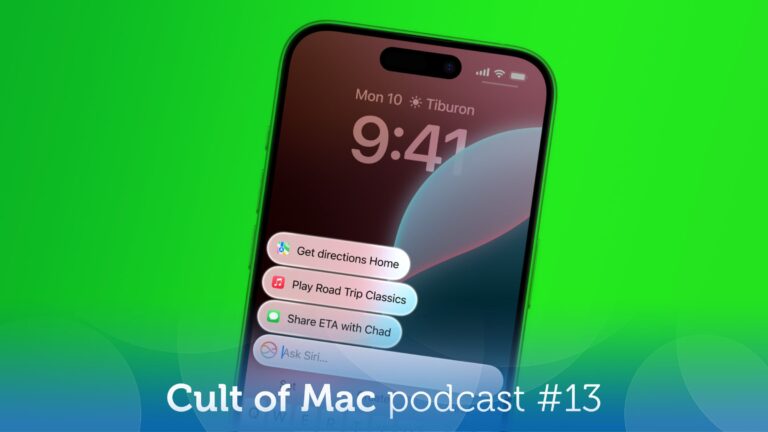
Apple has serious plans for Siri! [Cult of Mac podcast No. 13]

By

Image of an iPhone with Siri on it, plus the words
Will Apple finally deliver the smarter Siri we've been waiting for?
Image: Cult of Mac

This week on the Cult of Mac podcast: New details emerge about a major upgrade that would transform Siri from a laughingstock to a legitimate AI assistant.

Unfortunately, these plans sound mighty familiar. Still, we’re guardedly optimistic that Apple can pull it off this time.

Also on the Cult of Mac podcast:

  • Now we know when WWDC26 will happen — and it’s time to get excited. This is when we should get our first glimpse of the new, AI-powered Siri.
  • Some of us are clearly not excited about Apple adding advertisements to the Maps app in the near future.
  • And finally, Griffin runs us through all the exciting new features in iOS 26.4.

Listen to this week’s episode of the Cult of Mac podcast in the Podcasts app or your favorite podcast app. (Be sure to subscribe and leave us a review if you like it!) Or watch the video version, embedded below.

Everything new in iOS 26.4: Emoji, Apple Music features and more [Update: It’s here!]

By

iOS 26.4 New Features graphic
Check out all that’s new in iOS 26.4.
Image: Apple/D. Griffin Jones/Cult of Mac

iOS 26.4, which Apple released Tuesday, brings a bunch of great new features to your iPhone.

It adds eight all-new emoji — a couple that I’ll definitely start using often (in addition to a few weird ones, as always). Apple Music also receives several excellent new features, like concert listings coming up in your area, in addition to a refined user interface. And the Apple Podcasts app gets a big video upgrade. 

Those come in addition to tons of other interface tweaks and a fix for a typing bug that has been annoying iPhone users. Here are all the new features you can look forward to in iOS 26.4.

Apple finally fixes frustrating iPhone typing problem

By

An iPhone typing problem frustrates iPhone users.
An iPhone typing bug that frustrates users gets a fix.
AI image: Apple/ChatGPT/Cult of Mac

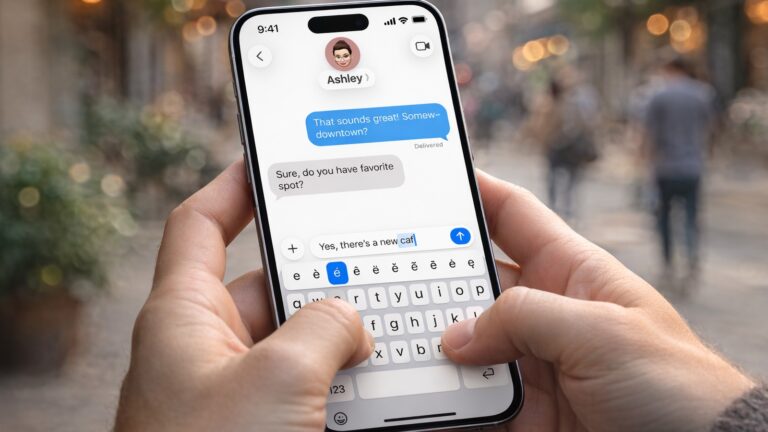
Apple’s iOS 26.4 update includes a small line in its release notes that is drawing outsized attention. It promises “improved keyboard accuracy when typing quickly.”

While that might sound like a routine tweak, it appears to address a typing problem that has frustrated iPhone users for months.

Apple releases first Background Security Improvements patch for iPhone and Mac

By

iOS 26.3.1 (a) first Background Security Improvements patch
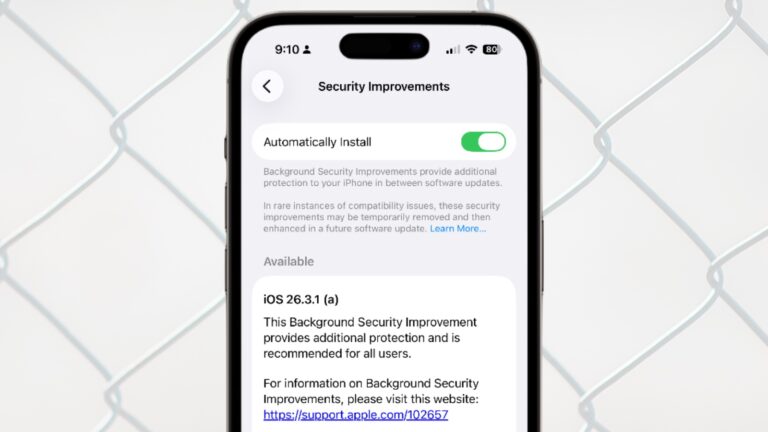
iOS 26.3.1 (a) is Apple's first ever Background Security Improvements patch for iPhone.
Image: Apple/Cult of Mac

Apple updated iOS, macOS and iPadOS with a Background Security Improvements patch on Tuesday, the first time the company has used its new system for securing user devices. This patch fixes a flaw in WebKit that could have allowed malicious websites to access data from other websites.

Background Security Improvements are installed without requiring the iPhone, Mac or iPad user to do anything — or even be aware of the update.

Why Apple can’t give an exact AirPods Max 2 release date

By

Why Apple doesn't know AirPods Max 2 release date
Who knows the AirPods Max 2 release date? Not even Apple.
Photo: Apple/Cult of Mac

When Apple unveiled AirPods Max 2 on Monday, the company was unable to specify a release date, simply telling customers its new high-end headphones will launch “early next month.” It’s very unusual for Apple to not reveal when its own product will reach customers. But it turns out the headphones are waiting for Apple software that’s still in development.

Here’s what’s going on.

Hands-on with MacBook Neo and more [Cult of Mac podcast No. 11]

By

Hands-on video of MacBook Neo, with the words,
The MacBook Neo is even better than we imagined!
Photo: Cult of Mac

This week on the Cult of Mac podcast: Griffin goes on a buying spree, snapping up a Studio Display XDR, an iPhone 17e and not one but two MacBook Neos. He shares his hands-on experience with the latest Apple gear, and Leander’s got plenty of questions!

Also on the Cult of Mac podcast:

  • PC makers are freaking out over what the MacBook Neo means for the industry.
  • Next-gen MacBook Pros might come with a MacBook Ultra variant. Will they all come with touchscreens, or just the high-end model?
  • The latest iOS 26.4 beta gives us a look at Apple’s upcoming emoji. Why are they all facing to the left? (The Hairy Creature emoji definitely needs to be flipped so it matches the iconic Bigfoot sighting!)

Listen to this week’s episode of the Cult of Mac podcast in the Podcasts app or your favorite podcast app. (Be sure to subscribe and leave us a review if you like it!) Or watch the video live stream, embedded below.