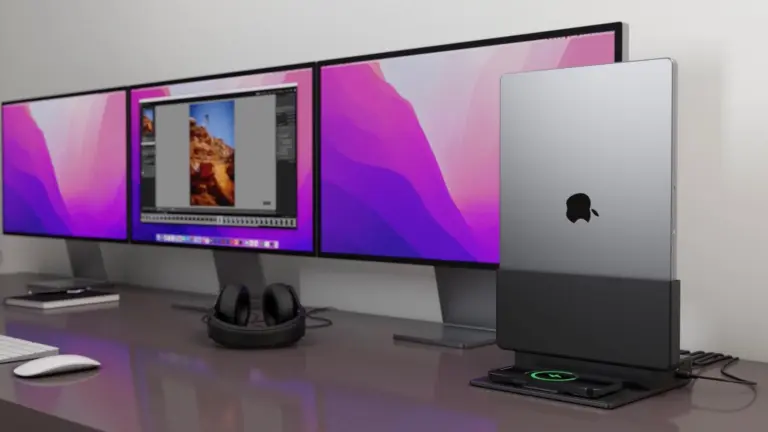
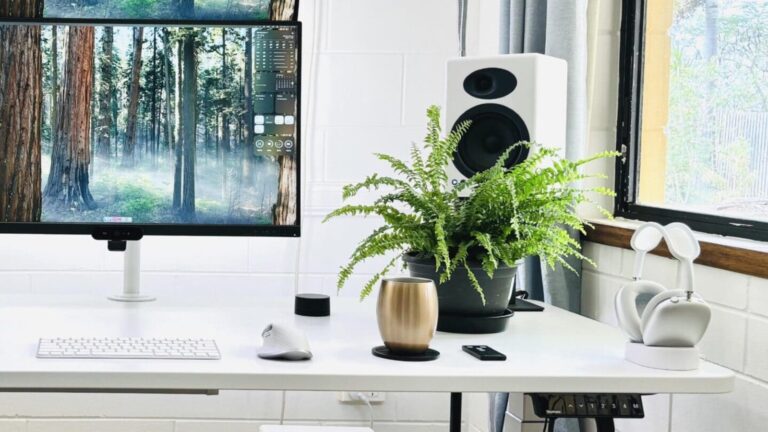
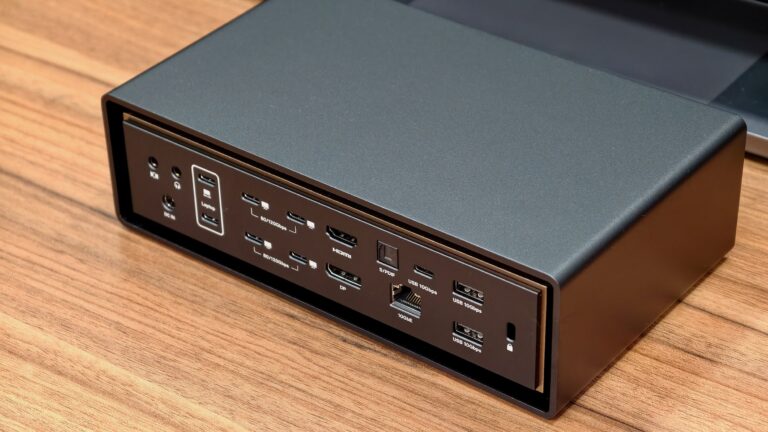
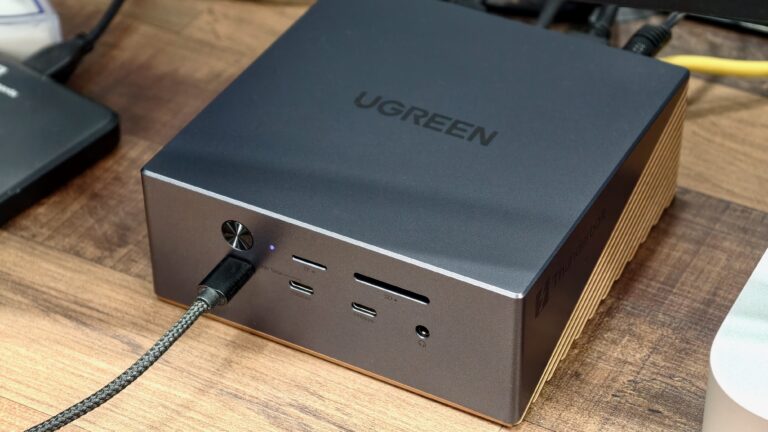
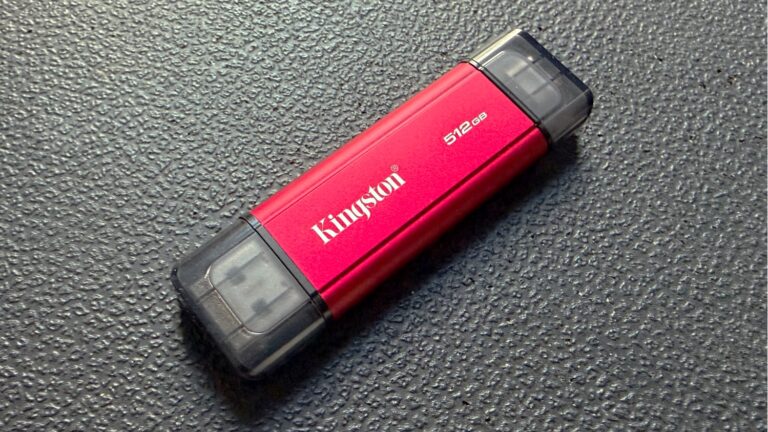
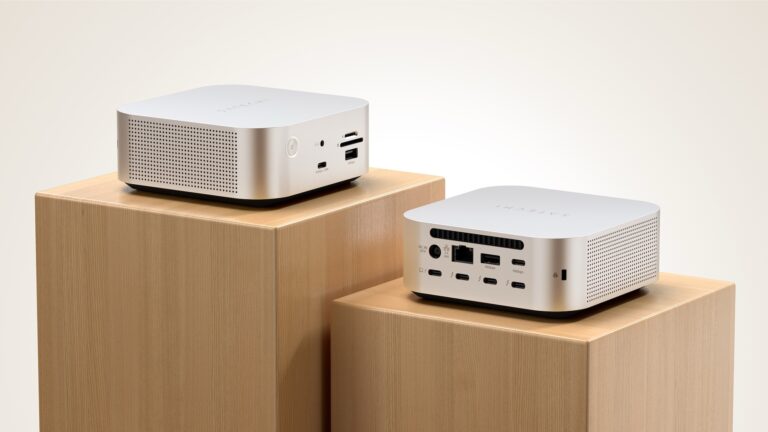
The Brydge ProDock Trio features vertical MacBook docking for workspace optimization. Image: Brydge
Brydge added three new models to its ProDock line of vertical MacBook docking stations on Tuesday. These bring fresh features, including Thunderbolt 5 support, to products that let users slide their Mac into a vertical cradle that takes a minimal amount of space.
Each of the three new models is intended for a different kind of user, with a range of features to match.
★★★★☆
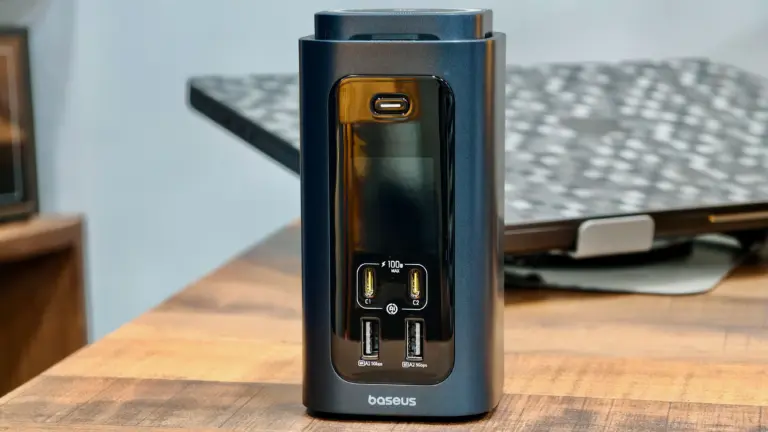
The Spacemate RD1 Pro packs 15 ports and a Qi2.2 wireless charger. Photo: Rajesh Pandey/Cult of Mac
My desk setup revolves around a Thunderbolt dock connected to my MacBook Pro, a few accessories and a separate charging station for quickly topping up my phone and iPad. While many Thunderbolt docks include front-facing USB-C ports that can deliver up to 60W of power, they can’t fast-charge Chinese Android phones and other power-hungry devices.
The Baseus Spacemate RD1 Pro aims to combine both products into one. It’s a 15-in-1 USB-C dock with a built-in Qi2.2 wireless charger, promising to reduce desk clutter without sacrificing functionality. But can a single device really do it all?
★★★★☆
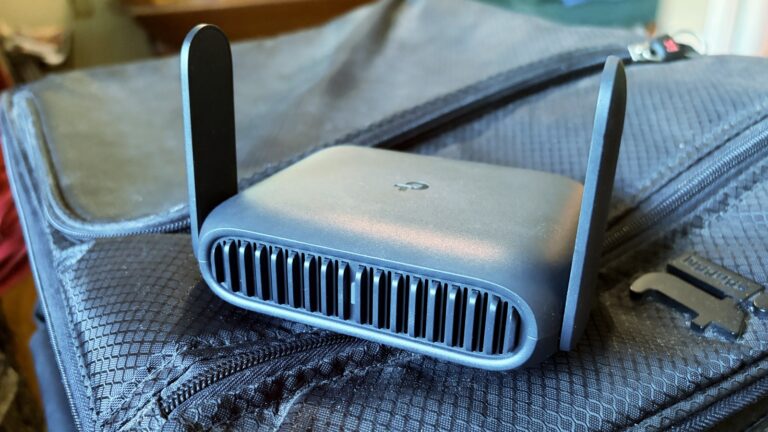
The TP-Link Roam 7 is ready to go on your next holiday, like it went to the beach with me. Photo: Ed Hardy/Cult of Mac
The TP-Link Roam 7 is small enough to be easily portable, but nevertheless provides speedy and reliable wireless connections to all your gear, no matter where you go.
I tested the travel router with Wi-Fi 7 on a recent beach trip. Here’s how it stands up to real-world use.
★★★★★
Ugreen's new USB-C charger and power banks pack a lot of power into a compact form factor. Photo: Rajesh Pandey/Cult of Mac
My backpack is full of gadgets. But the accessories that frustrate me the most are usually the ones meant to keep them charged. Chargers are bulky, power banks are heavy and both add unnecessary weight when I’m traveling. Worse, magnetic power banks make phones heavy and awkward to hold.
Ugreen tackles those problems with its new Nexode Air charger and MagFlow Air power bank. After using them for a few weeks, here’s what I think about them.
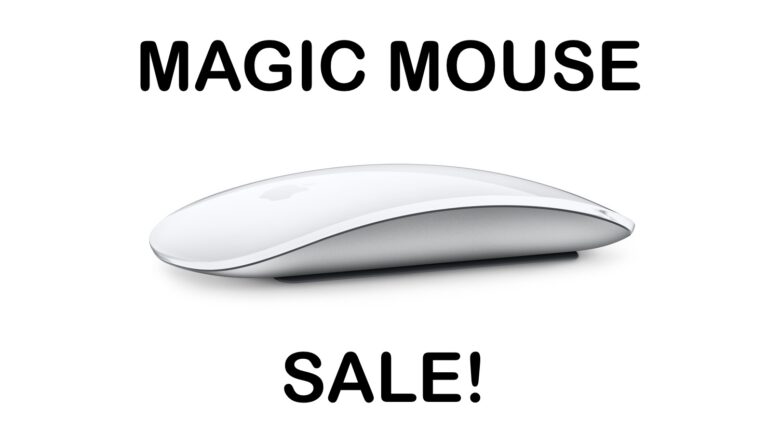
There is a rare chance to save on an official Apple mouse for your Mac or iPad. Image: Apple/Cult of Mac
The Apple Magic Mouse doesn’t go on sale very often, so don’t miss a rare deal that saves you 19% on the svelte input device for your Mac or iPad. This new Apple Magic Mouse deal drops the price to just $63.99.
The sale is on the USB-C version, not the older Lightning model, so it’s a great opportunity to upgrade.
You can't really go wrong with Audioengine A5+ speakers, especially if you add a subwoofer. Photo: [email protected]
Your computer monitor’s built-in speakers aren’t doing your music, movies or video calls any favors. Whether you work from home, game a lot or simply stream your favorite playlist, a good pair of desktop speakers transforms the experience for the better. The good news is that you don’t need to spend a fortune to hear a real difference. Here are my picks for top budget computer speakers under $399 (with many way under that price).
I found that the around-$300 bracket has quietly become one of the most exciting categories in consumer audio. Brands like Audioengine, Edifier, Creative and Onkyo compete fiercely. That means the quality on offer today would have cost twice as much just a few years ago.
★★★★★
The iVanky FusionDock Ultra currently ranks as the king of Thunderbolt 5 docks. Photo: Rajesh Pandey/Cult of Mac
With plenty of ports, power and bandwidth, Thunderbolt docks form the backbone of a modern MacBook-powered workstation — and the iVanky FusionDock Ultra takes things to the extreme. It packs an absurd number of ports and promises enough bandwidth to handle just about anything you can throw at it.
Find out what makes the iVanky FusionDock Ultra so special in our review.
Don’t pay full price for an Apple Magic Keyboard. Image: Cult of Mac
This rare Apple Magic Keyboard deal means you there’s no reason to use an old-fashioned wired keyboard with your Mac. Not when you can get an Apple Magic Keyboard on sale for 19% off, and say goodbye to cables.
Or maybe you’re using a third-party keyboard you don’t like. Perhaps your Apple keyboard is close to wearing out. Whatever the reason, get a new one at a welcome discount.
★★★★★
Ugreen's latest Thunderbolt 5 dock delivers on almost every front. Photo: Rajesh Pandey/Cult of Mac
While most Thunderbolt docks focus on either an expansive port selection or providing great value for money, the Ugreen Maxidok 17-in-1 Thunderbolt 5 dock offers the best of both worlds — especially with launch discounts that slash 22% off the price.
Plus, it packs a hidden port that solves a common complaint among heavy-duty Mac users. After using it as the centerpiece of my work desk, here’s how it holds up.
★★★★☆
This portable SSD bridges the gap with both USB-A and USB-C connectors. Photo: Ed Hardy/Cult of Mac
The Kingston Dual Portable SSD brings up to 2TB of storage to anyone in the process of transitioning from the old USB-A to the smaller USB-C standard. It’s small enough to easily carry around, and fast enough to quickly handle large files.
I ran tests on the drive to see how the portable SSD fares in real-world use. Read on to see how well it performed.
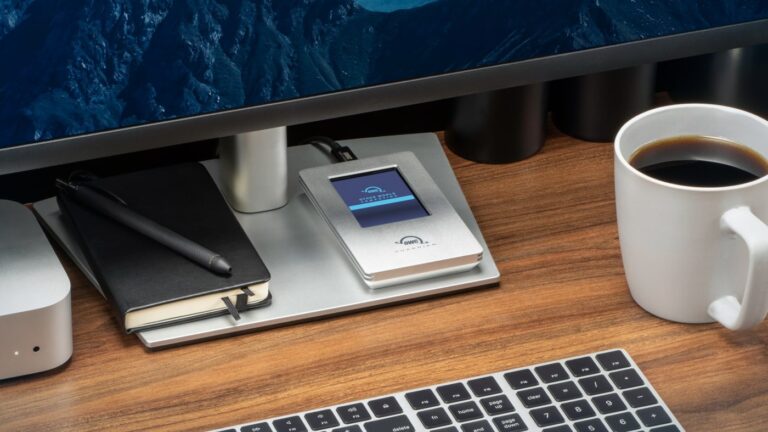
Upgrade your M4 Mac mini into a classic Macintosh with the Wokyis M5. Photo: Wokyis
Retro tech is back, and it doesn’t get much more nostalgic than transforming a new M4 Mac mini into a Macintosh straight out of the 1980s. Better yet, the process is simple: Just pop the Mac mini into the Wokyis M5 dock and you’re done.
Don’t mistake this for simple cosmetic trickery. The add-on includes a functional 5-inch screen. Plus, it’s a hub that adds a variety of ports to the Mac as well as a slot for an internal SSD.
Satechi CubeDock Thunderbolt 5 dock looks like a Mac mini. Photo: Satechi
Satechi’s new CubeDock is a Thunderbolt 5 dock with a compact, cube-shaped design that looks like a Mac mini. Unveiled this week at the massive CES 2026 electronics convention in Las Vegas, the dock comes with a versatile port selection and an internal NVMe SSD slot to expand your Mac’s storage.
Anker's new chargers are designed to excel with Apple products. Photo: Anker
Anker just added four new models to its charging lineup, with features that make them smarter and faster than ever.
Standouts include a tiny 45W charger with a smart display that can identify your iPhone model for a “tailored charging solution” and a 13-in-1 docking station with a 6-port hub that pops out so you can take it on the road.
★★★★★
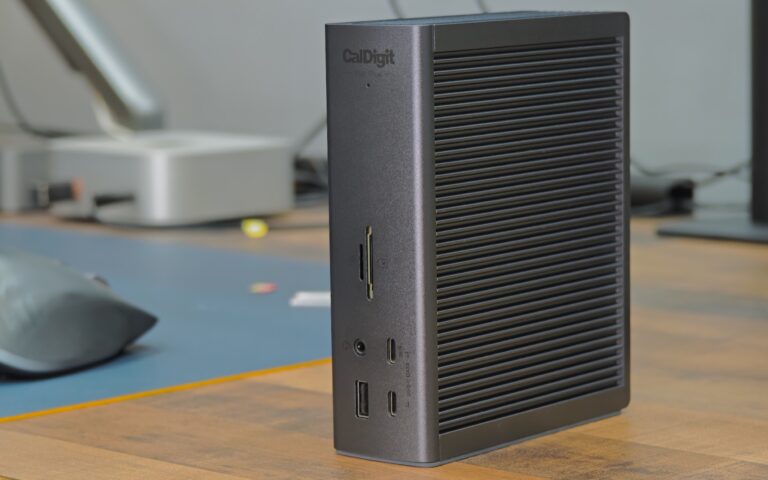
CalDigit TS5 Plus is the king of Thunderbolt 5 docks. Photo: Rajesh Pandey/Cult of Mac
A Thunderbolt 5 dock makes it easy to connect multiple high-bandwidth devices to your MacBook — all with a single cable. While there are plenty of options, as you’ll see from this review, the CalDigit TS5 Plus is the dock for Mac power users.
It stands out from the competition by offering features you’ll not find elsewhere. If you have the budget, the CalDigit TS5 Plus is the Thunderbolt 5 dock to own. Find out what makes it special in my hands-on review.
★★★★☆
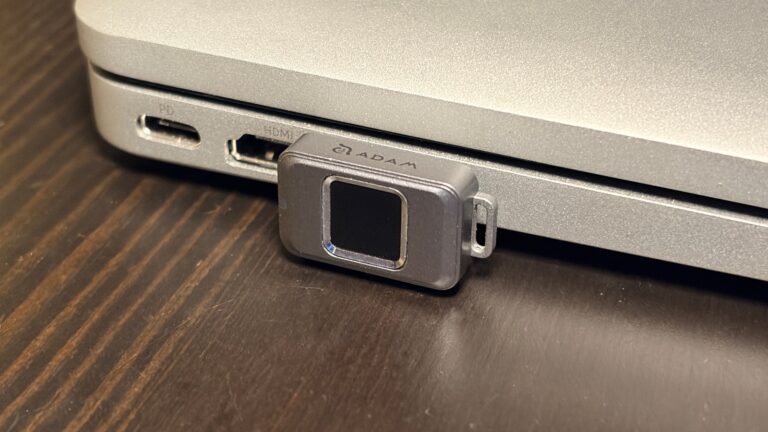
Easily secure your privacy with the iKlips S. Photo: Ed Hardy/Cult of Mac
No one but you can access the files stored on the iKlips S, a tiny SSD from Adam Elements. Simply tap your finger on the drive to unlock it. The biometric security system is similar to Apple’s Touch ID and keeps everything on the SSD private. No passwords are necessary.
File transfers are quick, and the drive uses USB-C, so it works with a broad array of computers, including Mac, iPad and iPhone.
I put the iKlips S through testing for this review and came away quite satisfied with its performance. Just be aware, though, that you’re paying a premium for the extra security. We can get you a 30% discount, though!
★★★★☆
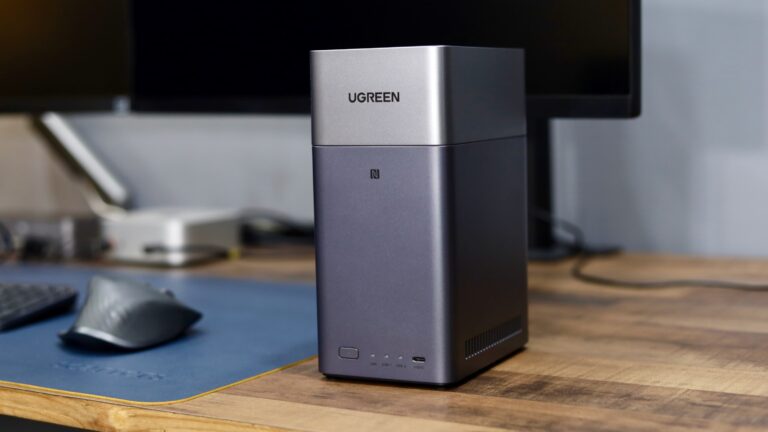
The Ugreen DH2300 will cut down your reliance on cloud storage. Photo: Rajesh Pandey/Cult of Mac
Ugreen’s DH2300 and DH4300 Plus are network-attached storage devices for people who don’t want to handle the complexity associated with a NAS. They offer tons of local storage, simple setup and a price that makes ditching cloud subscriptions far more appealing.
I wanted a simple setup, since my family would use the NAS for backing up their devices and photos. So I tested both the Ugreen NASync DH2300 and the 4300 Plus to see how well they work.
★★★★☆
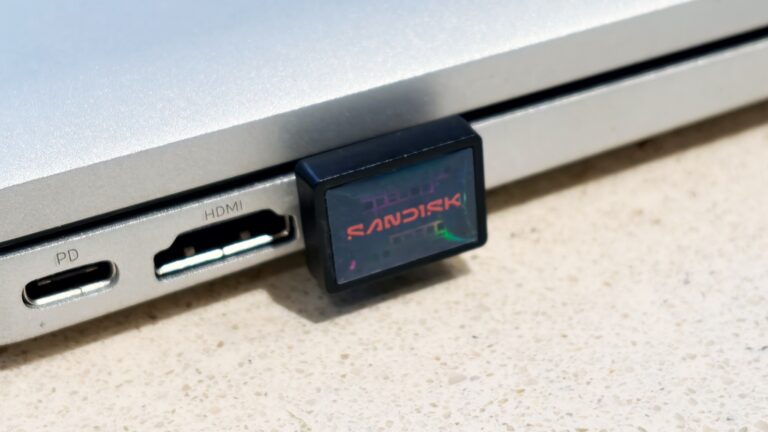
Add a terabyte of storage to your older MacBook with this affordable SSD. Photo: Ed Hardy/Cult of Mac
Sandisk gives its new Extreme Fit USB-C Flash Drive the crown as “the world’s smallest 1TB USB-C flash drive.” It’s undeniably very, very small — so tiny that you can leave it plugged into your MacBook. That means it can semi-permanently boost the storage capacity of your older notebook — and at quite a good price.
I tested the miniature external SSD with a variety of Apple devices, including my iPhone. Here’s how it stood up to real-world use.
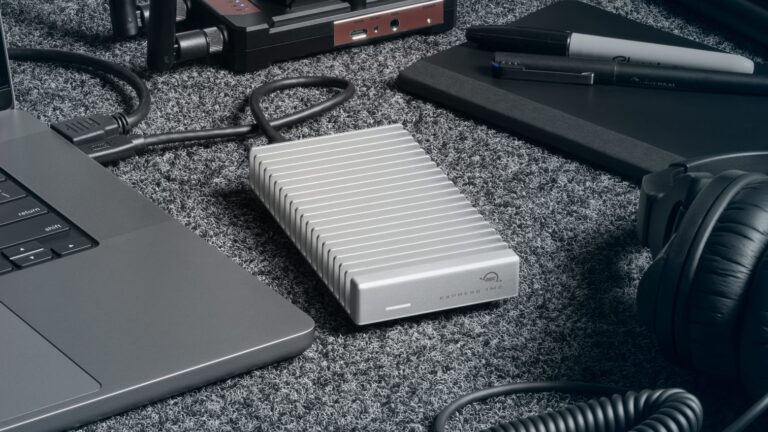
OWC Express 1M2 80G holds up to 8TB, or put in your own NVMe M.2 SSD. Photo: OWC
Professionals who need an SSD with terabytes of storage and crazy-fast data transfers have a new option: the OWC Express 1M2 80G. The drive offers up to 8TB of capacity, and because it uses Thunderbolt 5, the SSD offers 48GBps real-world data transfers.
It’s available in a range of storage capacities, or users can insert their own NVMe M.2 SSD.
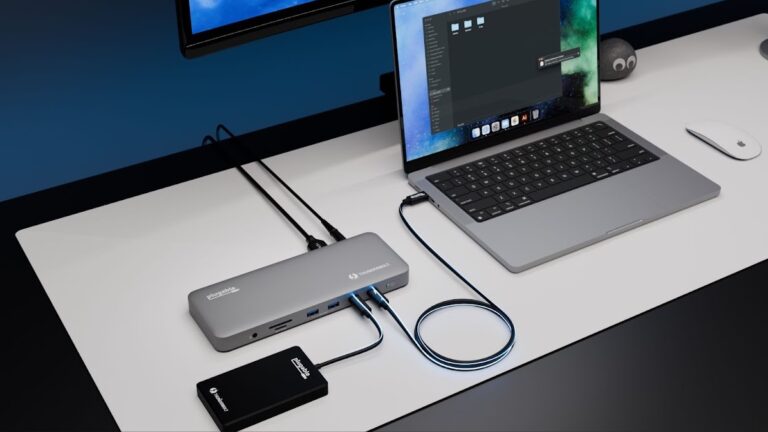
The Plugable TBT-UDM fits with Mac setups while adding 13 ports. Photo: Plugable
Plugable created the TBT-UDM Thunderbolt 4 dock with Apple users in mind. It offers more than a dozen ports — including dual 4K HDMI — in an aluminum chassis intended to blend into Mac setups.
Just as importantly, it launched Tuesday at a price lower than usual for a Thunderbolt dock.
★★★★☆
The KYY 14” Portable Monitor pairs well with a 14-inch MacBook or a 13-inch iPad. Photo: Ed Hardy/Cult of Mac
The KYY 14” Portable Monitor challenges the idea that bigger is always better. It’s much smaller than the external display I usually travel with — and that’s exactly why I love it.
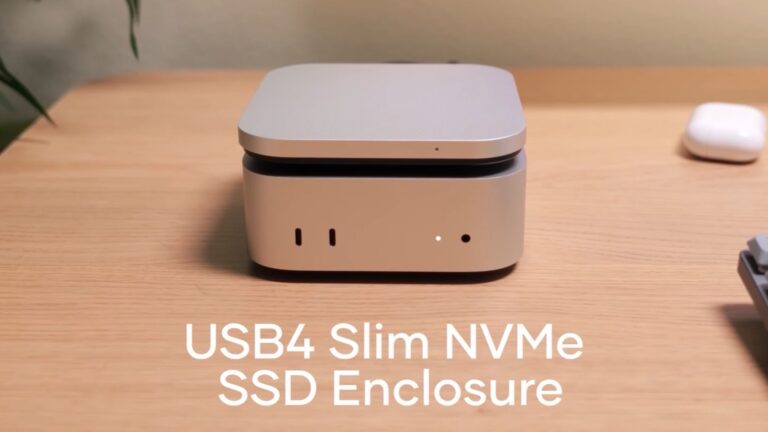
The Satechi USB4 Slim NVMe SSD Enclosure expands Mac mini. Image: Satechi
Adding a high-speed SSD to the Mac mini M4 just got easier with the Satechi USB4 Slim NVMe SSD Enclosure. It can hold up to 8TB drives and transfer data at up to 5 GB per second.
The accessory hit store shelves Tuesday and comes with a 17% launch discount.
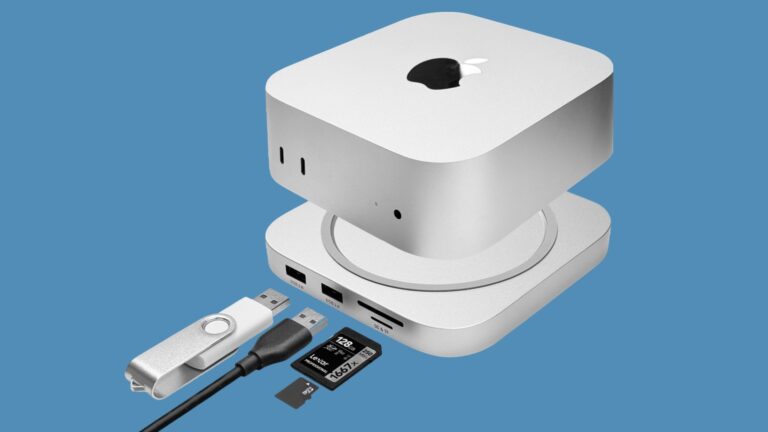
Add more ports and storage capacity to your M4 Mac mini with the Macally MminiDock. Image: Macally
Macally designed the new MminiDock with the M4 Mac mini in mind. It sits under the tiny desktop, increasing the selection of available ports with front-facing USB-A, plus 4K HDMI, an audio jack and more without increasing the computer’s footprint. And there’s an SSD enclosure inside for 8TB of additional capacity.
The accessory launched Monday and comes with a 20% off launch coupon.
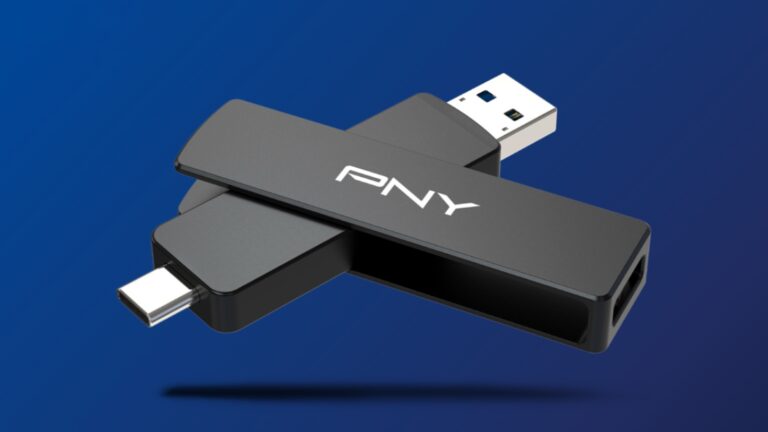
This thumb-size external SSD connects to your Mac or your smartTV, no adapter needed. Image: PNY
The PNY Duo Link V3 external SSD includes both a USB-C and a USB-A connector. That means the flash drive that launched Thursday can plug into any modern Mac, or it can go into a smartTV or other accessory that lacks a USB-C port — no adapter needed.
Even better, it offers 1,000MB/s data transfers, and capacities go up to 2 terabytes. The price is very competitive, too.