One of these two Macs cost a lot more than the other. Which one might surprise you.
Mac evolution: Becoming iconic
The history of Mac computers is marked by innovation, technological advancements and a profound impact on the computing industry.
From humble but hopeful beginnings in the 1970s, the Macintosh line of computers has pushed boundaries of design, user experience and technological prowess to become iconic and often imitated.
In early 1984 Apple’s vision of a user-friendly personal computer resulted in the launch of the original Macintosh. The Macintosh 128K, often referred to as the “Mac,” featured a graphical user interface and a mouse, setting a new standard for personal computing.
Technological milestones: 1990s and 2000s
PowerPC architecture
In the early 1990s, Apple transitioned to the PowerPC architecture, a collaboration between Apple, IBM and Motorola. This transition led to significant performance improvements, setting the stage for Apple’s expansion into new markets, including professional multimedia and design.
Mac OS X
The launch of Mac OS X in 2001 marked a pivotal moment in the history of Mac computers. The Unix-based operating system brought enhanced stability, performance, and a modern user interface to the Mac lineup, solidifying Apple’s position as a leader in software innovation.
The introduction of the unibody construction in MacBook Pro models showcased Apple’s commitment to design and engineering excellence. The unibody design not only improved durability but also set a new standard for aesthetic appeal and build quality in the industry.
Retina display
Apple’s focus on display technology culminated in the introduction of the Retina display in 2012. Offering exceptional pixel density and image quality, the Retina display redefined visual clarity and became a hallmark feature of Mac computers, setting them apart from the competition.
M1 chip
The launch of the M1 chip in 2020 marked a significant technological leap for Mac computers. As Apple’s first custom silicon for Mac, the M1 chip delivered exceptional performance, power efficiency, and integration, further solidifying Apple’s position as a pioneer in processor architecture.
What are the top features of Apple computers?
When it comes to computing devices, Apple has long been at the forefront of innovation and design. From sleek hardware to intuitive software, Apple computers are known for their exceptional performance and user experience. Let’s delve into some of the top features.
What sets macOS (operating system) apart?
One of the key features of Apple computers is the macOS operating system. Known for its stability, security and user-friendly interface, macOS provides a seamless computing experience. Features such as Siri integration, iCloud synchronization, and Continuity features (which allows seamless work across Apple devices) contribute to the overall appeal.
What makes Retina displays so great?
Apple’s Retina display technology is renowned for its stunning visual clarity and sharpness. Whether it’s the vibrant colors, high resolution, or wide viewing angles, the Retina display enhances the overall user experience, making it a standout feature of Apple computers.
Solid build quality and gorgeous design
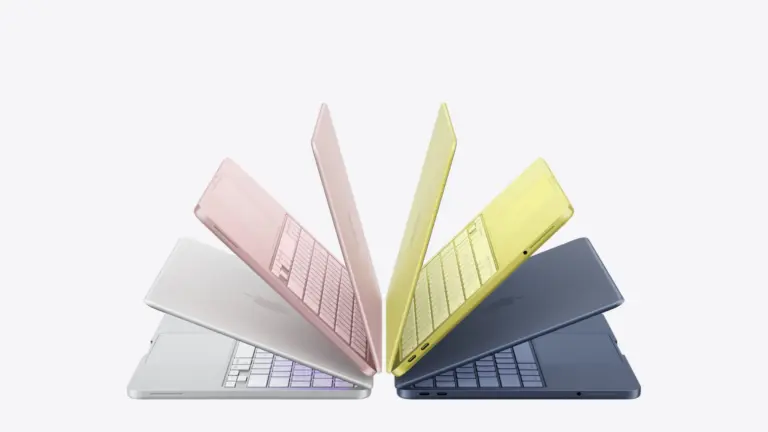
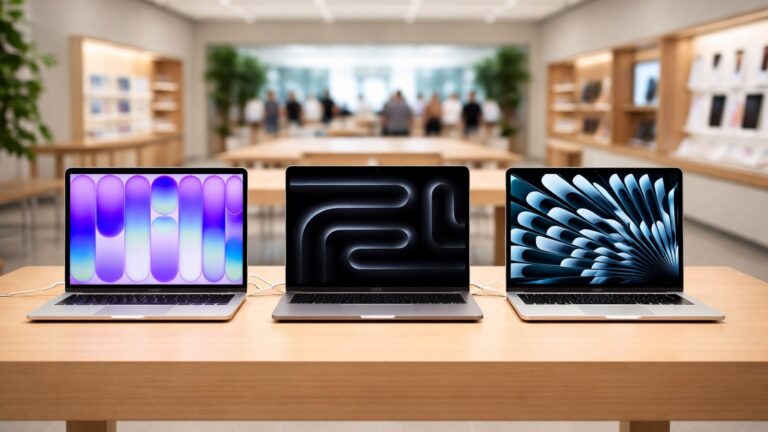
Apple is synonymous with elegant and robust design. From the slim and lightweight MacBook Air to the powerful and stylish MacBook Pro, Apple’s attention to detail in design and build quality sets its computers apart.
Trackpad and keyboard
The trackpad and keyboard on Apple computers are designed to offer a superior user experience. The trackpad, equipped with multi-touch gestures, provides precise control and navigation, while the keyboard offers a comfortable typing experience. Features such as the Touch Bar on certain MacBook Pro models further enhance functionality and user interaction.
Performance and battery life
Whether it’s the speed and responsiveness of the latest M1 chip or the extended battery life that allows users to work uninterrupted for hours, Apple computers excel in delivering high performance and long-lasting battery power.
Integration with other Apple devices
Apple’s ecosystem is designed to work seamlessly across its range of products. Features like Handoff, AirDrop, and Universal Control allow for effortless sharing and continuity between Apple computers and other devices such as iPhones and iPads.
Security and privacy
Apple places a strong emphasis on security and privacy. With features like FileVault encryption, Gatekeeper app security, and the privacy-focused approach to user data, Apple computers provide a secure computing environment, giving users peace of mind.
Customer support and software ecosystem
Apple’s strong customer support and extensive software ecosystem contribute to the overall appeal of its computers. Whether it’s access to a wide range of productivity and creative apps through the App Store or the reliable customer service offered through AppleCare, users of Apple computers benefit.
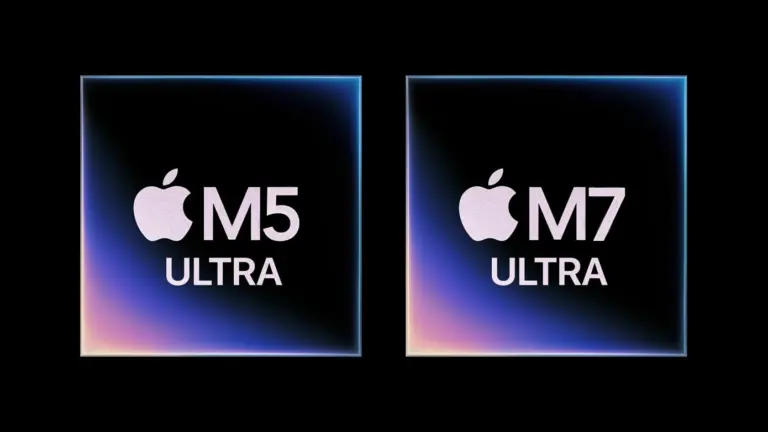
The Mac Studio comes with a serious memory limitation. The M5 Ultra and M7 Ultra could be the solution. Image: Apple/Cult of Mac
The Mac Studio, Apple’s top-of-the-line desktop, delivers extraordinary CPU and GPU performance in a surprisingly compact enclosure — but many users simply cannot add as much RAM as they need.
However, change is apparently on the way. Apple is reportedly developing an M5 Ultra chip that supports more unified memory than the current version. And the subsequent M7 Ultra chip will be even better — it will supposedly handle as much as three times more RAM. That’s a dramatic leap beyond the best of today’s Macs.
Mac shipments increased by double digits while the rest of the PC market was in decline. Photo: Apple
The PC industry just posted its worst quarter in two years, but the Mac is having a moment. New shipment data shows Mac sales grew by double digits at a time when every other big computer maker was tanking. Unsurprisingly, the reason comes down to the global chip shortage that’s wrecking the whole industry.
This matters because the same memory crunch dragging down Dell, HP and Lenovo is pushing the price up for your next Mac. Apple seems to be weathering the storm better than anyone else, but it isn’t immune, and the discount window for your next Apple hardware could be closing fast.
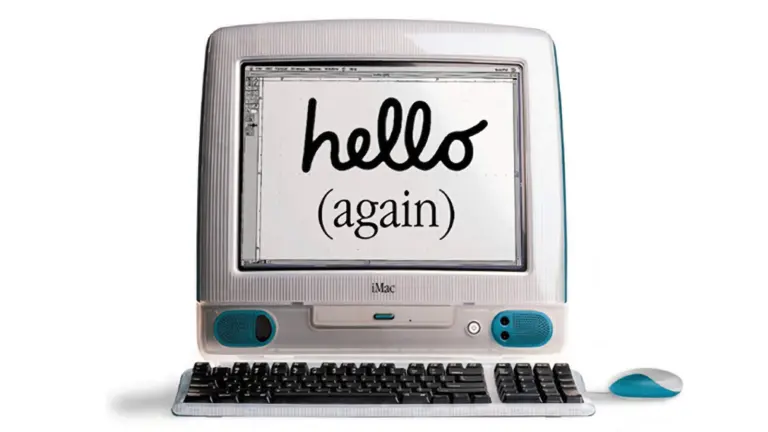
The easy-to-use iMac spurred Apple's return to dominance in schools. Photo: Apple
July 9, 2001: Apple earns the title of No. 1 computer manufacturer in the education market, with twice as many machines in schools as runner-up Dell Computer.
It marks a big turnaround from a couple of years earlier, when Dell overtook Apple and people accused Steve Jobs of abandoning this important market.
Steve Jobs' one and only trip to the Soviet Union yielded lots of intrigue. Image: Ste Smith/Cult of Mac
July 4, 1985: Apple co-founder Steve Jobs visits Moscow for the first time, with the aim of selling Macs to the Russians. During his two-day trip to the Soviet Union, Jobs lectures computer science students, attends a Fourth of July party at the American embassy and discusses opening a Mac factory in Russia.
He also reportedly almost runs afoul of the KGB by praising assassinated Marxist revolutionary Leon Trotsky.
A 2019 Mac Pro is the core of this three-Pro Display XDR computer setup, along with a 16-inch M1 Pro MacBook (not pictured). Photo: Liam Hudson
The Apple Pro Display XDR is, by almost any measure, the most spectacular external monitor ever made for a Mac. Launched in 2019 at a price that shocked even committed Apple fans — $4,999 for the standard glass version, $5,999 for nano-texture, plus $999 for the Pro Stand — it takes your breath away for several reasons. A dozen great workstations below are the best Pro Display XDR setups in Cult of Mac‘s archive.
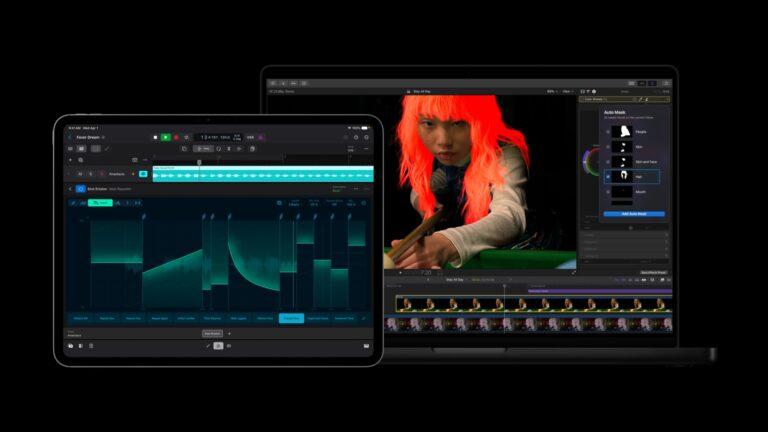
The Apple Creator Studio app bundle got a series of updates. Photo: Apple
Apple rolled out a fresh batch of updates to Apple Creator Studio Tuesday, sharpening AI features inside its flagship video and music apps while weaving Pixelmator Pro’s editing tools directly into Final Cut Pro, Keynote, Pages and Numbers.
The updates expand on the role Mac, iPad and iPhone already play for creative work. They layer in new AI capabilities across editing, photo and music workflows.
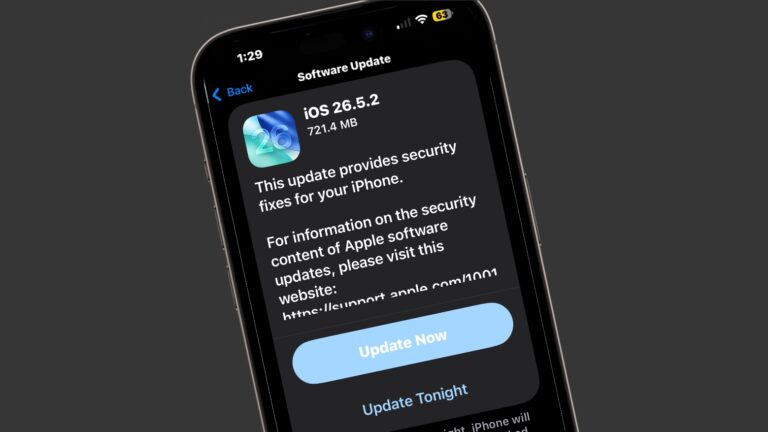
There are just so, so many security patches in iOS 26.5.2. Image: Cult of Mac
Apple released iOS 26.5.2, macOS Tahoe 26.5.2 and iPadOS 26.5.2 on Monday with no additional features but lots of security fixes. There are no fewer than 29 of them listed in Apple’s documentation.
Clearly, even though they lack fun new features, you should install these updates ASAP.
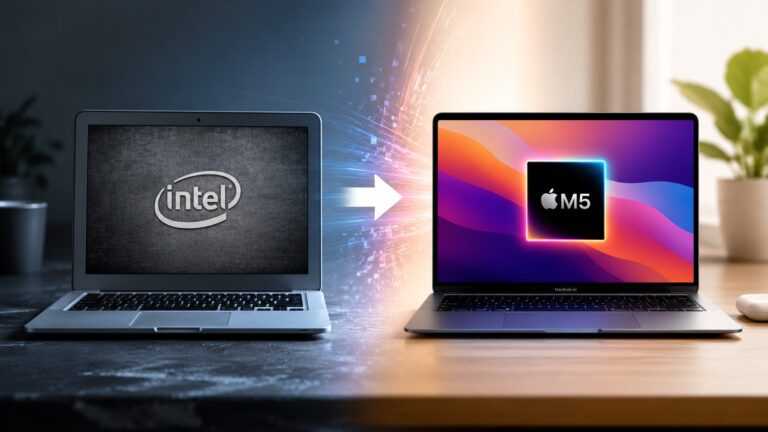
macOS 27 Golden Gate marks the end of the road for Intel Macs. If you’re still using one, this is the strongest reason yet to consider upgrading to an Apple silicon Mac.
While your Intel Mac will continue receiving security updates for a while, it has effectively reached the end of its journey. And that’s not a disaster, considering the newer Apple silicon Macs are not only faster and more efficient, but they’re also the ones getting access to all the new AI features. Here are eight reasons it’s finally time to upgrade.
A user joked that this setup is so clean it looks like artificial intelligence generated the image. Photo: [email protected]
Among the thousands of Mac setups posted to social media each year, a small subset earns a reaction that’s different from the usual approving nod or dismissive scowl. These are the ones that make commenters stop mid-scroll and type something. “Peak coziness.” “Oozes good taste.” “This looks AI-generated.” Cult of Mac has featured hundreds of genuinely attractive workstations over several years, but the ones below stand apart as the most beautiful Mac setups.
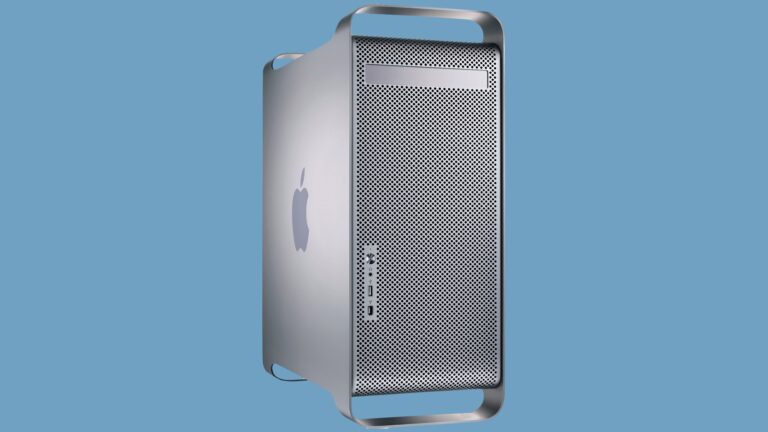
A 64-bit CPU powered Apple's stunning "cheese grater" Power Mac G5. Photo: Bernie Kohl/Wikipedia CC
June 23, 2003: Apple launches its gorgeous Power Mac G5, a powerhouse desktop computer with a perforated aluminum chassis that earns it the affectionate nickname “the cheese grater.”
Starting at an affordable $1,999 (over $3,600 in today’s money, adjusted for inflation), the Power Mac G5 is the world’s first 64-bit personal computer. It’s also Apple’s fastest machine yet.
Prime Day is from June 23 to 26, 2026. Graphic: Amazon/D. Griffin Jones/Cult of Mac
Prime Day is always an advertising blitz of products — what are the good products and what’s crap? At Cult of Mac, we put together the best Amazon Prime Day deals on the products we’ve actually used, reviewed and love.
While the occasion is as artificial and arbitrary as ever, the pressure is actually real this year. Apple CEO Tim Cook warned earlier this week that prices are inevitably going to rise sometime soon. So if you’ve been thinking about a new computer, now may be the best time.
We review tons of products, from official Apple products to top accessories offered to our staff. Take a look at some of our top recommendations this Prime Day.
The popular workaround is no more. Graphic: Apple/D. Griffin Jones/Cult of Mac
The hack that some Mac users were using to try out the new Siri AI, skipping the waitlist, no longer works.
Apple released the second developer beta of all its OS 27 updates yesterday. In macOS 27 developer beta 2, the hidden Terminal command no longer enables Siri AI. After you update, you’ll find yourself back on Apple’s waitlist. If you previously enabled it on your Mac, your access will be revoked.
But no worries — some users on Reddit may have found a way to get yourself accepted fast.
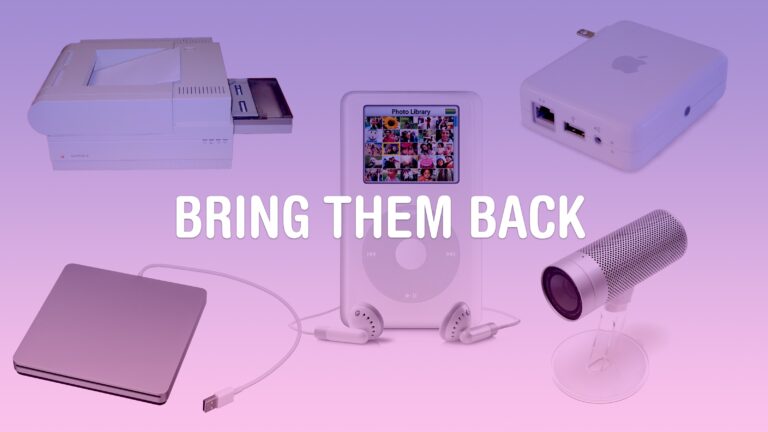
Some old products might be a hit again today. Image: D. Griffin Jones/Cult of Mac
Some Apple products are discontinued before the time is right. Maybe, if they were introduced today with modern technology, they could become a much bigger hit.
A lot of Apple’s lesser-known experimental products were killed in 1997. Steve Jobs had just returned, the company was near bankruptcy, and he needed all hands on deck to develop the iMac and Mac OS X.
But some real gems were lost along the way. These are the 10 products that Apple should bring back with modern technology.
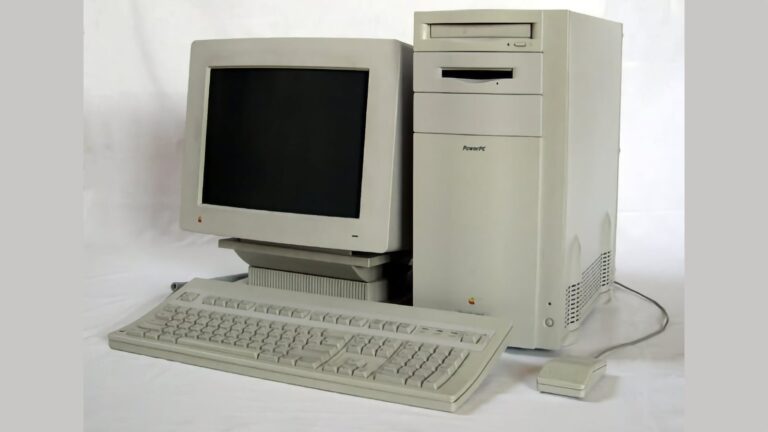
Back in 1995, the Power Macintosh 9500 was the Mac Studio of its day. Photo: Übernommen/Wikipedia CC
June 19, 1995: Apple releases the Power Macintosh 9500, a high-end Mac that boasts a second-generation PowerPC chip that’s much faster than its predecessor.
The Power Mac 9500 also packs six Peripheral Component Interconnect, or PCI, slots. They allow owners to attach hardware using Intel’s industry-standard connection. Along with seven bays for internal drives and a swappable daughterboard, this makes the 9500 the most expandable Power Mac ever produced.
The upcoming version of macOS. Image: Apple/D. Griffin Jones/Cult of Mac
macOS 27 comes packed with features that will make your daily life on the Mac all the better. From an enhanced user interface to super-charged search, the new operating system delivers upgrades that should please every Mac user.
While Apple Intelligence and Siri AI dominated Apple’s WWDC26 keynote last week, and much of the fervor focused on improvements coming to iOS 27, the Mac is getting some great new features as well.
Here are the 10 best “hidden” features coming to macOS Golden Gate 27.
Apple can no longer absorb soaring memory and storage costs. AI image: Apple/ChatGPT/Cult of Mac
Apple CEO Tim Cook says the iPhone maker must raise its prices to offset the impact of the rising memory and storage chip prices. According to one estimate, this year’s iPhone 18 Pro could cost as much as $1,299!
“Unfortunately, price increases are unavoidable,” Cook said Wednesday in an interview with The Wall Street Journal. “We’re doing our best to mitigate the huge increases that are being passed to us, and we’ve been trying to shield our customers from the increases, but the situation has become unsustainable.”
iPhone Mirroring gets a major upgrade in macOS 27. Photo: Apple
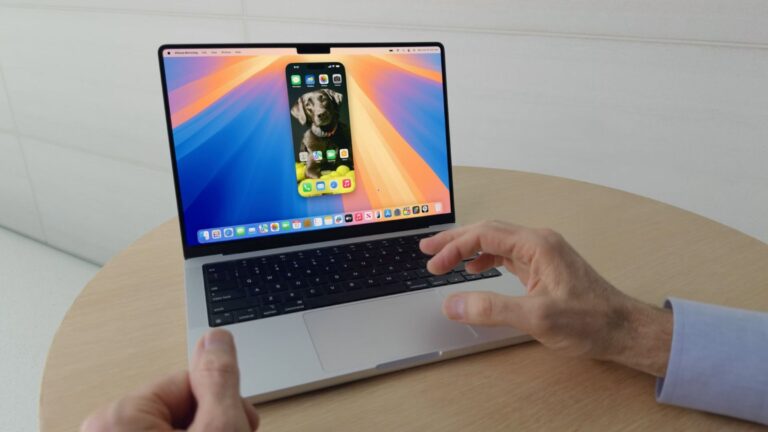
iPhone Mirroring, which lets you view and control your iPhone from your Mac, finally gets some features it deserved from day one in macOS 27 Golden Gate. The three notable improvements are resizable windows, Control Center access and DRM video playback.
It’s worth the wait. But you also don’t have to wait. Photo: Apple
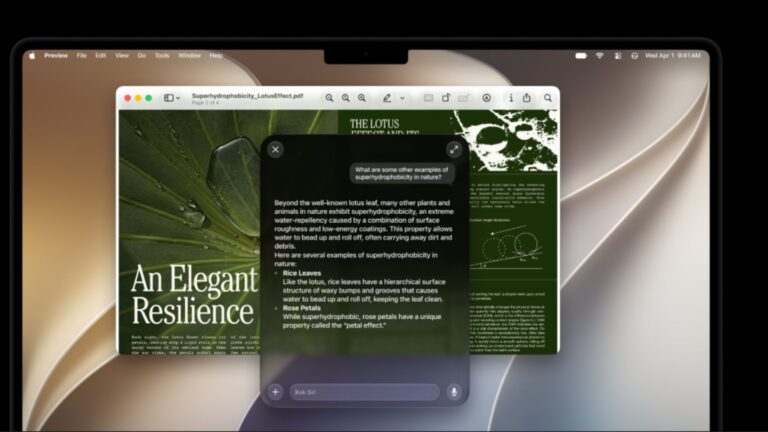
Even after updating all your devices to the OS 27 betas, you can’t get the new Siri AI right away. There’s a waitlist, and users are reporting that it can take days to get accepted. But on macOS Golden Gate, you can skip the waitlist with a little Terminal command.
First, you’ll need to install macOS Golden Gate. If you want to play it safe by installing it on an external volume, you’ll be disappointed — Apple Intelligence only works when macOS is running from your internal storage. So playing it safe is a little harder, unless you have enough free internal space to make a partition.
Whatever your approach, here’s how you can try out the new Siri on your Mac right now.
Apple is finally closing the book on Intel app support with macOS 27 Golden Gate. Photo: Apple
Apple’s planned goodbye to Intel is almost here, and it’s not about the hardware. macOS 27 Golden Gate will be the last version of macOS to support apps built for Intel-era chips using Rosetta 2, the software layer that’s been keeping older software alive on Apple silicon. Next year, when Apple announces macOS 28, that safety net will disappear completely.
This affects even M-series Mac users who upgraded years ago. If any of the apps you use haven’t been updated with native Apple silicon support, they are likely alive because of Rosetta 2. These apps now have roughly one year before they stop running.
Please, only touch the screen if it’s a touchscreen. Photo: Pavel Danilyuk/Pexels
A few changes in macOS Golden Gate 27 hint towards Apple introducing a Mac with a touchscreen quite soon. Apple added a bunch of developer tools that allow apps to differentiate touch input from mouse input. Liquid Glass elements also behave differently when you interact with them on a touchscreen — they bounce and glow more prominently, just like iOS.
Officially, these changes are for Sidecar, the feature that lets you use an iPad as a touchscreen Mac display. But Apple’s own documentation also states that these new features are “not just for the Sidecar display.”
What else could that be…? Maybe the touchscreen MacBook that’s rumored to launch later this year.
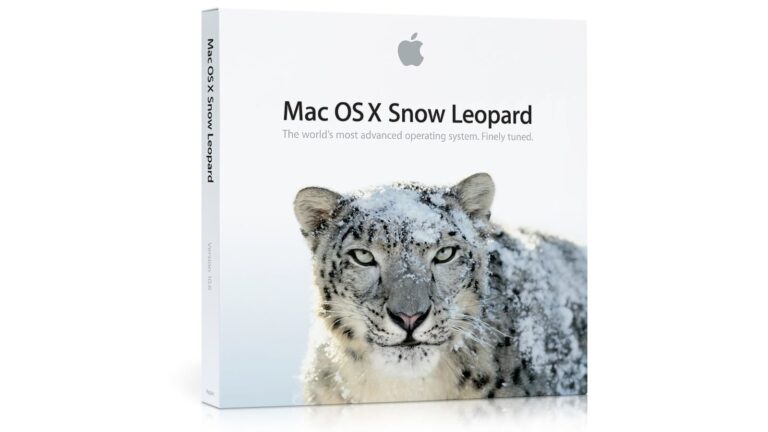
June 8, 2009: Apple introduces OS X Snow Leopard, a version of its Mac operating system that ranks among the company’s finest desktop updates.
Showcased at Apple’s Worldwide Developers Conference in San Francisco, Snow Leopard doesn’t seem as flashy as some other Mac operating system upgrades. In fact, Apple famously includes a slide in its WWDC presentation touting “0 new features.” However, OS X Snow Leopard more than delivers on Apple’s core values, paving a path to a bright future for the Mac.
Inside its beefy chassis, the PowerBook 180c packed a beautiful color screen. Photo: Wikipedia CC
June 7, 1993: Apple debuts the PowerBook 180c, a solid upgrade that brings a world of dazzling colors to the company’s laptop line.
The 180c’s big improvement over the grayscale PowerBook 180, which launched the previous October, is its active-matrix, 256-color screen. Such a screen is something of a novelty for laptops in the early 1990s.
Make a presentation that leaves an impression. Image: Apple/D. Griffin Jones/Cult of Mac
If you want to create the best possible Keynote presentation, you should follow a few simple rules — and ape the style of the keynote GOAT, Steve Jobs.
The transition to Intel was a big achievement for Steve Jobs. Photo: Thomas Hawk/Flickr CC
June 6, 2005: Steve Jobs reveals that Apple will switch the Mac from PowerPC processors to Intel.
Speaking at Apple’s Worldwide Developers Conference, Jobs’ revelation reminds the tech world that he is a leader who can get things done. Given Intel’s focus on mobile computing, the move also offers a hint at what Apple’s CEO has planned for the second half of his reign.


 July 9, 2001: Apple earns the title of No. 1 computer manufacturer in the education market, with twice as many machines in schools as runner-up Dell Computer.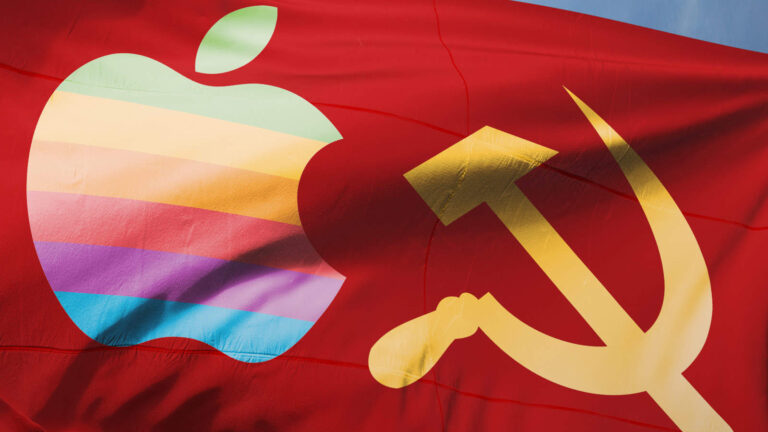
 July 4, 1985: Apple co-founder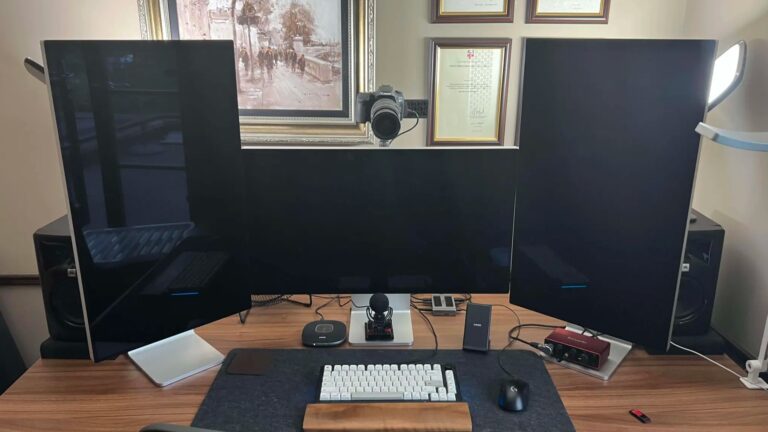

 June 23, 2003: Apple launches its gorgeous Power Mac G5, a powerhouse desktop computer with a perforated aluminum chassis that earns it the affectionate nickname “the cheese grater.”

 June 19, 1995: Apple releases the Power Macintosh 9500, a high-end Mac that boasts a second-generation PowerPC chip that’s much faster than its predecessor.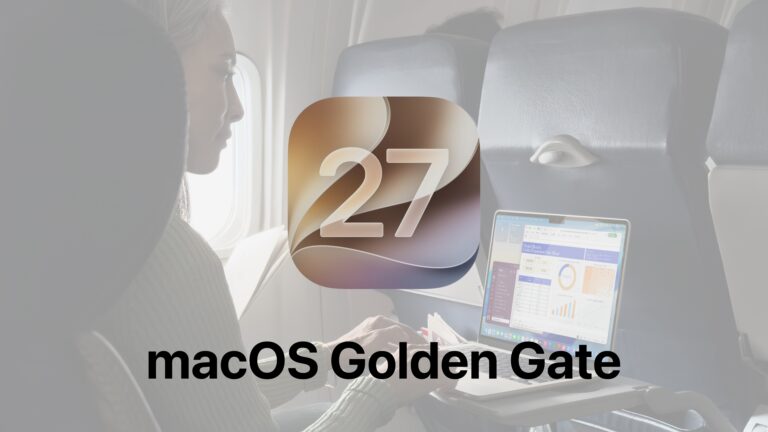


 June 8, 2009: Apple introduces OS X Snow Leopard, a version of its Mac operating system that ranks among the company’s finest desktop updates.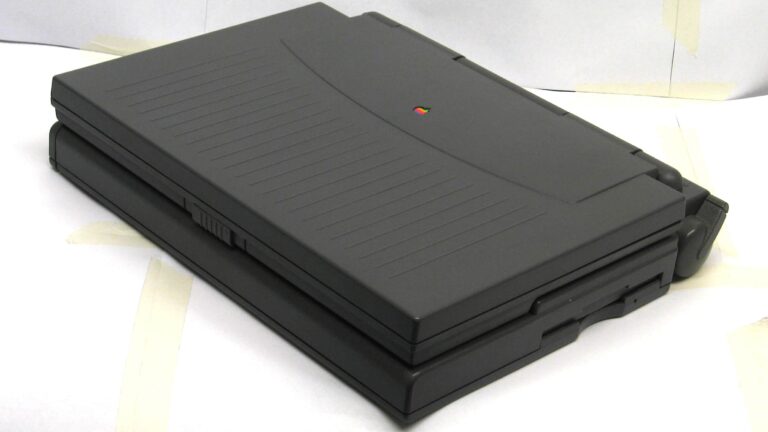
 June 7, 1993: Apple debuts the PowerBook 180c, a solid upgrade that brings a world of dazzling colors to the company’s laptop line.
 June 6, 2005: Steve Jobs reveals that Apple will switch the Mac from PowerPC processors to Intel.