
Mobile menu toggle

Anurag Chawake

Apple Maps ads will ban plumbers, crypto ATMs and bail bonds

By

Three iPhone screenshots of Apple Maps used in a story about restrictions on ads in the navigation app.
Apple Maps ads will shut out several business categories when they roll out this summer.
Image: Apple

Apple is going to be quite picky about the types of ads it shows in Apple Maps. New advertising rules say plumbers, electricians, locksmiths and roofers can’t buy ads on the navigation app — even though Google happily sells them in its mapping app.

That’s a deliberate distinction from Google’s model, in which home services ads make up one of the biggest categories. And that’s just the start of Apple’s restrictions on ads in Apple Maps and its other services.

As it turns out, Apple wants Maps to feel more like a curated storefront than a search engine.

Apple closes unlocked iPhone loophole for T-Mobile and Verizon buyers

By

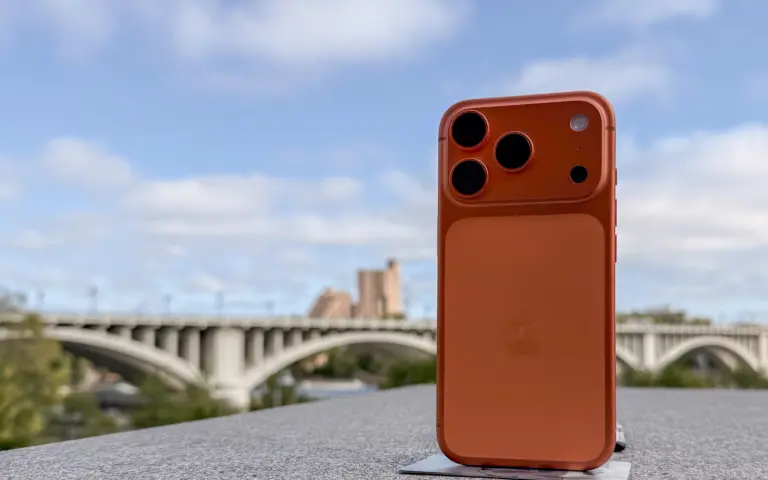
A picture of the iPhone 17 Pro max used in a story about Apple closing the unocked iPhone loophole.
The unlocked iPhone loophole for T-Mobile and Verizon financing just got shut down.
Photo: Apple

Apple closed the unlocked iPhone loophole for T-Mobile and Verizon buyers. If you’ve financed an iPhone through any of these carriers, it used to stay unlocked. Not anymore.

Every iPhone financed through T-Mobile or Verizon will now stay locked to that carrier until you fully pay it off. This is exactly how AT&T’s financing has always worked. It means no more SIM swapping, joining an MVNO or popping in a travel eSIM on the go.

AppleCare+ price increase lands for new Mac and iPad buyers

By

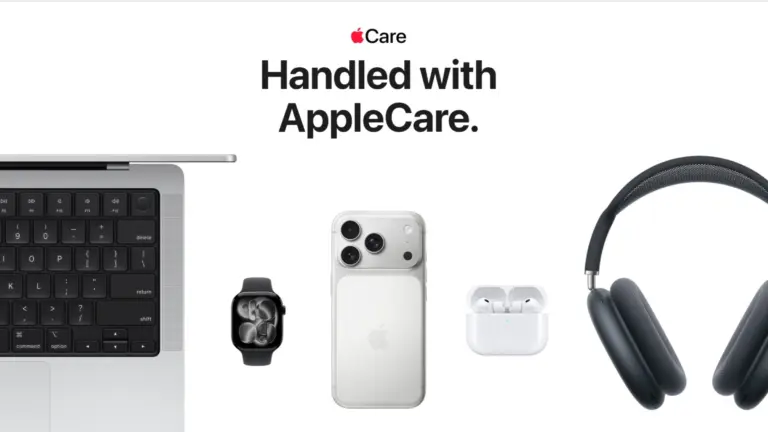
A picture showing AppleCare used in a story about AppleCare+ price hike.
New Mac and iPad buyers are facing an AppleCare+ price increase starting this week.
Photo: Apple

Apple is pushing an AppleCare+ price increase, with Mac and iPad owners footing the bill. Sign up for coverage on a new Mac or iPad today, and you’ll pay 50 cents more per month than you would have last week.

The change just went into effect and only affects new AppleCare+ enrollments. If you’re already subscribed, you’ll keep your current rate for now. But Apple hasn’t clarified how long that will last. It’s a small bump, but lands just weeks after Apple hiked hardware prices.

iOS 26.6 will flag malicious iMessages with a warning before you tap

By

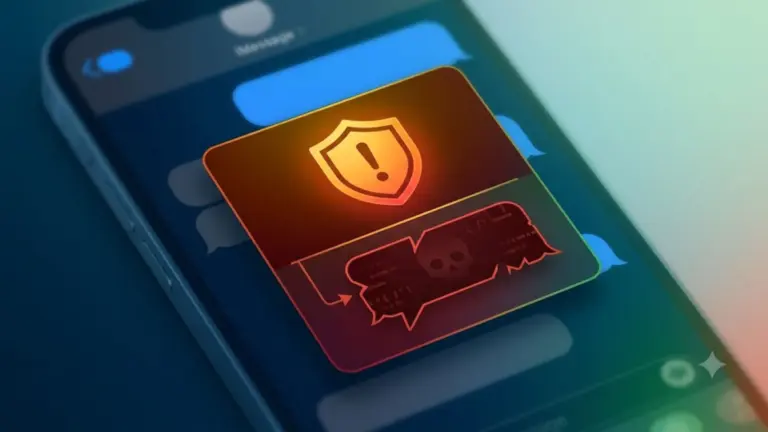
An AI-generated picture of an iPhone with iMessages open used in a story about Apple adding new malicious message warnings.
The iOS 2.6.6 malicious message warning tells you when Apple thinks an iMessage is trying to harm your iPhone.
AI image: Google Gemini/Cult of Mac

Your iPhone will soon speak up before a booby-trapped text message can do damage. The iOS 26.6 malicious message warning is a new pop-up that tells you when Apple thinks an iMessage is trying to harm your device or steal your data. And it gives you a quick way to send that message straight to Apple for investigation.

The alert hasn’t gone live for anyone yet. It was spotted buried in iOS 26.6 beta 5 code, which means it’s still in the testing phase. But its presence indicates iPhone users will soon get a much more visible security layer that makes it harder to ignore message-based attacks.

Judge dismisses $32.8 billion iCloud CSAM lawsuit against Apple

By

A photo of the iCloud logo used in a story about a dismissed CSAM detection lawsuit filed against Apple.
The iCloud CSAM lawsuit against Apple is history.
Image: Apple

Apple just got a proposed class-action lawsuit wiped off its plate — and it’s a big one. A federal judge on Monday dismissed a case that accused the company of failing to stop child sexual abuse material (CSAM) from spreading through iCloud, a lawsuit that sought as much as $32.8 billion in damages.

U.S. District Judge Noël Wise ruled that Apple would be shielded from the claims by Section 230 of the Communications Decency Act, the 1996 law that protects online platforms from being sued over content their users upload. The judge tossed the case with prejudice, so it’s gone for good.

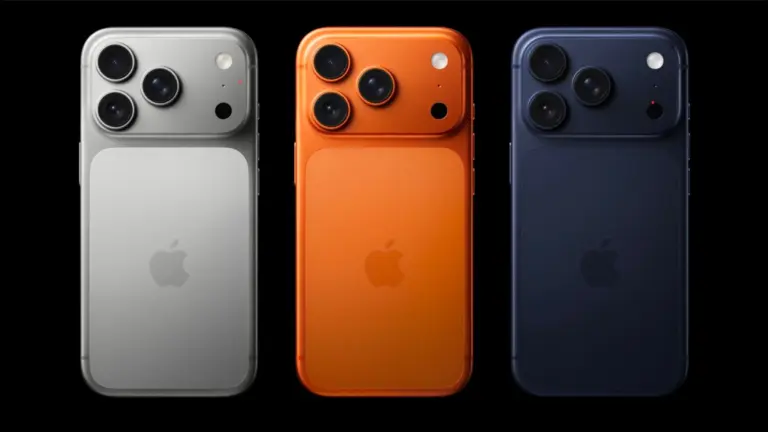
iPhone 20’s glass design just got a lot more real

By

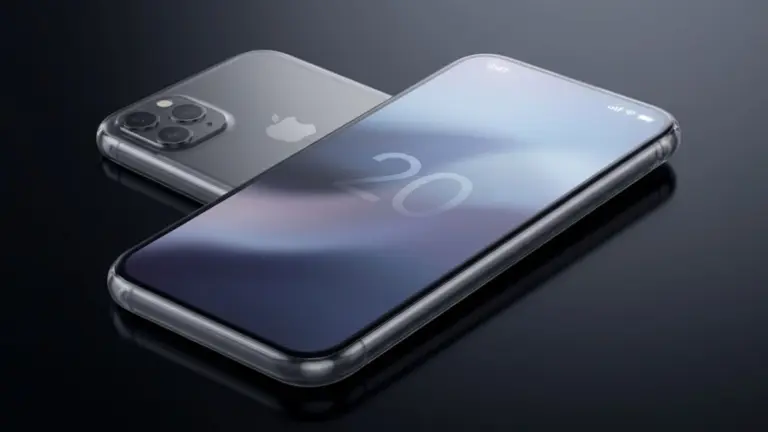
An AI generated image of the iPhone 20 concept used in a story about the same.
Rumors suggest Apple is chasing a “slab of glass” design for the 20th-anniversary phone.
AI image: Google Gemini/Cult of Mac

Word on the street is that the iPhone 20’s all-glass revamp recently moved from “maybe” to “the factories are literally getting ready for it.”

Seems like anyone ready for Apple to shake up iPhone design can look forward to 2027.

Apple left Jony Ive out of its OpenAI lawsuit, but things might get messy

By

An AI-generated image depicting Apple and OpenAI resolving dispute in the court of law.
The legal battle between Apple and OpenAI could get messy.
AI image: Google Gemini/Cult of Mac

Apple seems to have gone to unusual lengths to keep one man out of its trade-secret lawsuit against OpenAI: Jony Ive.

However, the legal battle could end up with Apple’s former design chief taking the stand. And that could rattle Apple’s cordial relationship with Ive, who’s helping OpenAI build AI-powered gadgets that threaten the iPhone’s dominance.

CrashStealer malware masquerades as Apple’s crash report tool to raid your Mac

By

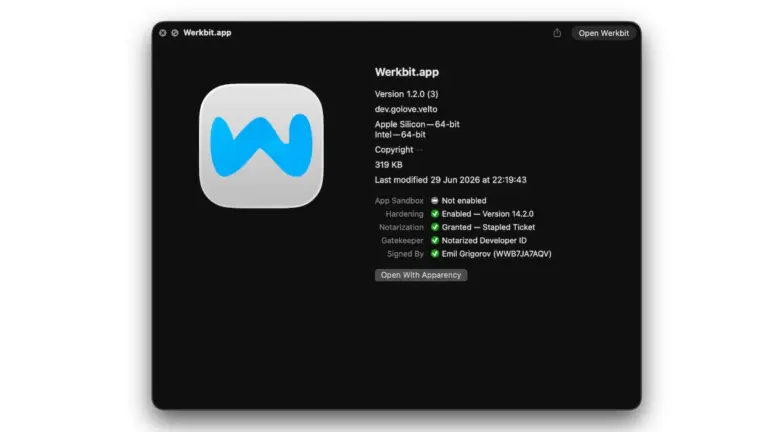
A screenshot of the Werkbit app CrashStealer malware running on macOS.
CrashStealer malware mimics Apple’s real crash-reporting tool, right down to the icon and name.
Image: Jamf Threat Labs

If you see a file called CrashReporter.dmg in your Mac’s Downloads folder, don’t open it. It’s not from Apple — it’s a new strain of malware called CrashStealer. It’s wearing Apple’s own clothing, right down to the icon, name and a fake password box designed to look like standard macOS.

The malware slips past Apple’s security checks and tricks victims into typing their Mac password before draining everything of value on the machine. Anyone who’s opened an unfamiliar app in the past few weeks should pay close attention.

SigLens acquisition targets one of Apple’s biggest headaches: Buggy apps

By

A picture of SigLens logo used in a story about Apple's acquisition of the debugging tool.
Apple’s SigLens acquisition gives Cupertino a dashboard built to hunt down bugs across its sprawling network of interconnected apps.
Image: SigLens

Apple just went shopping for a bug hunter. Cupertino scooped up SigScalr, a small startup behind SigLens, an app designed to detect exactly where the software goes wrong — even if the software is basically hundreds of smaller programs working as a single app.

Apple did not announce the acquisition via a press release. It surfaced through the European Union’s paperwork, the same way a lot of Apple’s smaller acquisitions did in the last few years.

But don’t let the quiet rollout fool you. SigLens tackles a problem that’s only getting worse as apps become more complex. And it looks like Apple clearly wants it fixed before it becomes Xcode’s problem too.

The real story behind the Apple/Intel chips deal? It reportedly started at the White House.

By

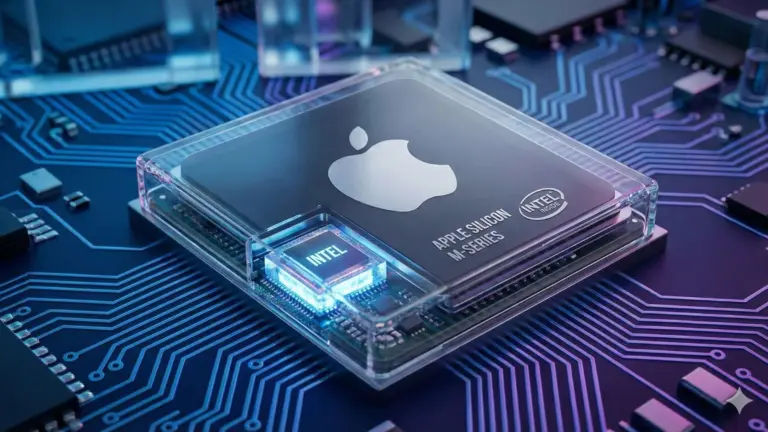
An AI-generated image of Intel chip used in an Apple device.
A new report sheds light on how the Apple-Intel chips deal actually came together.
AI image: Google Gemini/Cult of Mac

Apple CEO Tim Cook didn’t fly to Washington last summer to talk about Intel. He went there to keep Apple from getting hit with a 100% tariff on every chip the company imports. But somewhere in those meetings, the conversation shifted to an unexpected topic — Intel.

Fast forward a year, and Apple and Intel now have a manufacturing arrangement in the works. And according to a new report, the origin story is less about “engineering roadmap” and more about “the White House brought it up while Apple was trying to survive a tariff fight.”

Tap to Pay on iPhone finally replaces clunky card reader at Apple Stores

By

A picture of Apple's Tap to Pay feature used in a story about Apple Store staff making the switch to an iPhone.
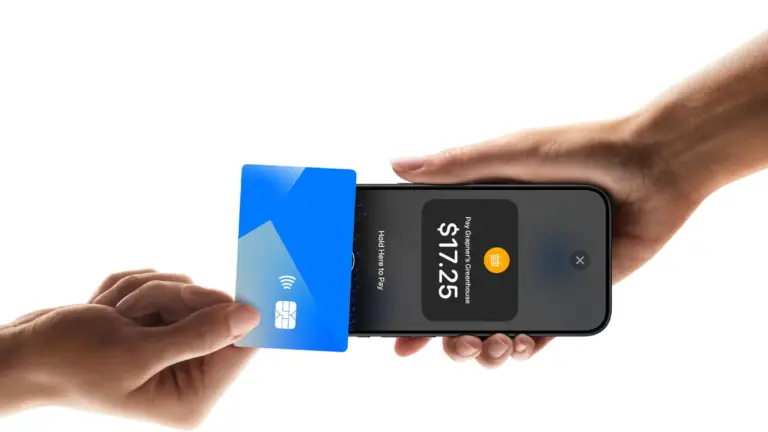
Tap to Pay on iPhone turns it into a checkout counter — no card sled needed.
Photo: Apple

The next time an Apple Store employee rings you up, don’t be surprised if you don’t see the traditional plastic card sled. Apple is silently retiring the hardware its retail staff has strapped onto their iPhones for years. The company seems to be betting on the fact that the iPhone is finally good enough to close the sale.

Apple is now reportedly handing out iPhone 16s to its blue-shirted employees to expand Tap to Pay on iPhone. This software feature turns the device into a contactless payment terminal with nothing bolted on. It’s a small hardware swap, but Apple no longer thinks it needs a middleman to take your money.

iOS 27 public beta arrives soon — prep your iPhone now [Update: It’s here!]

By

A picture of iOS 27 used in a story about iOS 27 public beta coming out soon.
Get ready now so you can grab the iOS 27 public beta as soon as it arrives.
Photo: Apple

Update: Apple released the first iOS 27 public beta on Monday.

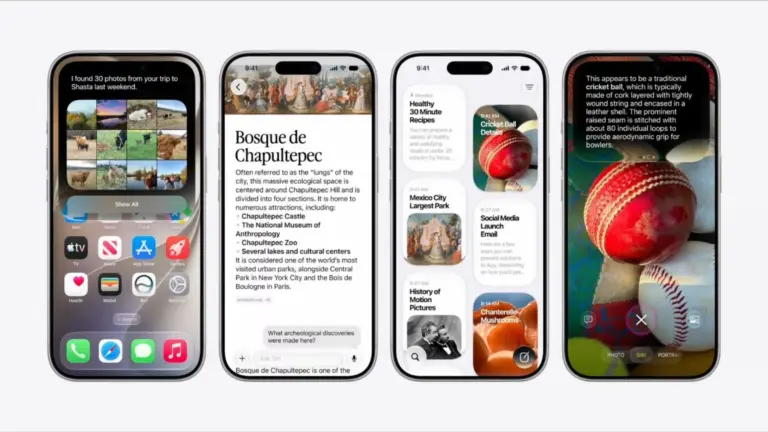
The iOS 27 public beta is coming soon — if Apple’s previous release pattern holds up, it could hit your iPhone any day now. Developers have been having all the fun since early June, playing around with Siri AI and the new Liquid Glass slider while the rest of us waited. Now, that wait is almost over.

Once the public beta drops, which should be more stable than the initial developer betas, anyone can install iOS 27 for free. But your iPhone does need some prep first, and there are a few reasons you should think twice before hitting the Install button.

Folding iPhone Ultra might not pack the big, beautiful battery we hoped for

By

An AI-generated photo showing a concept of the iPhone Ultra.
Apple’s first foldable iPhone — possibly dubbed the iPhone Ultra — might come with a smaller battery than previously leaked.
AI image: Google Gemini/Cult of Mac

The latest leak about the first folding iPhone says Apple might not deliver the extreme battery capacity that most early rumors indicated.

If you were banking on a foldable with all-day battery life, this is worth pausing on.

Regret installing iOS 27 beta? Here’s how to get back to iOS 26.

By

An AI-generated picture showing how to downgrade from iOS 27 beta to iOS 26
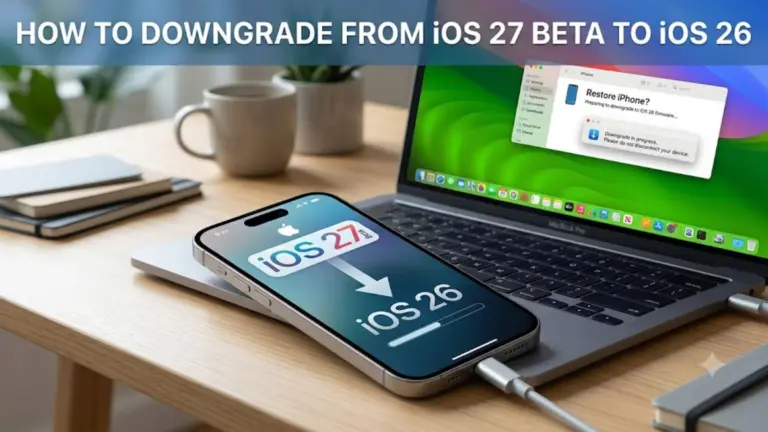
Here’s how to downgrade from the iOS 27 beta back to stable iOS 26.
AI image: Google Gemini/Cult of Mac

Beta remorse is real. Maybe an app won’t open, maybe things just feel off, or maybe you just want to go back to a stable daily driver while Apple sorts all the issues. Whatever the reason, you can downgrade from iOS 27 beta to iOS 26, and it’s not even that hard.

Here’s what to do.

Apple talks with startup that could cram GPT-class AI onto your iPhone

By

An AI-generated image of an iPhone running on-device AI model.
PrismML claims it has compressed a 27-billion-parameter AI model down to 4GB — small enough to run on an iPhone 17 Pro.
AI image: Google Gemini/Cult of Mac

Apple’s on-device ambitions just got more interesting. The company has reportedly been talking to a startup called PrismML that claims to run a massive, server-grade language model on the iPhone 17 Pro — no cloud required.

If the discussions turn into a deal between Apple and PrismML, it could be a significant upgrade for Apple Intelligence. Here’s why.

Apple Translate is getting 9 new languages in iOS 27

By

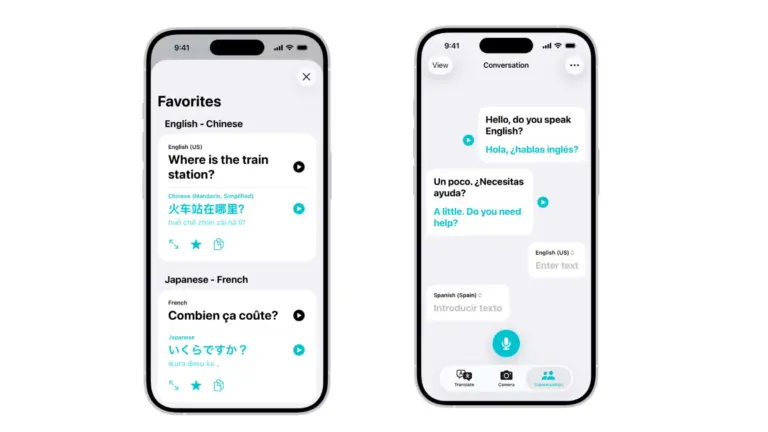
A photo of Apple Translate app used in a story about iOS 27 bringing support for 9 new languages.
Hebrew, Cantonese and regional Spanish variants are among the new additions landing in Apple Translate in iOS 27.
Photo: Apple

The iPhone is about to get a lot more fluent. iOS 27 will bring support for nine new languages and accents to Apple Translate, pushing the app’s total support from 21 up to 30 — the biggest single expansion update Translate has ever received.

Soon, you’ll be ready for, “Dette er den største enkeltstående udvidelsesopdatering, som Apple Translate nogensinde har modtaget.”

Mac shipments grow 10% as PC sales sink

By

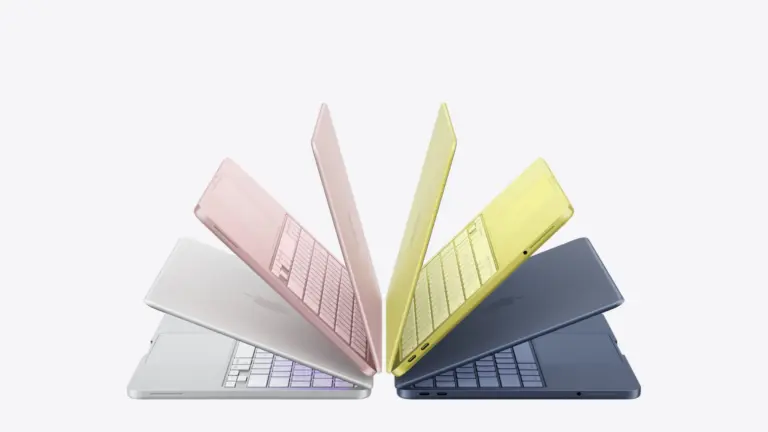
A picture of the MacBook Neo used in a story about Apple shipments growing despite the PC industry recording low sales figures.
Mac shipments increased by double digits while the rest of the PC market was in decline.
Photo: Apple

The PC industry just posted its worst quarter in two years, but the Mac is having a moment. New shipment data shows Mac sales grew by double digits at a time when every other big computer maker was tanking. Unsurprisingly, the reason comes down to the global chip shortage that’s wrecking the whole industry.

This matters because the same memory crunch dragging down Dell, HP and Lenovo is pushing the price up for your next Mac. Apple seems to be weathering the storm better than anyone else, but it isn’t immune, and the discount window for your next Apple hardware could be closing fast.

macOS 28 will end support for your old encrypted hard drive, but there’s a fix

By

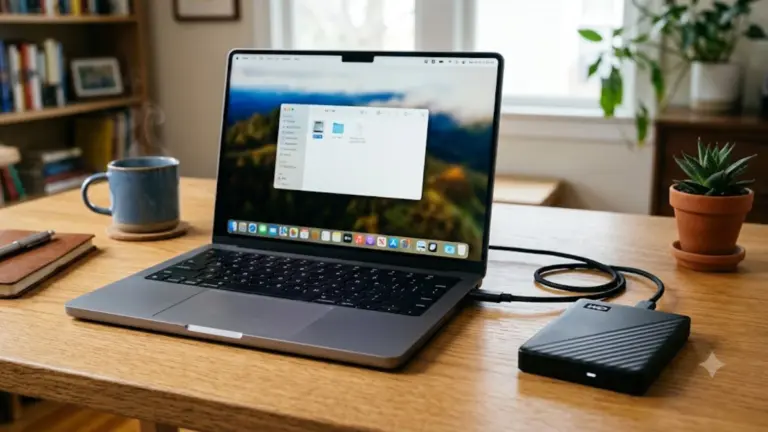
An AI-generated image of a laptop with an external hard disk connected to it.
macOS 28 won’t mount your encrypted Mac OS Extended (HFS+) drive.
AI image: Google Gemini/Cult of Mac

Got an old encrypted hard drive in a drawer? Apple just put a deadline on it. With the upcoming macOS 28 update, your Mac will flat-out refuse to mount encrypted drives using the old Mac OS Extended file system — so if you’re still holding on to one, now’s the time to deal with it.

This isn’t coming out of nowhere. Apple has been flagging incompatible hard drives by showing warning pop-ups since macOS 26 and has now confirmed a hard cutoff.

So take note: if you still have an old backup or an archive of camera footage stored on an encrypted Mac OS Extended volume in a drawer or cabinet, macOS 28 will lock you out unless you fix it.

watchOS 27 finally lets Siri add time to your Apple Watch timer

By

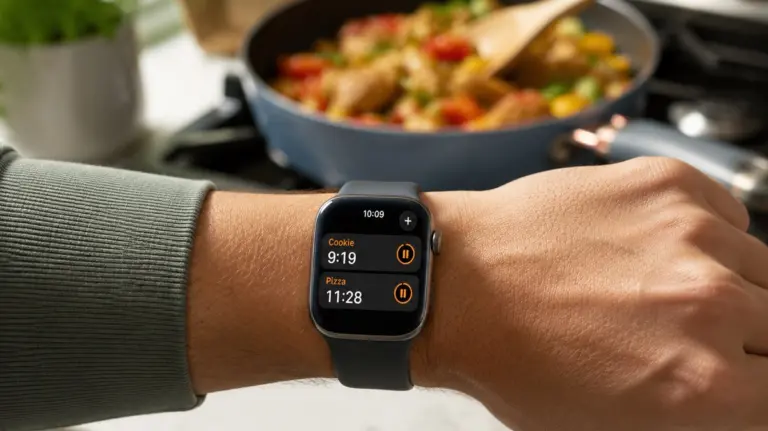
A picture of a timer running on the Apple Watch.
Need to add more time to a timer on your Apple Watch? You can with watchOS 27.
Photo: Apple/ChatGPT

Your Apple Watch’s Siri timer problem just got fixed. With watchOS 27 beta 3, you can finally tell Siri to add two minutes to an already running timer — instead of getting stonewalled with “What do you want to set the timer to?”

If you’ve ever pulled a tray out of the oven a little early just because doing timer math in your head felt easier than fighting Siri, you know exactly why this matters. It’s a teeny tiny fix, but it does away with the everyday friction that made your watch feel less useful.

Siri AI can now talk to your iPhone apps — starting with your car

By

Siri AI's integration with third party apps begins
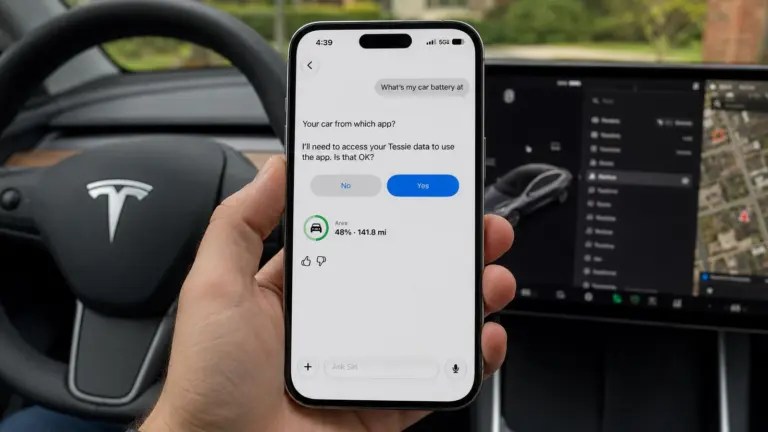
In iOS 27 beta 3, Siri AI can now pull data from select third-party apps, including Tessie.
Image: Max Weinbach/X/ChatGPT

In the latest iOS 27 developer beta, Siri AI can pull live information from third-party apps on your iPhone. It’s the kind of feature Siri should’ve had years ago — and now, it’s finally here.

Right now, it only appears to work with a couple of electric vehicle apps, letting you ask Siri things like your car’s battery level. But it’s a signal of where Siri AI is headed — an assistant that finally acts as a bridge across your entire phone, not just Apple’s walled garden.

iPhone 18 Pro Max battery might get bigger battery (but 18 Pro won’t)

By

A picture of the iPhone 17 Pro Max used in a story about the iPhone 18 Pro Max's increased battery capacity rumors.
The iPhone 18 Pro Max is getting a battery jump — the iPhone 18 Pro, not so much.
Photo: Ian Fuchs/Cult of Mac

The iPhone 18 Pro Max is reportedly getting a huge battery upgrade — while the standard Pro model might get almost no bump at all.

That could make this the year the Pro Max truly earns its name with a battery gap wider than anything we’ve seen before.

Apple just added a Google Cloud warning for your iPhone’s AI features

By

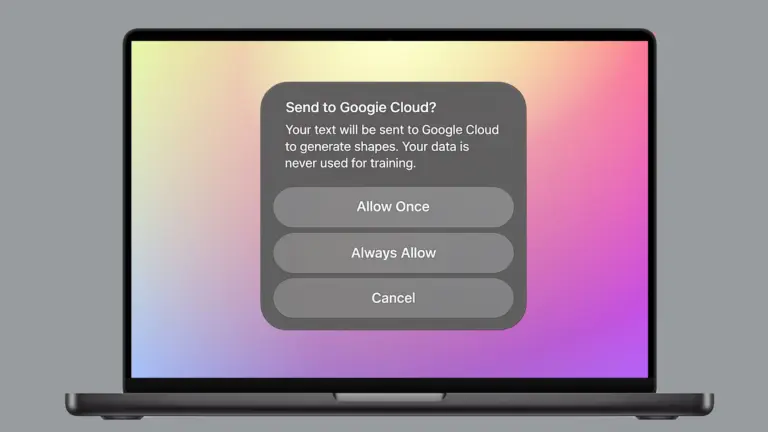
Google cloud warning that appears when using certain Apple Intelligence features.
This Google cloud warning appears when using certain Apple Intelligence features.
Photo: Apple/Cult of Mac

Your iPhone is about to get a lot more transparent about where your data goes. Apple is rolling out a Google Cloud pop-up warning that protects your privacy by letting you know before certain Apple Intelligence features send your prompts off-device, and it’s already live for some users right now.

The heads-up appears when you use certain image- and shape-generation tools. It won’t block you from using these features, though. It simply makes sure you know your data is leaving Apple’s own servers before you hit send.

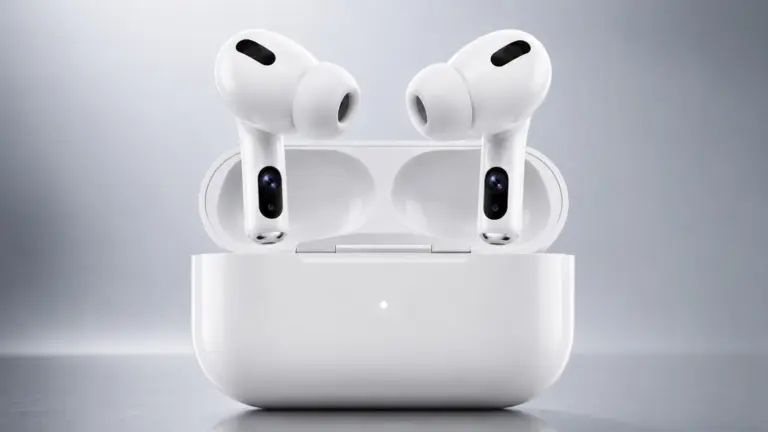
AirPods Ultra could beat Apple’s smart glasses to market

By

A concept image of the much rumored AirPods Ultra.
Code buried in iOS 27 beta points to AirPods Ultra, not smart glasses, as Apple's next camera-equipped wearable.
AI image: ChatGPT/Cult of Mac

Apple’s smart glasses may be waiting, but AirPods Ultra may just be confirmed. Buried in iOS 27’s beta code is a mystery wearable that reads images from two cameras, located on each side of your head. And Apple’s own sample data has it identifying the Eiffel Tower and a coffee mug.

If you’ve ever wanted Siri to actually see what you’re looking at instead of just hearing you describe it, this could be it. Apple is reportedly working on just that, and the newly spotted code hints at how close it might be, and which product, AirPods or glasses, is likely to land first.

PamStealer malware poses as a Mac clipboard app — and verifies your password before stealing it

By

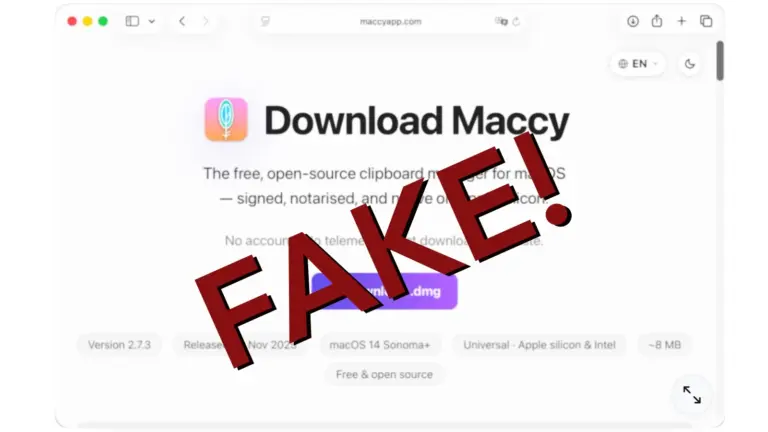
PamStealer macOS malware isn't Maccy
PamStealer disguises itself as Maccy, a popular Mac clipboard manager to trick users into handing over a verified password.
Photo: JAMF Threat Labs/Cult of Mac

The “free” clipboard manager you just downloaded could be doing more than just copying and pasting text. Researchers recently found a new malware called PamStealer disguised as Maccy, a popular clipboard tool, that does something most Mac malware doesn’t bother with — checking your Mac password before sending it off.

The malware hides itself in a lookalike download for Maccy. It doesn’t just grab your password and run — but it checks the password against the same system Apple uses to log you in.

Your iPhone will soon call your scammer’s bluff — here’s how

By

An AI generated picture of an iPhone in a person's hands making payments.
iOS 27's Trust Insights feature can flag suspicious activity before you fall for a scam.
Photo: Google Gemini/ Cult of Mac

Scammers are tricky, but your iPhone will soon get a lot less gullible, thanks to a new iOS 27 feature called Trust Insights. It watches for the tell-tale signs you’re being coached through a scam — and steps in before you actually lose money.

The system runs quietly in the background regardless of what you are doing on your iPhone. If it thinks your behavior looks suspicious, your iPhone will flag it, slow you down, or make you verify twice before you go through with it.

While Trust Insights didn’t get a flashy keynote moment during WWDC26 in June, it will be one of the most useful things Apple ships this fall.