Here at Cult of Mac, we regularly review Apple products and other tech gear and accessories. We also frequently write about Apple TV+ offerings. If we receive a review unit, we disclose it. (Read our reviews policy.) We frequently employ affiliate links. If you purchase a product after clicking a link from our website, we might earn a commission.
★★★★★
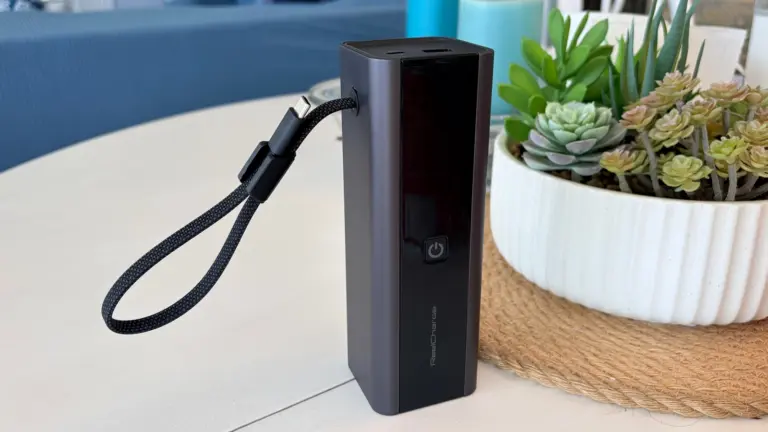
The ReelCharge ReelPro 200W is one of the best power banks I've tested. Photo: Ed Hardy/Cult of Mac
The ReelCharge ReelPro 200W Power Bank holds 27,000 mAh and can pump out up to 200W. But perhaps its standout feature is an integrated USB-C cable that acts as a carrying handle.
The accessory also includes a status screen so you always know how much power is flowing, plus it includes USB-C and USB-A ports.
I put the external battery through weeks of testing, including taking it on a beach vacation. Here’s how it stood up.
★★★★★
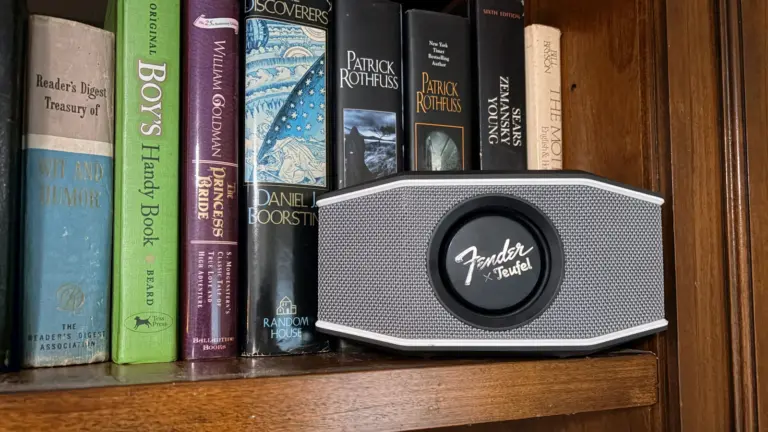
The Rockster Go 2 couldn't exist without contributions from both Fender and Teufel. Photo: Ed Hardy/Cult of Mac
The Fender x Teufel Rockster Go 2 portable Bluetooth speaker looks as good as it sounds. Which isn’t surprising considering it’s a collaboration of two iconic brands.
Two aluminum full-range drivers and one passive bass radiator pump out great stereo sound. Plus, the speaker is waterproof and comes with a carrying strap so it’s ready to go where you go.
I listened to the Rockster Go 2 at home and on a beach vacation. Here’s how it performed . Spoiler alert: I love it.
★★★★☆
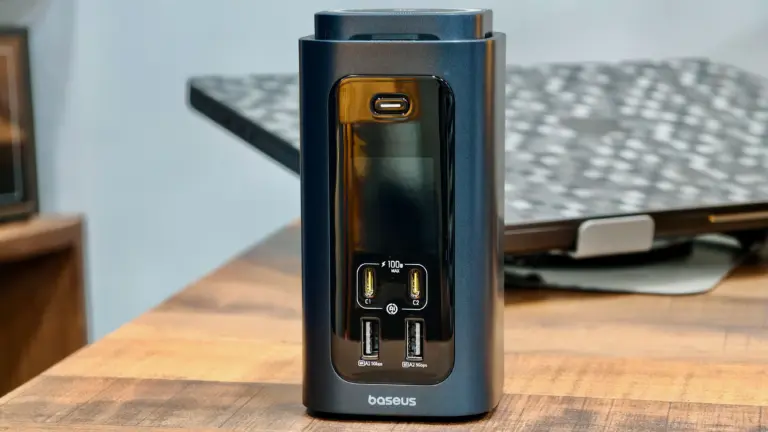
The Spacemate RD1 Pro packs 15 ports and a Qi2.2 wireless charger. Photo: Rajesh Pandey/Cult of Mac
My desk setup revolves around a Thunderbolt dock connected to my MacBook Pro, a few accessories and a separate charging station for quickly topping up my phone and iPad. While many Thunderbolt docks include front-facing USB-C ports that can deliver up to 60W of power, they can’t fast-charge Chinese Android phones and other power-hungry devices.
The Baseus Spacemate RD1 Pro aims to combine both products into one. It’s a 15-in-1 USB-C dock with a built-in Qi2.2 wireless charger, promising to reduce desk clutter without sacrificing functionality. But can a single device really do it all?
★★★★☆
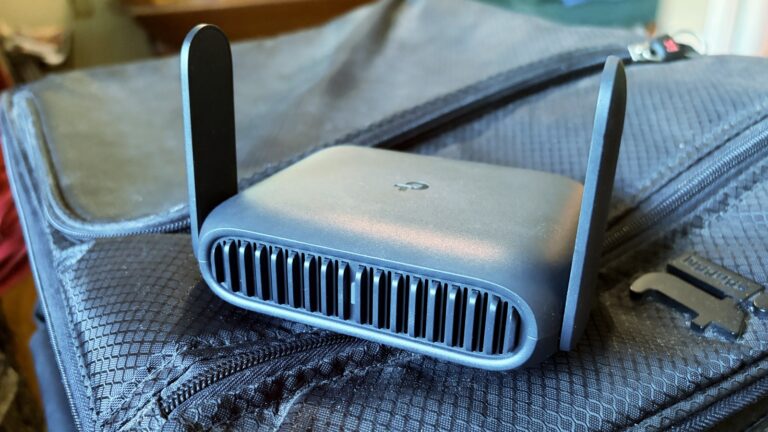
The TP-Link Roam 7 is ready to go on your next holiday, like it went to the beach with me. Photo: Ed Hardy/Cult of Mac
The TP-Link Roam 7 is small enough to be easily portable, but nevertheless provides speedy and reliable wireless connections to all your gear, no matter where you go.
I tested the travel router with Wi-Fi 7 on a recent beach trip. Here’s how it stands up to real-world use.
★★★★★
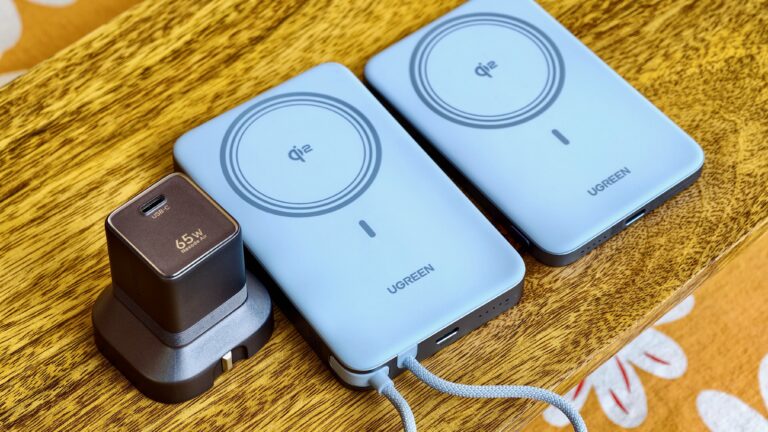
Ugreen's new USB-C charger and power banks pack a lot of power into a compact form factor. Photo: Rajesh Pandey/Cult of Mac
My backpack is full of gadgets. But the accessories that frustrate me the most are usually the ones meant to keep them charged. Chargers are bulky, power banks are heavy and both add unnecessary weight when I’m traveling. Worse, magnetic power banks make phones heavy and awkward to hold.
Ugreen tackles those problems with its new Nexode Air charger and MagFlow Air power bank. After using them for a few weeks, here’s what I think about them.
★★★★★
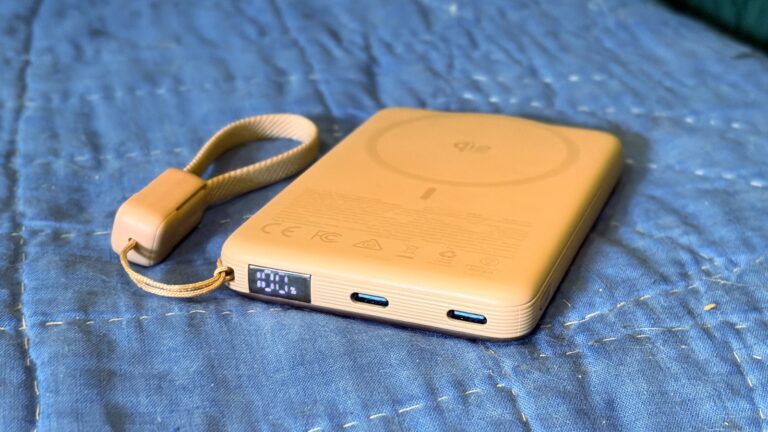
The Iniu SnapGo Air iPhone power bank includes some sweet bonus features, including a status screen. Photo: Ed Hardy/Cult of Mac
The Iniu SnapGo Air 10000mAh power bank stands out in an increasingly crowded market with an array of premium features. The MagSafe accessory sports a built-in status display, plus a clip-on USB-C cable that also acts as a strap. And it can transfer up to 25W of wireless power to an iPhone or up to 45W to other computers via a USB-C.
And it looks good while doing it.
I tested the SnapGo Air with my iPhone and iPad. Here’s what I learned.
If you don't know Tatiana Maslany yet, this show is some of her best work. Photo: Apple
Apple TV’s newest dark-comedy-thriller, Maximum Pleasure Guaranteed, may already stand as the platform’s most compelling series of 2026. If you haven’t started streaming the hard-to-classify series yet, here are three compelling reasons to try it tonight.
I mean, hey, none other than bestselling novelist Stephen King said to watch it, basically.
★★★★☆
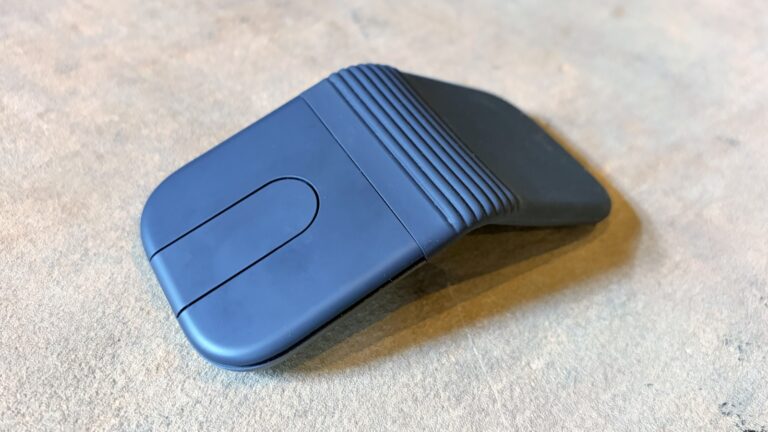
The Logitech Mobi Fold folding travel mouse can make you productive wherever you go. Photo: Ed Hardy/Cult of Mac
The Logitech Mobi Fold is an ultra-portable wireless mouse designed for people who work on the go. It folds to fit easily in a pocket or bag, then unfolds into a full-size mouse when it’s time to work.
I just returned from a beach vacation where I put the Mobi Fold through hours of real-world testing. Here’s what it’s like to use.
★★★★☆
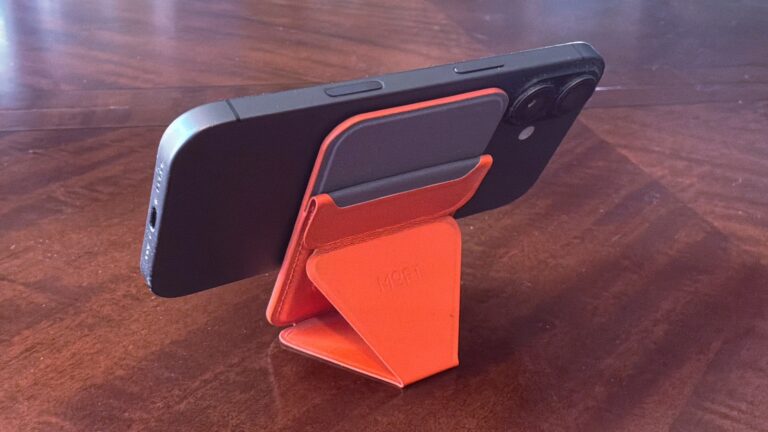
The Moft Trackable Snap-on Phone Stand & Wallet beats most rivals thanks to Apple's Find My support. Photo: Ed Hardy/Cult of Mac
Moft managed to pack an amazing number of features into the Trackable Snap-on Phone Stand & Wallet, an iPhone accessory that’s a mere quarter of an inch thick. It’s a wallet that clings magnetically to your handset that also acts as a convenient travel stand. Even better, you can track its location from your phone with Apple’s Find My app.
Want more? Moft also offers the Trackable Tripod Wallet, a premium version that’s a bit thicker but acts as an elevated stand and selfie stick with a Camera shutter button.
I put both accessories through real-world testing, and one of them found a permanent place in my pocket.
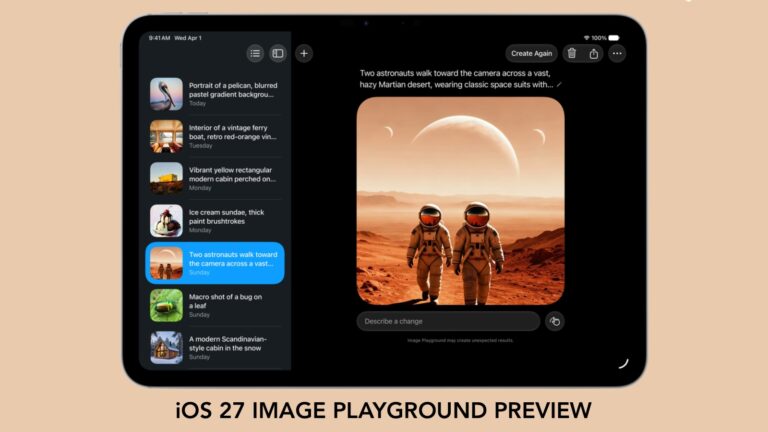
With iOS 27, we'll have to stop thinking of Image Playground as rubbish. Graphic: Apple/Cult of Mac
Forget what you know about Apple’s Image Playground — the app is no longer terrible. There’s a new version on the way, and it finally fulfills the promise Apple made two years ago.
Later this year, your iPhone is getting an AI tool that’s truly capable of generating images based on your descriptions. And the software can avoid many of the usual problems that cause some people to reject artificial intelligence tools.
★★★★☆
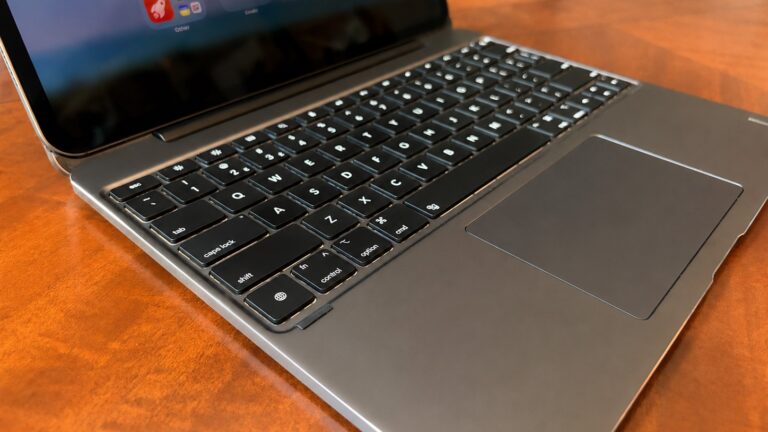
The Brydge Max 13.0 might be the best iPad keyboard case on the market. Photo: Ed Hardy/Cult of Mac
The recently launched Brydge Max is a premium iPad keyboard case that takes on Apple’s Magic Keyboard head-to-head. Like its rival, the accessory uses a cantilever design to hold the tablet up so that it is seemingly floating over the keyboard, but Brydge’s product offers much wider viewing angles plus a gorgeous aluminum exterior.
I’m reviewing the version for 13-inch iPad models, and there’s another for 11-inch models. No matter the size, the case includes a backlit keyboard plus a trackpad.
Here are all the ways the brilliant Brydge Max 13.0 comes out ahead of the Apple Magic Keyboard, and a couple of ways it doesn’t.
Apple's new AI-powered Extend and Reframe image tools show real promise. Graphic: Ed Hardy/Cult of Mac
The Reframe and Extend tools Apple added to the Photos app in iOS 27, iPadOS 27 and macOS 27 are excellent examples of how AI can be used to improve our lives. With these AI-powered editing options, a picture that’s almost amazing can be noticeably improved.
Plus, they don’t have the drawbacks of artificial intelligence that make so many people uncomfortable.
★★★☆☆
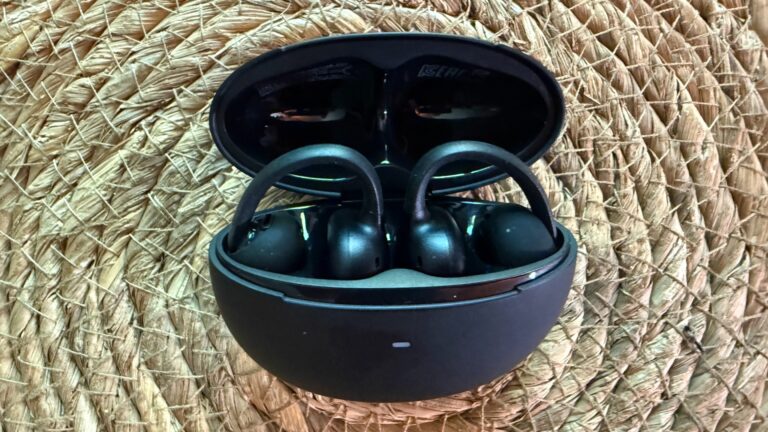
Baseus Bowie MC2 open-ear clip-on earbuds make a solid case for value. But they suffer from a few limitations. Photo: David Snow/Cult of Mac
At $79.99, Baseus’s new Bowie MC2 enters a crowded field of clip-on open-ear earbuds looking to challenge better-known names. Are they worth a try? My Baseus Bowie MC2 Open-Ear Earbuds review finds they might fit the bill for for users who hate having anything in their ears and for those who want an unobtrusive workout buddy. But they have some shortcomings to work out. Here’s what you actually need to know before buying.
★★★★☆
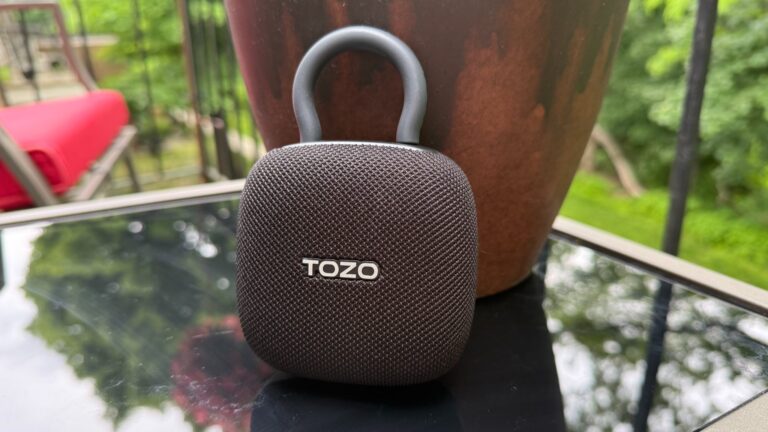
Tozo's PE1 just might be the tiny addition your audio arsenal needs. At its low price, why not? Photo: David Snow/Cult of Mac
Apple users live in one of the most polished hardware ecosystems on Earth. Every accessory entering that orbit gets held to a higher standard — not just for specs, but for how effortlessly it fits in. My Tozo PE1 Portable Wireless Speaker review concludes that the tiny gadget finds a place quite easily, with great sound, fantastic portability and solid durability. Plus it’s incredibly inexpensive.
AirTag 2 makes a great low-cost pet tracker for cats (or dogs). Photo: Ed Hardy/Cult of Mac
Don’t let your beloved cat or dog wander around without some kind of tracking device. If your fuzzy buddy goes missing, you’ll regret not having some way to locate them.
And the good news is it’s cheap and easy. I put Apple’s AirTag 2 on my cat’s collar as a pet tracker, and it’s going very well. Here’s why you should consider it for your own pet … including replacing a first-gen model.
★★★★☆
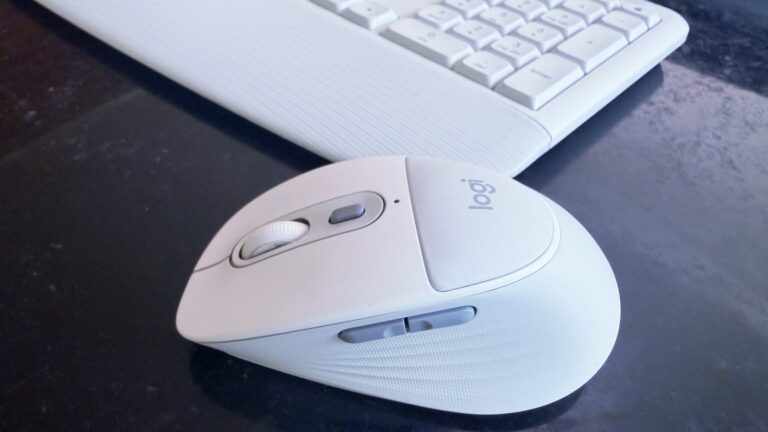
The Logitech Signature Comfort Plus M850 L mouse is also available with a keyboard. Photo: Ed Hardy/Cult of Mac
The new Logitech Signature Comfort Plus M850 L is the company’s first-ever mouse with a palm cushion. It’s all part of making the mouse comfortable to use over the long haul. And it includes silent switches, SmartWheel scrolling and more.
It can be paired with the Signature Comfort Plus MK880 keyboard, which has its own cushion.
I tested both in my home office for this hands-on review.
Every New England fisherman dreads the Sea Hag's embrace. And so will you. Photo: Apple
There’s a moment in the second episode of Widow’s Bay on Apple TV when Mayor Tom Loftis, played by Emmy winner Matthew Rhys, sits in the lobby of a deeply haunted New England island inn and shares drinks and a board game with a stranger. They chat about his upbringing, his dreams for the town, his failures as a father. It sounds cozy. But it isn’t.
Something is very, very wrong with his companion — and with the room itself — and the horror creeps in so gradually and so quietly that by the time it fully lands, you realize you’ve been holding your breath. That scene, in miniature, is what Widow’s Bay is: a show that disarms you with warmth and wit before the floor drops out.
As a born-and-bred New Englander who inexplicably returned to this accursed place after 30 years away, I found the show got me pretty good.
★★★★★
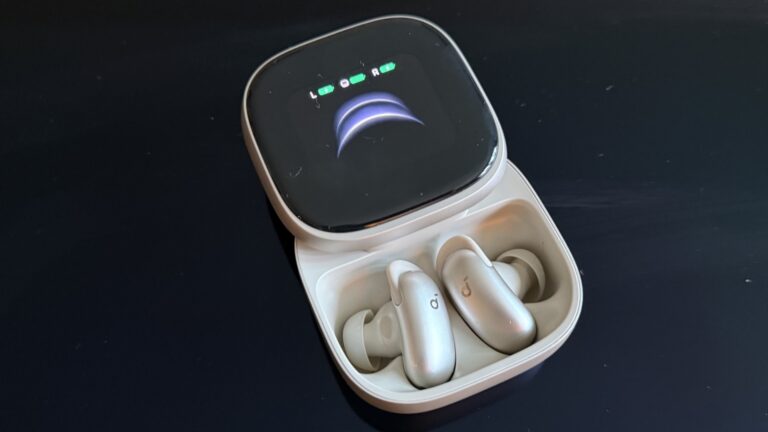
You can tweak lots of settings on the big AMOLED screen, and also access AI Note Taker. Photo: David Snow/Cult of Mac
There’s a well-worn law of consumer electronics: the further you push into “Pro Max” territory, the more you’re paying for marginal improvements that most people don’t need. This Soundcore Liberty 5 Pro Max earbuds review finds the new buds challenge that rule in an interesting way.
The earbuds inside the case are identical to those in the $169.99 Liberty 5 Pro I reviewed yesterday — same drivers, same ANC, same battery life, same call quality. What you’re paying an extra $60 for, almost entirely, is the case. But it’s a truly remarkable case.
★★★★☆
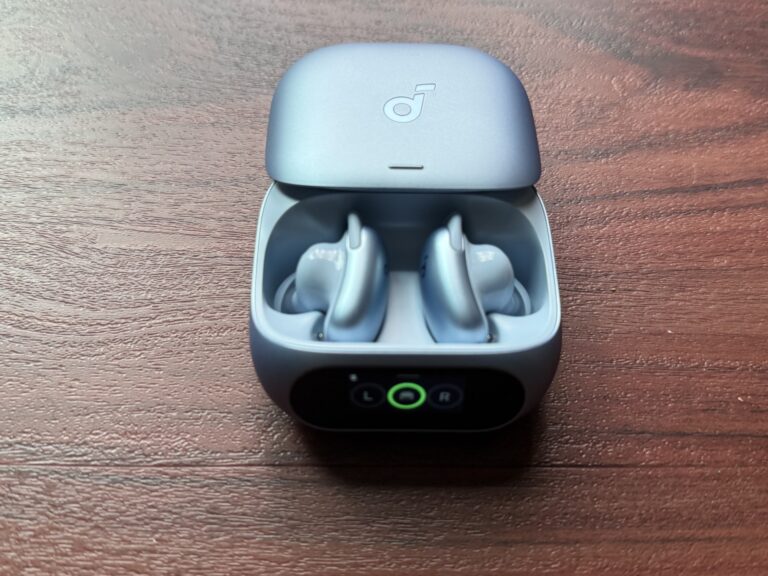
Soundcore Liberty 5 Pro use AI for clear calls and come with a touchscreen charging case. Photo: David Snow/Cult of Mac
Anker’s Soundcore sub-brand spent years punching above its weight in the budget and midrange earbuds market, and Liberty 5 Pro is an ambitious new swing. Released alongside the pricier Liberty 5 Pro Max (reviewed separately tomorrow), these $169.99 earbuds aim squarely at anyone who wants AirPods Pro-level features without paying AirPods Pro prices.
This Soundcore Liberty 5 Pro earbuds review finds them excellent overall. They particularly excel at call clarity.
★★★★★
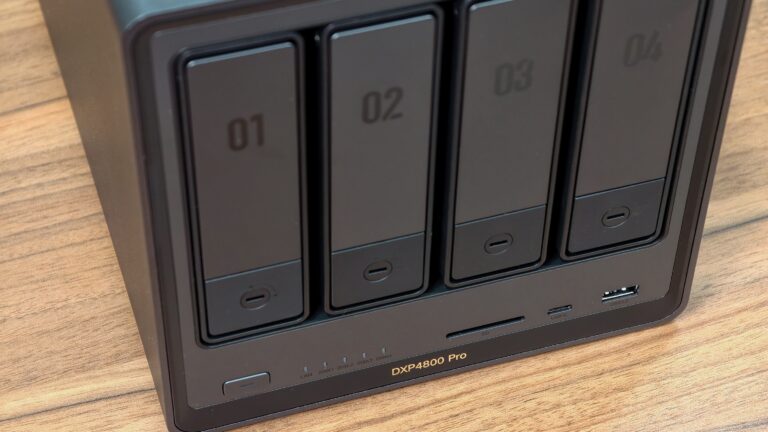
The perfect NAS for most users. Photo: Rajesh Pandey/Cult of Mac
The Ugreen DXP4800 Pro is the kind of network-attached storage device, aka NAS, that blurs the line between simple network storage and a compact home server. It packs enough power to handle Plex streaming, Docker containers, virtual machines and multidevice backups.
With a faster processor and improved bandwidth over its predecessor, the DXP4800 Pro delivers a noticeable performance boost for users who want more than just basic file storage.
This added flexibility makes the DXP4800 Pro stand out.
★★★★☆
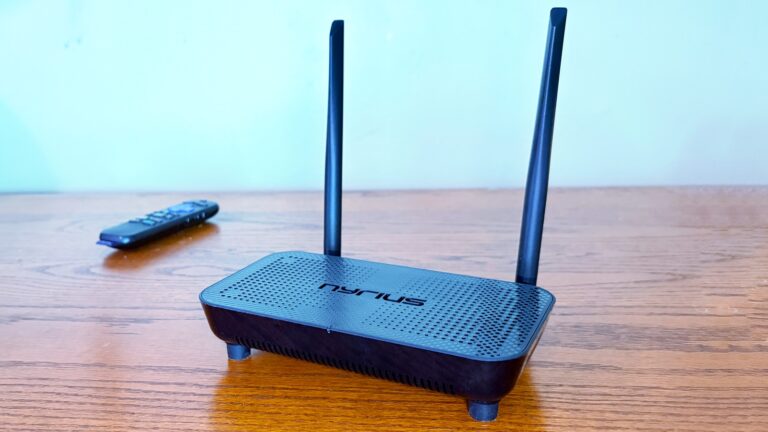
Support for 4K60 makes this wireless HDMI adapter perfect for your home entertainment center. Photo: Ed Hardy/Cult of Mac
The Nyrius Phoenix Home True 4K60 Wireless HDMI Video Transmitter & Receiver (TBB85) lets you connect your MacBook to your TV without the hassle of stretching a cable between them.
I recently reviewed the Nyrius Orion Prime, which is the light-duty version. The company’s new model is the top-of-the-line option, packed with premium features, especially support for 4K60 video, but also a 500-foot range.
★★★★★Steve Jobs in Exile among other classic Apple books. Photo: D. Griffin Jones/Cult of Mac
Steve Jobs in Exile by Geoffrey Cain serves up a comprehensive history of that other computer company Steve Jobs founded, NeXT.
The book, released Tuesday, starts in 1985 with Steve Jobs being forced out of Apple. It tells the tumultuous tale of what happens after Jobs poaches five Apple employees, they all gather in his bare living room, and ask, “Well … now what?”
Starting fresh at just the right moment in history, they invented the computer architecture of the modern era with a powerful UNIX foundation, object-oriented programming and emerging web technologies. It’s an intensely frustrating tale of Jobs blowing chances at success left and right, letting perfection be the enemy of the good.
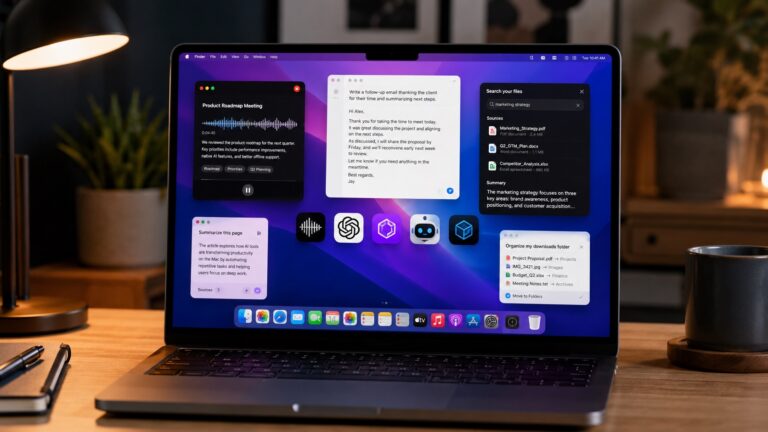
These AI Mac apps will help you get more done in less time. AI image: ChatGPT/Cult of Mac
AI is changing the kind of apps you can run on a Mac. From voice-first writing tools to meeting assistants and smarter file management, these new AI apps can save hours every week.
After months of testing, these are the AI apps that earned a permanent spot in my workflow.
★★★★★
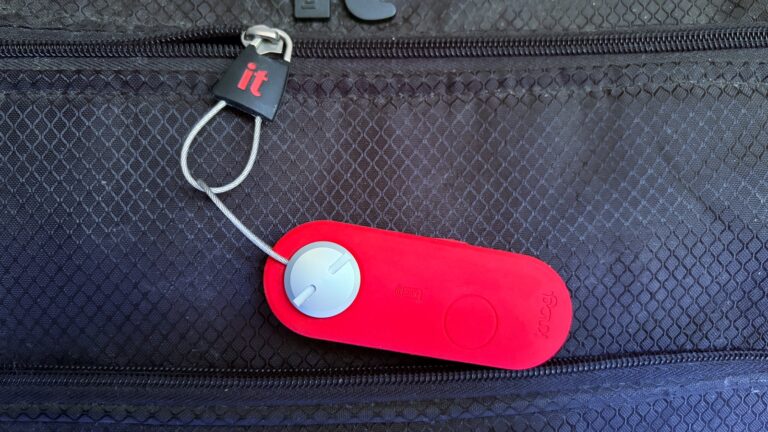
The Knog Scout Travel can track your luggage and help prevent it from getting stolen. Photo: Ed Hardy/Cult of Mac
The Knog Scout Travel is a tracker tag that stands out with an 85 decimal motion-sensitive alarm. Put it on your suitcase, and if someone moves it, the tag will let everyone nearby know it.
And it supports Apple’s Find My network, so the tag (and your luggage) can be tracked down almost anywhere if they go missing.
I put this travel accessory to the test. Here’s how it stood up.
★★★★★
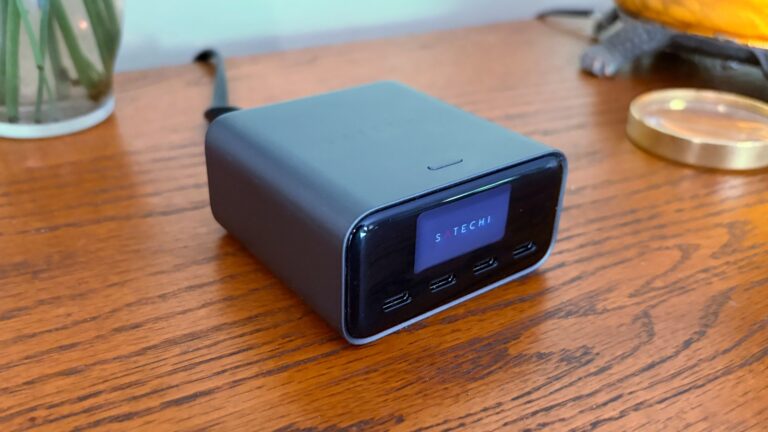
The Satechi ChargeView 140W Desktop Charger provides power you can see. Photo: Ed Hardy/Cult of Mac
The Satechi ChargeView 140W Desktop Charger offers four USB-C ports to power up a MacBook, iPad, iPhone and other accessories all at once. The standout feature is a display that shows just how much current is flowing through each port.
I put the charger through testing to see how it stands up to real-world use. Here’s what I found.