The iPhone is the world’s most popular smartphone.
The iPhone is Apple’s smartphone. Launched in 2007, it is Apple’s best-selling product, representing around half of the company’s revenue for more than a decade.
The slim device’s innovative touchscreen interface revolutionized the way users interact with smartphones. Apple continually updates the iPhone, releasing new models with new features every year.
The iPhone runs on a proprietary operating system known as iOS, which shares many features with iPadOS, macOS, watchOS and visionOS. iOS 26 is the current version.
In 2025, the iPhone lineup currently includes five models — the budget iPhone 16e, the regular iPhone 17, the iPhone Air, the iPhone 17 Pro and Pro Max. Apple announces most models every year in early September, while replacements for the 16e are expected around February. Apple also continues to offer older models for sale at a reduced price after they’ve been replaced.
Table of contents: Everything you need to know about the iPhone
It was the first smartphone with an all-screen design, capacitive touchscreen and advanced modern software with full web browsing capabilities. Phones before the iPhone came with physical keyboards, required you to click around with arrow keys for navigation instead of tapping the screen, and ran limited proprietary software.
The iPhone’s 3.5-inch touchscreen display and powerful software (based on Mac OS X) set it apart from the competition. These two technologies enabled all kinds of innovation in the interface that we still use today: the Home screen of apps, inertial scrolling, slide to unlock, pinch to zoom and a software keyboard.
The original iPhone lacked many major features, though. There were no third-party apps or App Store, because the software was still being developed. That would not arrive until the following year. The camera didn’t take video, only very low-resolution pictures. Cellphone cameras in 2007 were not expected to be good. There was no copy and paste feature — the design team hadn’t figured out a good interface for it yet. iMessage wouldn’t launch for another few years — the iPhone only supported SMS/MMS texting.
iPhone 3G and iPhone 3GS
The iPhone 3G was a big step forward.
The iPhone 3G in 2008 brought a much improved wireless connection. The original was limited to the 2G Edge network, with typical download speeds a measly 0.1 Mb/s. Without Wi-Fi, downloading emails or browsing the web was nigh unusably slow. The 3G radio significantly helped.
It also added GPS, offering precise location tracking in Google Maps.
The iPhone 3G switched out the two-tone design for a plastic shell, in either black or white. The headphone jack was no longer recessed, allowing for more kinds of headphones to be plugged in.
The iPhone 3GS in 2009 was the first model to get a faster processor, making it twice as fast. It also had a higher resolution 3 MP camera capable of recording video.
iPhone 4
The iPhone 4 had a timeless and beautiful design.
The iPhone 4 in 2010 was a huge leap forward when it debuted in 2010. Its design, with glass on the front and back sandwiched around a silver stainless steel band, is one of the most iconic. It still feels very premium and nice in the hand to this day.
The Retina display doubled the resolution of the screen, so text is easier to read and images and video look crisper and higher-resolution. It maintained the same 3.5-inch size, but with pixels doubled from 480 × 320 to 960 × 640 resolution. Apple rolled out Retina displays across the rest of its product lineup, onto the iPad in 2011, the MacBook Pro in 2012 and the iMac in 2014.
It introduced the first front-facing “selfie” camera on an iPhone, and brought with it FaceTime video calling. (Although, at first, you could only FaceTime other people who had an iPhone 4.)
This iPhone is famous for leaking before its official introduction. A prototype iPhone 4 was accidentally left in a bar by an Apple engineer. It ended up in the hands of Gizmodo, which bought it for $5,000 and published all kinds of details about its design and features.
In the United States, the iPhone 4 was the first model to be offered on Verizon, ending its exclusivity with AT&T. Interestingly, the Verizon iPhone 4 had a different physical design, with antennas repositioned around the outside. This design would be used on the iPhone 4s.
Those antenna lines on the outside were famous for causing the iPhone to lose some of its signal strength if they were covered up by your hand. Steve Jobs was called back home from his Hawaii vacation in order to hold a press conference addressing the issue. In the end, Apple offered customers a free bumper case that would cover up the lines, and future models were designed with the antenna lines in different spots that are harder to cover up.
The iPhone 4s introduced us to Siri, clad in gray linen.
The iPhone 4s in 2011 was a significant internal upgrade. It again had a significantly faster chip inside, the A5. It was the first iPhone to get 4G LTE connectivity. The rear camera was also now capable of recording 1080p video, with some image stabilization.
The iPhone 4s was most famous for introducing Siri. The first generation voice assistant, then in beta, could set timers, read and send texts, play music from your library, perform math calculations via Wolfram Alpha, give information on movies and actors from Wikipedia, and more. (Not much has changed on that front.)
It was also the first iPhone not to be introduced by Steve Jobs. The keynote was hosted by CEO Tim Cook; the iPhone 4s was introduced by Phil Schiller and Scott Forstall. The iPhone 4s was announced on September 4, 2011; Jobs died the following day.
From this point onwards, new iPhones were introduced in September, with few exceptions.
iPhone 5
The iPhone 5 and 5s raised the size of the screen for the first time.
The iPhone 5 in 2012 was the first model to come with a bigger screen, raising it from 3.5 inches to 4. It increased the height of the display without changing the width, making it a standard 16:9 aspect ratio. Apple marketing claimed that the new display was still easy to use with one hand, as one thumb could easily reach over to the opposite edge or up to the very top. The taller screen allowed for an extra row of icons on the Home Screen, or an extra email to display in your inbox.
The iPhone 5 came in a very dark black finish, that had a tendency to chip away as it aged.
iPhone 5s and 5c
The iPhone 5s in 2013 brought two major innovations.
Touch ID let you authenticate your iPhone using a fingerprint sensor built into its Home Button. With one simple click of the button, you could wake up your iPhone and instantly unlock it. Prior to Touch ID, many people didn’t set up their phone with a passcode. This significantly increased the security of iPhone users everywhere.
The A7 chip inside the iPhone 5s was also the first 64-bit chip in a smartphone. This gave the iPhone 5s a much longer lease on life than previous models. The iPhone 5s launched with iOS 7, but can be updated to iOS 12.5.7 — that’s five major updates. Previous models had only received three or four.
It also came in three colors: Silver, Space Gray and a new Gold.
The iPhone 5c was Apple’s most colorful iPhone yet.
After the debut of the iPhone 5s, instead of continuing the sale of the iPhone 5 at a lower cost, Apple replaced it with the iPhone 5c. It was essentially an iPhone 5, but with a colorful plastic shell instead of the similar-looking metal body.
iPhone 6, 6 Plus and 6s
The iPhone 6 had a more simple design that stayed for many years.
The iPhone 6 was the first iPhone to have a protruding camera. While this change was wildly controversial at the time, it now seems quaint. Its single lens looks like a tiny blemish on the back compared to today’s iPhones, with gigantic multi-camera arrays.
It also adopted a more basic design, with a rounded aluminum body, that would stay for many years.
The iPhone 6s in 2015 was a large internal upgrade. The A9 chip significantly boosted performance by 70%. A second-generation Touch ID sensor was much faster. The display introduced 3D Touch — a pressure-sensitive layer that added an extra dimension to interaction. In addition to a tap, you could press. This would let you preview an email without opening it, or you could press the edge of the screen to quickly switch apps. The camera also introduced Live Photos for the first time.
iPhone 7 and 8
The iPhone 7 came in a brilliant Jet Black finish.
The iPhone 7 in 2016 brought with it a haptic Home Button. The button no longer physically clicked, but instead used a precisely controlled motor to simulate a button click. The iPhone 7 Plus was the first iPhone to introduce a dual-lens camera system, offering a telephoto optical 2× zoom. Portrait Mode combined the image from both lenses to simulate a shallow depth of field effect, also known as ‘bokeh.’
It also came in a special Jet Black color, with a highly polished black aluminum finish.
The all-screen design abandoned the Home Button that had been present since the very beginning, along with the chunky bezels on the top and bottom. The screen reached all the way to the edge, allowing for a significantly larger screen in a phone was largely the same physical size.
Shrinking the proximity sensor, ambient light sensor, speaker and camera — along with the new Face ID sensors — led to a large notch in the top of the screen. The iPhone 13 Pro would reposition the speaker even higher, allowing the notch to shrink; the iPhone 14 Pro would replace the notch with the Dynamic Island.
The A11 chip inside the iPhone X was the first to include a Neural Engine, for better performance with machine learning-based tasks and features. The Neural Engine would later become an integral part of Apple silicon, powering Apple Intelligence on the iPhone 15 Pro and later.
iPhone XS, XS Max, XR, 11 and 11 Pro
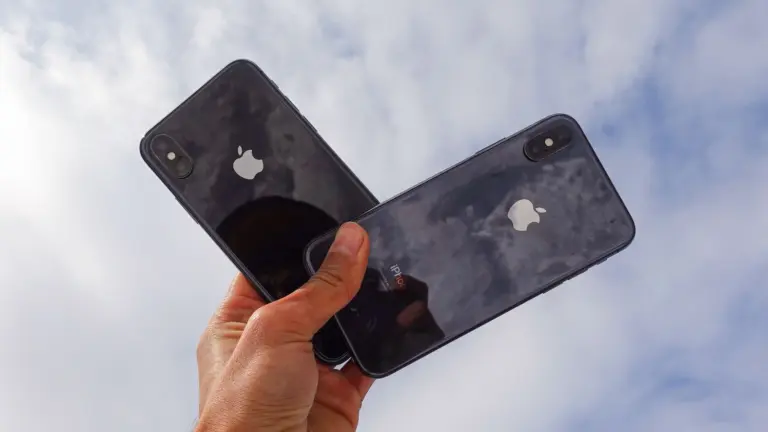
The iPhone XS marked the return of gold.
The iPhone XS debuted on September 12, 2018. The A12 chip inside was a monumental leap forward, with a 50% faster GPU and 8× faster Neural Engine. The modern all-screen design now came in two sizes — the iPhone XS Max was the same phone, in a much larger 6.5-inch size.
The iPhone XR debuted at the same event, as a lower-cost model with a similar design. It featured a lower-resolution LCD display rather than an OLED panel, with a screen size squarely in the middle at 6.1 inches.
The iPhone 11 lineup replaced all three models on September 10, 2019. Last year’s iPhone XR was revised to become the iPhone 11, with a much-upgraded camera. The iPhone XS and XS Max became the new iPhone 11 Pro and Pro Max, featuring much brighter displays, a new triple-camera layout and far greater battery life.
iPhone 12 and iPhone 13 lineup
The iPhone 12 was the first with 5G.
Three became four with the new iPhone 12, 12 mini, 12 Pro and 12 Pro Max, featuring a fresh redesign with flat edges all around. These models were the first iPhones with 5G connectivity, and introduced the MagSafe line of chargers and accessories. The entry-level models were finally bumped from an LCD display to OLED, like the Pro models.
The quadruplets carried over the following year as well, with the iPhone 13 lineup. The iPhone 13 Pro and Pro Max now featured always-on displays, letting you keep an eye on your notifications and the time while your phone is locked.
iPhone 14, iPhone 15 and iPhone 16 lineup
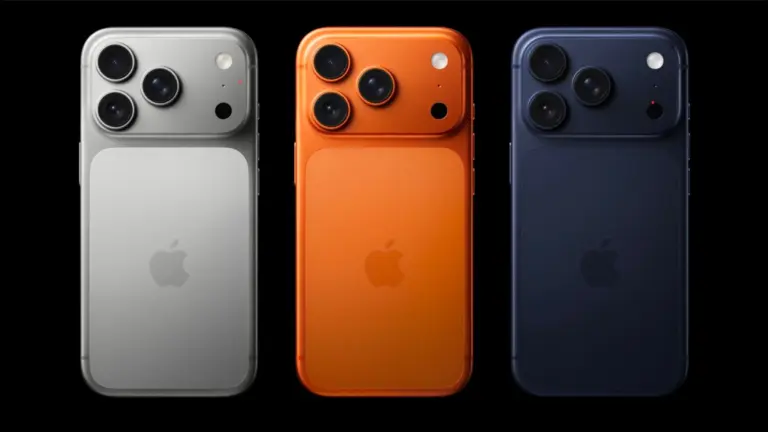
The iPhone 15 and 16 Pro (pictured) switched from polished stainless steel to a matte titanium frame.
The iPhone 14 lineup dropped the mini. It now consisted of the iPhone 14, iPhone 14 Pro, iPhone 14 Pro Max and an iPhone 14 Plus — a budget phone with the same screen size as the Pro Max. The iPhone 14 introduced Emergency SOS via Satellite, for contacting emergency services in remote locations. On the pro models, the notch was replaced by a new Dynamic Island — a floating black cutout in the display, that can show background tasks like timers and navigation up in the status area. The main rear camera could take 48 MP photos for the first time.
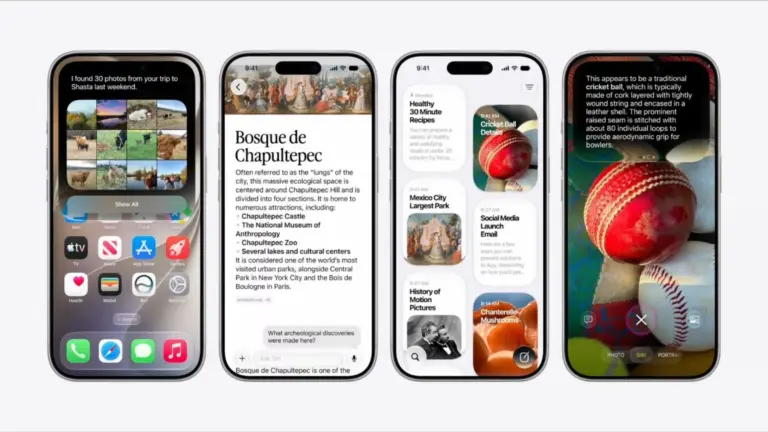
The iPhone 15 lineup switched all models away from Lightning to the industry-standard USB-C connector. The lower-end models now featured the Dynamic Island. On the iPhone 15 Pro, the traditional ring/mute switch was replaced by a customizable Action button. The pro models support Apple Intelligence.
The iPhone 16 lineup introduced a new Camera Control button for quickly opening and operating the camera. It is also pressure-sensitive for detecting half-presses and touch-sensitive for swiping along the surface. The lower-end models also received the Action button. All models support Apple Intelligence. The Pro models can now seamlessly shoot 4K 120 fps video.
An addition to the 16 lineup was released the following February, the iPhone 16e. This replaced the aging SE model. It modernizes the budget model with an edge-to-edge screen, Face ID and a single 48 MP rear camera. Reviews praised its lightweight and gorgeous design, though it was criticized for lacking MagSafe — a standard feature since 2020.
iPhone 17 lineup
The iPhone Air is shakes up the lineup.
Apple changed things up in 2025 once again. The Plus model was discontinued in favor of an all-new model, the iPhone Air. Thin is in like it’s 2014 again. It made sacrifices on speakers, rear cameras and battery life for the sake of being just 5.6 mm thin through its body — although the camera and plateau protrude a little farther. Reviews were glowing about its stunning design.
All 17 models received a much-needed update to the selfie camera, with a square sensor that can take both vertical and horizontal selfies, no matter how you hold the phone. The Pro models were updated with a 48 MP sensor in the telephoto lens, allowing for smooth zooming between 4–8× levels at full quality. All models were also bumped up to 256 GB of storage.
iPhone Features
iPhone camera
The camera dominates the back of the iPhone.
The camera is one of the iPhone’s most prominent features, with a large multi-camera system dominating the back of the phone on the pro models. Here’s a quick guide to the features of the iPhone’s camera:
Portrait mode will artificially blur the background, like a DSLR camera. This works best if there’s a lot of clear separation between your subject and the background. I also recommend using this feature outside during the day, or indoors with a lot of even light, for the best results. You can also pick a few color effects; the zoom control is moved to the corner.
If your phone has multiple lenses, you can tap .5, 1, 2, 3, 4 or 5 to switch between them. You can also pinch to freely zoom in and out. Tap the Reverse button in the bottom right to switch to the front-facing camera.
Pano will take a panorama. Hold your phone steady (or put it on a tripod) and tap the button to start. Slowly and steadily spin your phone around in a circle to capture your surroundings.
Video modes
Swipe right or tap Video to record instead. In the upper right corner, you can tap to change the video resolution or frame rate. As you’re recording, hit the white button to take a picture.
Tap the icon of a person running to turn on Action mode. This will stabilize the video if you’re filming handheld with a lot of motion. This feature requires an iPhone 14 or newer.
Cinematic mode is like Portrait mode for video. It’ll intelligently determine the focus of the shot and blur the background. You can even adjust the focus after the video’s been taken. This is available on the iPhone 13 or newer.
Slo-Mo will record video at a much higher frame rate, played back in slow motion. In the upper right corner, you can set the speed. 120 is 4 times slower; 240 is eight times slower.
Time-Lapse is the opposite; it’ll speed up your video. Set your phone steady on a ledge, shelf or tripod and start recording. However long you record for, it’ll shorten the result to about twenty seconds or so.
Camera Control
The Camera Control button on iPhone 16 and iPhone 16 Pro gives you instant access to your camera AND camera settings.
The Camera Control is a new button on the side of the iPhone 16 lineup. It makes opening the camera and taking a picture faster than ever before:
Click the button to open the Camera app.
Click the button again to take a picture.
Hold the button down to take a video.
It also has some advanced functionality, for operating the camera, that you can enable in Settings:
Half-click the button to bring up a control slider to zoom in and out. Swipe your finger along the button to control the zoom level.
Double-half-click the button to switch between other camera controls.
Half-click and hold the button down to lock the focus and exposure.
Dynamic Island
The Dynamic Island morphs into different sorts of interactive widgets at the top of the screen.
The Dynamic Island is a status area at the top of the screen on the iPhone 15, iPhone 14 Pro and later models. Music or podcasts playing in the background, active phone calls, running timers, Apple Maps navigation and more will add little widgets to the Dynamic Island so you can quickly switch back to them.
Tap on an item to switch to that app.
Tap and hold on it to bring up quick interactive controls.
iPhone screen
Modern iPhones have an OLED screen, where each pixel can be individually lit. That means you get true, deep blacks and higher contrast. iPhone screens can also show HDR (High Dynamic Range) content. This brightens parts of the image for more vibrant colors.
Newer iPhones can hit a maximum typical brightness of 1,000 nits, considered bright enough to be legible outdoors, with a higher peak brightness for HDR content. The iPhone 15 and newer models can reach up to 2,000 nits outdoors, making them ideal for those bright sunny days.
The iPhone 13 Pro, later pro models and the iPhone 17 have a ProMotion display. Whereas a typical display refreshes at 60 Hz, a ProMotion display can refresh up to 120 Hz for smoother animations. It can also match the refresh rate of the content onscreen, if you’re watching a 30 FPS video or a 24 FPS movie. When nothing is moving on the screen, it can drop down to 10 FPS for preserving battery life.
The iPhone 14 Pro, subsequent pro phones and the iPhone 17 come with an always-on screen. When the phone isn’t being used, it dims the brightness of your Lock Screen, while keeping your notifications and wallpaper visible. Apple says the always-on screen only takes approximately 1% of battery life per hour.
StandBy
It turns your phone into a little smart display when you’re not using it.
StandBy is a special mode you can put your phone in while it’s sitting on your desk, nightstand or counter. To enter StandBy, your phone has to be charging and held horizontally. This works great if you have a MagSafe charging stand, but also works if your phone is plugged in and propped up.
In StandBy mode, your phone can show you the time, rotate through photos, or show a variety of widgets.
StandBy was introduced in iOS 17 on models with MagSafe.
iPhone storage
Every iPhone, just like a computer, has internal storage for saving photos, apps, messages and more. The latest iPhones come with 256 GB of storage on the base model, but can be ordered in higher capacities of 512 GB, 1 TB or 2 TB.
iPhone Photos
The new Photos library in iOS 18 has a floating toolbar at the bottom.
Apple Photos is the photo management app on your iPhone. Images you take on the camera, or save from the web, are added to your photo library here.
The Photos app is divided into two sections.
When you launch the app, you can scroll up to browse through your library. Tap the Sort & Filter button in the bottom left to view pictures sorted by date added instead of date taken, or to show screenshots in with the rest of your photos.
Scroll down to browse through collections and albums. You’ll see your albums, named people and pets, pinned collections, intelligently chosen collections of trips and memories and different media types and utilities. You can customize the order of these items by tapping Customize & Reorder at the bottom.
You can assign names to the people and pets in your photo library to make them easier to find. You can tap the Search button at the top to find images based on the name of the people, the location, the date and even objects inside the photo.
Photos automatically sync every night to iCloud when your iPhone is charging and connected to Wi-Fi. New photos and edits will sync across all your devices.
You can create a shared photo library with those close to you. You can each continue to have photos private to yourselves, but photos you take together can be added to the shared library automatically.
iMessage on iPhone
iMessage is a special feature that kicks in when you’re texting another person with an iPhone. Instead of texting by SMS (or RCS) using your cell carrier, it’ll send your text over iMessage.
iMessage allows for higher-quality photos and videos, text formatting, larger file attachments, stickers, SharePlay and built-in apps and games.
You can use iMessage from any iPhone, but also on a Mac, iPad, Apple Watch and Vision Pro.
iPhone Backup
You can sync huge amounts of data to the web with iCloud.
iCloud can seamlessly back up your iPhone every night when it’s charging and connected to Wi-Fi. This means that if you ever lose or upgrade your device, you can pick up exactly where you left off.
Turn it on in Settings, tap on your name at the top, tap iCloud and tap iCloud Backup. Make sure you enable Back Up This iPhone.
Find My iPhone
Find My lets you find a lost device. Whether it was misplaced around the house, left at a friend’s place or stolen, Find My will help you get it back.
You can launch the Find My app from any of your other Apple devices, like an iPad, Mac or Apple Watch. You can also use Find My from a Windows PC or Android device via icloud.com.
iPhone Accessories
MagSafe
MagSafe is the name for accessories, cases, stands, chargers, wallets and more that attach to your iPhone magnetically. The feature was introduced on the iPhone 12 and is compatible with all subsequent models (except the iPhone 16e).
MagSafe chargers
A MagSafe charger can charge at speeds up to 25W on the iPhone 16 and later. Most officially certified MagSafe devices charge at 15W, while other third-party “MagSafe-compatible” devices only charge at 7.5W.
MagSafe chargers typically either snap onto the back of your phone with wired cables or attach your phone to solid charging stands. You can also find MagSafe battery packs, if you want to top up your battery without dealing with a messy cable in your pocket. MagSafe car chargers let you quickly prop up your phone with navigation, while charging it up as well.
A thicker case will prevent your iPhone from connecting to MagSafe, as the magnets will not be able to make a strong connection. But a MagSafe case will include the same pattern of magnets built in, so that you can keep using the same accessories.
MagSafe wallets
If you want to carry around a small handful of cards, you can carry them in a magnetically attaching MagSafe wallet.
The unlocked iPhone loophole for T-Mobile and Verizon financing just got shut down. Photo: Apple
Apple closed the unlocked iPhone loophole for T-Mobile and Verizon buyers. If you’ve financed an iPhone through any of these carriers, it used to stay unlocked. Not anymore.
Every iPhone financed through T-Mobile or Verizon will now stay locked to that carrier until you fully pay it off. This is exactly how AT&T’s financing has always worked. It means no more SIM swapping, joining an MVNO or popping in a travel eSIM on the go.
New Mac and iPad buyers are facing an AppleCare+ price increase starting this week. Photo: Apple
Apple is pushing an AppleCare+ price increase, with Mac and iPad owners footing the bill. Sign up for coverage on a new Mac or iPad today, and you’ll pay 50 cents more per month than you would have last week.
The change just went into effect and only affects new AppleCare+ enrollments. If you’re already subscribed, you’ll keep your current rate for now. But Apple hasn’t clarified how long that will last. It’s a small bump, but lands just weeks after Apple hiked hardware prices.
The iOS 2.6.6 malicious message warning tells you when Apple thinks an iMessage is trying to harm your iPhone. AI image: Google Gemini/Cult of Mac
Your iPhone will soon speak up before a booby-trapped text message can do damage. The iOS 26.6 malicious message warning is a new pop-up that tells you when Apple thinks an iMessage is trying to harm your device or steal your data. And it gives you a quick way to send that message straight to Apple for investigation.
The alert hasn’t gone live for anyone yet. It was spotted buried in iOS 26.6 beta 5 code, which means it’s still in the testing phase. But its presence indicates iPhone users will soon get a much more visible security layer that makes it harder to ignore message-based attacks.
Robust demand means iPhone 17 remains the world's top-shipping smartphone. Photo: Rubaitul Azad/Pexels
Apple continued to gain ground in the global smartphone market during the second quarter of 2026, according to new data from a market-analysis firm. The iPhone posted another quarter of year-over-year growth, increasing total shipments by 3% while boosting Apple’s global market share to a quarterly record.
The iPhone 17 series continues to experience strong sales, according to the analysts. One main reason for the success might seem surprising, coming from Cupertino: small price tags! Apple maintained iPhone prices while rivals increased theirs due to sharply rising memory costs.
The iOS 27 public beta is coming soon — if Apple’s previous release pattern holds up, it could hit your iPhone any day now. Developers have been having all the fun since early June, playing around with Siri AI and the new Liquid Glass slider while the rest of us waited. Now, that wait is almost over.
Once the public beta drops, which should be more stable than the initial developer betas, anyone can install iOS 27 for free. But your iPhone does need some prep first, and there are a few reasons you should think twice before hitting the Install button.
The iPhone 3G brought major upgrades. Photo: Apple
July 11, 2008: The iPhone 3G goes on sale. Expectations for the smartphone sequel run high, and Apple delivers with the addition of GPS, faster 3G data and a higher-quality build. The iPhone 3G launch also brings a new mobile operating system packed with features.
Apple’s second smartphone runs iPhone OS 2, which introduces a better Mail app, turn-by-turn navigation and a little something called the App Store.
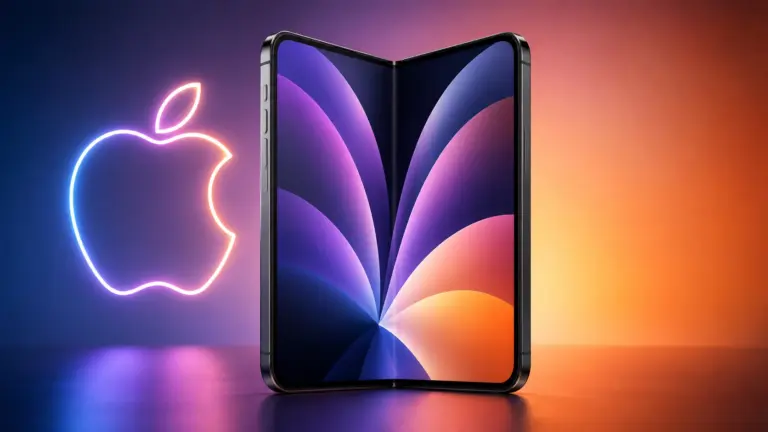
Apple’s first foldable iPhone — possibly dubbed the iPhone Ultra — might come with a smaller battery than previously leaked. AI image: Google Gemini/Cult of Mac
The latest leak about the first folding iPhone says Apple might not deliver the extreme battery capacity that most early rumors indicated.
If you were banking on a foldable with all-day battery life, this is worth pausing on.
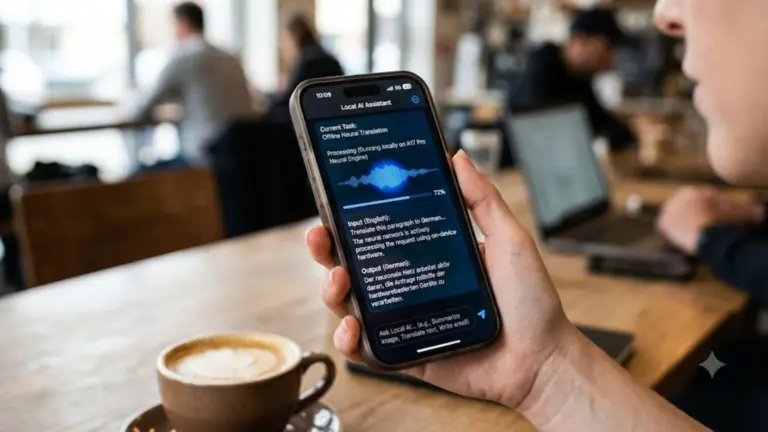
PrismML claims it has compressed a 27-billion-parameter AI model down to 4GB — small enough to run on an iPhone 17 Pro. AI image: Google Gemini/Cult of Mac
Apple’s on-device ambitions just got more interesting. The company has reportedly been talking to a startup called PrismML that claims to run a massive, server-grade language model on the iPhone 17 Pro — no cloud required.
If the discussions turn into a deal between Apple and PrismML, it could be a significant upgrade for Apple Intelligence. Here’s why.
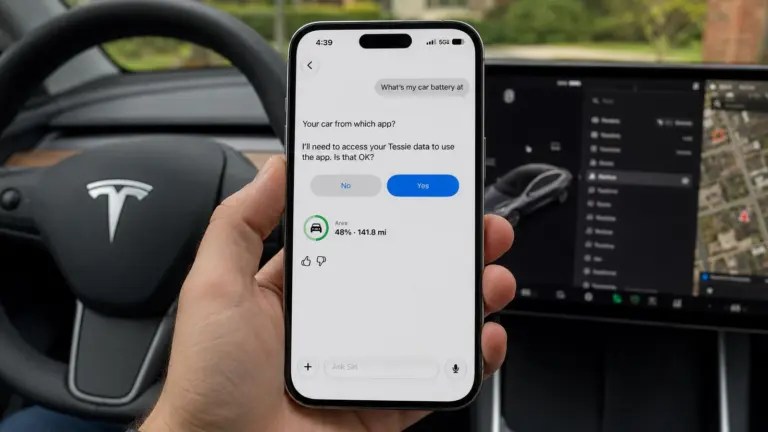
In iOS 27 beta 3, Siri AI can now pull data from select third-party apps, including Tessie. Image: Max Weinbach/X/ChatGPT
In the latest iOS 27 developer beta, Siri AI can pull live information from third-party apps on your iPhone. It’s the kind of feature Siri should’ve had years ago — and now, it’s finally here.
Right now, it only appears to work with a couple of electric vehicle apps, letting you ask Siri things like your car’s battery level. But it’s a signal of where Siri AI is headed — an assistant that finally acts as a bridge across your entire phone, not just Apple’s walled garden.
Foldable iPhone may not go on sale for a few weeks after launch. AI image: ChatGPT
For the first foldable iPhone, Apple might follow the same launch strategy it used for the iPhone X in 2017. While the company will reportedly unveil the device alongside the iPhone 18 Pro lineup this fall, it may not open preorders or begin sales until later.
That’s according to TF International Securities analyst Ming-Chi Kuo, who shared the latest details about the foldable iPhone’s launch timeline in an X post over the weekend.
iOS 27's Trust Insights feature can flag suspicious activity before you fall for a scam. Photo: Google Gemini/ Cult of Mac
Scammers are tricky, but your iPhone will soon get a lot less gullible, thanks to a new iOS 27 feature called Trust Insights. It watches for the tell-tale signs you’re being coached through a scam — and steps in before you actually lose money.
The system runs quietly in the background regardless of what you are doing on your iPhone. If it thinks your behavior looks suspicious, your iPhone will flag it, slow you down, or make you verify twice before you go through with it.
While Trust Insights didn’t get a flashy keynote moment during WWDC26 in June, it will be one of the most useful things Apple ships this fall.
With a little know-how, you can photograph fireworks with an iPhone and achieve great results. But just pointing and shooting with no prior planning can lead to blurry, unexciting fireworks photos.
For instance, does this sound familiar? Last year’s fireworks made you say ooh and ahh, but when you look at your iPhone photos from that night, the sound you make is more of an ugh. Don’t blame Siri or some engineer in Cupertino for previous photo fails. The iPhone camera, as mighty as it is, can’t do all the thinking for you — especially in challenging lighting conditions like a fireworks display.
But with a little thought and preparation, you can make this holiday worth reliving on your iPhone camera roll. Below are some simple tips to make your iPhone fireworks photos sizzle.
The Camera is one of the iPhone’s most essential apps. Image: Apple/D. Griffin Jones/Cult of Mac
The Camera app in iOS 27 is chock-full of small but meaningful improvements. The UI was given a major simplification last year; this year, that design is iterated and refined upon to make it the best yet.
Apple's foldable iPhone is reportedly expected to debut alongside the iPhone 18 Pro this September. Photo: ChatGPT/Sonny Dickson/Cult of Mac
Apple could be telling its suppliers to build more foldable iPhones than anyone expected. The company has reportedly raised its 2026 prediction target for the much-rumored iPhone Ultra to around 10 million units. This is a significant jump from the previous 7-to-8-million estimation.
That’s a huge vote of confidence from Apple and good news for anyone hoping to get their hands on one. A bigger build target usually means fewer launch-day sellouts and a better shot at your preferred color and storage.
Loads of new features come in Apple’s upcoming software update. Image: Apple/D. Griffin Jones/Cult of Mac
The new Photos app in iOS 27 clearly did not get the memo that this was a small year of bug fixes and performance improvements. While it is faster and more stable, there are tons of excellent new features top to bottom. Sorting through the largest photo libraries will be easier than ever in iOS 27.
Here are all the new features you can look forward to — or, if you’re daring, try out now.
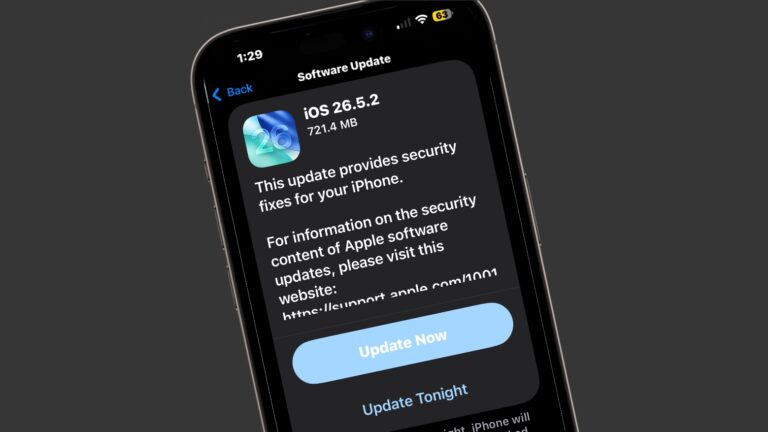
There are just so, so many security patches in iOS 26.5.2. Image: Cult of Mac
Apple released iOS 26.5.2, macOS Tahoe 26.5.2 and iPadOS 26.5.2 on Monday with no additional features but lots of security fixes. There are no fewer than 29 of them listed in Apple’s documentation.
Clearly, even though they lack fun new features, you should install these updates ASAP.
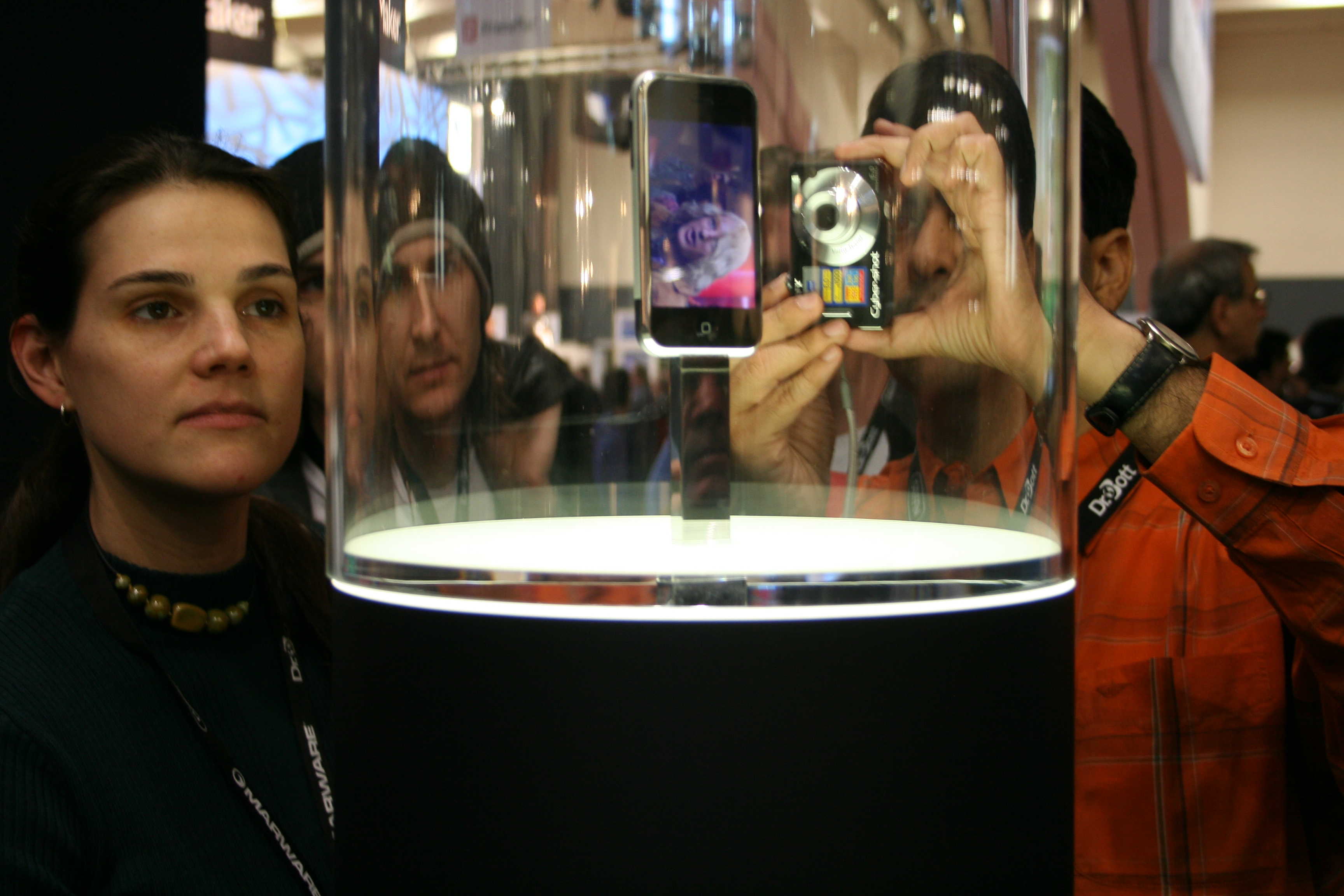
The smartphone that changed smartphones! Photo: Traci Dauphin/Cult of Mac
June 29, 2007: The first iPhone launch date arrives, giving excited Apple fans lined up outside stores their first chance at owning the game-changing smartphone. The queues that greet the device around the world prove that Cupertino is onto a good thing with the smartphone, first shown off by Apple CEO Steve Jobs earlier in the year.
The launch-day fervor offers a glimpse of just how revolutionary the iPhone will become.
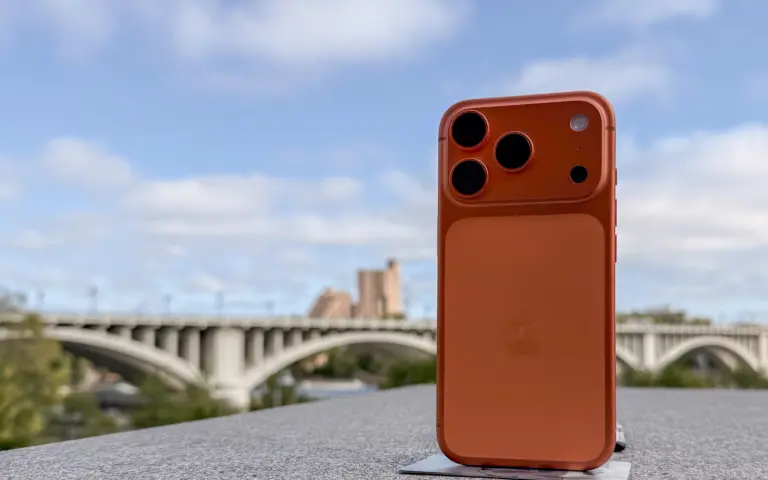
An analyst predicts the iPhone 18 Pro Max will cost much more than previously expected. Image: D. Griffin Jones/Cult of Mac
Apple hiked prices on Mac, iPad and more on Thursday, but not handsets — all iPhone models still cost what they did before. But an analyst warns that we should expect the iPhone models coming in the fall to cost significantly more than the current ones. That’s especially true for the iPhone Ultra.
Even so, the analyst anticipates strong iPhone sales this fall. Here’s why.
The iPhone 4 marked the culmination of Steve Jobs' career at Apple. Photo: Apple
June 24, 2010:. The iPhone 4 release date finally arrives, bringing a sleeker design, a new video telephony service called FaceTime and a gorgeous Retina display. Simply put, it’s a stunning smartphone.
While history may remember the device for the “Antennagate” scandal caused by that new design, it is otherwise a fantastic upgrade over the iPhone 3GS. In its first weekend, Apple will sell 1.7 million iPhone 4 handsets. That’s a major triumph for Cupertino.
Prime Day is from June 23 to 26, 2026. Graphic: Amazon/D. Griffin Jones/Cult of Mac
Prime Day is always an advertising blitz of products — what are the good products and what’s crap? At Cult of Mac, we put together the best Amazon Prime Day deals on the products we’ve actually used, reviewed and love.
While the occasion is as artificial and arbitrary as ever, the pressure is actually real this year. Apple CEO Tim Cook warned earlier this week that prices are inevitably going to rise sometime soon. So if you’ve been thinking about a new computer, now may be the best time.
We review tons of products, from official Apple products to top accessories offered to our staff. Take a look at some of our top recommendations this Prime Day.
The popular workaround is no more. Graphic: Apple/D. Griffin Jones/Cult of Mac
The hack that some Mac users were using to try out the new Siri AI, skipping the waitlist, no longer works.
Apple released the second developer beta of all its OS 27 updates yesterday. In macOS 27 developer beta 2, the hidden Terminal command no longer enables Siri AI. After you update, you’ll find yourself back on Apple’s waitlist. If you previously enabled it on your Mac, your access will be revoked.
But no worries — some users on Reddit may have found a way to get yourself accepted fast.
The web browser that comes on your iPhone, iPad and Mac. Image: Apple/D. Griffin Jones/Cult of Mac
There are eight great new Safari features in iOS 27. The update fixes a lot of irritating design problems that have bothered me for years.
Plus, if your phone supports Apple Intelligence, you’ll enjoy some smart new features that make your browsing easier — I’ve already created a couple custom extensions. And everyone will appreciate the speed and performance gains when they update.
Check out what you can expect from Safari this fall when Apple releases iOS 27.




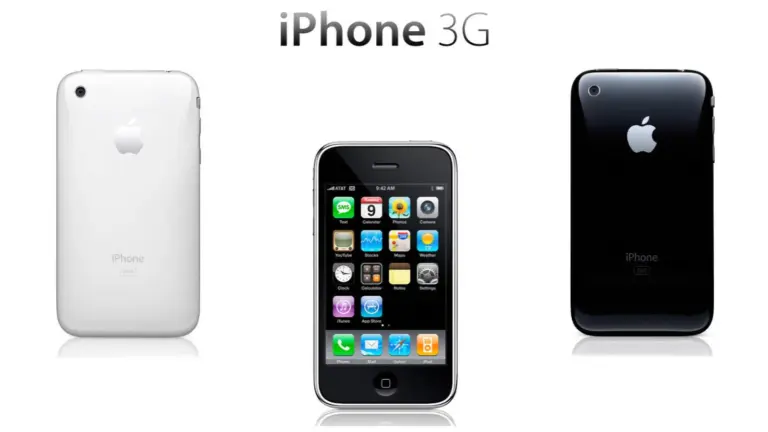
 July 11, 2008: The iPhone 3G goes on sale. Expectations for the smartphone sequel run high, and Apple delivers with the addition of GPS, faster 3G data and a higher-quality build. The iPhone 3G launch also brings a new mobile operating system packed with features.

 June 29, 2007: The first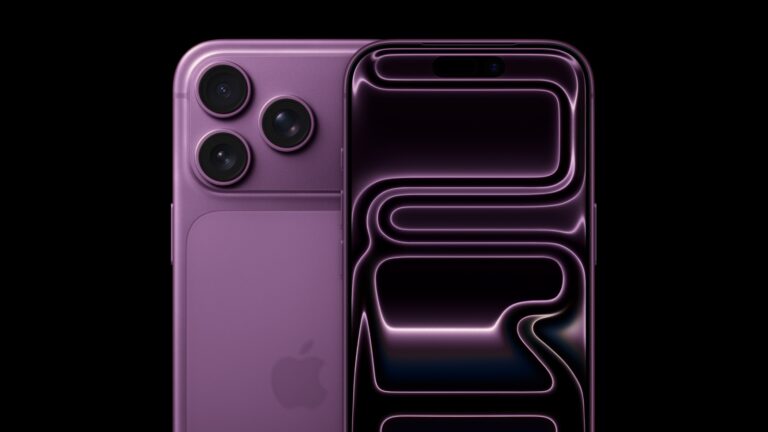
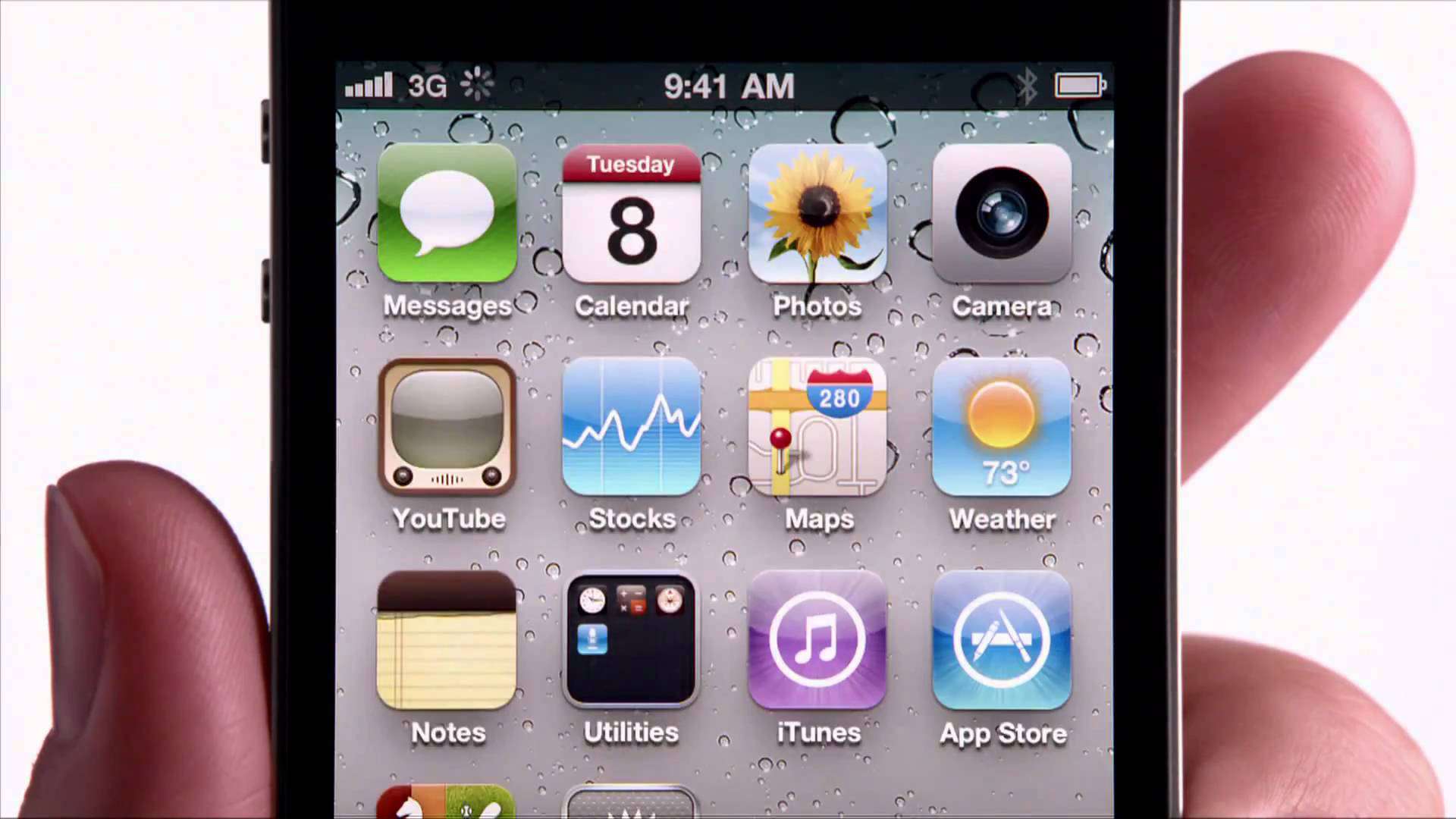
 June 24, 2010:. The iPhone 4 release date finally arrives, bringing a sleeker design, a new video telephony service called FaceTime and a gorgeous Retina display. Simply put, it’s a stunning smartphone.