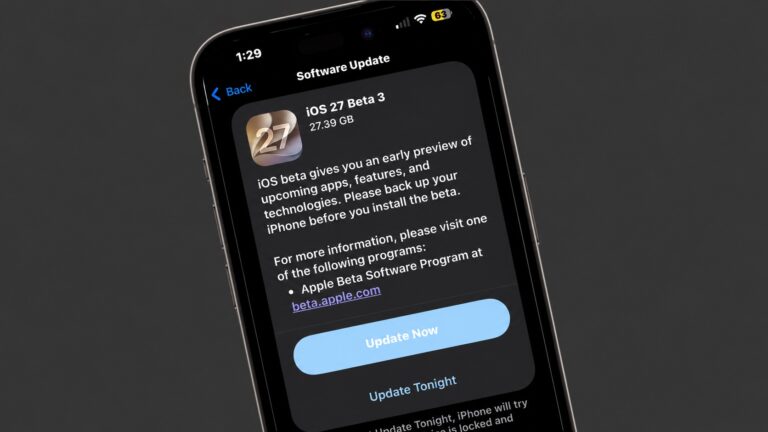
Sticking to its two-week beta release schedule, Apple is rolling out iOS 27 beta 3 to developers. The new build contains relatively minor changes compared to the second beta.
Below are all the changes we have spotted in iOS 27 beta 3 so far.
iOS 27 beta 3: What’s new and changed
Siri now works with third-party apps
Siri in iOS 27 beta 3 works with third-party apps, seamlessly pulling relevant context and information from them. This is a significant upgrade that would make the Siri AI experience much better.
Siri is starting to integrate with 3rd party apps in iOS 27 Beta 3. If you ask what your vehicle is charged at, it asks which app. It’s not showing results properly yet for me, though pic.twitter.com/7q7M46qT4b
— Aaron Zollo (@zollotech) July 7, 2026
Siri voice customization
iOS 27 beta 3 adds the ability to customize Siri’s voice on compatible devices, which includes the iPhone 17 Pro and iPhone Air. The previous two beta builds only teased the feature.
You can adjust Siri’s pace and expressiveness across two voice options.
Adaptive Audio slider
New in iOS 27 beta 3:
AirPods Adaptive Audio slider in the audio mode picker pic.twitter.com/om1dFuy2He
— Aaron (@aaronp613) July 6, 2026
iOS 27 beta 3 makes it easy to control the Adaptive Audio level. It adds a slider in the audio mode, so you can easily select between transparency or higher noise cancellation.
Siri AI comes to watchOS 27
Alongside iOS 27 beta 3, Apple also seeded watchOS 27 beta 3 to developers. It brings Siri AI and a dedicated Siri app to compatible Apple Watch models.
All conversations in the Siri app sync across your devices. So, you can start a conversation on your iPhone or iPad and continue it on your Apple Watch and vice versa.
5G+ support in India
In India, iPhone users report that after updating to iOS 27 beta 3, they see a 5G+ icon in the status bar. It adds support for Voice over 5G Standalone (SA) on compatible carriers (Reliance Jio and Airtel).
New wallpaper animation
There’s a smooth new wallpaper animation in iOS 27 beta 3.
iOS 27 beta 3 adds a new wallpaper animation which is so smooth pic.twitter.com/8LzBOx3HMD
— Aaron (@aaronp613) July 6, 2026
iOS 27 beta 2: What’s new and changed
Write with Siri

Screenshot: D. Griffin Jones/Cult of Mac
iOS 27 replaces Writing Tools with Write with Siri. And now in beta 2, the new interface has rolled out. “Write with Siri” will appear as a keyboard suggestion when you tap on an empty text field in several system apps, like Notes and Mail. When tapped, a text input field slides down from the Dynamic Island, allowing you to describe in natural language the text you want to add.
If you tap on a text field that already has some text written out, you’ll see a smaller icon with the Siri logo on the left.
Since the feature is integrated with Siri, it can analyze the on-screen text and provide relevant suggestions. It can even pull in contextual information when needed.
IOS27 Beta 2: Write with Siri pic.twitter.com/nHJVDKTu8Q
— Deandawiz (@Deandawiz) June 22, 2026
Siri AI performance improvements
Early reports on X suggest Siri AI feels faster and more responsive in iOS 27 beta 2 than in the first beta.
Customizable Siri voices coming soon
While not live, iOS 27 beta 2 teases the two sliders which customize the Siri voice. You’ll be able to change the pace (its speed) and expressivity (how flat or emotive it is). The feature is labeled as coming soon.
iOS 27.0 beta 2 adds a “coming soon” badge to Pace and Expressivity under the “Customize Your Siri Voice” settings pic.twitter.com/F0GmE2VRtN
— Aaron (@aaronp613) June 22, 2026
“Ask Siri” in Safari

Screenshot: D. Griffin Jones/Cult of Mac
An “Ask Siri” button has been added to the address bar in Safari. When you tap and hold on the bar, the button is at the bottom of the list. When you tap the Page menu (the icon with three lines to the left of the address) Ask Siri is shown at the very top.
This feature lets you ask questions about the page you’re looking at. For example, with this very article open, I asked, “When does this update come out?” and Siri answered, “The final public release of iOS 27 is expected to launch in mid-September 2026, likely around September 14. A public beta s scheduled to become available in July 2026.” Siri was able to understand the context of what I wanted to know and piece together its world knowledge to provide an accurate and well-informed answer, citing MacWorld.
Yellow accent in Camera app
When using one of the hidden features in the iPhone’s Camera app, like Night mode or exposure control, a yellow accent will appear next to the More options button and the feature in use for easy identification.
HomeKit Cameras notification upgrade
In iOS 27 beta 2, you can long-press a HomeKit camera notification to preview the motion alert clip directly from the notification. It also includes controls for nearby lights, so you can easily illuminate the surrounding area with a single tap.
RCS upgrades
Apple continues improving the cross-platform RCS experience in the Messages app. In iOS 27 beta 2, RCS conversations gain support for inline replies.
Likewise, if you react to an image received via RCS, it will be properly displayed to the Android user. Currently, they receive a notification saying “X loved an image.”
Texture in Wallet app
When creating custom passes in the Wallet app in iOS 27 beta 2, you can now select from four different textures.
New in iOS 27 beta 2: Texture options in wallet pass creation pic.twitter.com/WYM510vYsT
— Aaron (@aaronp613) June 22, 2026
Remotely update Apple TV
The updated Home app in iOS 27 beta 2 allows you to update your Apple TV remotely. An ‘Update’ button will appear in the Settings section of the app, where all your devices are listed.
AirPort Utility retired
As part of iOS 27 beta 2, Apple announced that the AirPort Utility app will no longer be available for download on devices running iOS 27.
If you previously downloaded the app, you can download it again from the App Store, even on iOS 27. However, there’s no guarantee that the app will continue to work properly.
As evident from the changes above, Apple has focused on making little improvements to existing features in iOS 27 beta 2. The bigger user-facing changes should land with the first public beta of the OS next month.
D. Griffin Jones contributed to this article.

Rajesh has been writing about consumer technology for over a decade, with a strong focus on iPhones, Macs and Apple’s ecosystem. He enjoys digging into Apple software updates, hardware changes, and discovering new Mac apps that make work faster and more enjoyable.
You can reach out to him at mail[at]rajeshpandey.me.


One response to “iOS 27 beta 3: All the new features and changes”
I’d like to tell Siri to open my myQ garage door.