
Non-functional testing focuses on validating how well a software system works rather than what it does. It ensures that an application meets non-functional requirements by evaluating its behavior against key quality attributes that influence user satisfaction and overall business success.
- Evaluates system behavior such as performance, security, usability, and reliability.
- Ensures the application meets defined non-functional requirements and quality standards.
Objectives of Non-functional Testing
The objectives of Non-Functional Testing focus on improving system performance, reliability, usability, and overall efficiency.
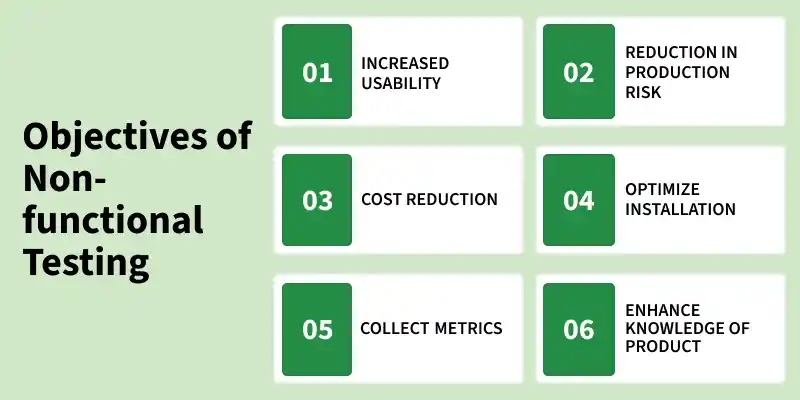
- Increased usability: Enhances the system’s usability, efficiency, maintainability, and portability to ensure a better user experience and easier system management.
- Reduction in production risk: Identifies and minimizes risks related to non-functional aspects (such as performance issues or system failures) before deployment.
- Cost Reduction: Helps reduce costs associated with performance bottlenecks, system downtime, and maintenance by identifying issues early.
- Optimize installation: Ensures smooth installation, execution, and monitoring of the application across different environments.
- Collect metrics: Gathers performance data and metrics to support analysis, decision-making, and continuous improvement in development.
- Enhance knowledge of product: Improves understanding of system behavior, architecture, and underlying technologies through detailed testing and analysis.
Non-Functional Requirements (Quality Attributes)
Non-functional testing parameters define the quality attributes of a software system. These parameters help ensure the system’s performance, reliability, usability and overall effectiveness.
- Security: Measures how well the system is protected against internal and external threats.
- Reliability: Determines the system’s ability to perform its intended functions without failure over time.
- Survivability: Evaluates the system’s ability to recover from failures and continue normal operation.
- Availability: Measures the percentage of time the system remains operational and accessible as per SLA requirements.
- Efficiency: Assesses how effectively the system handles workload, response time, and resource utilization.
- Integrity: Ensures data and source code quality are maintained without unauthorized modification.
- Usability: Evaluates how easily and intuitively users can interact with the system.
- Flexibility: Measures the system’s ability to adapt to changes and uncertain conditions.
- Scalability: Determines the system’s ability to scale up or scale out to meet increased demand.
- Reusability: Indicates how effectively existing components can be reused across applications.
- Interoperability: Verifies that the system works correctly with other systems or components.
- Portability: Assesses how easily the software can be transferred between different environments.
Importance of Non-Functional Testing
- Ensures the application performs efficiently under real-world conditions.
- Identifies performance bottlenecks before deployment.
- Improves system reliability and availability.
- Enhances user experience by validating usability and responsiveness.
- Strengthens application security against internal and external threats.
- Reduces production risks and post-release failures.
- Helps meet business goals and service level agreements (SLAs).
Non-Functional Testing Types
The Non-Functional Testing Techniques and Types mentioned below:
- Performance Testing: Performance testing evaluates the speed, responsiveness, stability and scalability of an application. It helps identify performance bottlenecks, measure system behavior under different workloads and ensure the application can handle the expected number of users or transactions efficiently.
- Load Testing: Load testing determines how an application behaves when multiple users access it simultaneously. It measures system response time, throughput, and resource utilization under varying load conditions to ensure stable performance.
- Security Testing: Security testing ensures that applications and systems are protected against internal and external threats. It identifies vulnerabilities, security risks and weaknesses to prevent unauthorized access, data breaches and other security attacks.
Example: Consider an e-commerce web application:
- Performance Testing: Checks whether product pages load within an acceptable response time during normal usage.
- Load Testing: Verifies system behavior when thousands of users browse and place orders simultaneously.
- Security Testing: Ensures user data and payment information are protected from unauthorized access and cyberattacks.
- Usability Testing: Evaluates whether users can easily search products, add items to the cart, and complete checkout.
This example shows how non-functional testing focuses on the quality, performance, and reliability of the system rather than its functionality.
Tools Used for Non-Functional Testing
Non-Functional Testing tools help evaluate system performance, security, usability, and reliability by simulating real-world conditions and identifying potential issues before deployment.
- Apache JMeter : Open-source tool used for load, stress, and performance testing of web applications and APIs.
- LoadRunner : Enterprise-level tool that simulates thousands of users and provides detailed performance analysis.
- NeoLoad : Modern performance testing tool with strong DevOps and CI/CD integration support.
- OWASP ZAP : Free, open-source tool for detecting vulnerabilities in web applications.
- Burp Suite : Advanced tool used for penetration testing and security vulnerability scanning.
- Postman : Widely used tool for API testing, automation, and validating responses.
- Selenium : Automates browser testing and ensures cross-browser compatibility.
- Appium : Used for testing mobile apps on Android and iOS platforms.
- Grafana : Visualizes performance metrics like CPU, memory, and response time.
- Nagios : Monitors servers, networks, and application availability.
Functional Testing Vs Non-Functional Testing
| Basis | Functional Testing | Non-Functional Testing |
|---|---|---|
| Definition | Tests what the system does (features & functionality). | Tests how the system performs (performance & behavior). |
| Focus Area | User requirements, business logic, features. | Performance, usability, reliability, security. |
| Objective | Verify that each function works as expected. | Ensure system works efficiently under different conditions. |
| Test Type | Black Box Testing. | Includes Performance, Security, Usability testing. |
| Examples | Login, registration, payment processing. | Load testing, stress testing, response time check. |
| Tools Used | Selenium, TestNG, JUnit. | JMeter, LoadRunner, OWASP ZAP. |
| Execution | Performed before non-functional testing. | Performed after functional testing. |
| Result | Pass/Fail based on expected output. | Measured using metrics like response time, throughput. |
| User Perspective | Checks if features work correctly. | Checks user experience and system performance. |