






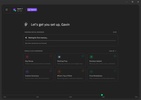
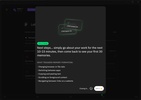
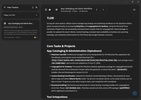
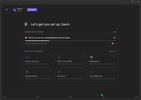
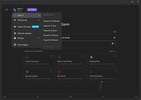
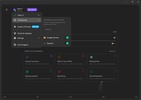
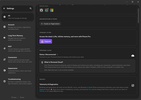
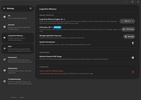
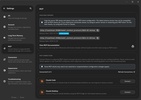
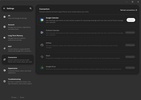
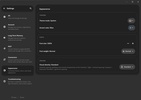
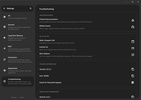

Pieces is a local AI programming app that lets you save time searching for that block of code you wrote weeks ago and that you now need to reuse. You have the option to connect this smart repository to your usual development environments or use it independently so that it automatically indexes, tags, and classifies your scripts. The good thing is that it works well with local artificial intelligence models, which allows you to ask questions about your code, generate documentation, or translate functions from one language to another without your data leaving your computer.
Smart capture and automatic script tagging
With Pieces, you can save yourself the task of manually organizing all your development notes. When you copy a code snippet from the browser or from your editor, the program detects it on the fly and automatically extracts the programming language, the necessary dependencies, and the key context tags. You have the ability to add custom annotations to each card, allowing the internal search engine to find what you need in a second using natural language.
Development assistant with private artificial intelligence
To help you get the most out of every line of code you save, this app offers a chat with an assistant prepared to work on your files. You can choose from different language models, prioritizing the use of local models to avoid consuming tokens from external services and keep your company's code secure. After you type an instruction into the panel, the assistant will analyze the selected fragment to explain what it does, look for possible logic errors, or rewrite the syntax to optimize performance.
Native integration with editors and design tools
The true potential of this app will become apparent once you connect it to the programs you use to write code on a daily basis. It features specific plugins for the most popular text editors and integrated development environments on the market, allowing you to save snippets and retrieve saved solutions directly from your keyboard without switching windows.
Dependency management and context enrichment
Each time you store a block of code, the system will perform an internal analysis to break down the essential components that make it work. It will clearly show you which libraries you need to import and what language version it requires, as well as generate direct links to the official documentation of the tools. You can organize these blocks into thematic collections based on the project or client, making it easy to retrieve complex server configurations or recurring database queries with just a couple of clicks.
My experience with Pieces
I started testing this app by installing it on my computer and linking it to my usual code editor to speed up the development of my projects. I copied several TypeScript functions that I usually use to manage databases and saw how the program classified them instantly, automatically adding tags and the source URL. Afterwards, I opened the internal chat and selected a local model, then asked it to generate the documentation for a filtering function. I completed my test by setting up a specific collection of automation scripts, successfully retrieving a Docker command I saved earlier in the morning by simply typing a quick description into the taskbar search.
What I liked most about Pieces and what could be improved
· What I liked the most: the automatic tagging and context extraction it performs when saving snippets, which saves you from having to organize notes by hand.
· What could be improved: the RAM consumption when you leave the assistant with local models running in the background, as it can slow down computers with more limited power.
Download Pieces to manage your code snippets with a smart manager that automates all the organization and resolves programming queries locally.
Pieces is for you if
✓ You need to instantly find and reuse past code with automatic capture, tagging, and search
✓ You prioritize keeping code private while using local AI to explain, debug, and refactor snippets
✓ You value seamless IDE integration and clear dependency insights to organize projects and complex configurations
























Comments
There are no opinions about Pieces yet. Be the first! Comment