





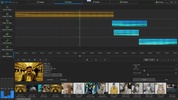
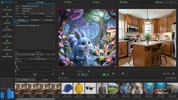

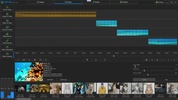
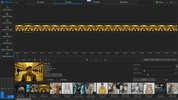

Amuse is an open-source tool that allows you to harness the potential of generative AI to produce audiovisual content from your computer. Locally and without relying on external services, this tool provides everything you need to create without limits and without relying on costly subscriptions to third-party services.
Different creation modes according to your needs
Amuse's versatility allows you to move between different levels of complexity depending on your needs. If you are looking for quick results, EZ mode makes creating AI images a breeze using simple prompts. However, if you are an advanced user, the tool also offers an expert mode with access to more than 100 AI models and more precise controls over the composition. Thanks to technologies like Stable Diffusion XL and ControlNet, you have total control over the structure and style of every pixel, so you can even transform simple sketches into hyper-realistic illustrations in a matter of seconds.
Take advantage of optimization for AMD
Another of Amuse's strong points is its close collaboration with AMD's architecture. The tool allows you to get more out of the CPUs, GPUs, and, especially, the NPUs of Ryzen AI processors. By using optimized ONNX models and AMD XDNA technology, the program upscales images to up to double their original resolution without seeing a drop in your computer's performance. This way, you can use an excellent local alternative to tools like Canva Magic Media or Adobe Firefly, especially if you are looking to maintain complete privacy in your projects.
My experience after testing Amuse on Windows
When I installed Amuse on my PC, I liked that, as it runs locally, image generation was practically immediate. I tried creating several AI videos using the text-to-video function and the workflow was very fluid. I also found the image-to-image drawing mode very helpful, and with barely any time investment, I was able to create a very basic sketch of a colorful landscape, respecting the structure of my strokes until I got a much more detailed and attractive image. Not having to log in or worry about daily credits offered me a creative freedom that other tools simply do not provide.
What I liked most about Amuse and what could be improved
• What I liked most: Processing everything locally means everything remains private, and the excellent optimization for AMD hardware significantly speeds up video rendering times. The fact that it is completely free to use with no subscriptions is a huge differentiator.
• What could be improved: Although it is compatible with other systems, optimal performance is closely tied to the most recent AMD processors and graphics. This may limit the experience on older hardware or hardware from other brands.
Download the Amuse installer for Windows and enjoy the possibilities of generative AI without limits. Turn your text into videos, improve the resolution of your photos, and keep all your creations safe on your own hard drive with this comprehensive tool.
Amuse is for you if
✓ You value generating images and videos locally with full privacy and no recurring subscriptions
✓ You desire quick EZ-mode generations or expert-level control with many models, Stable Diffusion XL
✓ You rely on AMD-optimized acceleration to upscale images and render media fast without performance drops


 1 reviews












Comments
There are no opinions about Amuse yet. Be the first! Comment