




How to find your GPS coordinates
How to check on your smartphone
STEP 01:
Make sure that your location services are turned on
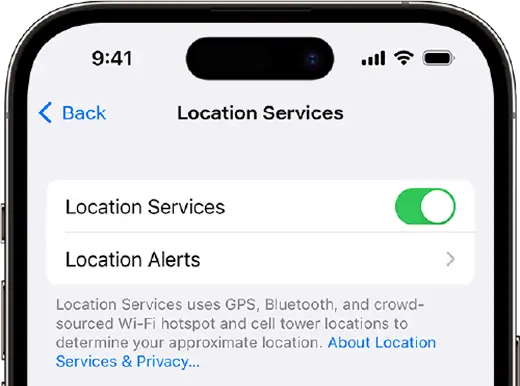
STEP 02:

Visit your map application on your device e.g Google Maps, Apple Maps, Petal Maps, etc.
STEP 03:
Tap and hold your finger on the location you want to get the coordinates for.
STEP 04:
A red pin will drop on the location, and a small card will appear at the bottom of the screen.
STEP 05:
Swipe up on the card to reveal more information about the location.
STEP 06:
Scroll down until you see the coordinates listed under the "Location" section.
STEP 07:
The coordinates will be displayed in latitude and longitude format e.g -33.856822, 18.403115. You can also copy the plus code, it will look something like this 4FJ99G2+RR.
STEP 08:
Enter or Paste the results in the search bar on the homepage.
How to check on your desktop
STEP 01:
If you are using a desktop PC, visit Google Maps and search for your town.
STEP 02:
Use the + button or mouse wheel to zoom in on the map
STEP 03:
Look for your house/ business, clicking on the layers button will turn on the satellite view and might make this step easier
STEP 04:
Right-click on the roof of your house, a window will pop up.
STEP 05:
The coordinates will be displayed in latitude and longitude format e.g -33.856822, 18.403115.
STEP 06:
Enter or Paste the results in the search bar on the homepage.
Share:
Stay in the Loop
Be the first to know about new deals, upgrades, and internet tips. No spam. Just speed.


