





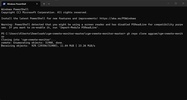
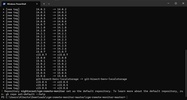
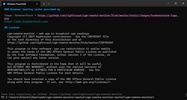
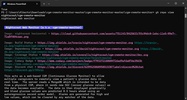
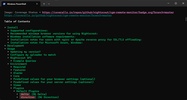
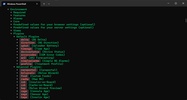
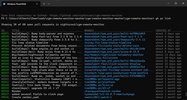
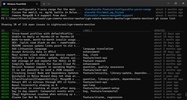
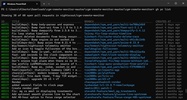
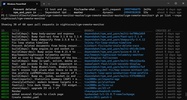

GitHub CLI is an open source command line client that brings the most common GitHub actions directly to the terminal. Thanks to this, you can check issues, pull requests, and new version releases without having to open your browser every time. It's free, open-source, and designed for those who prefer to keep working from the console instead of constantly switching to the GitHub website.
Viewing and managing issues and pull requests
From the terminal, you can see a repository's open issues at a glance and filter them as needed, without having to visit the website to check them one by one. You can also check the status of your pending pull requests, download a specific one to your computer to review its changes as if it were your own branch, or create a new pull request as soon as you finish working on your part. In addition, you can check if the automatic checks for a pull request have passed successfully before approving it.
Publication of new project versions
GitHub CLI allows you to publish a new version of your project by indicating the corresponding tag and attaching the files you want to include, all without leaving the terminal. You can also check the documentation for any repository directly from the console, which is useful whenever you want to take a quick look at a project before downloading it without needing to open your browser.
Automate repetitive actions
Beyond what it already comes with by default, GitHub CLI allows you to connect to almost any GitHub function to automate actions that don't have their own command yet. You can also save personalized shortcuts for the command combinations you repeat most often, so a task that would normally take a while to type out is reduced to a short and easy-to-remember word.
Also works with enterprise repositories
Beyond the repositories hosted on the public GitHub website, GitHub CLI can also connect to the private servers that many companies use internally. Configuring that connection is practically the same as with a regular account, making it easy to seamlessly switch between your personal and work projects.
My experience with GitHub CLI
After installing GitHub CLI on my PC, I logged in with my account and cloned my repo to access all the information from the terminal. From there, I tried to see all the pending issues that were open, as well as the pull requests. I later published a new version of my project and attached the compiled file, then saved my own shortcut so I wouldn't have to type out the same long commands every time. Finally, I also connected GitHub CLI to a company server that I use at work and was able to move between both accounts without any problems.
What I liked most about GitHub CLI and what could be improved
· What I liked most: being able to review and approve pull requests without leaving the terminal, and the ability to save my own shortcuts for the commands I repeat the most.
· What could be improved: some more advanced GitHub features still don't have their own command and have to be set up manually, which requires a bit more time than using the commands that come integrated by default.
Install GitHub CLI on your computer and bring the ability to manage issues, pull requests, and new versions directly to your terminal, with the option to also connect it to enterprise servers.
GitHub CLI is for you if
✓ You prefer managing GitHub issues, pull requests, and releases entirely from your terminal
✓ You value automating repetitive GitHub tasks with custom commands and shortcuts tailored to your workflow
✓ You need seamless access to public and enterprise repositories, including documentation and release management


 1 reviews




















Comments
There are no opinions about GitHub CLI yet. Be the first! Comment