





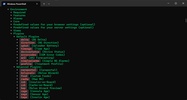
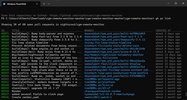
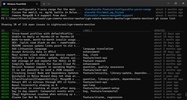
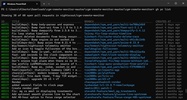
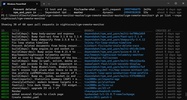

GitHub CLI is an open source command-line client that brings the most common GitHub actions to the terminal, so you can check issues, pull requests, and new release posts without having to open your browser. It's free and intended for anyone who prefers not to interrupt their workflow to constantly visit the GitHub website.
Custom shortcuts and functions without a command
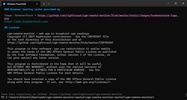
In addition to what it comes with by default, this program connects to almost any GitHub function, including those that do not yet have their own command and must be set up manually. You can save custom shortcuts for command chains that you repeat on a daily basis, reducing long instructions into a single easy-to-remember word.
Automated checks, issues, and pull requests
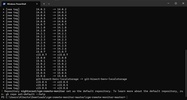
You can view the open issues on a repository at a glance and even filter them, without having to check them one by one from your browser. With pull requests, you can check the status of the ones you have pending, download a specific one to your computer to examine the changes as if it were your own branch, create a new one when you finish your part, and check if its automatic controls are okay before approving it.
New versions and documentation on the terminal
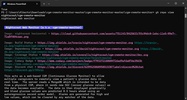
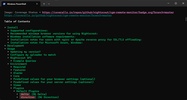
Publishing a project version consists of specifying the corresponding tag and attaching the files you want to include without leaving the console. In the same way, you can consult the documentation for any repository, which is practical for taking a quick look at someone else's project before deciding whether to download it.
Personal accounts and company servers
Beyond the repositories hosted on the public GitHub website, this program can also connect to the private servers that many companies use internally. Setting up those connections is practically the same as doing so with a normal account, so switching between personal and work projects is a breeze.
My experience with GitHub CLI
The first thing I did after installing this program was log into my account and clone my repo to have all the information accessible from the terminal; after that, I reviewed the pending issues along with the pull requests. I saved my own shortcut so I wouldn't have to repeat the same long commands every time, then published a new version of my project and attached the compiled file. In the end, I connected GitHub CLI to a company server that I use at work and was able to switch between both accounts without any problems.
What I liked most about GitHub CLI and what could be improved
· What I liked the most: reviewing and approving pull requests without leaving the terminal, as well as being able to save my own shortcuts for the commands I repeat the most.
· What could be improved: some advanced GitHub functions lack their own commands and have to be set up manually, which takes more time than using the commands it comes with by default.
Download GitHub CLI to keep the management of issues, pull requests, and new versions just a command away, with the ability to connect to enterprise servers included.
GitHub CLI is for you if
✓ You prefer managing GitHub issues, pull requests and releases without ever leaving your terminal
✓ You value customizable shortcuts that condense complex, repetitive GitHub workflows into single memorable commands
✓ You need seamless access to personal GitHub repos and private enterprise servers in one client



























Comments
There are no opinions about GitHub CLI yet. Be the first! Comment