


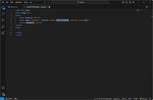
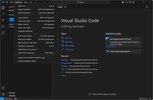
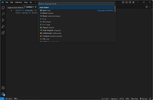
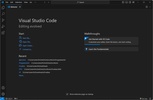
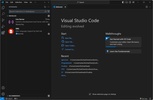
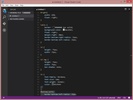
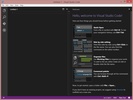

Visual Studio Code is a free open source development tool from Microsoft, widely used by programmers and software developers. Designed to provide a comprehensive, lightweight and highly customizable development environment, Visual Studio Code supports multiple programming languages and is aimed at both beginners and advanced developers. Its extensibility, along with its compatibility with operating systems including Windows, macOS and Linux, make it a popular choice for open source and enterprise development projects.
Rich yet lightweight development environment
Visual Studio Code offers a lightweight integrated development environment, making it incredibly quick and agile to run compared to the traditional IDEs which are a little heavier. Despite its lightweight approach, it includes powerful features such as syntax highlighting, refactoring and intelligent auto-completion, which help you write code faster and reduce errors. Configuring the environment is simple, allowing each programmer to enjoy a fluid and adaptable user experience.
Git integration and version control
One of Visual Studio Code's most outstanding features is its native integration with Git and other version control systems. This allows developers to commit, view changes and manage branches without having to leave the interface. This streamlines the workflow, allowing developers to maintain a more efficient and collaborative control over their code, as integrating it with platforms like GitHub is straightforward and seamless.
Extensions and full customization
Visual Studio Code stands out for its extensibility, allowing developers to install extensions ranging from debugging tools to language-specific support and productivity add-ons from a vast library. In addition, users can customize keyboard shortcuts, themes and other elements of the development environment. This adaptability makes Visual Studio Code a highly configurable and adjustable option for any project, from web and mobile development to desktop apps.
Integrated debugging and terminal
The tool includes an integrated debugger that supports multiple languages, allowing developers to complete a deep debugging on their code without having to turn to external alternatives. In addition, the integrated terminal makes it easy to execute commands directly from the editor, allowing you to quickly compile, test and run scripts. This terminal and debugger combo within the same environment maximizes development efficiency and avoids interruptions to your workflow.
Support for multiple programming languages
Visual Studio Code supports a wide range of programming languages including JavaScript, Python, Java, C++, PHP and HTML, among others. What's more, thanks to the extension system you can add support for any other language. This versatility makes Visual Studio Code an ideal choice for developers working on different projects in different languages, since everything can be managed from a single environment.
Real-time collaboration
With Live Share, Visual Studio Code allows developers to collaborate in real time, sharing their workspace and code with other users. This is ideal for team programming, code reviews or tutoring sessions, as each user can view and edit the code simultaneously, optimizing remote collaboration and enabling a more productive workflow.


 14 reviews













Comments
Excellent
I have Windows 7 and it won't run on it.
Very beautiful
I really like this program; it makes the code clearer, especially for those who are starting out in programming.
Is it possible to have it in Spanish language?