
Core Features
A clean, no-nonsense plugin for creating documentation on your WordPress site. Everything below is included in the free version.
Fully Responsive Layout
Multi-column layouts
Looks beautiful on desktop, tablet or mobile
Modify the number of columns to display
Supports Unlimited Products
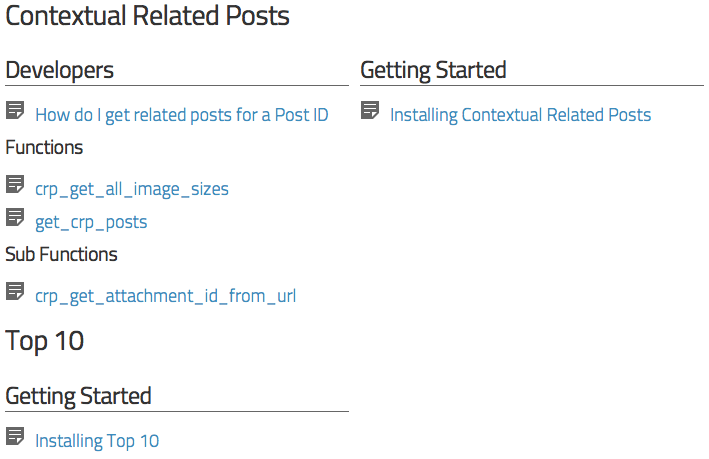
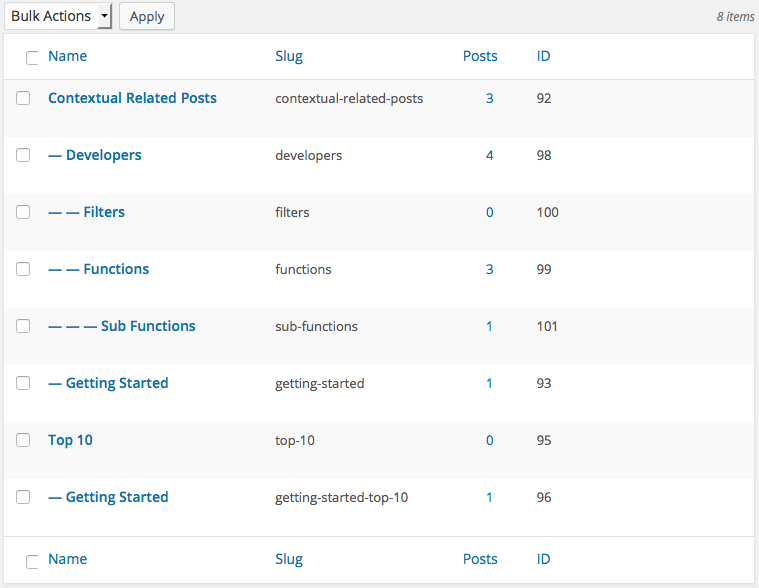
Create unlimited Products and Sections
Choose between Single or Multi-product mode
Tags help you group content by theme
Fully Customisable
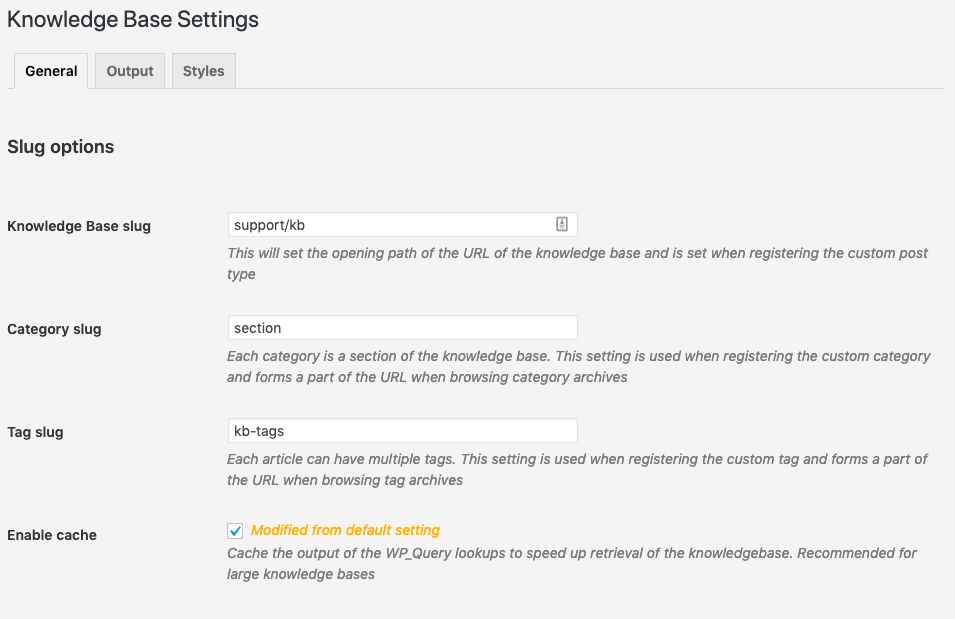
Change the URL of the knowledge base
Works with any WordPress theme out of the box
Easily override the default templates within your theme
Knowledge Base Pro
Pro adds article ratings, a floating help widget, premium layouts, and deeper site control. No bloat, no page builder dependency.
Find out what’s working
Readers rate articles with a 5-star score or a simple yes/no. Low ratings trigger an optional follow-up question, so you know exactly where to improve. Nothing is stored that identifies individual users.
Choose between 5-star or binary voting
Bayesian averaging for meaningful results
Optional follow-up feedback questions for low ratings
GDPR-friendly tracking modes


Help users find answers faster
A floating help widget gives instant search without leaving the page. Seven additional layout styles to choose from. Set the knowledge base as your site homepage. A sticky table of contents keeps long articles navigable.
Floating help widget with live search and suggested articles
Premium layout pack with 7 additional frontend styles
Set your knowledge base as the site homepage
Enhanced TOC: widget, block and a floating/sticky panel
More control, less fuss
Fine-grained permalink control for articles, sections, tags, and products. One-click cache clearing and expiry controls. Admin tools for managing article feedback.
Advanced permalink engine for articles, sections, tags, and products
Cache expiry controls and one-click cache clearing
Admin tools for managing feedback and maintenance
More FREE Features
The free version covers most of what you’ll need. No license required.
Shortcode and Blocks
Use [knowledgebase] or the Knowledge Base Block to display the knowledge base anywhere you want. The plugin includes five blocks to use in the block or site editor.
Page Templates
The default templates display the article and category archives, as well as search results. You can easily override one or more of them by creating your own templates in your theme’s folder.
Custom CSS Styles
You can easily change the knowledge base’s display using your own custom styles.
Customizable Permalinks
Your knowledge base can be viewed at /knowledgebase/ automatically on activation. You can change this on the Settings page.
Widget
Handy widgets to display articles, sections and breadcrumbs wherever your theme supports widgets.
Related Posts
Automatically display related articles in your knowledge base.
Alerts
Add attention-grabbing alert boxes with the [kbalert] shortcode or Alerts block.
Searchable (+ajax live search)
Allow your visitors to search the knowledge base articles. The inbuilt templates include the search form and are available as shortcodes and blocks.
Native WordPress Editor
Compose your knowledge base articles just as you do posts and pages.
Full Multi-site support
Network active or not? We’ll let you decide. It also works on your single-site WordPress installation.
Breadcrumbs
Default templates include breadcrumbs. Alternatively, use a function or shortcode to display this wherever you want.
Streamlined Performance
The built-in caching system ensures your knowledge base runs smoothly and efficiently.
Auto Table of Contents
Automatically generate a linked Table of Contents from article headings, with configurable depth and minimum heading threshold.
Developer friendly
Knowledge Base has several actions and filters that make it very easy for you (or your developer) to extend to suit your website.
Pricing
Simple pricing. No per-site surprises.
1 active site
Unlimited articles and sections
Multi-product support
Blocks, shortcodes and widgets
Breadcrumb navigation
Auto TOC
Built-in caching
Everything in Basic
1 active site
Article ratings and feedback
Floating Help Widget
Premium layout pack
Enhanced TOC
Advanced Permalinks Engine
One-click Knowledge Base as a Homepage
Cache and admin tools
Direct email support
Everything in Pro
Discounted pricing for 5 or 50 sites
Direct email support
Everything in Pro+
Unlimited active sites
Priority email support
Backed by a 14-day refund policy
After choosing a Knowledge Base Premium plan, you are fully protected by our 100% No-Risk Money-Back Guarantee! If you don’t like Knowledge Base over the next 14 days, we’ll happily refund 100% of your money. Read about our policy here.
Pricing above excludes VAT and is paid annually. You can purchase the plugin in USD, GBP, and EUR – look for the little dropdown in the bottom right of the purchase screen. You can change plans or cancel your account at any time. Purchase and License handling powered by Freemius.