
Social reels, ads, slideshows — generated from templates.
Render MP4, WebM and GIF from reusable Orshot templates with one REST call. Design with a visual video timeline, add page-level audio, auto-generate subtitles — then control everything via API.
60 free renders · MP4, WebM, GIF
MP4, WebM, GIF
Three formats, one parameter. Switch between MP4, WebM and GIF without re-designing.
Auto-subtitles
Pass an audio or video source and Orshot generates subtitles automatically.
Multi-page slideshows
Combine multi-page templates into a single video with transitions between pages.
Timeline & audio
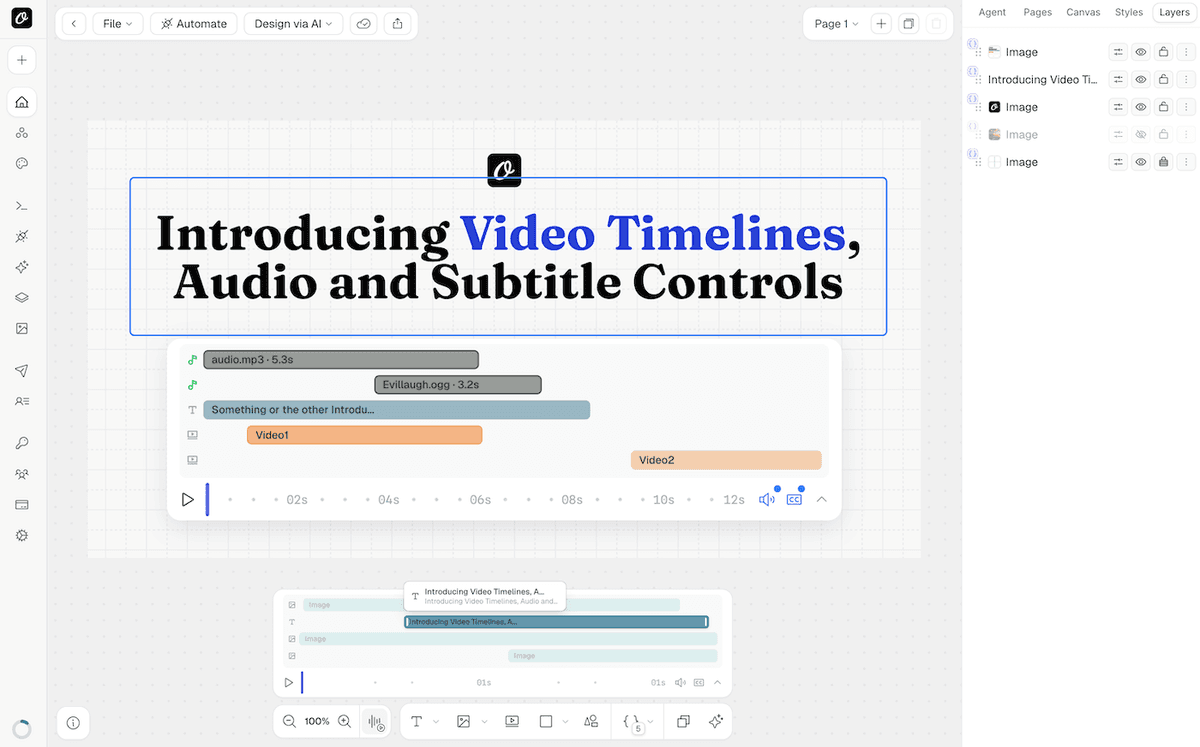
Visual timeline with page-level audio tracks, trim points, mute, FPS and quality controls.
Design once in Studio. Render videos at scale.
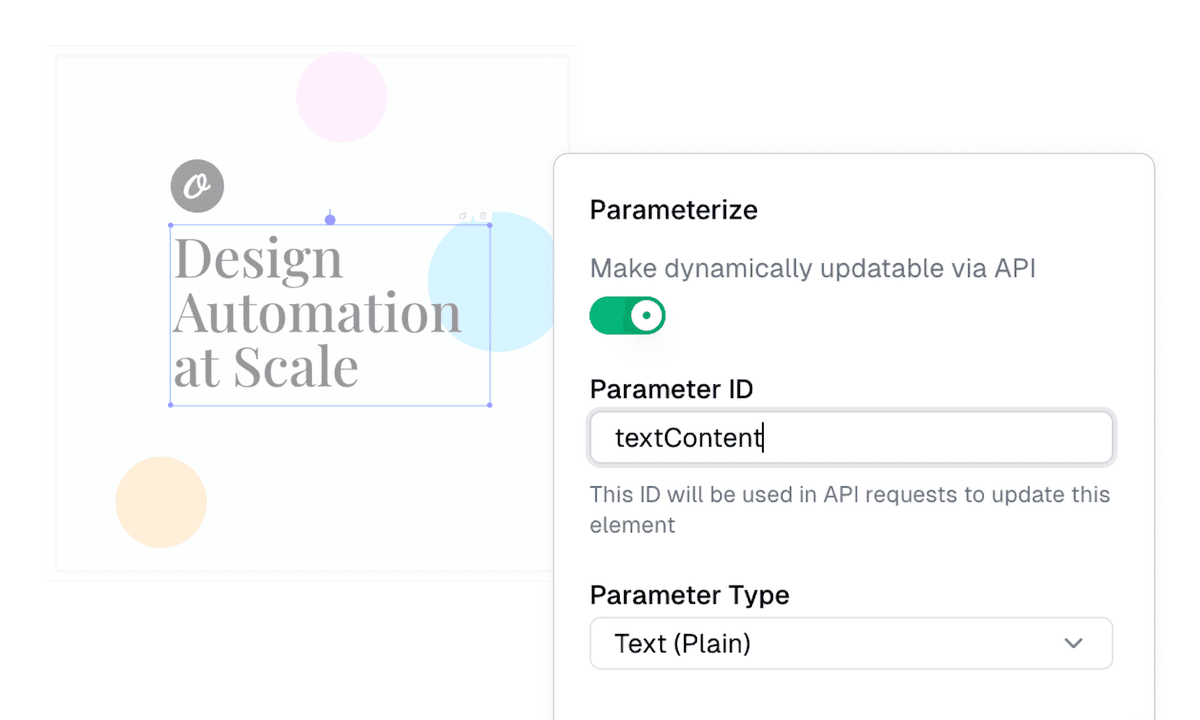
Build your video template in Orshot Studio with a visual timeline — add video layers, audio tracks, text overlays, and shapes. Parameterize every element, then call the API to generate variants.
- Visual video timeline with per-layer trim, loop and mute controls
- Page-level audio tracks and auto-generated subtitles
- Per-layer animations — fade, slide, scale with timing
- Import from Canva or Figma to get started faster
One template, every video you need.
Pass modifications — headlines, video clips, images — and render variants. Use videoOptions for subtitles, trim points, page transitions and audio control. Combine with social media automation to auto-publish to 13+ platforms.
- Swap video clips, text and images per render
- Auto-generate subtitles from audio or video
- Combine multi-page templates with fade transitions
- Render to your own S3, R2, Dropbox or Google Drive
SDKs for every stack
Node, Python, Ruby and PHP. Same SDK, same method — just change the format.
Subtitle customization
Control font, color, size, background and position of auto-generated subtitles.
Auto-publish
Post the video to TikTok, YouTube, Instagram and 10+ others in the same call.
Dynamic URLs
Render videos from URL parameters — no API call needed.
Page transitions
Fade, cut and custom transitions between pages in multi-page video slideshows.
Bring your own storage
Pipe rendered videos straight to your S3, R2, Dropbox or Google Drive.
Change the format to mp4. You’re rendering videos.
Same API, same SDKs — just set format to mp4, webm or gif. Add videoOptions for subtitles, trim points and page transitions.
npm install orshotimport { Orshot } from 'orshot';
const orshot = new Orshot(process.env.ORSHOT_API_KEY);
const { url } = await orshot.renderFromStudioTemplate({
templateId: 1234,
modifications: {
headline: '5 Tips for Better Productivity',
bgVideo: 'https://example.com/office-bg.mp4',
},
response: { type: 'url', format: 'mp4' },
videoOptions: { subtitleSource: 'auto' },
});





Start rendering videos. Same API, same SDKs.
No credit card. Same 60 free renders. Change the format to mp4 and you're generating videos.