

Go to Mac platform Display platforms icon
Go to Mac platform Go to Windows platform Go to Android platform Go to iOS platform
Fastfetch icon

Fastfetch

2.65.1
0 0 reviews
358 downloads
security security

Access all the information about your Mac in real time

Advertisement
Remove ads and more with Turbo
Advertisement
Remove ads and more with Turbo
Andrés López icon
Reviewed by
Andrés López
Content Editor
Andrés López is part of Uptodown's in-house Editorial Team. Translated by Uptodown Localization Team

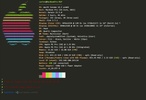
Fastfetch is a very lightweight app that allows you to take a look at all the information about your Mac with just one click. The aim of this program is to display information such as the operating system version, the number of installed packages, the native screen resolution, the CPU and GPU models, the number of active processes, and more.

Very easy to use

Many users have likely noticed the similarities between Fastfetch and a well-known app called Neofetch. The main difference between the two is that the latter has ceased development and is no longer in active maintenance. The second most important difference is that Fastfetch is able to display all the information about your Mac in a quick, beautiful, and elegant way. From the moment you click the executable until you can see your Mac's information, not even five seconds will have passed.

Advertisement
Remove ads and more with Turbo

Customize the way the information looks

To use Fastfetch, there's no need to adjust any options. That said, you will be able to customize practically all the app's parameters as long as you are willing to enter a few lines in the Mac terminal. Fortunately, on the developer's official website, you will find all the documentation you need for this, including video tutorials that will teach you how to do it in less than two minutes. You will even be able to customize the appearance of the logos that appear next to the information.

The most elegant way to view your system information

Download Fastfetch to enjoy viewing all the information about your Mac on one screen. On the app's official website, you will find plenty of tips and tricks to customize its appearance. You can change everything from the font and the colors to the type of fields you want displayed.

Information about Fastfetch 2.65.1

Basic information

Developer Carter Li
Category System
Rating All ages
Languages English
47 more

Distribution model

Pricing Free
License MIT
Source code
Copyright © 2026 Carter Li
Why is this app published on Uptodown? (More information)

Security and privacy

Required permissions Not applicable
See security and antivirus report

Download info

Downloads 358
Date Jun 25, 2026
File type ZIP
Size 949.41 KB
SHA256 ce7ddd3e3bcbd99ea302f45b24510ed9ad2a0db0db07307fc5c7ca58f17274c2
Advertisement
Remove ads and more with Turbo

Older versions

See more
zip 2.64.0 Jun 4, 2026
zip 2.63.1 May 14, 2026
gz 2.58 Jan 14, 2026
zip 2.57.0 Jan 12, 2026
zip 2.56.1 Dec 18, 2025
zip 2.55.0 Nov 11, 2025
Available for other platforms

Rate this App

Review the app
Fastfetch icon

Comments

There are no opinions about Fastfetch yet. Be the first! Comment

Advertisement
Remove ads and more with Turbo
OpenCore Legacy Patcher icon
Install recent versions of macOS on your old Mac
Magican icon
Clean and optimize your Mac with just one click
Logi Tune icon
Logitech
Macs Fan Control icon
Take control over your Mac's system fans
Disk Drill icon
Recover any deleted or damaged file
Launchy icon
Launch any application just by typing its name
UNetbootin icon
Install a Linux distribution on a USB or other partition
Butler icon
Many Tricks
Tor Browser icon
Anonymous and secure browsing for Mac
Citra icon
The best Nintendo 3DS emulator for Mac
Mozilla Firefox icon
Cross-platform open-source web browser
balenaEtcher icon
Create self-booting external disks on Mac
Brave Browser icon
A user-friendly and secure ad-free browser based on Chromium
Strix icon
Strengthen the security of all your projects
Komi Store icon
Open-source app store for Mac
OpenVINO icon
Extra AI features for Audacity
CrossOver icon
Run Windows apps and games on Mac
balenaEtcher icon
Create self-booting external disks on Mac
Logi Options+ icon
Conveniently manage your Logitech peripherals
Android File Transfer icon
Transfer files from an Android device to Mac
Logitech G HUB icon
Customize your Logitech devices
CleanMyMac icon
Keep your computer in good shape
Prism Launcher icon
Conveniently download and update mods
Raspberry Pi Imager icon
Flash distros and images on your Raspberry Pi