






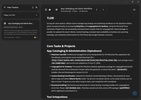

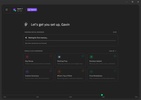
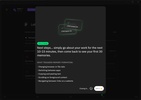
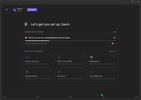
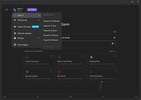
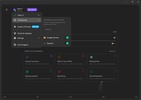
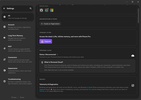
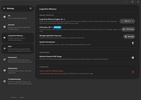

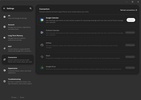
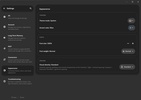
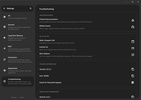

Pieces is a local AI programming app that allows you to manage and retrieve saved code snippets directly on your Mac. In the control panel, you configure your collections so that the system automatically indexes, tags, and classifies your scripts, allowing you to locate a function you wrote weeks before in seconds. It works hand-in-hand with local AI models, so you have the option to ask questions about syntax, generate comments, or translate functions between different programming languages without your code leaving your Apple device's storage.
Instant capture and automatic organization of snippets
With the help of this app, you can forget about organizing your development notes by hand, as your scripts are decluttered. When you copy any block of code from Safari or from your development environment, the program detects it on the fly to extract the programming language, the necessary libraries, and the source context. You have the ability to add custom annotations to each code card, allowing the internal natural-language search engine to find the exact solution you need to reuse without wasting time checking folders.
Conversational assistant with local language models
Managing your saved blocks is taken a step further thanks to the chat with the integrated assistant, prepared to work directly on the context of your files in macOS. You can choose between connecting to cloud models or running local models on your computer to protect your privacy and avoid consuming tokens. When you write an instruction in the panel, the assistant examines the selected fragment to detail its operation, locate potential logic flaws, or rewrite the structure to maximize the app's performance.
Connectivity with development environments and the Apple ecosystem
This program's true potential becomes apparent when you fully integrate it with the tools you use for coding day after day. You have access to specific plugins for the most popular text editors and development environments on the market, making it easy for you to save snippets or retrieve blocks from your library using keyboard shortcuts, without having to switch windows. On top of that, its clean design adapts to the desktop environment, allowing you to manage your functions, database queries, or server configurations with complete comfort while you work on your projects.
Dependency breakdown and technical context enrichment
Every time you save a script, the system performs an in-depth internal analysis to identify the essential components it requires to run correctly. It clearly indicates which libraries you need to import, the recommended language version, and provides direct links to the repositories and official documentation. You can structure all these blocks into thematic collections based on the project or client, enabling you to configure complex environments or deploy repetitive architectures with just a couple of clicks from the main menu.
My experience with Pieces
I installed the app on my Mac and linked it with my usual editor to see if it was able to improve my daily coding routine. I started by copying several complex functions in TypeScript that I use to connect to databases, and the program classified them instantly, automatically assigning them the correct language and context tags. Afterwards, I opened the chat in the sidebar, selected a local model, and asked it to generate the full documentation for an old code block to save it alongside the script. I finished the test by organizing a collection of Docker terminal commands, successfully retrieving a deployment instruction by just typing a quick description into the search bar.
What I liked most about Pieces and what could be improved
· What I liked most: It performs powerful context analysis on the fly, saving you the task of filling in tags or classifying languages by hand.
· What could be improved: The processing load supported by the Mac's unified memory when running denser local models in the background can raise the temperature on devices without active cooling.
Download Pieces and keep your code library organized and accessible with a smart assistant that resolves your development questions locally.
Pieces is for you if
✓ You need effortless capture and automatic organization of code snippets directly on your Mac
✓ You value a local AI assistant to explain, refactor, and translate code privately
✓ You prioritize seamless IDE integration and clear dependency overviews to speed up complex project setups



























Comments
There are no opinions about Pieces yet. Be the first! Comment