Withdraw and Close Account
Withdraw collateral
You can withdraw collateral at any time, including while you hold open positions or borrows, as long as the withdrawal leaves your account above its initial margin requirement (meets_withdraw_margin_requirement). Partial withdrawals are fine — you can withdraw up to your available free collateral. To check how much is withdrawable, refer to your account health breakdown via any portfolio screen.
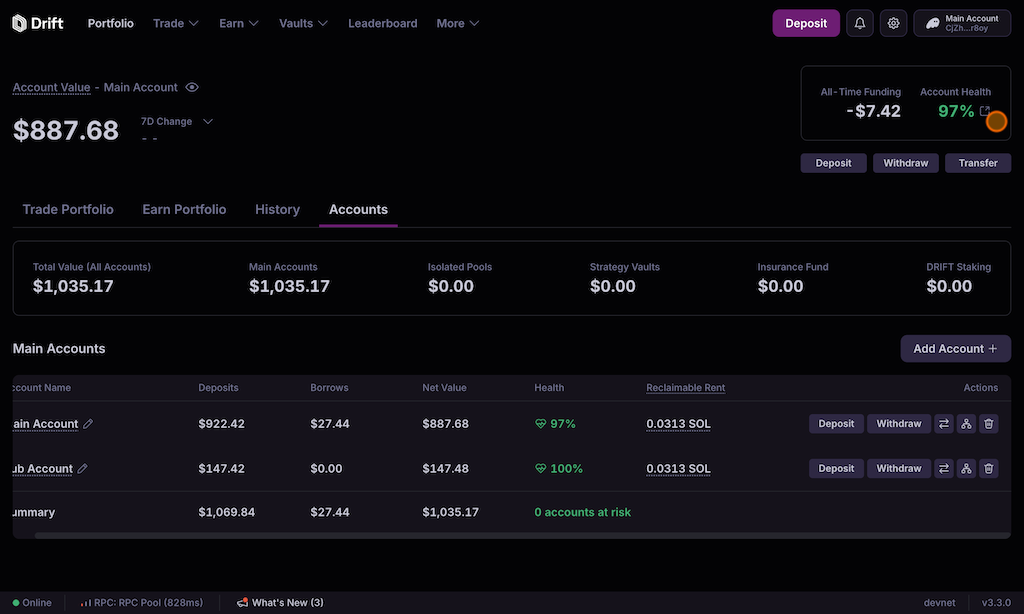
Large withdrawals may additionally be throttled by a spot market’s rolling withdrawal limits, independent of your own margin — see Withdrawal & Borrow Limits and Protocol Guard Rails.
Fully deleting a subaccount is stricter than withdrawing: an account can only be deleted once it holds no open positions, no open borrows, no unsettled PnL, and no remaining balances (see Recovering Funds below).
Do not delete your account or subaccounts if you’re staking at Insurance Vaults. This may cause difficulty unstaking.
If you have referred other users (you are a referrer), your main account (subaccount 0) cannot be deleted, because it anchors your referral relationships (validate_user_deletion). Your other subaccounts can still be deleted.
Dynamic rent reclaiming
Every account incurs a base account rent of ~0.035 SOL. During periods of high sign-ups (sybil activity), Velocity’s program adds an excess fee on top of this base rent. For example, a user might pay 0.035 SOL (base rent) + 0.1901 SOL (excess fee) = 0.2251 SOL to create an account.
Idle Account Deletion
A keeper holding the UserFlag hot-admin role periodically triggers the cleanup of idle accounts in the Velocity program. This is done to clear unused space and optimize infrastructure and keeper networks. Authorities of these accounts receive their SOL rent back to their wallets. Accounts eligible for deletion must be inactive for ~3 months and hold under ~$0.05 in notional value (handle_force_delete_user, instructions/keeper.rs). Account history will still available through the UI and the account may be re-created by the user at any time.
Recovering Funds
Excess Fee
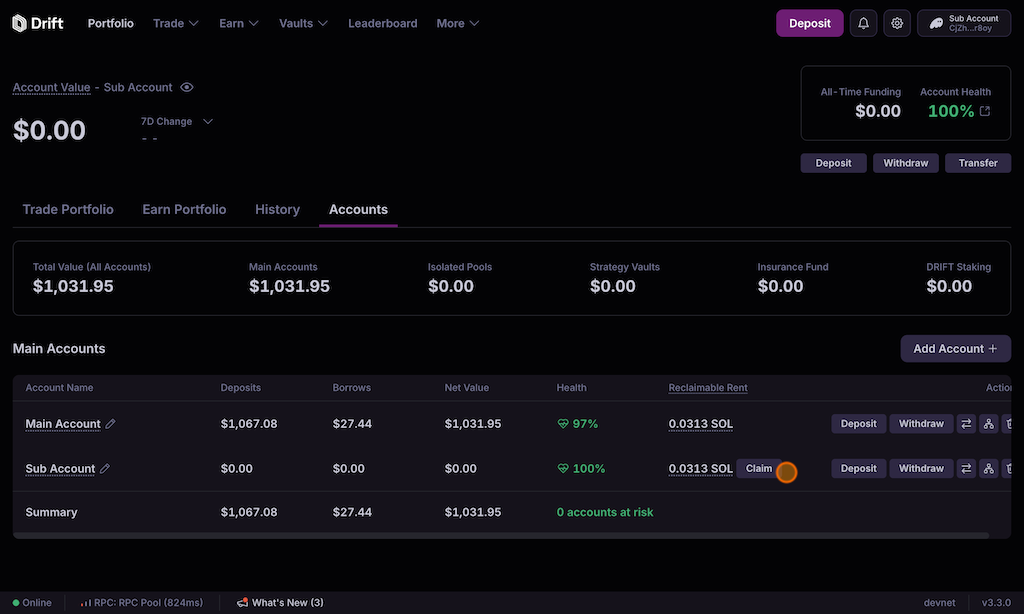
Users can reclaim the excess fee after a 13-day waiting period. Visit the Accounts Page in your portfolio. Look for the “Reclaimable Rent” section and click “Claim” to retrieve any excess fees paid during account creation.
Base Rent
To reclaim the base rent (0.035 SOL in the example above), you’ll need to delete your Velocity account via the Accounts Page
Click the trash button next to your main account. This will permanently delete your account history and instantly redeem your base account rent. No further steps are required.
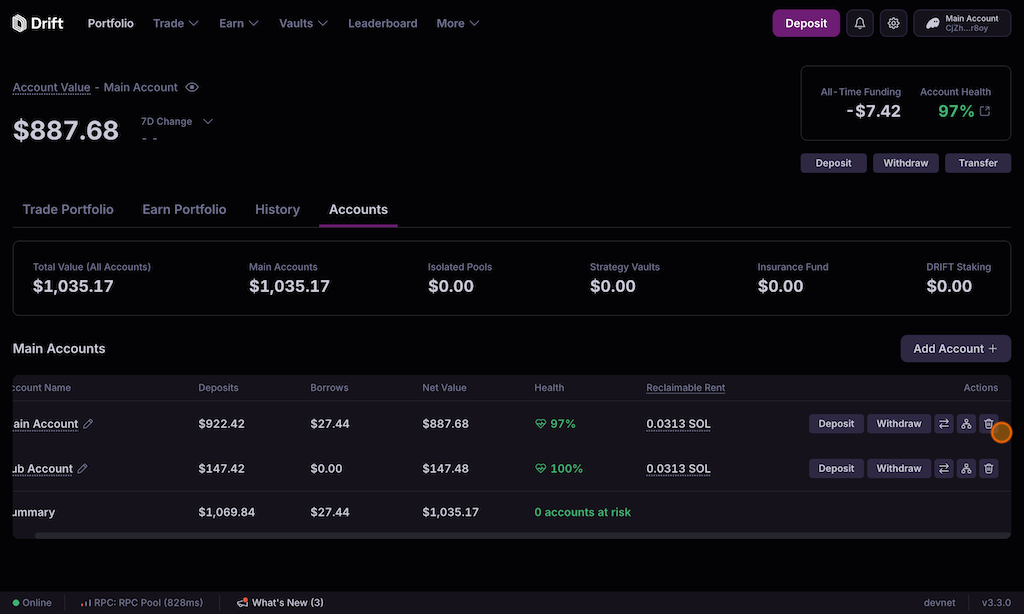
Ensure you have no open borrows, unsettled PnL, open positions, or any remaining balances before deleting your account. Withdraw any balances from Velocity before proceeding.