
Illustration
One of our design goals is to convey GitLab’s distinct personality through illustration that is aesthetically refined, visually consistent, and reflective of our particular sense of style.
Principles
- Be simple. For clarity, we use simple and specific elements to create our illustrations. We take a "less is more" approach where illustrations are supportive. They should be obvious but not comprehensive, focusing on impression over complexity.
- Be optimistic. We take an open-minded, positive, and friendly approach. Those values are reflected in our illustrations with a light and airy feel.
- Be helpful. Our illustrations help users to understand concepts and guide them in the right direction.
Efficiency and reuse
Practically, applying the principles gives us more leverage to think of the relationship of illustration to use case as a one-to-many instead of one-to-one. In other words, a single illustration could be used in multiple instances.
For example, a single empty state illustration could be abstracted enough to be used in multiple empty state pages where the visual impression is supported more fully by the content and context. The illustration doesn't have to do all the heavy lifting.
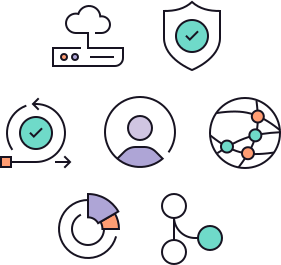
To better support reuse, the illustration library in Figma also contains dozens of small illustration components that represent concepts found throughout the product. These small illustrations can be used on their own, or as part of a larger illustration.
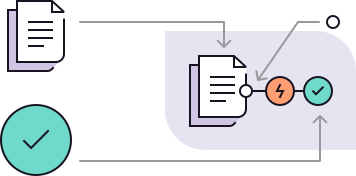
By combining a multipurpose mindset with reusable components, the time it takes to create a new illustration, and the resulting number of illustrations, should both be reduced. This is a win both for designers and users where time and consistency matters.
Size
- Large: 288px × 288px frame size. Used for feature promotion.
- Medium: 144px × 144px frame size. Used for empty states and error states.
- Small ("spot" illustration): 72px × 72px frame size. Used for banners and when space is limited.
- Extra small: 36px × 36px frame size. Used for individual illustration elements that are combined with other elements to form a larger composition, or to connect other elements in the UI.
Code reference
The GlIllustration component renders illustrations from a sprite sheet with built-in sizing and automatic color mode adaptation. Each illustration maintains its predefined dimensions, removing the need for manual size configuration.
GlIllustration
Resources
- View the illustration file in Figma.
- Go to the SVG Previewer to view all of the current illustrations.
Last updated at: