Oracle NetSuite Integration_ Automation, Benefits and Guide 2026
Comprehensive guide to Oracle NetSuite integration, covering automation, AI, benefits, challenges, and best practices for seamless business workflows in 2026.
Oracle NetSuite Integration_ Automation, Benefits and Guide 2026
1.
Oracle NetSuite IntegrationGuide: AI
Automation Trends, Challenges, and Benefits for
2026
Overview of Oracle NetSuite
Oracle NetSuite is a powerful cloud-based ERP platform that brings together core
business functions — finance, operations, customer relationship management, and
more — into a unified system. As organizations grow, they adopt a variety of other tools:
eCommerce platforms, CRMs, logistics systems, data warehouses, and so on. Without
integration, these systems remain siloed, and teams waste time manually moving or
reconciling data.
In 2026, the need for NetSuite integration has become more strategic than ever. With
the rise of automation, real-time analytics, and AI, companies can no longer afford slow,
disconnected workflows. Integration helps businesses reduce manual errors, improve
2.
efficiency, scale faster,and gain deeper insights. By linking NetSuite with other systems,
organizations can build automated pipelines that drive real value across departments.
This guide explores what NetSuite integration is, why it matters in 2026, the different
types of integration, how it works, the benefits, the challenges, best practices, the role
of AI, and how a partner like TechWize can help.
Key Takeaways of Oracle NetSuite
● Unified Platform: NetSuite is a cloud ERP that handles financials, inventory,
operations, and customer data in one place.
● Scalability: It supports businesses of all sizes, scaling as operations grow.
● System Integration: By integrating NetSuite with other tools, companies can
break down data silos and enable real-time workflows.
● Efficiency & Automation: Integrated systems automate repetitive tasks, reducing
manual data entry and errors.
● Better Insights: When systems are connected, decision-makers have a complete,
real-time picture of operations — enabling smarter planning and faster response.
AI in Oracle NetSuite Integration Automation
AI-Driven Document Understanding
One of the most powerful benefits of modern integration platforms is AI-powered
document understanding. Tools like eZintegrations use OCR (optical character
recognition), NLP (natural language processing), and computer vision to read structured
and unstructured documents — including invoices, contracts, scanned forms, and more
— and transform them into structured data. This means that instead of manually
entering invoice data or purchase orders, AI can extract the relevant information and
push it into NetSuite automatically — saving time and reducing human error.
AI-Powered Field Mapping
AI also supports smarter data mapping. When integrating a new system, AI can analyze
schemas on both sides and suggest how fields should map to NetSuite records. This
3.
speeds up thesetup of data pipelines, reduces manual mapping effort, and lowers the
risk of mismatches or mistakes.
Predictive Insights & Forecasting
By combining data from multiple systems (sales, inventory, finance), AI can help you
build predictive models for demand forecasting, cash flow estimation, and anomaly
detection. Because data is already consolidated in NetSuite through integration, AI has
richer sources to analyze and make informed predictions.
Intelligent Error Detection & Recovery
AI doesn’t just help set up integration — it can also help maintain it. Smart platforms can
learn from past sync failures (for example, missing fields or mismatches) and proactively
flag or correct data issues. This makes integration more resilient and reduces manual
oversight.
4.
Different Types ofOracle NetSuite Integration Explained
Point-to-Point Integration
This is the most basic form: a direct connection between NetSuite and another system
(for example, a Shopify store or a CRM). While it is relatively simple to set up, it does not
scale well. As the number of connected systems grows, managing many individual links
becomes difficult, and each new system requires an entirely separate integration.
Hub-and-Spoke Integration
In this model, a central “hub” — an integration tool or middleware — acts as a middle
layer. All other systems connect to this hub, which then translates, routes, and manages
data to/from NetSuite. This structure reduces complexity because each system needs
only one connection (to the hub), making it easier to scale and maintain. It also
centralizes error handling and standardizes data flows.
iPaaS / Middleware-Based Integration
Integration Platform as a Service (iPaaS) is a cloud-native solution that sits between
NetSuite and other applications. It typically offers no-code or low-code tools, prebuilt
connectors, visual mapping, and automated workflows. NetSuite’s integration platform
provides these capabilities, supporting data integration, process automation, API
management, monitoring, and security. With iPaaS, non-developers (business analysts,
operations teams) can build and maintain integrations without heavy coding.
Custom API-Based Integration
For highly tailored and complex workflows, companies might choose to build completely
custom integrations using NetSuite’s API offerings. This gives full flexibility over data
selection, transformation, logic, and scheduling. But it requires strong technical
expertise and ongoing maintenance to handle NetSuite version changes, API rate limits,
and error management.
5.
How Does OracleNetSuite Integration Work?
Data Extraction from External Systems
To begin integration, data is first extracted from external systems: eCommerce
platforms, CRMs, payment gateways, logistics systems, and more. Depending on the
integration design, this extraction can happen in real-time or in scheduled batches. For
example, a system may pull newly created orders every few minutes or sync customer
records daily.
Data Transformation and Mapping
Once data is pulled, it often needs to be cleaned, transformed, and mapped to
NetSuite’s schema. Transformation can include data cleaning (removing duplicates), type
conversions (dates, numbers), and business rules (e.g., merging address fields).
Integration tools or middleware often provide visual mapping interfaces so teams don’t
have to code each transformation manually.
Loading Transformed Data into NetSuite
After transformation, the processed data is loaded into NetSuite through its APIs. This
can lead to operations in NetSuite like creating sales orders, updating records, or
triggering workflows. Integration platforms handle pagination, batch loading, and retry
logic, ensuring data is loaded reliably even if there are temporary issues.
Bidirectional Sync & Feedback Loops
Integration often supports two-way data flow. Once NetSuite processes or updates
something (e.g., an order is fulfilled), it can send updated information back to the
original system (like shipping status back to eCommerce). Integration platforms also log
errors, provide dashboards for monitoring failed syncs, and allow retries, ensuring that
data stays consistent across systems.
Monitoring and Error Handling
A good integration setup includes monitoring tools: dashboards that show the status of
data syncs, error logs, retry queues, and alerts. This helps teams catch and fix issues
quickly — whether it's a malformed record, an API timeout, or a mapping problem.
6.
Common Challenges YouConsider in Oracle NetSuite Integration
API Limits and Concurrency Constraints
NetSuite imposes limits on how many API calls can run at once. If integration is not
designed properly, high volumes of data syncs can lead to failures or throttling.
Managing concurrency requires careful architecture — such as batching calls or
managing queueing — to avoid bottlenecks.
Complex API Landscape
NetSuite supports multiple APIs (REST, SOAP, SuiteTalk), as well as scripting (SuiteScript)
and query languages (NQL). While this gives flexibility, it also increases complexity.
Developers need deep familiarity with these tools to build robust, efficient integrations.
Performance & Latency Issues
Handling large volumes of data (for example, thousands of orders or item records) can
cause latency. Even with batch processing, performance may suffer if the integration is
not well optimized or if the middleware is not scaled appropriately.
Security, Governance, and Compliance
Because sensitive data (financials, customer data) flows across systems, strong
governance is essential. Organizations need to define who owns the data, validate
transformations, restrict access, and keep audit logs. Without this discipline, integration
can lead to data risks or compliance issues.
Maintenance Overhead
Integration is not a one-time project. Over time, systems change — new fields are
added, APIs are updated, business logic evolves. Maintaining the integration (monitoring
errors, handling schema changes, updating mappings) requires dedicated resources.
Without planning for this, integrations can break.
Adoption & Change Management
7.
Even the besttechnical integration fails if teams don’t use it. Users may resist change,
continue manual processes, or ignore new workflows if they don’t understand or trust
the integrated system. Proper training, documentation, and change management are
crucial to realize full value.
Real-World Integration Risks
Real-world feedback also reveals common pain points. For example, some companies
face delays and cost overruns when implementing custom scripts or connectors. Others
struggle with poorly planned integrations that don’t scale or fail to deliver promised
functionality.
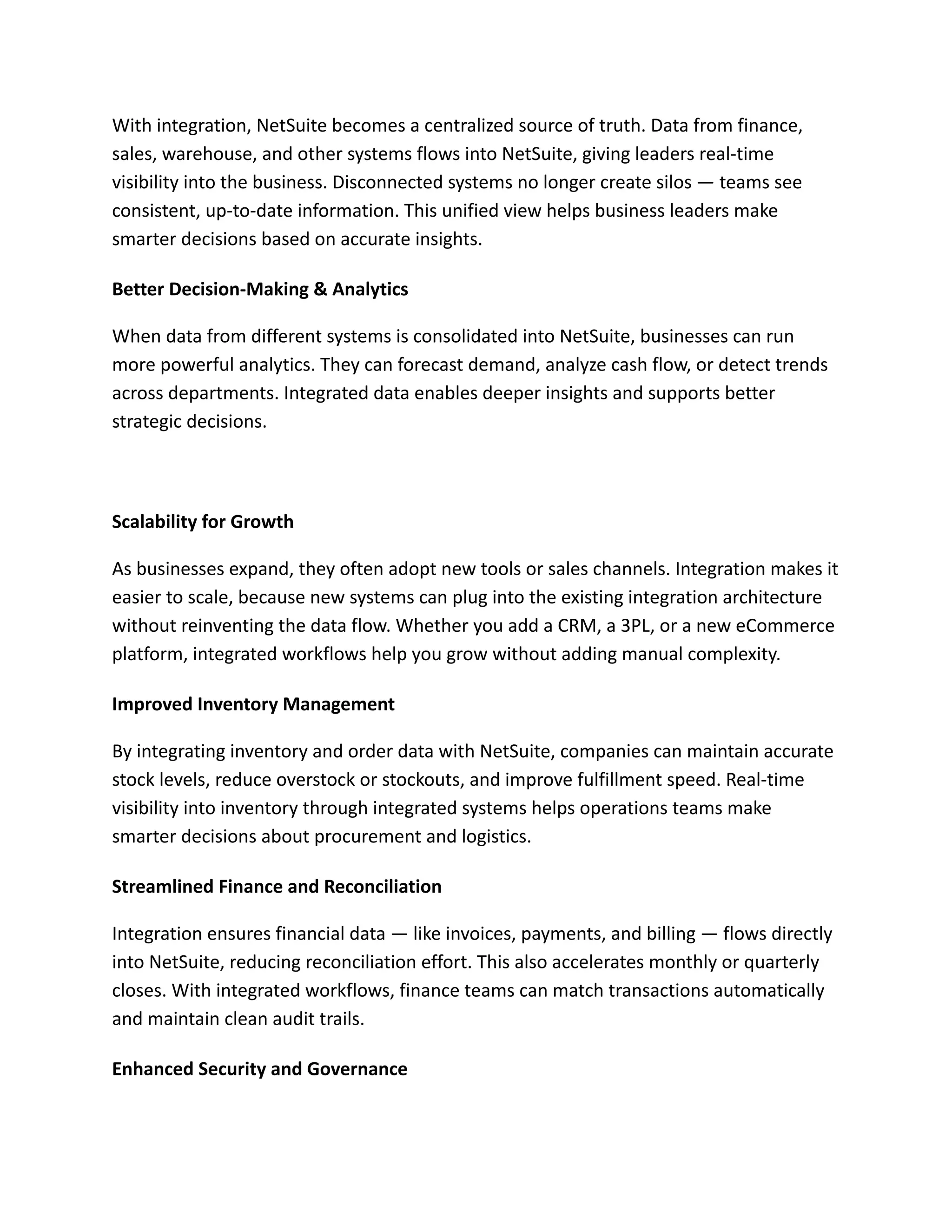
Key Business Benefits of Oracle NetSuite Integration
Efficiency and Cost Savings
One of the biggest advantages of integration is eliminating manual data entry. When
systems talk to each other, tasks like creating orders, updating invoices, or syncing
customer information happen automatically, saving hours of work. This reduces labor
costs and frees up teams to focus on higher-value tasks.
Real-Time, Unified Data Visibility
8.
With integration, NetSuitebecomes a centralized source of truth. Data from finance,
sales, warehouse, and other systems flows into NetSuite, giving leaders real-time
visibility into the business. Disconnected systems no longer create silos — teams see
consistent, up-to-date information. This unified view helps business leaders make
smarter decisions based on accurate insights.
Better Decision-Making & Analytics
When data from different systems is consolidated into NetSuite, businesses can run
more powerful analytics. They can forecast demand, analyze cash flow, or detect trends
across departments. Integrated data enables deeper insights and supports better
strategic decisions.
Scalability for Growth
As businesses expand, they often adopt new tools or sales channels. Integration makes it
easier to scale, because new systems can plug into the existing integration architecture
without reinventing the data flow. Whether you add a CRM, a 3PL, or a new eCommerce
platform, integrated workflows help you grow without adding manual complexity.
Improved Inventory Management
By integrating inventory and order data with NetSuite, companies can maintain accurate
stock levels, reduce overstock or stockouts, and improve fulfillment speed. Real-time
visibility into inventory through integrated systems helps operations teams make
smarter decisions about procurement and logistics.
Streamlined Finance and Reconciliation
Integration ensures financial data — like invoices, payments, and billing — flows directly
into NetSuite, reducing reconciliation effort. This also accelerates monthly or quarterly
closes. With integrated workflows, finance teams can match transactions automatically
and maintain clean audit trails.
Enhanced Security and Governance
9.
When data flowsbetween systems, it's critical to maintain secure and governed access.
Integration platforms often support secure APIs, role-based access, and audit trails. This
centralizes control and ensures data is handled safely across systems.
A well-governed integration strategy reduces risk and ensures compliance.
Better Customer Experience
Integrated data means customer teams always have the latest order status, billing, and
interaction data. This visibility enhances response time, personalizes customer
interactions, and aligns sales and support teams under one data source.
10.
Why TechWize isa Trusted Partner for Oracle NetSuite Integration
TechWize can be a valuable partner in planning, building, and maintaining a strong
NetSuite integration strategy. Here's how:
Strategic Assessment & Design: TechWize begins by evaluating your current systems,
workflows, and data architecture. This helps build an integration strategy aligned with
your business goals and roadmap.
Selecting the Right Integration Model: Based on your needs, TechWize will recommend
whether to use point-to-point, hub-and-spoke, iPaaS, or custom API integration. This
recommendation balances scalability, cost, and technical complexity.
Implementation & Deployment: Using integration tools (like iPaaS), TechWize sets up
pipelines, maps data, configures workflows, and ensures secure API authentication. They
test each flow end-to-end to make sure data moves correctly.
AI Automation Enablement: TechWize leverages AI features from modern platforms to
automate data extraction from documents, map fields intelligently, and build predictive
workflows. This reduces manual work and speeds up integration.
Monitoring & Governance: After deployment, TechWize implements monitoring
dashboards, error-tracking, and retry logic. They also help create a governance model for
data ownership, access control, and change management.
Training & Change Management: Your teams are trained on how to use and trust the
integrated system. TechWize provides documentation, workshops, and change
management support so users can adopt new automated workflows confidently.
Ongoing Support & Optimization: Integration is not a one-off project. TechWize offers
ongoing maintenance, updates, mapping adjustments, and performance tuning to
ensure the integration continues to deliver value as your business evolves.
11.
Final Thoughts
Oracle NetSuiteintegration is a — it is a catalyst for business transformation. In 2026,
companies that connect NetSuite with their other systems will unlock significant
advantages: automation, real-time visibility, data consistency, and better
decision-making.
However, integration needs to be done smartly. Picking the right architecture (iPaaS,
custom API, or hub-and-spoke), establishing strong governance, planning for errors and
monitoring, and using AI can dramatically improve success. Without this, integrations
can become brittle and costly.
By partnering with experts like TechWize, businesses can design and implement scalable,
intelligent integration pipelines. These pipelines do not just move data — they help drive
growth, improve efficiency, and support long-term strategy.
FAQs of Oracle NetSuite Integrations
Q1: What kinds of systems can I integrate with NetSuite?
Answer: You can integrate CRM tools, eCommerce platforms, payment gateways, logistic
systems, data warehouses, HR tools, and more.
Q2: Is NetSuite integration secure?
Answer: Yes. Using secure APIs, role-based access, governance policies, and audit logs
helps ensure safe data flow.
Q3: What are typical integration costs?
Answer: Costs vary. You may pay for iPaaS licenses, developer hours, maintenance, and
possibly AI-enabled features. The total depends on the scale and sophistication of your
integration.