Integrating web analytics into information architecture and user-centered design 2008 IA Summit Hallie Wilfert [email_address]
CSI MiaMi User Experience Capturing Statistics to Influence
Or the boring title…. Integrating web analytics into information architecture and user-centered design 2008 IA Summit Hallie Wilfert [email_address]
Overview What is web analytics? Why should you care?  What it can and can’t tell you about your web site How to implement a web analytics program How to quickly analyze web statistics data
What is web analytics? Web Analytics Association’s official definition: Web Analytics is the measurement, collection, analysis and reporting of Internet data for the purposes of understanding and optimizing Web usage.
What is web analytics? AKA Web stats, web statistics, the gigantic report that comes every month that no one looks at Quantitative data collected about web site activity  Interpreted through a web analytics software
What I use Urchin  Webtrends Analog Clicktracks ACSI / Foresee Survey
Why should you care? It’s USER RESEARCH! IAs are good investigators
Why you should care Statistics are captured 24 hours a day, 7 days a week Can locate areas that need further investigation Sets the stage for additional user centered design
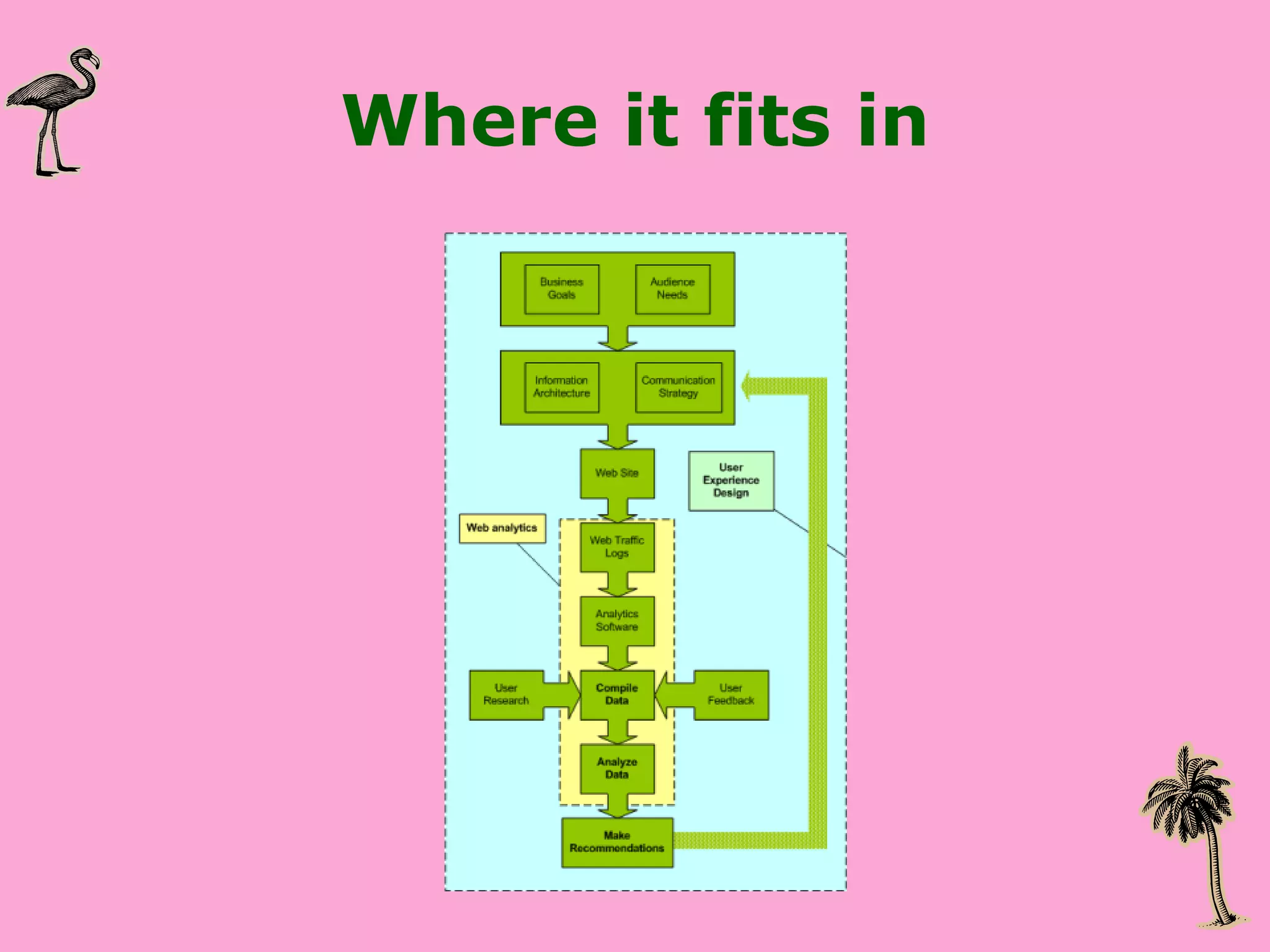
Where it fits in
What it does not do WHAT people do but not WHY they do it Some things must be planned for in advance Tracking where people go Tracking within flash or other dynamic apps
Implement a web analytics program Quick wins, start small Show impact Presentation of data matters Summarize the key issues and tell people what to pay attention to Analytics software only does part of the job A person needs to interpret the data and add the context
Truth and Heresy You  do not   need to be a statistician  to implement an analytics program You  do need to be a good communicator  and a good interpreter Do not expect or promise accuracy Trends are more important than exact numbers
So, your first assignment… You are about to start working on a web site Your goal is to improve the site’s user experience You ask, “Do you have web site statistics I can look at?” They say, “Yes” and hand over the stats
Step 1: Check out the web site Mission & Goals Audience Key pages for the user Key pages for the business Technical assessment URL structure
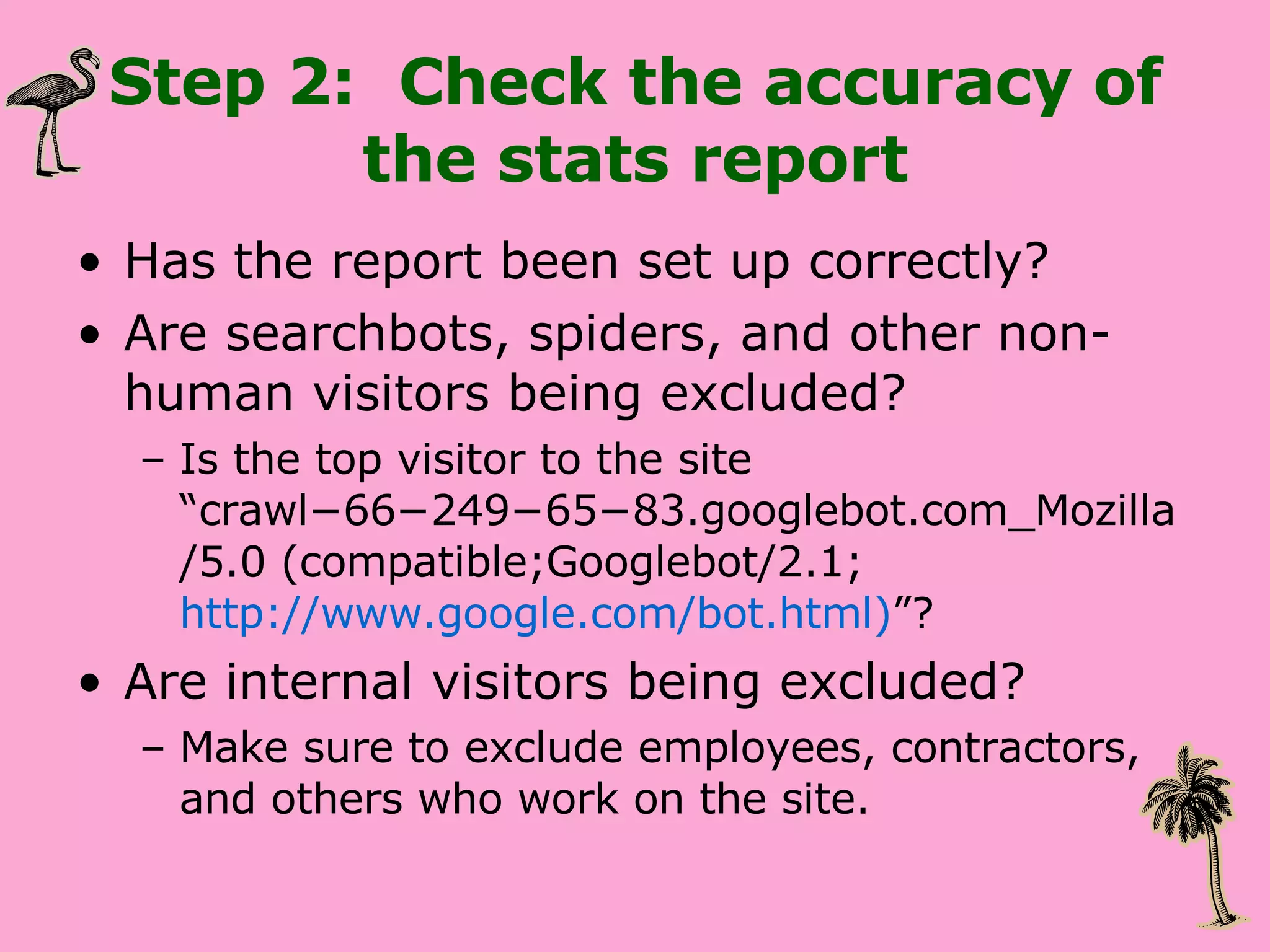
Step 2:  Check the accuracy of the stats report Has the report been set up correctly?  Are searchbots, spiders, and other non-human visitors being excluded? Is the top visitor to the site “crawl−66−249−65−83.googlebot.com_Mozilla/5.0 (compatible;Googlebot/2.1;  http://www.google.com/bot.html) ”? Are internal visitors being excluded? Make sure to exclude employees, contractors, and others who work on the site.

Step 3: Read through the report quickly Get a high-level overview of what is being reported on and the overall trends. What are the pages that appear frequently?  Are these key pages or pages that you did not expect to see?  What are people searching for on the site?
Step 4: Look at a number of months’ reports side by side. Get a sense of the trends.  Is there more traffic during the week than the weekend Are certain pages popular only during a particular part of the year? Are the same pages appearing over and over again?  Are there some pages that do really well and then fall off the radar?
Step 5: Connect with the communications team Are there promotions and campaigns that you should be aware of that might impact traffic?  What are the hot issues that might get people to your site organically?
Step 6: Prioritize what you pay attention to Visits and page views Average pages viewed Site navigation preferences Entry and exit pages Most popular content Traffic to key pages Keywords that referred people to the site Keywords used on internal search engine Referrers  Conversion
Pay attention to Visits and page views Overall trends Individual pages Documents
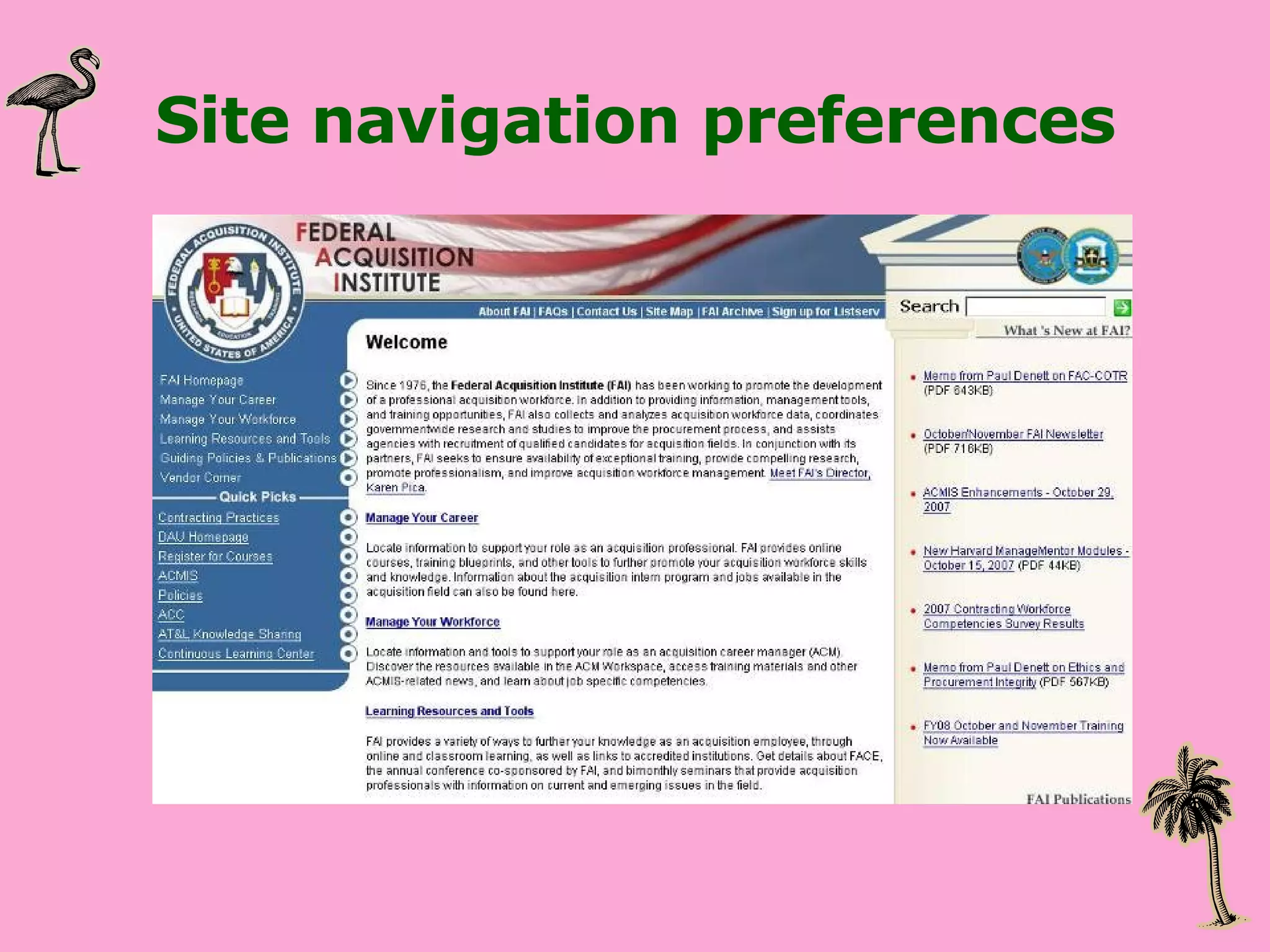
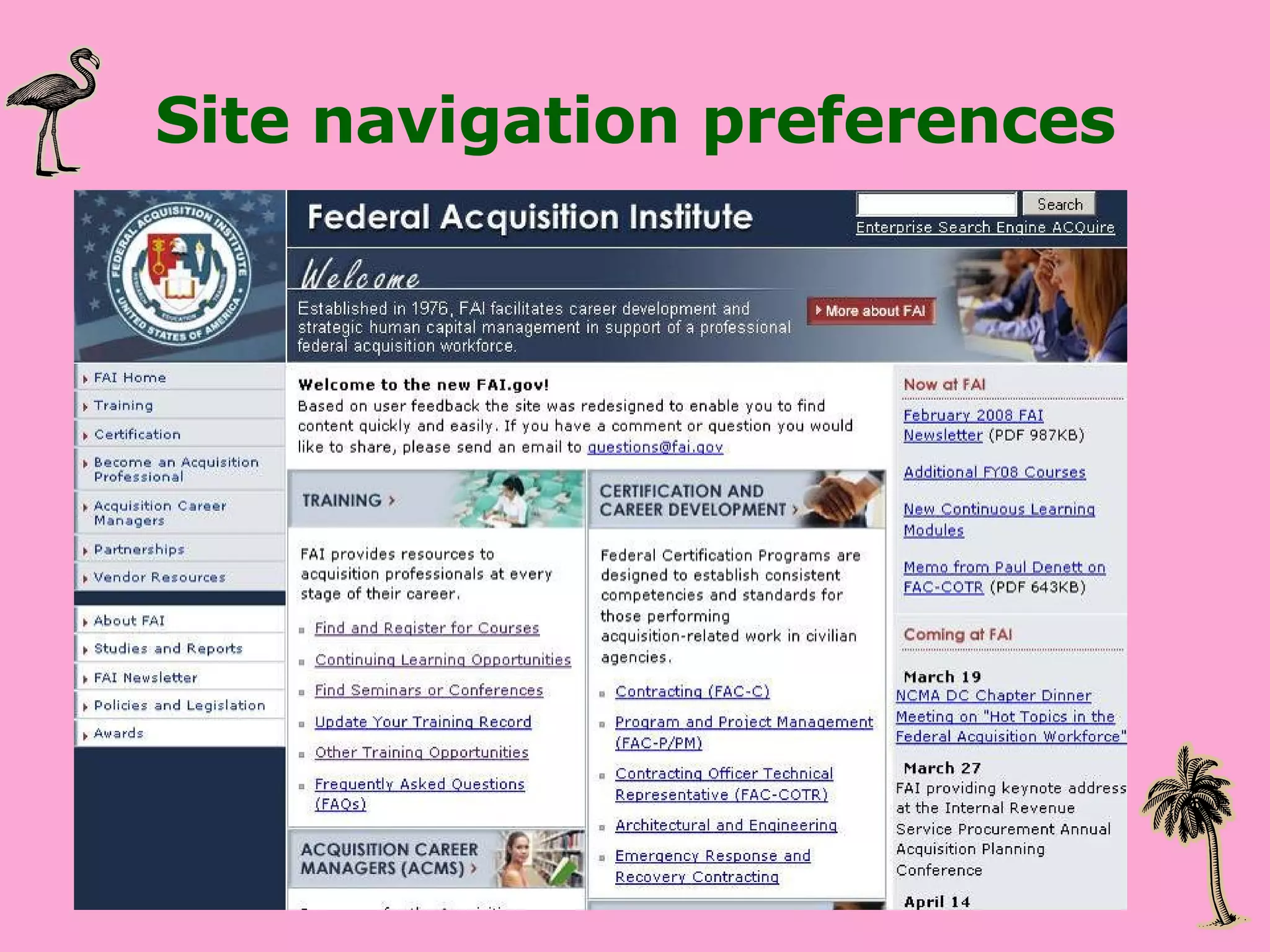
Pay attention to Site navigation preferences Are visitors going where you want them too? Are people getting stuck
Site navigation preferences
Pay attention to Entry and Exit pages Are visitors leaving at expected or unexpected places?
Entry & Exit pages
Entry & Exit pages
Pay attention to Keywords Internal Search Engine External Search Engine
Pay attention to Referrers From Search Engines From External Sites
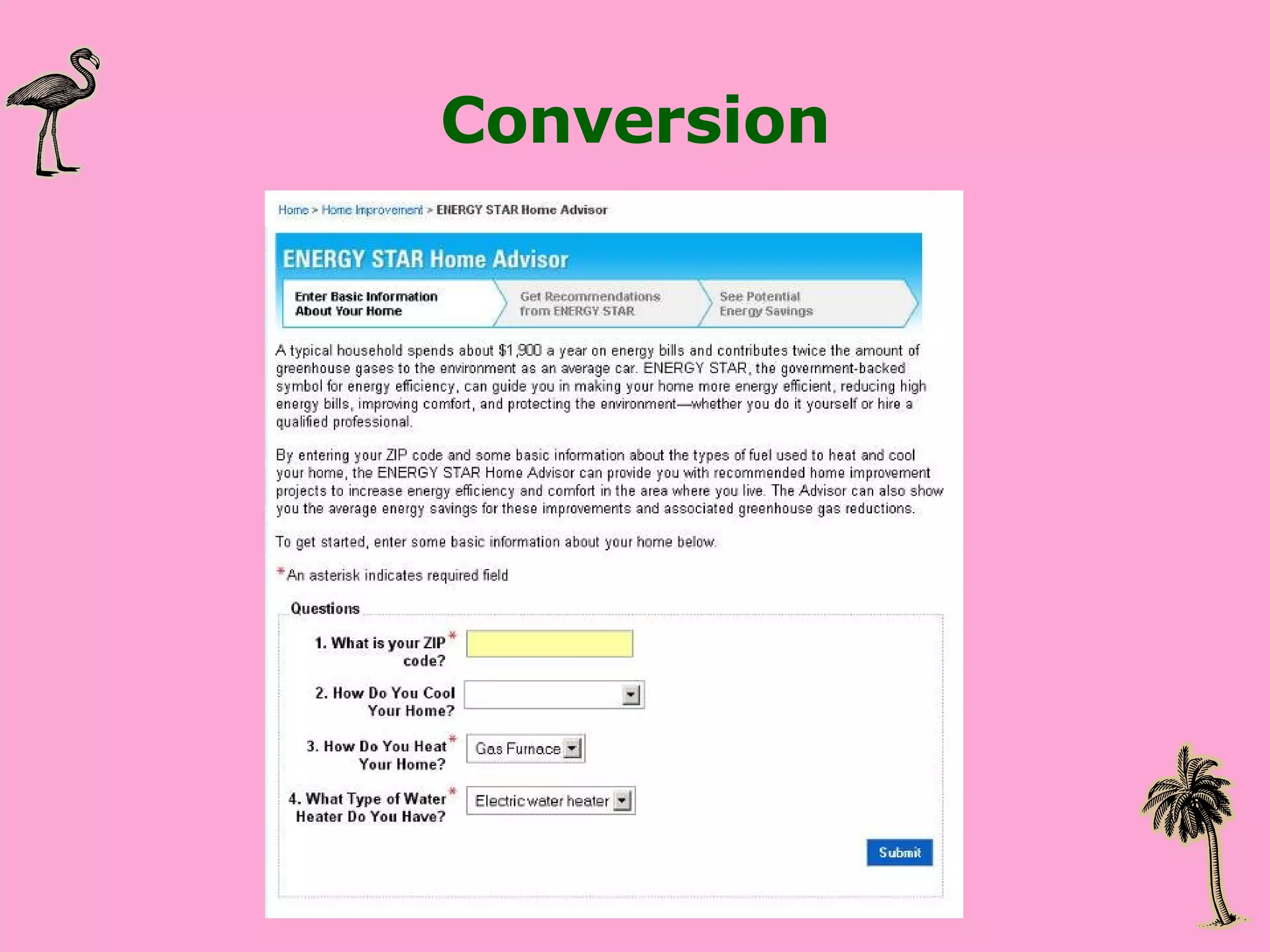
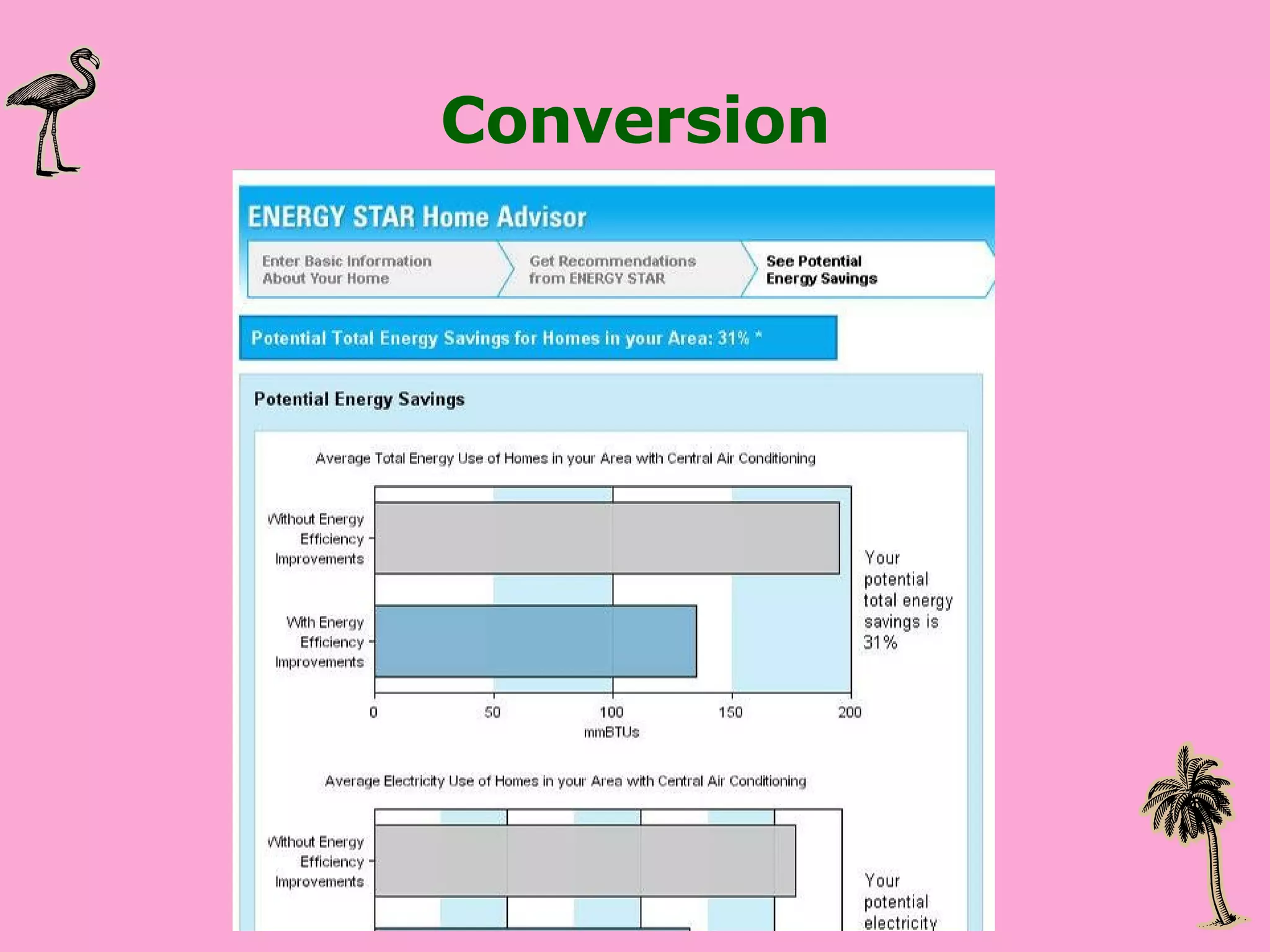
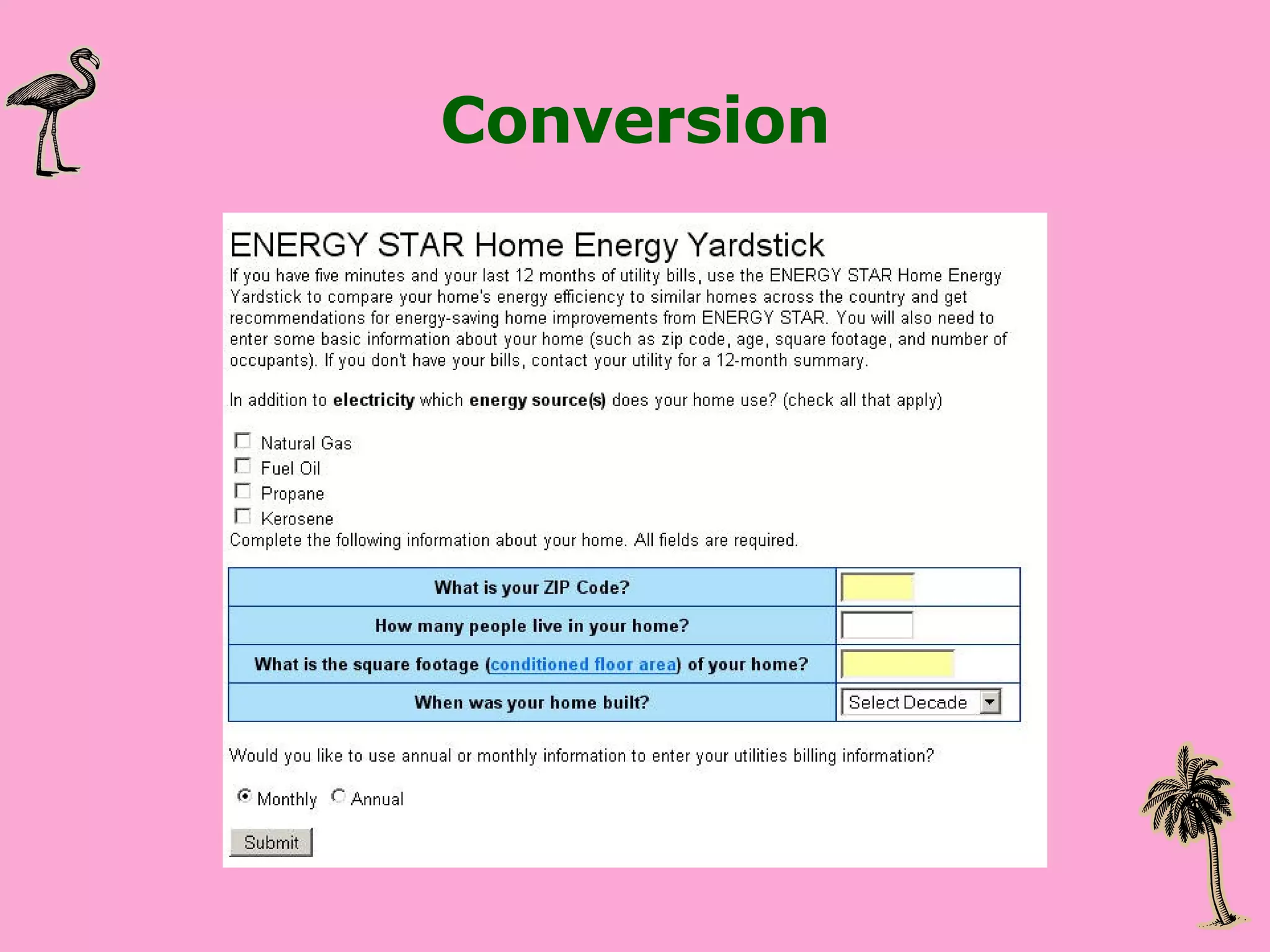
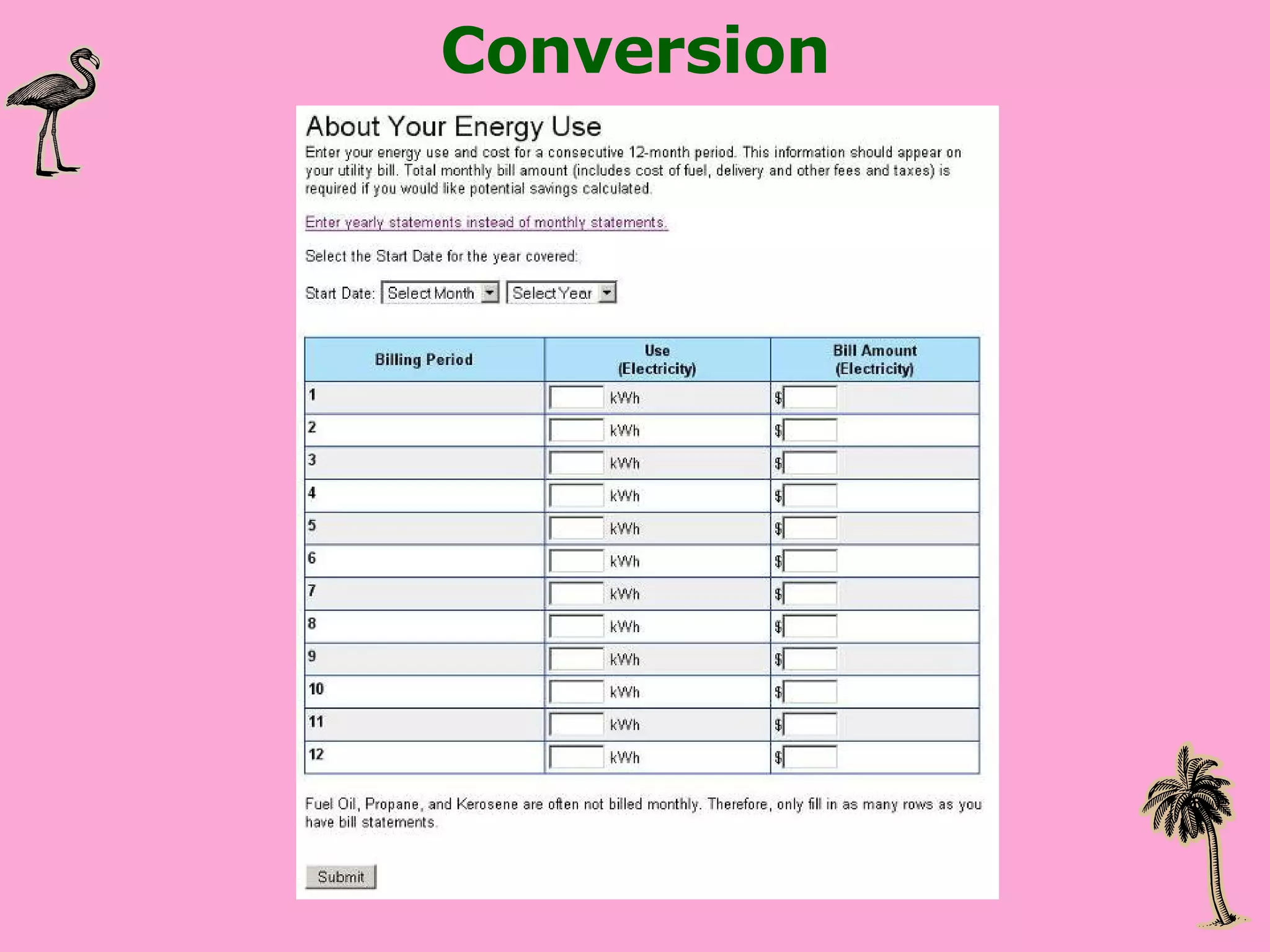
Step 6: Prioritize what you pay attention to Conversion How people get through a process or set of pages
Conversion
Conversion
Conversion
Conversion
Conversion
Conversion
Anything else? Intranet Look at the top users and go to them for feedback
Step 7: Analytics applied to User Centered Design Are the goals of the site being met?  Are people getting to the pages that they need?  Are people getting to the pages that the business wants them to get to?  How have changes to the site design impacted the site’s traffic?
What can you do with it? Analyze patterns in Web site usage Benchmark Web performance and set goals Locate problems Predict opportunities for growth Measure the effectiveness of Web site Help direct Web site strategy
Step 8: Present the information clearly Answer questions Provide next steps Make connections between the numbers and the real world Make it interesting
Good resources Web Analytics Demystified :  http://www.webanalyticsdemystified.com/ Occam’s Razor :  http://www.kaushik.net/avinash/ Web Analytics: An Hour a Day  by Avinash Kaushik  Search Analytics :  http:// www.rosenfeldmedia.com/books/searchanalytics / Web Analytics Association’s standard definitions :  http://www.webanalyticsassociation.org/attachments/committees/5/WAA-Standards-Analytics-Definitions-Volume-I-20070816.pdf
Wrapping up Questions?

Integrating web analytics into information architecture and user-centered design

  • 1.
    Integrating web analyticsinto information architecture and user-centered design 2008 IA Summit Hallie Wilfert [email_address]
  • 2.
    CSI MiaMi UserExperience Capturing Statistics to Influence
  • 3.
    Or the boringtitle…. Integrating web analytics into information architecture and user-centered design 2008 IA Summit Hallie Wilfert [email_address]
  • 4.
    Overview What isweb analytics? Why should you care? What it can and can’t tell you about your web site How to implement a web analytics program How to quickly analyze web statistics data
  • 5.
    What is webanalytics? Web Analytics Association’s official definition: Web Analytics is the measurement, collection, analysis and reporting of Internet data for the purposes of understanding and optimizing Web usage.
  • 6.
    What is webanalytics? AKA Web stats, web statistics, the gigantic report that comes every month that no one looks at Quantitative data collected about web site activity Interpreted through a web analytics software
  • 7.
    What I useUrchin Webtrends Analog Clicktracks ACSI / Foresee Survey
  • 8.
    Why should youcare? It’s USER RESEARCH! IAs are good investigators
  • 9.
    Why you shouldcare Statistics are captured 24 hours a day, 7 days a week Can locate areas that need further investigation Sets the stage for additional user centered design
  • 10.
  • 11.
    What it doesnot do WHAT people do but not WHY they do it Some things must be planned for in advance Tracking where people go Tracking within flash or other dynamic apps
  • 12.
    Implement a webanalytics program Quick wins, start small Show impact Presentation of data matters Summarize the key issues and tell people what to pay attention to Analytics software only does part of the job A person needs to interpret the data and add the context
  • 13.
    Truth and HeresyYou do not need to be a statistician to implement an analytics program You do need to be a good communicator and a good interpreter Do not expect or promise accuracy Trends are more important than exact numbers
  • 14.
    So, your firstassignment… You are about to start working on a web site Your goal is to improve the site’s user experience You ask, “Do you have web site statistics I can look at?” They say, “Yes” and hand over the stats
  • 15.
    Step 1: Checkout the web site Mission & Goals Audience Key pages for the user Key pages for the business Technical assessment URL structure
  • 16.
    Step 2: Check the accuracy of the stats report Has the report been set up correctly? Are searchbots, spiders, and other non-human visitors being excluded? Is the top visitor to the site “crawl−66−249−65−83.googlebot.com_Mozilla/5.0 (compatible;Googlebot/2.1; http://www.google.com/bot.html) ”? Are internal visitors being excluded? Make sure to exclude employees, contractors, and others who work on the site.
  • 17.
    Step 3: Readthrough the report quickly Get a high-level overview of what is being reported on and the overall trends. What are the pages that appear frequently? Are these key pages or pages that you did not expect to see? What are people searching for on the site?
  • 18.
    Step 4: Lookat a number of months’ reports side by side. Get a sense of the trends. Is there more traffic during the week than the weekend Are certain pages popular only during a particular part of the year? Are the same pages appearing over and over again? Are there some pages that do really well and then fall off the radar?
  • 19.
    Step 5: Connectwith the communications team Are there promotions and campaigns that you should be aware of that might impact traffic? What are the hot issues that might get people to your site organically?
  • 20.
    Step 6: Prioritizewhat you pay attention to Visits and page views Average pages viewed Site navigation preferences Entry and exit pages Most popular content Traffic to key pages Keywords that referred people to the site Keywords used on internal search engine Referrers Conversion
  • 21.
    Pay attention toVisits and page views Overall trends Individual pages Documents
  • 22.
    Pay attention toSite navigation preferences Are visitors going where you want them too? Are people getting stuck
  • 23.
  • 24.
  • 25.
    Pay attention toEntry and Exit pages Are visitors leaving at expected or unexpected places?
  • 26.
  • 27.
  • 28.
    Pay attention toKeywords Internal Search Engine External Search Engine
  • 29.
    Pay attention toReferrers From Search Engines From External Sites
  • 30.
    Step 6: Prioritizewhat you pay attention to Conversion How people get through a process or set of pages
  • 31.
  • 32.
  • 33.
  • 34.
  • 35.
  • 36.
  • 37.
    Anything else? IntranetLook at the top users and go to them for feedback
  • 38.
    Step 7: Analyticsapplied to User Centered Design Are the goals of the site being met? Are people getting to the pages that they need? Are people getting to the pages that the business wants them to get to? How have changes to the site design impacted the site’s traffic?
  • 39.
    What can youdo with it? Analyze patterns in Web site usage Benchmark Web performance and set goals Locate problems Predict opportunities for growth Measure the effectiveness of Web site Help direct Web site strategy
  • 40.
    Step 8: Presentthe information clearly Answer questions Provide next steps Make connections between the numbers and the real world Make it interesting
  • 41.
    Good resources WebAnalytics Demystified : http://www.webanalyticsdemystified.com/ Occam’s Razor : http://www.kaushik.net/avinash/ Web Analytics: An Hour a Day by Avinash Kaushik Search Analytics : http:// www.rosenfeldmedia.com/books/searchanalytics / Web Analytics Association’s standard definitions : http://www.webanalyticsassociation.org/attachments/committees/5/WAA-Standards-Analytics-Definitions-Volume-I-20070816.pdf
  • 42.