Flow Control in Node.js
         송형주
Profile
● 삼성전자 소프트웨어센터
  Web Convergence Lab.

● 블로그
  Inside.JS (http://www.nodejs-kr.
  org/insidejs)
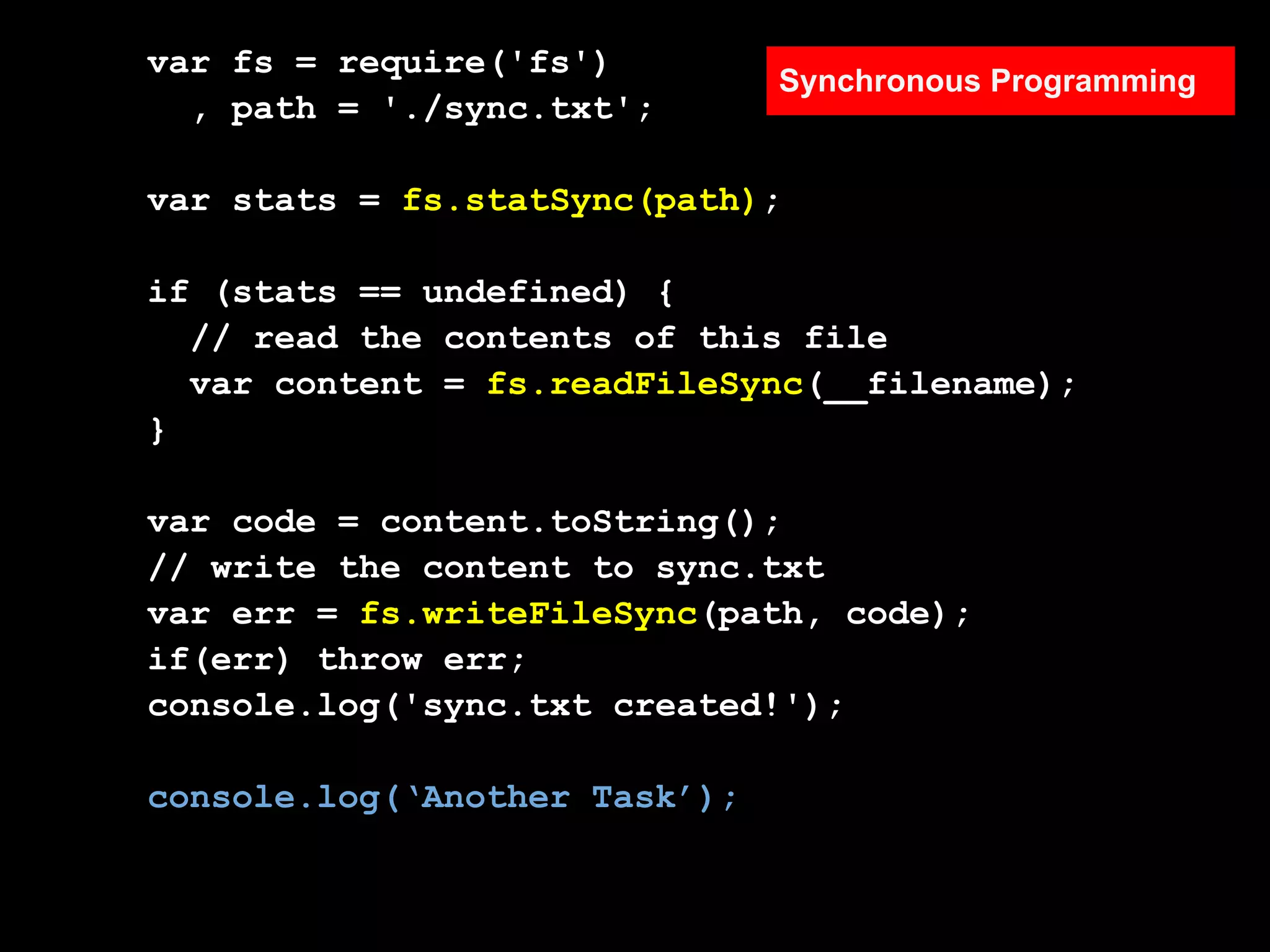
var fs = require('fs')
                               Synchronous Programming
  , path = './sync.txt';

var stats = fs.statSync(path);

if (stats == undefined) {
  // read the contents of this file
  var content = fs.readFileSync(__filename);
}

var code = content.toString();
// write the content to sync.txt
var err = fs.writeFileSync(path, code);
if(err) throw err;
console.log('sync.txt created!');

console.log(‘Another Task’);
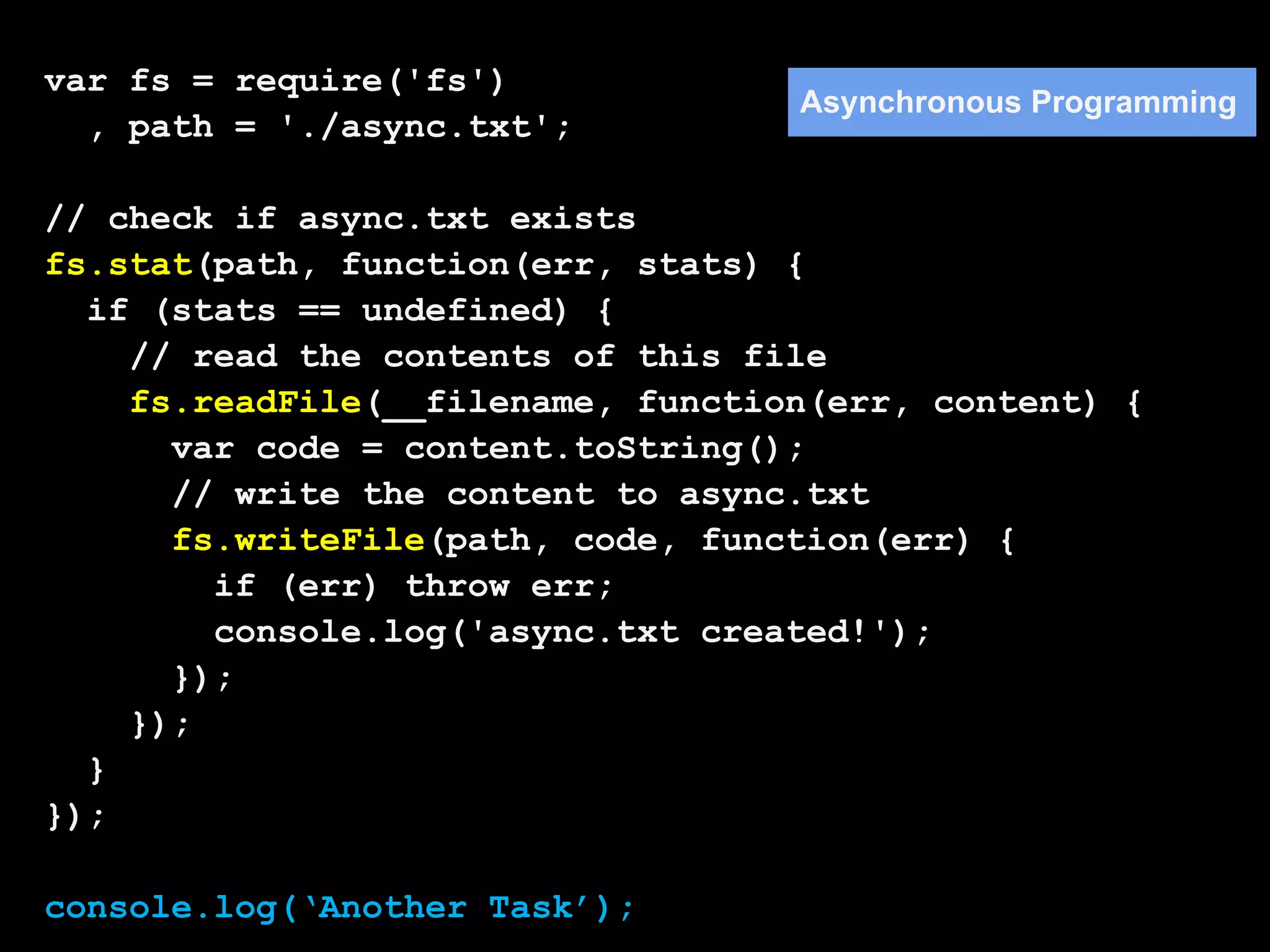
var fs = require('fs')
                                   Asynchronous Programming
  , path = './async.txt';

// check if async.txt exists
fs.stat(path, function(err, stats) {
  if (stats == undefined) {
    // read the contents of this file
    fs.readFile(__filename, function(err, content) {
      var code = content.toString();
      // write the content to async.txt
      fs.writeFile(path, code, function(err) {
        if (err) throw err;
        console.log('async.txt created!');
      });
    });
  }
});

console.log(‘Another Task’);
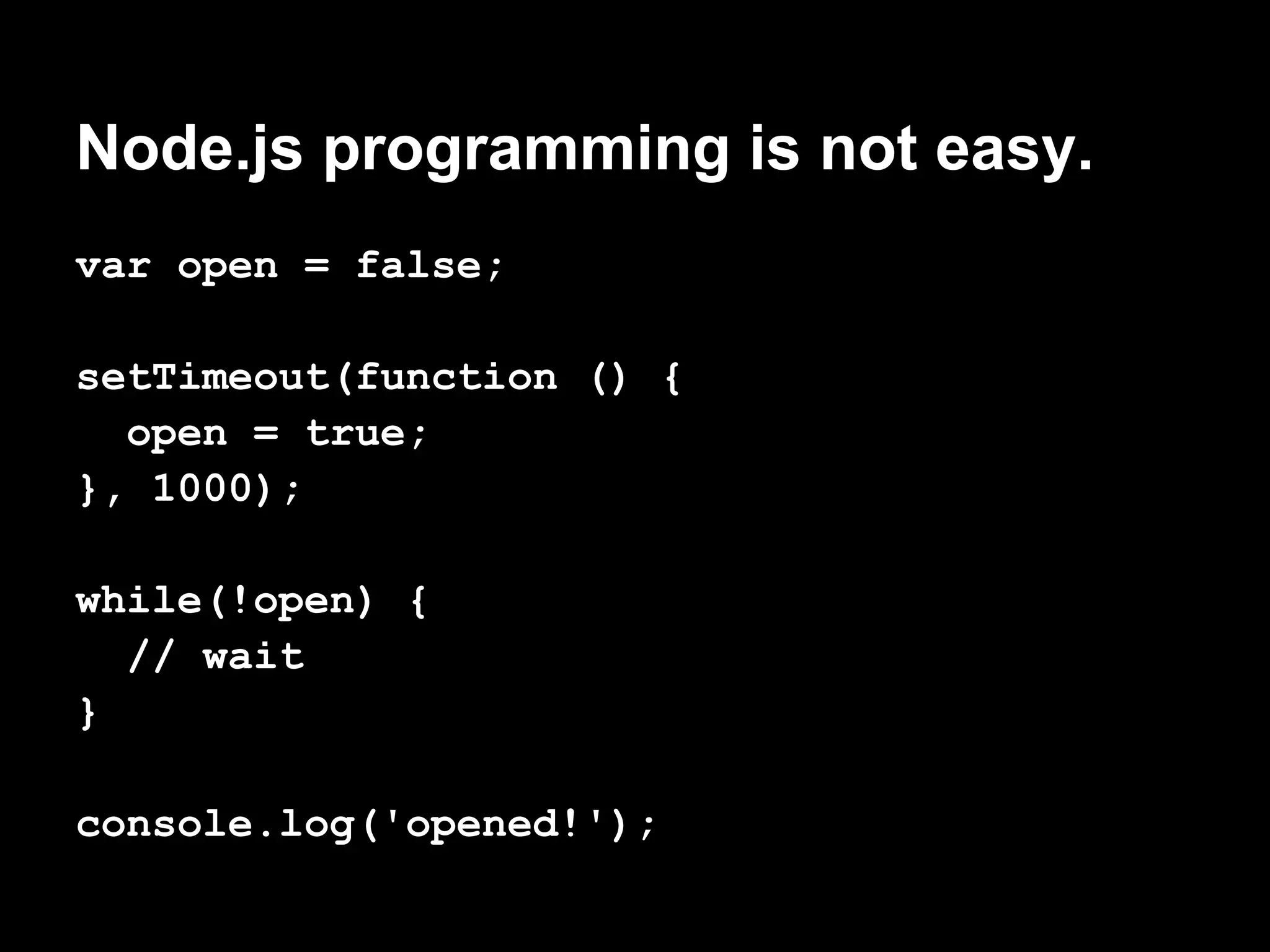
Node.js programming is not easy.
var open = false;

setTimeout(function () {
  open = true;
}, 1000);

while(!open) {
  // wait
}

console.log('opened!');
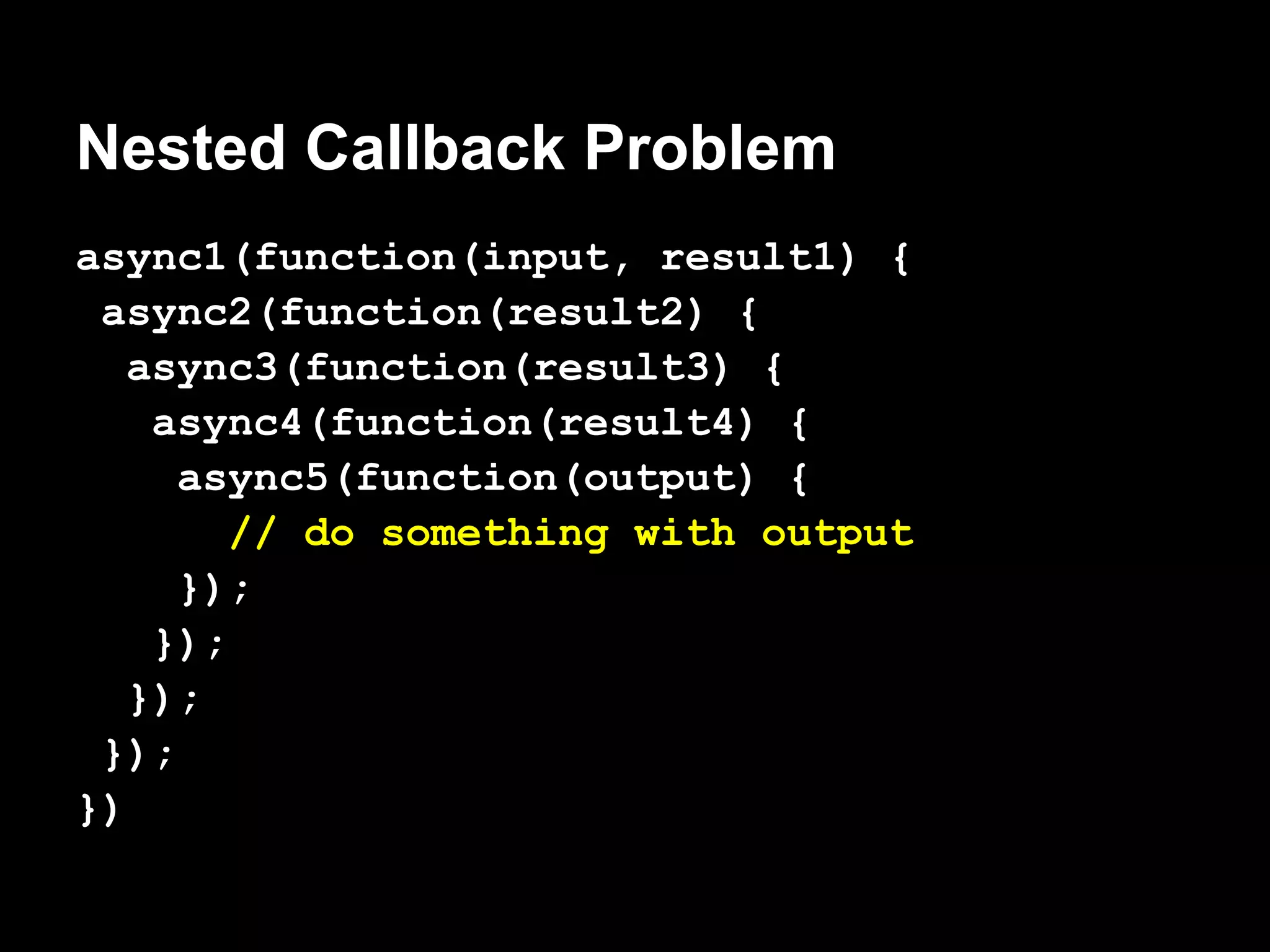
Nested Callback Problem
async1(function(input, result1) {
 async2(function(result2) {
   async3(function(result3) {
    async4(function(result4) {
     async5(function(output) {
        // do something with output
     });
    });
   });
 });
})
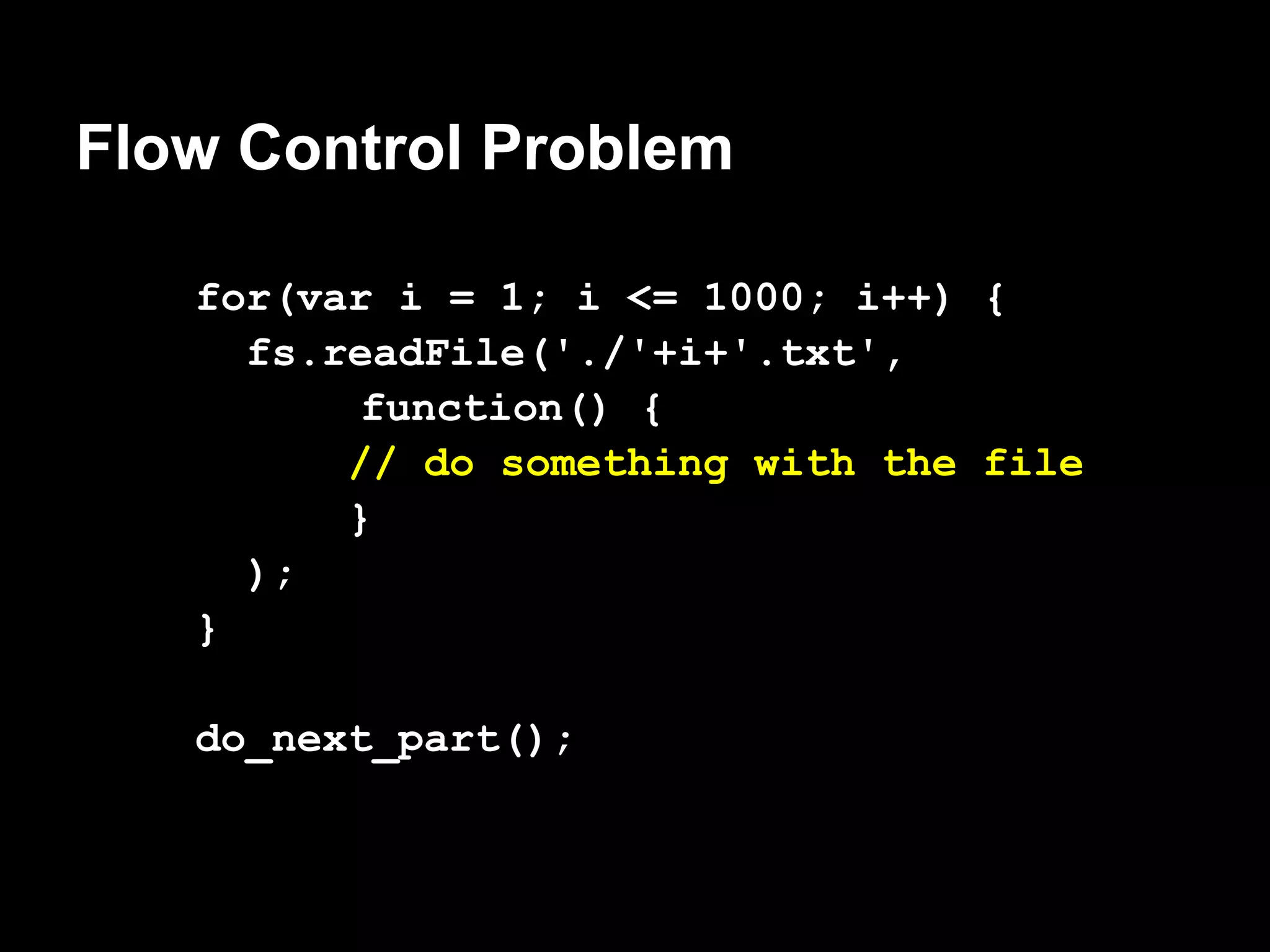
Flow Control Problem

   for(var i = 1; i <= 1000; i++) {
     fs.readFile('./'+i+'.txt',
          function() {
         // do something with the file
         }
     );
   }

   do_next_part();
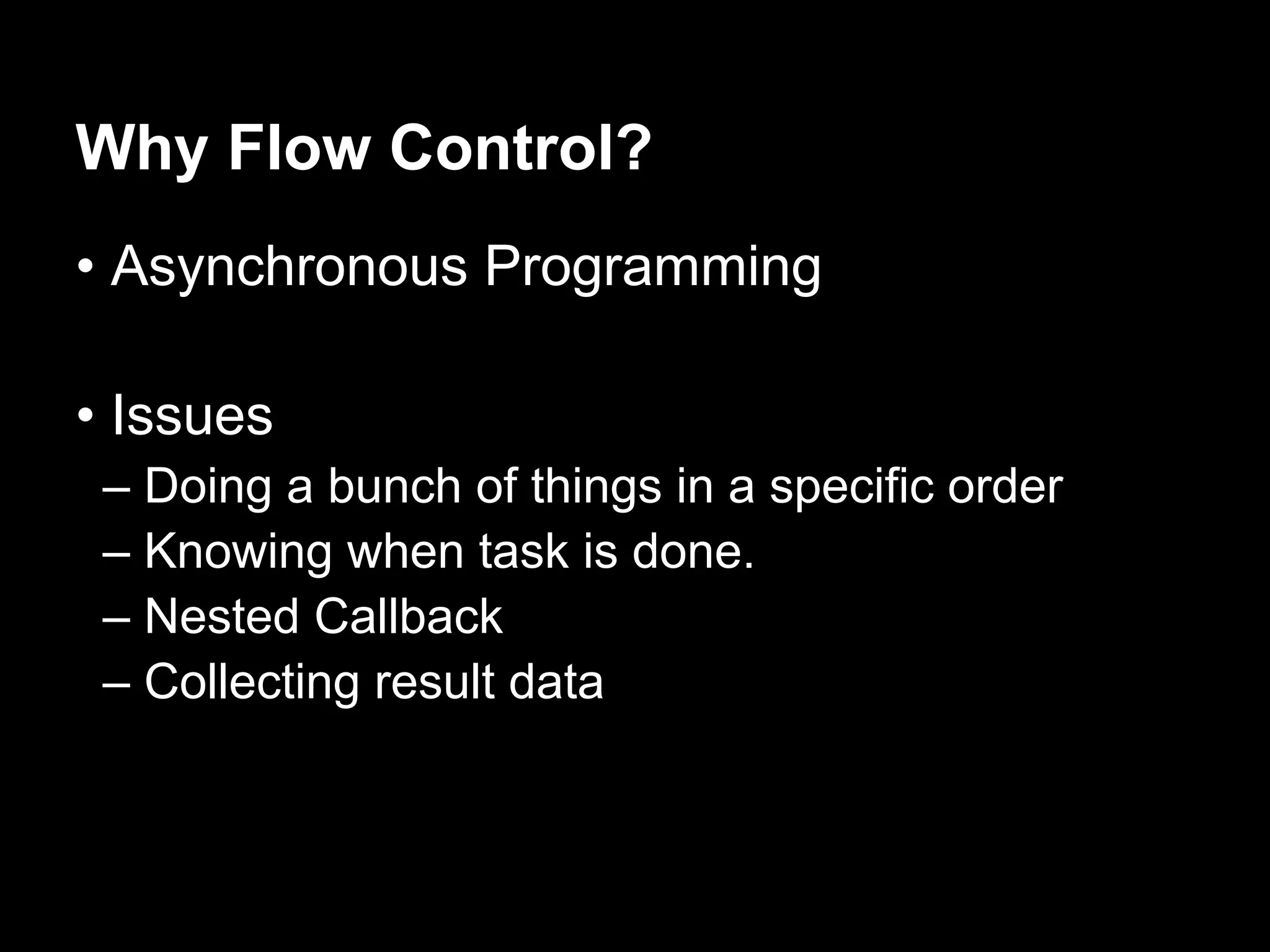
Why Flow Control?
• Asynchronous Programming

• Issues
 – Doing a bunch of things in a specific order
 – Knowing when task is done.
 – Nested Callback
 – Collecting result data
Flow Control Pattern

 • Serial Execution
 • Parallel Execution
 • Limited Parallel Execution
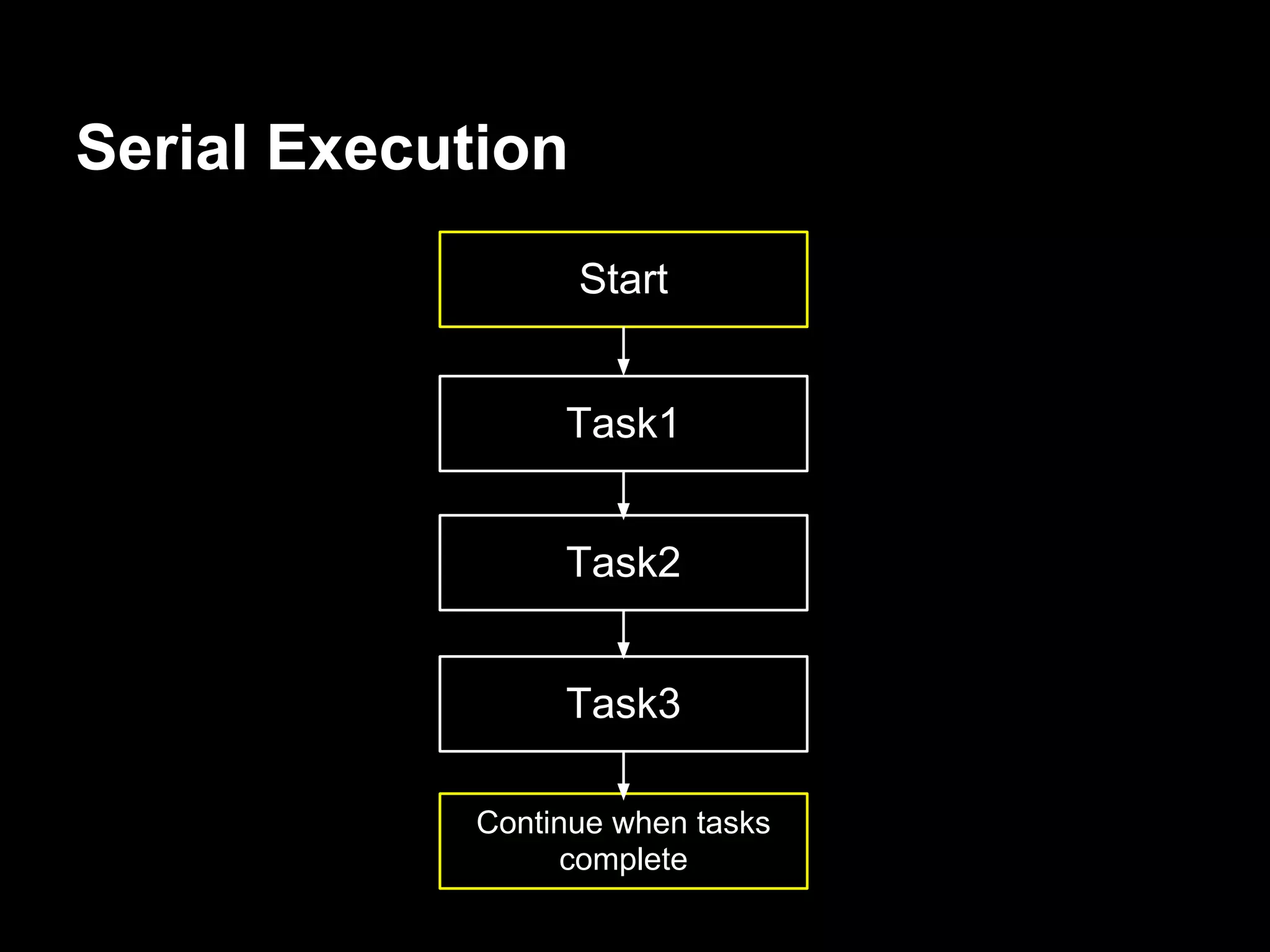
Serial Execution
                   Start


                 Task1


                 Task2


                 Task3

            Continue when tasks
                  complete
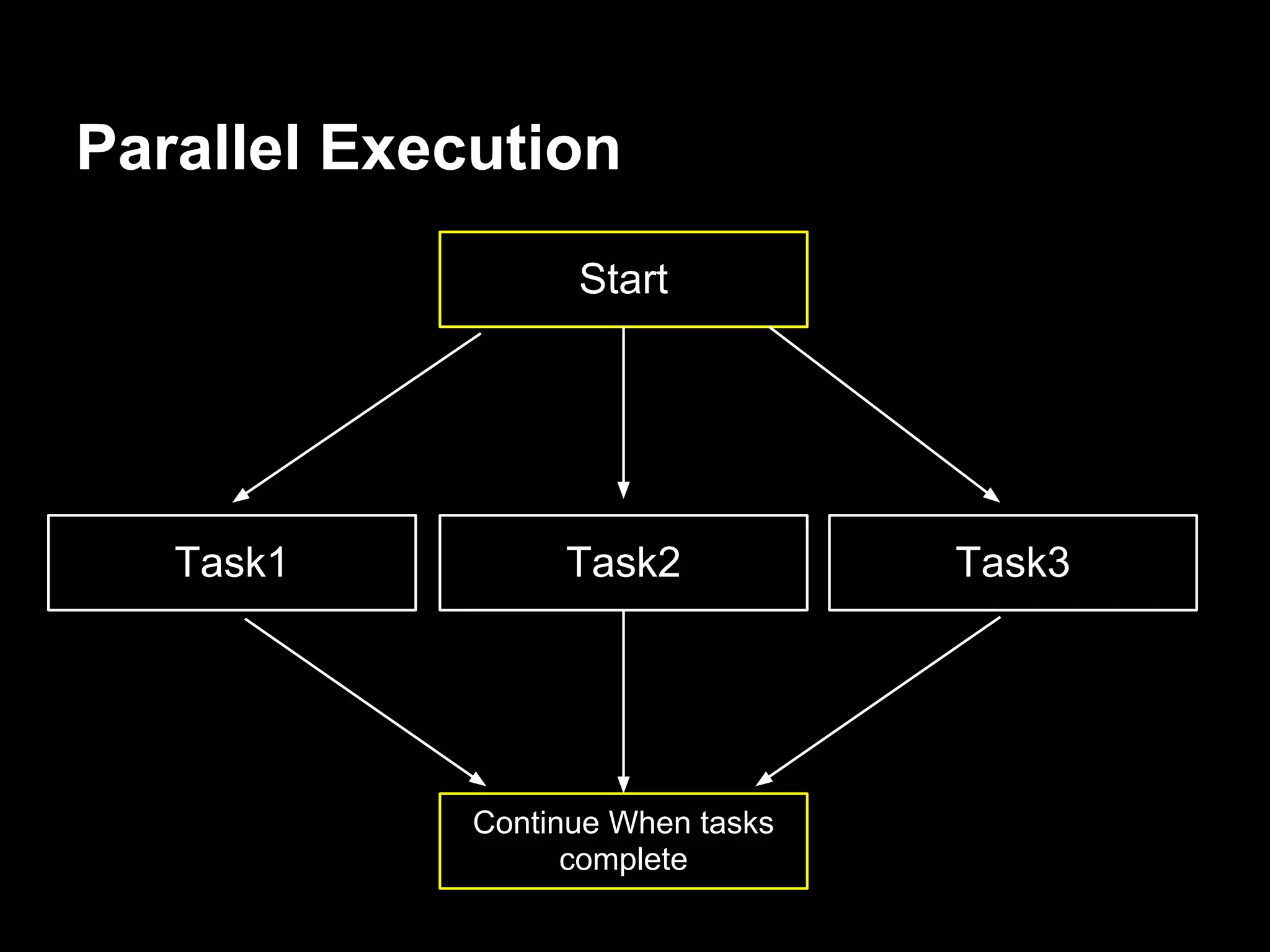
Parallel Execution
                   Start


   Task1          Task2            Task3


             Continue When tasks
                   complete
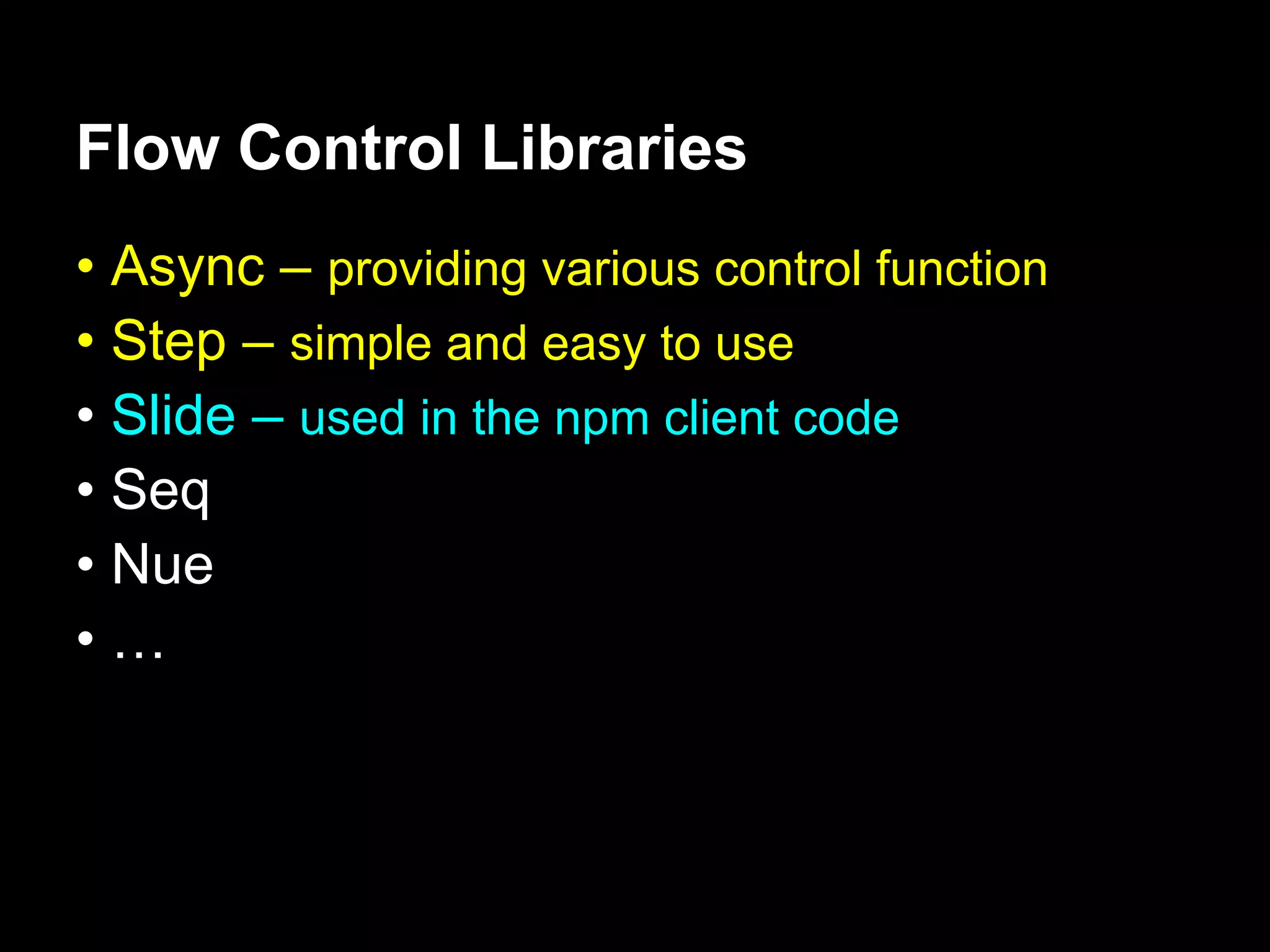
Flow Control Libraries
• Async – providing various control function
• Step – simple and easy to use
• Slide – used in the npm client code
• Seq
• Nue
•…
Node.js Coding Conventions
• Two kinds of functions :
 – Action Function : Take action
 – Callback Function : Get results


• Action functions
 – last argument is always a callback function


• Callback functions
 – first argument is always an error or null.
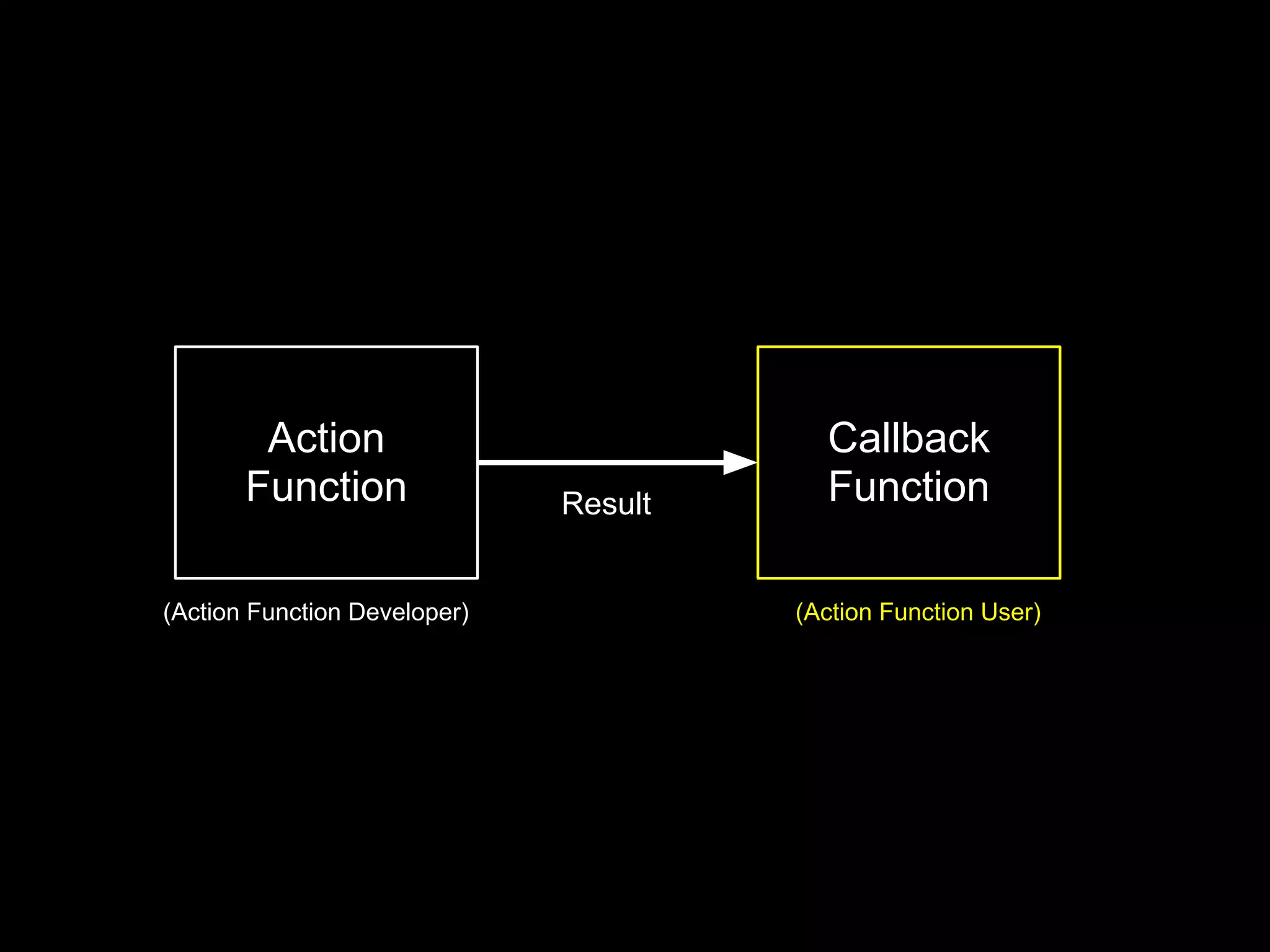
Action                           Callback
       Function               Result     Function

(Action Function Developer)            (Action Function User)
Action Function Example
 function actor (some, args, cb) {
   // last argument is callback
   // optional args:
   if (!cb && typeof(args) === "function")
      cb = args, args = [];

     // do something, and then:

     if (failed) cb(new Error("failed!"))
     else cb(null, optionalData)
 }
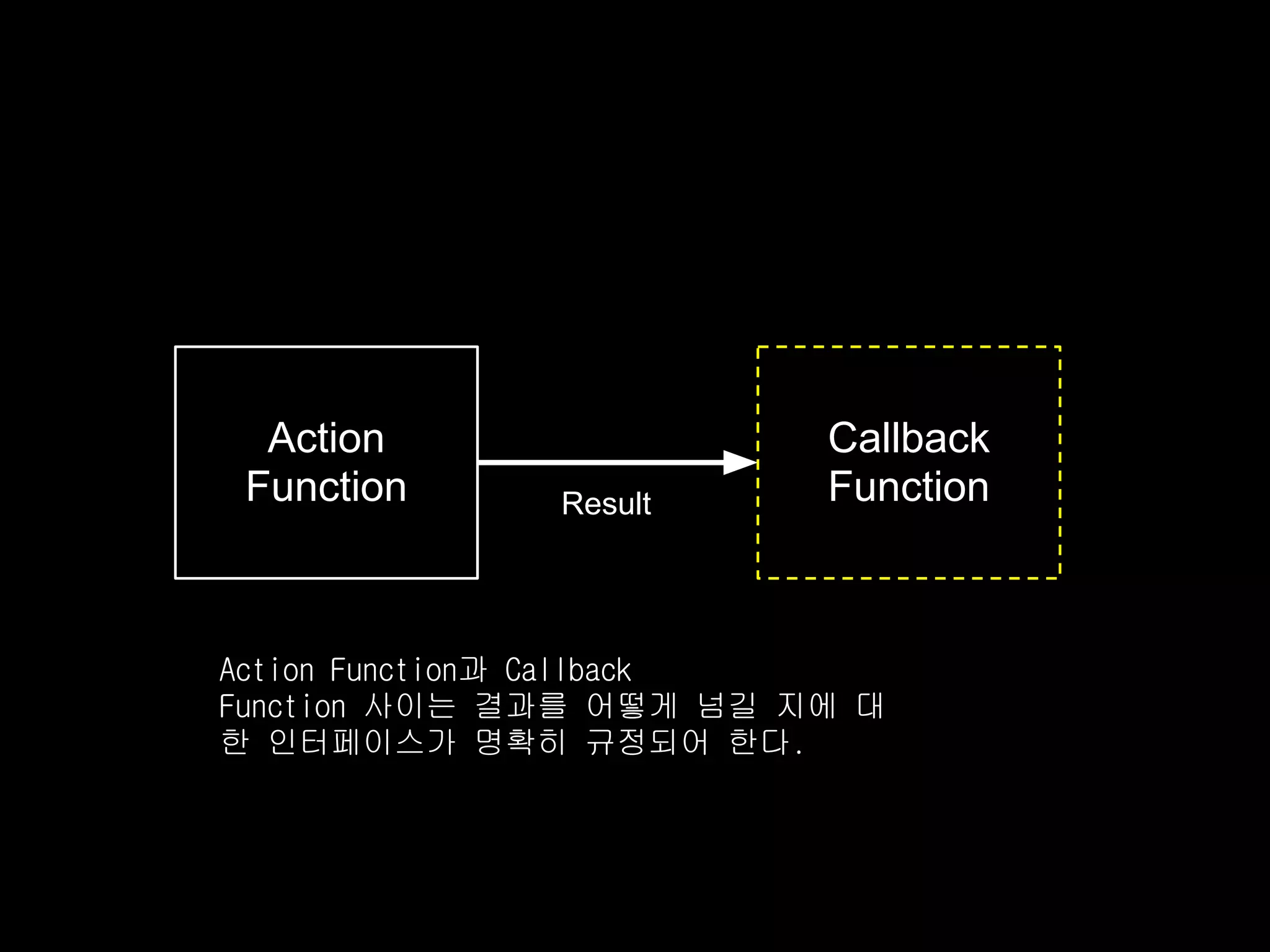
Action                 Callback
 Function     Result     Function


Action Function과 Callback
Function 사이는 결과를 어떻게 넘길 지에 대
한 인터페이스가 명확히 규정되어 한다.
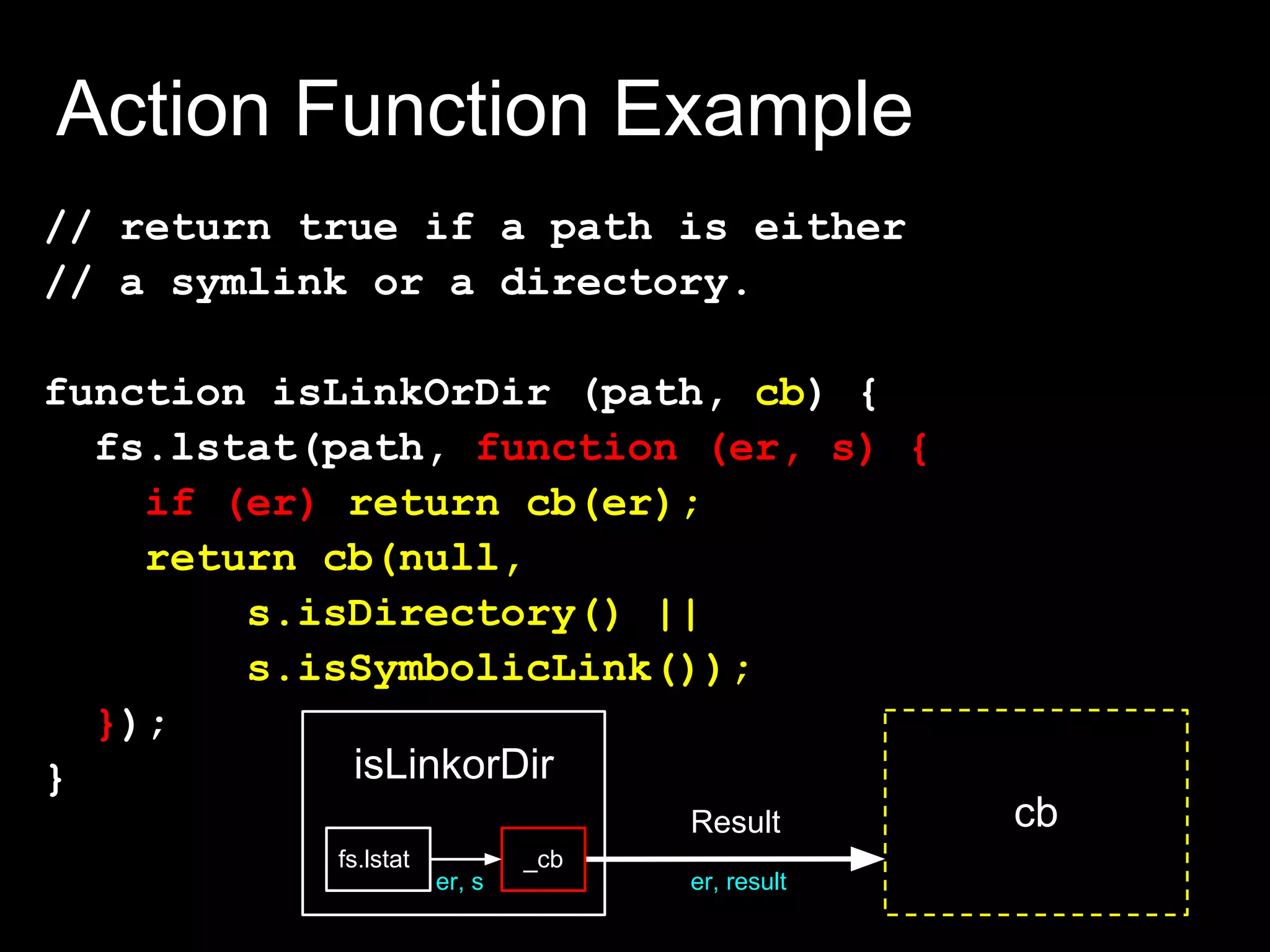
Action Function Example
// return true if a path is either
// a symlink or a directory.

function isLinkOrDir (path, cb) {
  fs.lstat(path, function (er, s) {
    if (er) return cb(er);
    return cb(null,
        s.isDirectory() ||
        s.isSymbolicLink());
  });
}           isLinkorDir
                                    Result       cb
           fs.lstat           _cb
                      er, s         er, result
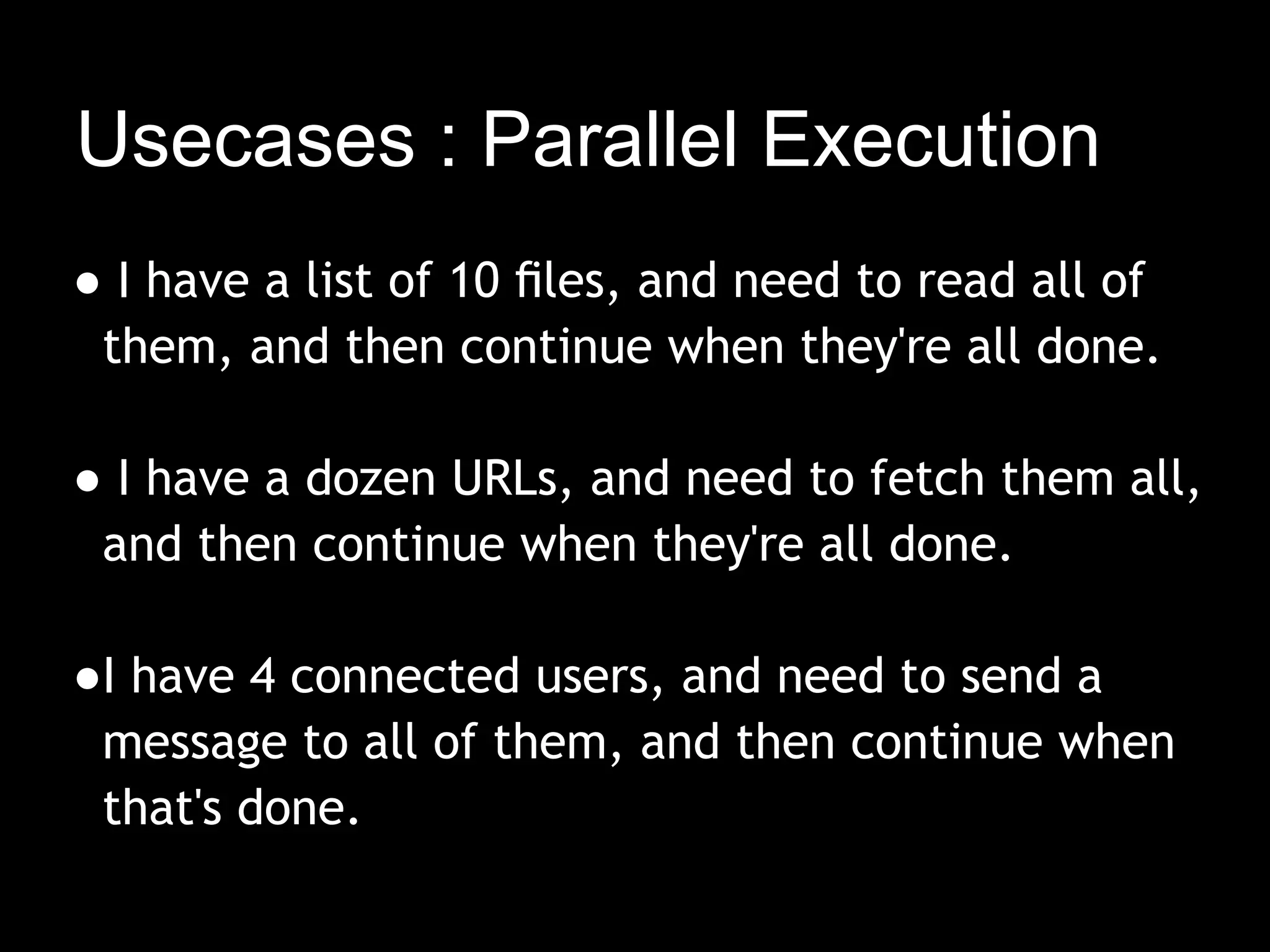
Usecases : Parallel Execution
● I have a list of 10 files, and need to read all of
 them, and then continue when they're all done.
  
● I have a dozen URLs, and need to fetch them all,
 and then continue when they're all done.

●I have 4 connected users, and need to send a
 message to all of them, and then continue when
 that's done.
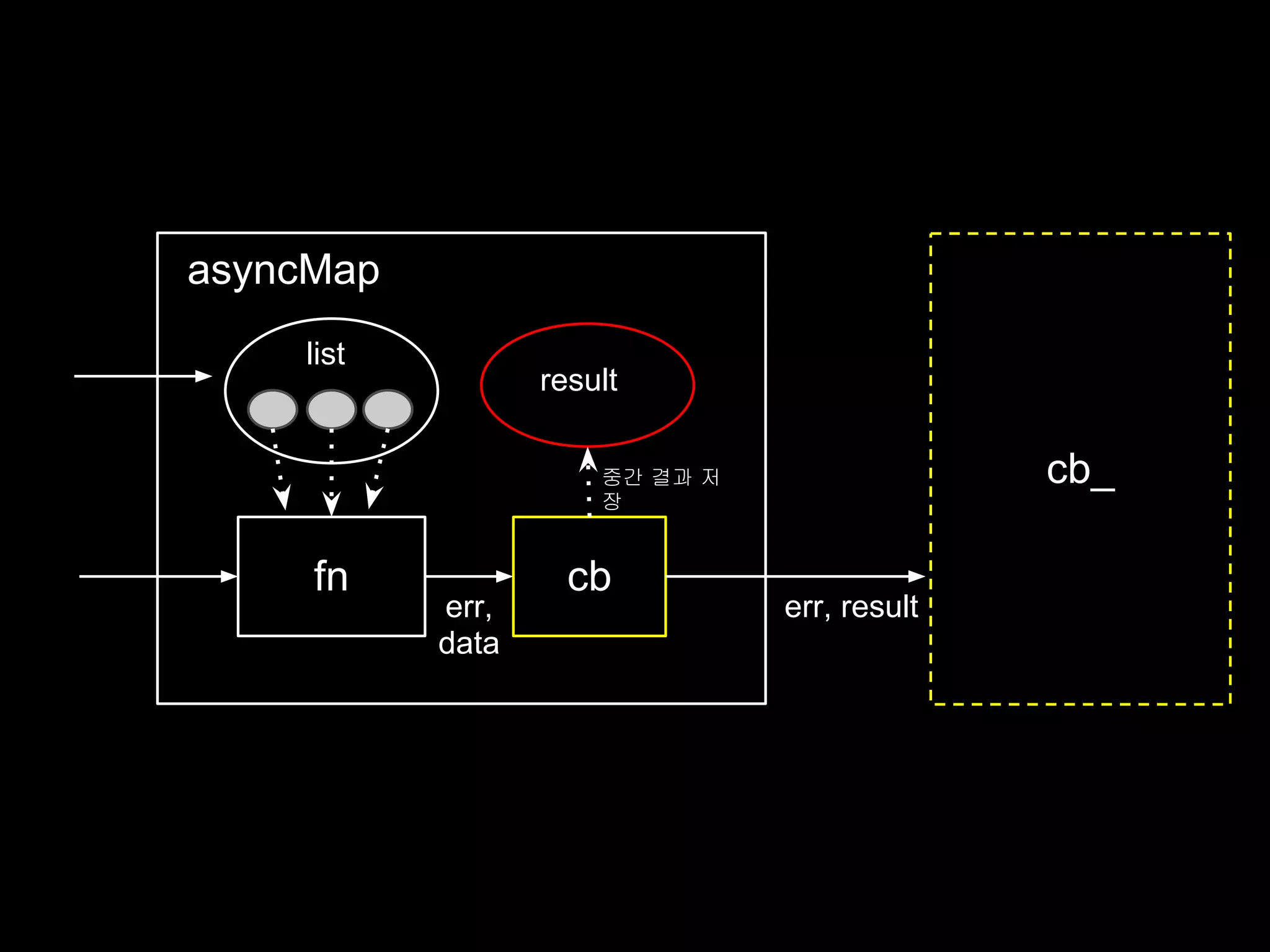
function asyncMap (list, fn, cb_) {
  var n = list.length
  , results = []
  , errState = null;

    function cb (er, data) {
      if (errState) return;
      if (er) return cb(errState = er);
      results.push(data);
      if (--n === 0) // 모든 리스트 처리 완료시
        return cb_(null, results);
    }

    // action code
    list.forEach(function (l) {
      fn(l, cb);
    });
}
asyncMap
    list
                  result

                      중간 결과 저                 cb_
                      장


     fn             cb
           err,                 err, result
           data
Usecases : AsyncMap
        function writeFiles (files, what, cb) {
          asyncMap(files,
              function (f, cb_) {
                fs.writeFile(f,what,cb_);
              },                       cb_는 asyncMap의 내부 함수임
              cb
          );
        }

        writeFiles([my,file,list], "foo", cb);


        writeFiles
        asyncMap
files                                       cb
        list

         fn    cb_
                            err
This implementation is fine if order doesn't
matter, but what if it does?
function asyncMap(list, fn, cb_) {
  var n = list.length
    , results = []
    , errState = null;

    function cbGen (i) {
      return function cb(er, data) {
        if (errState) return;
        if (er)
          return cb(errState = er);
        results[i] = data;
        if (-- n === 0)
          return cb_(null, results);
      }
    }
    list.forEach(function (l, i) {
      fn(l, cbGen(i));
    });
}
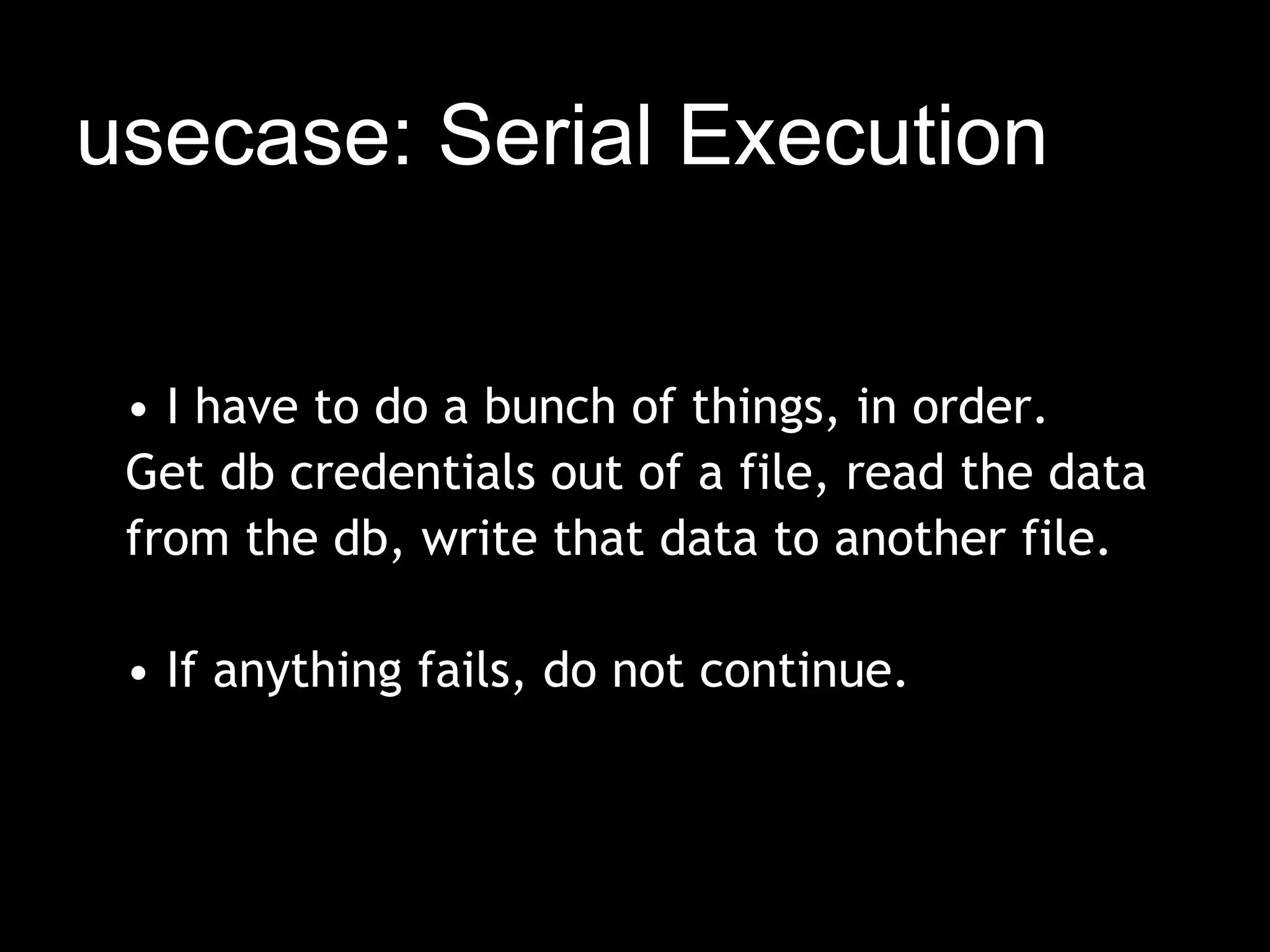
usecase: Serial Execution


 • I have to do a bunch of things, in order.
 Get db credentials out of a file, read the data
 from the db, write that data to another file.
  
 • If anything fails, do not continue.
function chain (things, cb) {
  (function LOOP (i, len) {
    if (i >= len)
       return cb();
    things[i](function (er) {
       if (er)
         return cb(er);
       LOOP(i + 1, len)
    })
  })(0, things.length)
}
chain
things
                         LOOP,0


         things[0]       LOOP,1


         things[1]       LOOP,2


         things[2]       LOOP, 3   cb
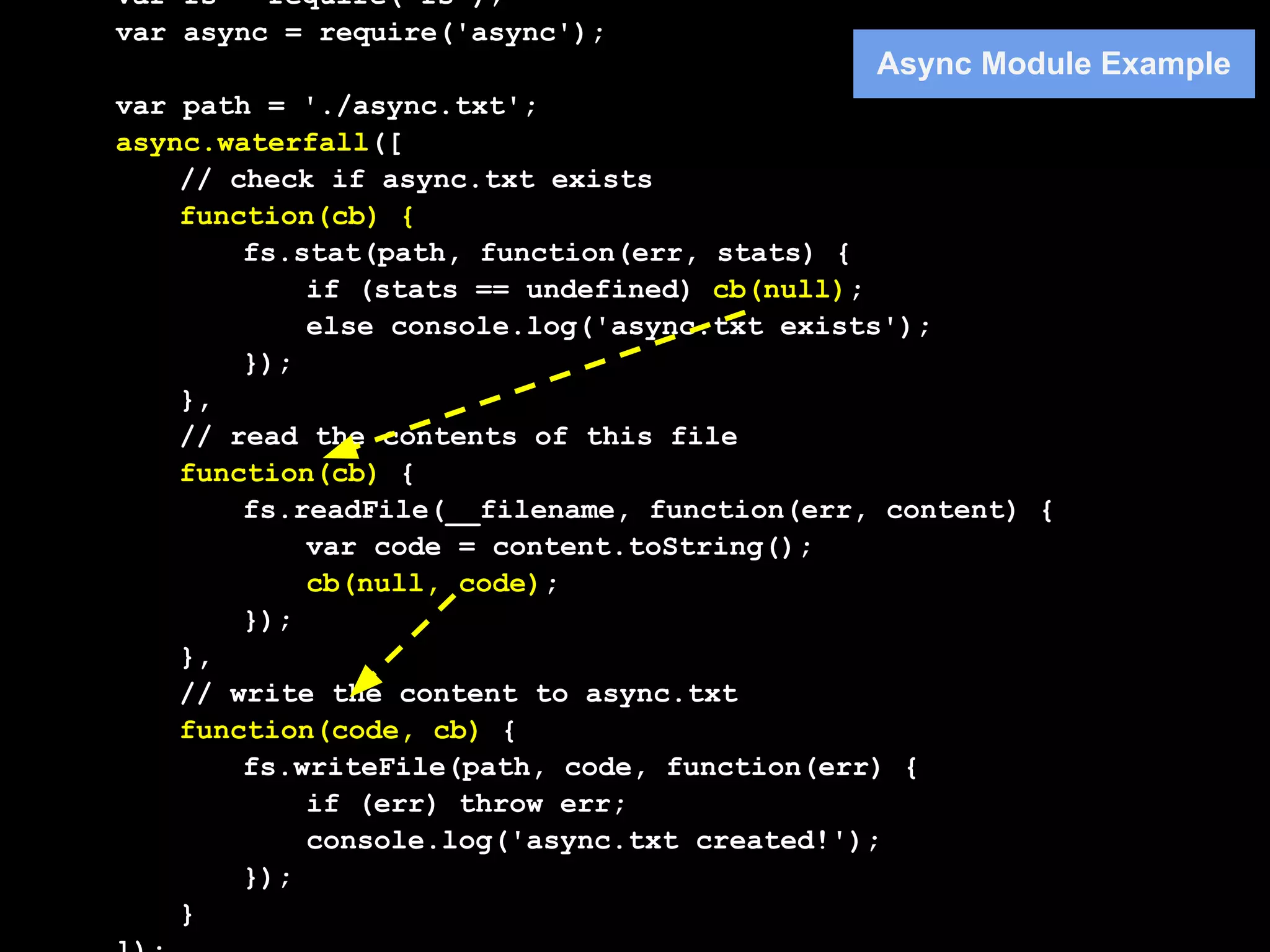
var fs = require('fs');
var async = require('async');
                                             Async Module Example
var path = './async.txt';
async.waterfall([
    // check if async.txt exists
    function(cb) {
        fs.stat(path, function(err, stats) {
            if (stats == undefined) cb(null);
            else console.log('async.txt exists');
        });
    },
    // read the contents of this file
    function(cb) {
        fs.readFile(__filename, function(err, content) {
            var code = content.toString();
            cb(null, code);
        });
    },
    // write the content to async.txt
    function(code, cb) {
        fs.writeFile(path, code, function(err) {
            if (err) throw err;
            console.log('async.txt created!');
        });
    }
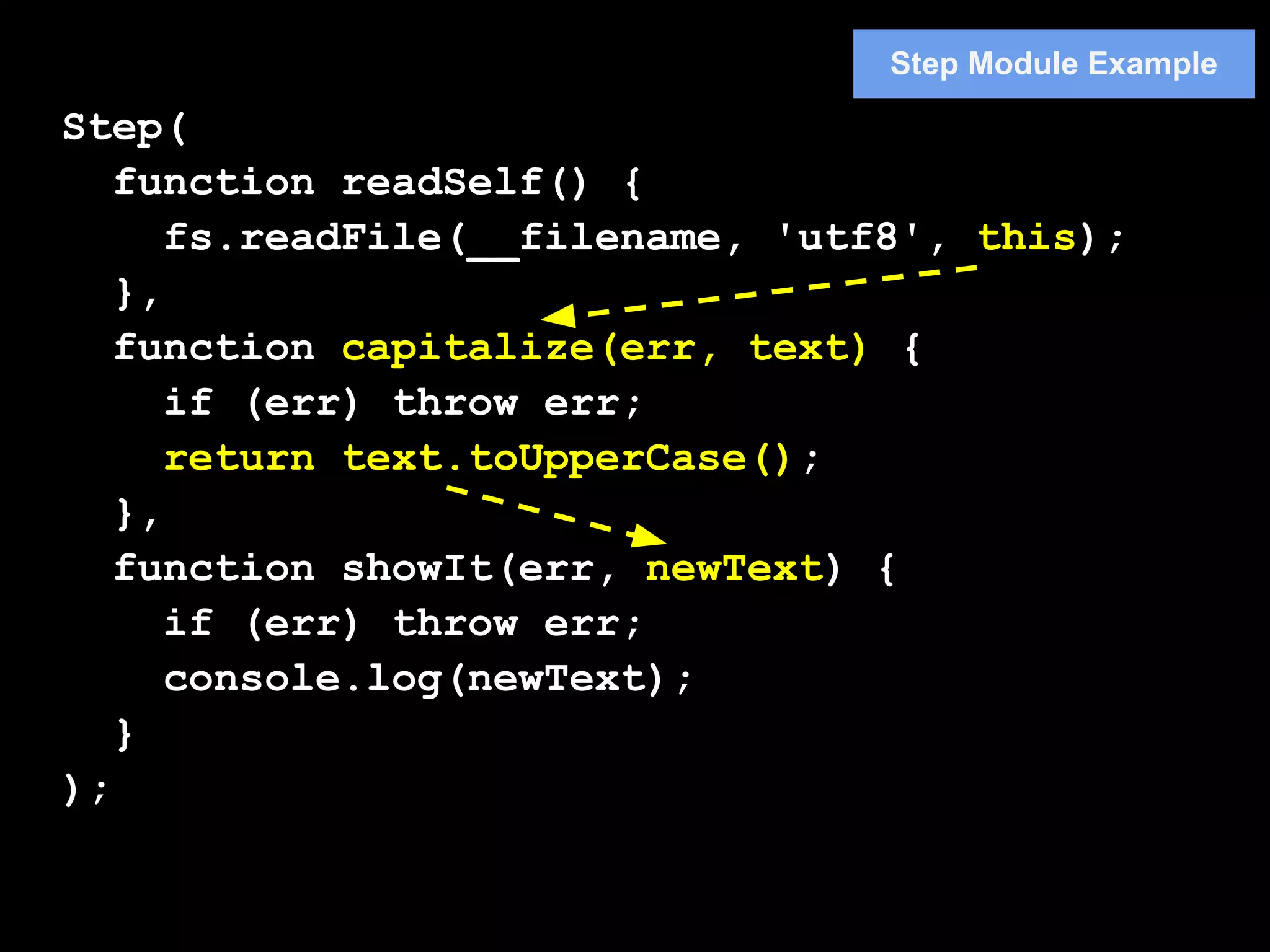
Step Module Example

Step(
   function readSelf() {
      fs.readFile(__filename, 'utf8', this);
   },
   function capitalize(err, text) {
      if (err) throw err;
      return text.toUpperCase();
   },
   function showIt(err, newText) {
      if (err) throw err;
      console.log(newText);
   }
);
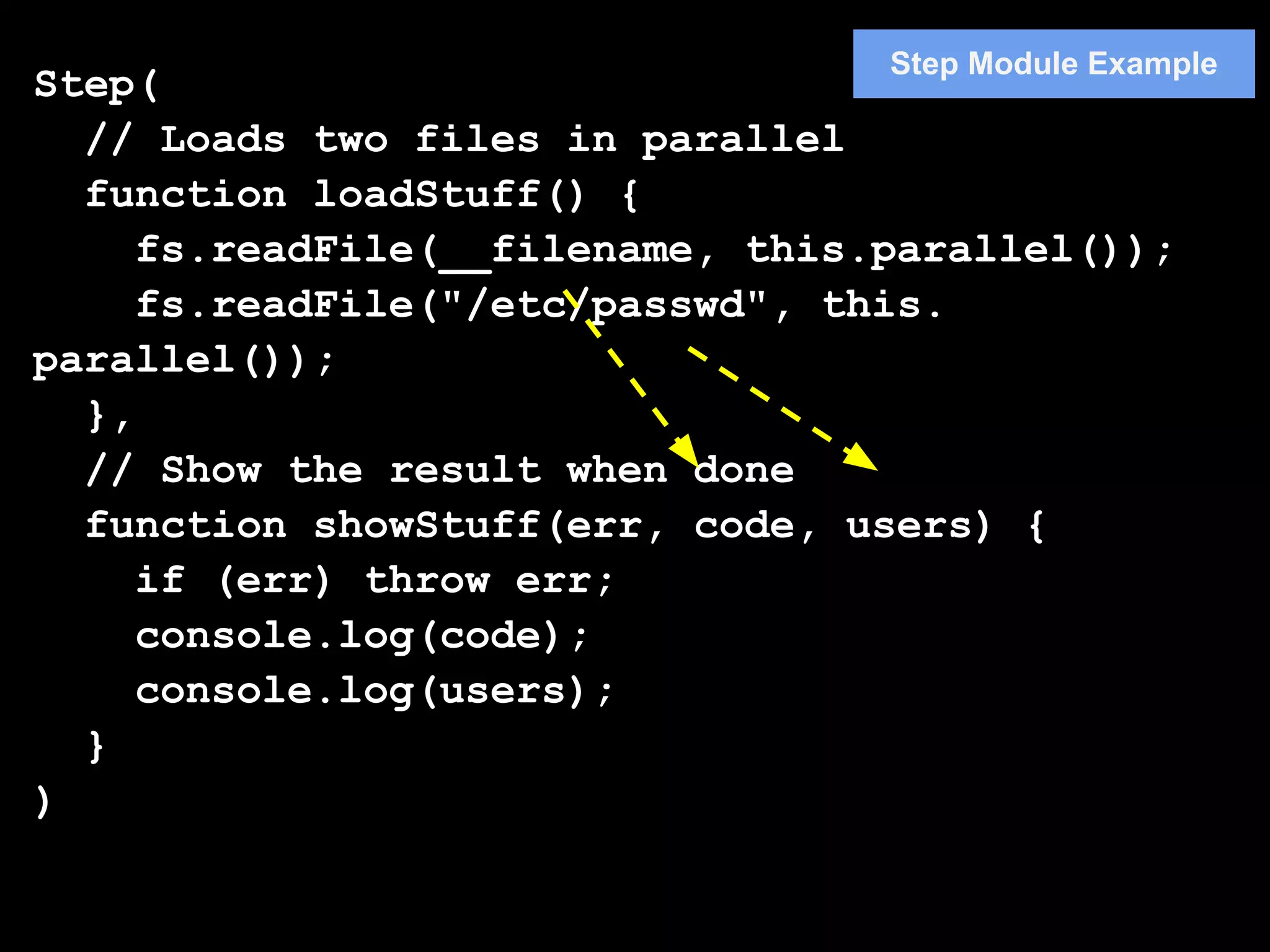
Step Module Example
Step(
  // Loads two files in parallel
  function loadStuff() {
     fs.readFile(__filename, this.parallel());
     fs.readFile("/etc/passwd", this.
parallel());
  },
  // Show the result when done
  function showStuff(err, code, users) {
     if (err) throw err;
     console.log(code);
     console.log(users);
  }
)
Reference
● slide module guide (Issacs) https://github.
  com/isaacs/slide-flow-control/blob/master/nodejs-
  controlling-flow.pdf

Flow control in node.js

  • 1.
    Flow Control inNode.js 송형주
  • 2.
    Profile ● 삼성전자 소프트웨어센터 Web Convergence Lab. ● 블로그 Inside.JS (http://www.nodejs-kr. org/insidejs)
  • 3.
    var fs =require('fs') Synchronous Programming , path = './sync.txt'; var stats = fs.statSync(path); if (stats == undefined) { // read the contents of this file var content = fs.readFileSync(__filename); } var code = content.toString(); // write the content to sync.txt var err = fs.writeFileSync(path, code); if(err) throw err; console.log('sync.txt created!'); console.log(‘Another Task’);
  • 4.
    var fs =require('fs') Asynchronous Programming , path = './async.txt'; // check if async.txt exists fs.stat(path, function(err, stats) { if (stats == undefined) { // read the contents of this file fs.readFile(__filename, function(err, content) { var code = content.toString(); // write the content to async.txt fs.writeFile(path, code, function(err) { if (err) throw err; console.log('async.txt created!'); }); }); } }); console.log(‘Another Task’);
  • 5.
    Node.js programming isnot easy. var open = false; setTimeout(function () { open = true; }, 1000); while(!open) { // wait } console.log('opened!');
  • 6.
    Nested Callback Problem async1(function(input,result1) { async2(function(result2) { async3(function(result3) { async4(function(result4) { async5(function(output) { // do something with output }); }); }); }); })
  • 7.
    Flow Control Problem for(var i = 1; i <= 1000; i++) { fs.readFile('./'+i+'.txt', function() { // do something with the file } ); } do_next_part();
  • 8.
    Why Flow Control? •Asynchronous Programming • Issues – Doing a bunch of things in a specific order – Knowing when task is done. – Nested Callback – Collecting result data
  • 9.
    Flow Control Pattern • Serial Execution • Parallel Execution • Limited Parallel Execution
  • 10.
    Serial Execution Start Task1 Task2 Task3 Continue when tasks complete
  • 11.
    Parallel Execution Start Task1 Task2 Task3 Continue When tasks complete
  • 12.
    Flow Control Libraries •Async – providing various control function • Step – simple and easy to use • Slide – used in the npm client code • Seq • Nue •…
  • 13.
    Node.js Coding Conventions •Two kinds of functions : – Action Function : Take action – Callback Function : Get results • Action functions – last argument is always a callback function • Callback functions – first argument is always an error or null.
  • 14.
    Action Callback Function Result Function (Action Function Developer) (Action Function User)
  • 15.
    Action Function Example function actor (some, args, cb) { // last argument is callback // optional args: if (!cb && typeof(args) === "function") cb = args, args = []; // do something, and then: if (failed) cb(new Error("failed!")) else cb(null, optionalData) }
  • 16.
    Action Callback Function Result Function Action Function과 Callback Function 사이는 결과를 어떻게 넘길 지에 대 한 인터페이스가 명확히 규정되어 한다.
  • 17.
    Action Function Example //return true if a path is either // a symlink or a directory. function isLinkOrDir (path, cb) { fs.lstat(path, function (er, s) { if (er) return cb(er); return cb(null, s.isDirectory() || s.isSymbolicLink()); }); } isLinkorDir Result cb fs.lstat _cb er, s er, result
  • 18.
    Usecases : ParallelExecution ● I have a list of 10 files, and need to read all of them, and then continue when they're all done.   ● I have a dozen URLs, and need to fetch them all, and then continue when they're all done. ●I have 4 connected users, and need to send a message to all of them, and then continue when that's done.
  • 19.
    function asyncMap (list,fn, cb_) { var n = list.length , results = [] , errState = null; function cb (er, data) { if (errState) return; if (er) return cb(errState = er); results.push(data); if (--n === 0) // 모든 리스트 처리 완료시 return cb_(null, results); } // action code list.forEach(function (l) { fn(l, cb); }); }
  • 20.
    asyncMap list result 중간 결과 저 cb_ 장 fn cb err, err, result data
  • 21.
    Usecases : AsyncMap function writeFiles (files, what, cb) { asyncMap(files, function (f, cb_) { fs.writeFile(f,what,cb_); }, cb_는 asyncMap의 내부 함수임 cb ); } writeFiles([my,file,list], "foo", cb); writeFiles asyncMap files cb list fn cb_ err
  • 22.
    This implementation isfine if order doesn't matter, but what if it does?
  • 23.
    function asyncMap(list, fn,cb_) { var n = list.length , results = [] , errState = null; function cbGen (i) { return function cb(er, data) { if (errState) return; if (er) return cb(errState = er); results[i] = data; if (-- n === 0) return cb_(null, results); } } list.forEach(function (l, i) { fn(l, cbGen(i)); }); }
  • 24.
    usecase: Serial Execution • I have to do a bunch of things, in order. Get db credentials out of a file, read the data from the db, write that data to another file.   • If anything fails, do not continue.
  • 25.
    function chain (things,cb) { (function LOOP (i, len) { if (i >= len) return cb(); things[i](function (er) { if (er) return cb(er); LOOP(i + 1, len) }) })(0, things.length) }
  • 26.
    chain things LOOP,0 things[0] LOOP,1 things[1] LOOP,2 things[2] LOOP, 3 cb
  • 27.
    var fs =require('fs'); var async = require('async'); Async Module Example var path = './async.txt'; async.waterfall([ // check if async.txt exists function(cb) { fs.stat(path, function(err, stats) { if (stats == undefined) cb(null); else console.log('async.txt exists'); }); }, // read the contents of this file function(cb) { fs.readFile(__filename, function(err, content) { var code = content.toString(); cb(null, code); }); }, // write the content to async.txt function(code, cb) { fs.writeFile(path, code, function(err) { if (err) throw err; console.log('async.txt created!'); }); }
  • 28.
    Step Module Example Step( function readSelf() { fs.readFile(__filename, 'utf8', this); }, function capitalize(err, text) { if (err) throw err; return text.toUpperCase(); }, function showIt(err, newText) { if (err) throw err; console.log(newText); } );
  • 29.
    Step Module Example Step( // Loads two files in parallel function loadStuff() { fs.readFile(__filename, this.parallel()); fs.readFile("/etc/passwd", this. parallel()); }, // Show the result when done function showStuff(err, code, users) { if (err) throw err; console.log(code); console.log(users); } )
  • 30.
    Reference ● slide moduleguide (Issacs) https://github. com/isaacs/slide-flow-control/blob/master/nodejs- controlling-flow.pdf