

Internet radio, often referred to as web radio, streaming radio, or online radio, is a digital audio service that streams over the Internet.
So, what makes internet radio so appealing? For starters, there are no sign-up or subscription fees, making it accessible to everyone. You can tune into a vast array of stations from around the globe. Whether you’re a fan of classical music, pop, folk, or even news and talk shows, there’s something for everyone, no matter where you are, as long as you have an internet connection. Internet radio covers every format you’d find on traditional broadcast stations, providing endless listening options.
PMRP-NG is a lightweight terminal internet radio player for Linux and macOS that uses Radio-Browser to provide searchable access to a large, dynamically updated catalogue of online radio stations. The program is a Bash script built around common command-line tools, using fzf for interactive station selection, jq for processing station data, and mpv for stream playback.
Installation
I evaluated PMRP-NG using CachyOS, an Arch-based distribution with optimizations for modern CPUs.
The project’s GitHub says to install the following dependencies.
$ sudo pacman -S curl jq mpv fzf util-linux
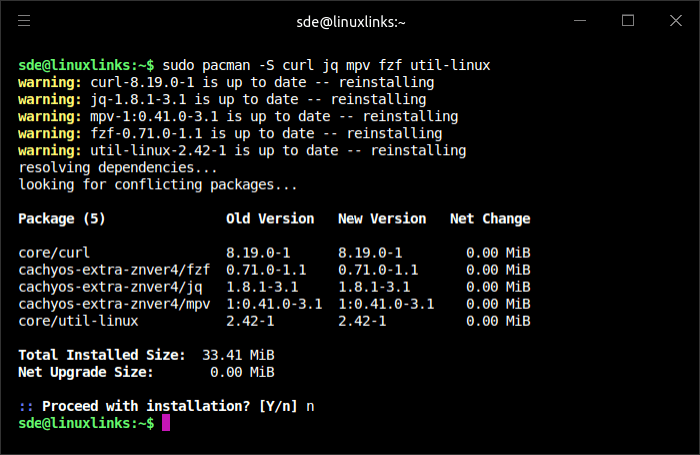
pacman checked those five packages and found they’re already installed at the latest available versions on my system.
The program is a shell script, so there’s no building the program. Download the ZIP archive. I’ll use wget.
$ wget https://github.com/hakerdefo/pmrp-ng/archive/refs/heads/main.zip
The command doesn’t install or run the software by itself; it only downloads the archive (main.zip).
Unzip the file.
$ unzip main.zip
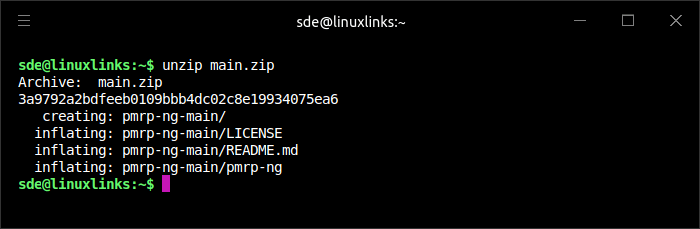
Extracting the archive creates a directory named pmrp-ng-main. Copy the pmrp-ng file to a location on your PATH.
$ sudo cp pmrp-ng-main/pmrp-ng /usr/local/bin
Next, make it executable.
$ sudo chmod 755 /usr/local/bin/pmrp-ng
In Operation
Launch the program by typing pmrp-ng at a terminal, and you’ll see.
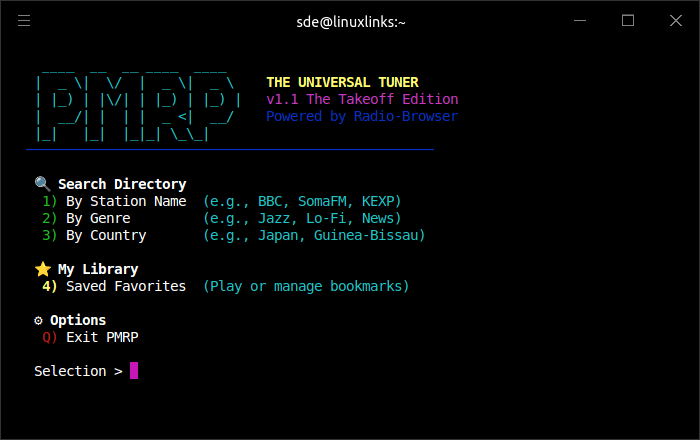
I can search the radio directory by station name, genre, or country. The script uses Radio Browser to access a huge directory of internet radio stations. Here’s an example search by station name.
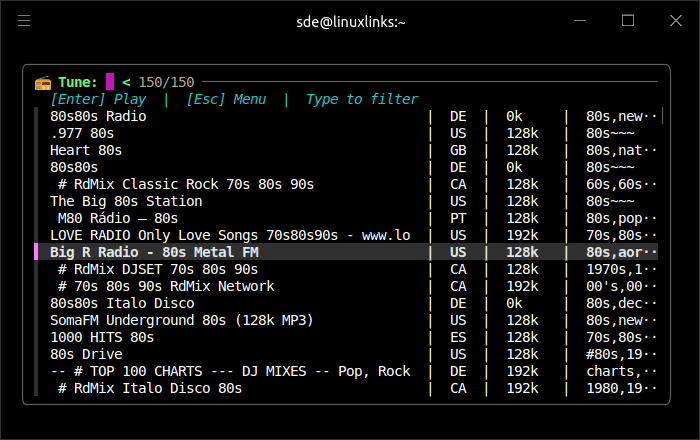
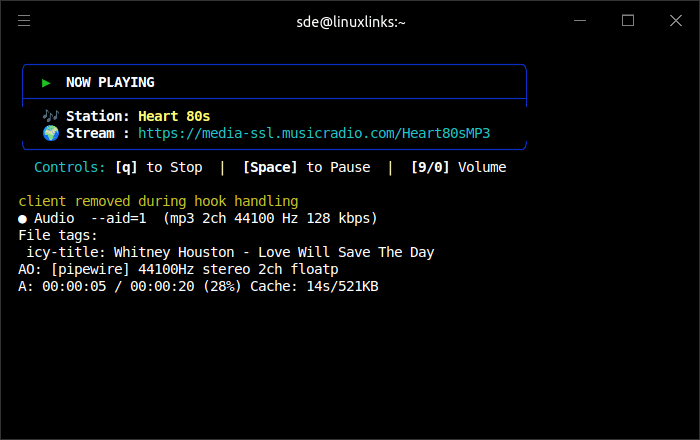
I selected one of the stations. The UI provides playback controls through mpv, including pause, stop, and volume adjustment.
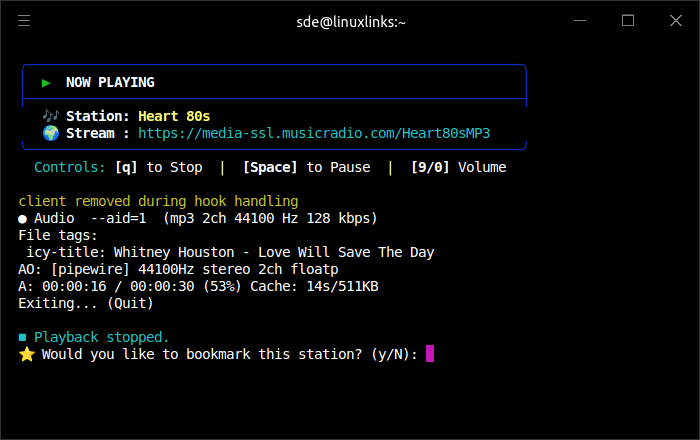
Pressing q to stop playback automatically prompts you to bookmark the station.
There’s a dedicated bookmark page which offers easy access as well as the ability to manage them.
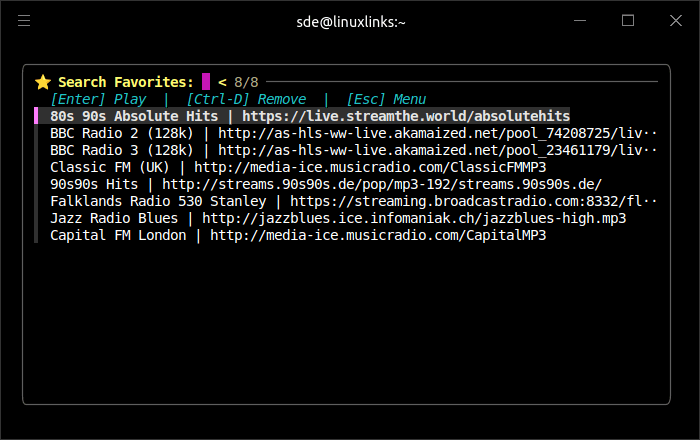
Presentation could be better here.
Summary
PMRP-NG improves on the original PMRP mainly by replacing a fixed, old-style station list with a searchable, dynamic radio directory. The original pmrp is a Bash script built around mpg123, with 350 hand-picked radio stations, a simple menu system, now-playing information, low memory use, and no configuration required.
PMRP-NG is described by the developer as a ground-up rewrite, arriving 11 years after the original PMRP. Instead of relying on a hardcoded station list, it uses the open Radio-Browser API, giving access to over 40,000 global radio stations.
The rewrite adds useful functionality, including hiding broken streams, ordering results by popularity, and letting users filter stations interactively with fzf. It also lets you save, browse, and remove favourite stations, storing them in an XDG-style location.
PMRP-NG is a decent rewrite. It’s not the most feature-laden console-based internet radio player, lacking extras such as stream recording, but it may still meet your requirements. I like it a lot.
Website: github.com/hakerdefo/pmrp-ng
Support:
Developer: hakerdefo
License: MIT License
Related Software
| Terminal-Based Internet Radio Apps | |
|---|---|
| PyRadio | Cross-platform curses based with support for Radio Browser |
| radio-active | Command-line tool to listen to more than 30,000 radio stations |
| SonicRadio | Stylish TUI radio player |
| RadioGoGo | Surf global radio waves |
| tera | Play radio stations, CRUD your favorite lists, and explore stations |
| radion | TUI client written in Bash |
| cTune | ncurses tool with good search functionality |
| rig.fm | Fast, focused, keyboard-friendly, and free of clutter |
| Radio Recorder | Internet radio player and recorder |
| PMRP-NG | Ground-up rewrite of PMRP |
| goradion | TUI internet radio player that uses mpv |
| Radiotrope | AI agent-enabled internet radio player |
| Radioboat | Terminal web radio client, built with simplicity in mind |
| PMRP | Poor Man's Radio Player |
| radio-cli | Simple radio CLI written in Rust |
| TuneIn CLI | Basic internet radio with TuneIn Radio and Radio Browser as providers |
| tmuzika | Music player and internet radio player |
| Curseradio | Very simple application for navigating and playing radio streams |
Read our verdict in the software roundup.
 Explore our comprehensive directory of recommended free and open source software. Our carefully curated collection spans every major software category. Explore our comprehensive directory of recommended free and open source software. Our carefully curated collection spans every major software category.This directory is part of our ongoing series of informative articles for Linux enthusiasts. It features hundreds of detailed reviews, along with open source alternatives to proprietary solutions from major corporations such as Google, Microsoft, Apple, Adobe, IBM, Cisco, Oracle, and Autodesk. You’ll also find interesting projects to try, hardware coverage, free programming books and tutorials, and much more. Discovered a useful open source Linux program that we haven’t covered yet? Let us know by completing this form. |