
Опис
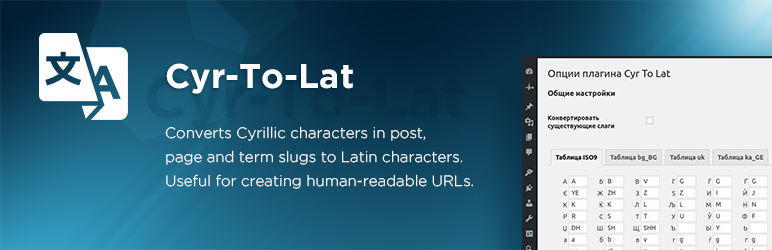
Converts Cyrillic characters in post, page, and term slugs to Latin characters. Useful for creating human-readable URLs.
Особливості
- The only plugin with a fully editable transliteration table. Allows adding/removing and editing pairs like ‘Я’ => ‘Ya’, or even ‘Пиво’ => ‘Beer’
- Converts post, page, custom post type, and term slugs through explicit WordPress save and REST/Gutenberg paths
- Converts any number of existing post, page, and term slugs in background processes or with WP-CLI
- Зберігає цілісність постійних посилань вже існуючих записів і сторінок
- Виконує транслітерацію назв файлів з вкладень
- Supports WooCommerce product, product taxonomy, global attribute, local attribute, variation, and frontend cart slug flows without automatic migration of existing attributes
- Плагін підтримує російські, білоруські, українські, болгарські, македонські, сербські, грецькі, вірменські, грузинські, казахські, іврит і китайські ієрогліфи
- Має багато переваг перед аналогічними плагінами
- Офіційно сумісний із WPML
Засновано на оригінальному плагіні Rus-To-Lat від Антона Скоробогатова.
Спонсор: Blackfire.
Підтримка плагіна
Скріншоти


Встановлення
- Upload the
cyr2latfolder to the/wp-content/plugins/directory. - Активуйте плагін на сторінці «Плагіни» в панелі управління WordPress.
Upgrade notes for 7.0
Version 7.0 is an architecture-focused release. It keeps the existing transliteration table, locale filters, post and term conversion tools, and WP-CLI command stable while moving slug handling to explicit services.
Existing posts, pages, terms, filenames, and WooCommerce product data are not destructively rewritten during the plugin upgrade. Use the Converter page or wp cyr2lat regenerate when you intentionally want to regenerate existing post and term slugs.
WooCommerce attributes created before 7.0 are not automatically migrated. Existing global pa_* taxonomies and existing local or variation attribute keys should be reviewed separately; any future migration must use a dedicated dry-run-first workflow.
Cyr-To-Lat 7.0.1 keeps legacy WooCommerce local variation attributes, including Any variations, aligned between the product form, add-to-cart request, and cart session.
Часті питання
-
Як призначити свої правила для заміни?
-
Додайте наступний код в
functions.phpфайл вашої теми:/** * Modify conversion table. * * @param array $table Conversion table. * * @return array */ function my_ctl_table( $table ) { $table['Ъ'] = 'U'; $table['ъ'] = 'u'; return $table; } add_filter( 'ctl_table', 'my_ctl_table' ); -
Як я можу перевизначити нестандартну локаль?
-
Наприклад, якщо нестандартна мова є uk_UA, її можна перевизначити як
ukдодавши наступний код до файлу темиfunction.php:/** * Use non-standard locale. * * @param string $locale Current locale. * * @return string */ function my_ctl_locale( $locale ) { if ( 'uk_UA' === $locale ) { return 'uk'; } return $locale; } add_filter( 'ctl_locale', 'my_ctl_locale' ); -
Як я можу визначити власну транслітерацію назв?
-
Додайте подібний код до файлу
functions.phpвашої теми:/** * Filter title before sanitizing. * * @param string|false $result Sanitized title. * @param string $title Title. * * @return string|false */ function my_ctl_pre_sanitize_title( $result, $title ) { if ( 'пиво' === $title ) { return 'beer'; } return $result; } add_filter( 'ctl_pre_sanitize_title', 10, 2 ); -
How can I control the legacy sanitize_title bridge?
-
Version 7.0 uses explicit slug handlers for posts, terms, WooCommerce attributes, and other known save paths. A legacy
sanitize_titlebridge remains as a compatibility fallback for broad calls that older integrations may still rely on.You can disable the broad fallback with this code:
add_filter( 'ctl_enable_legacy_sanitize_title_bridge', '__return_false' );The filter receives the current default value,
$title,$raw_title, and$context. Explicit known contexts, such as WordPress save handling, continue to use the dedicated 7.0 slug paths.For debugging unknown bridge calls, define
CYR_TO_LAT_DEBUG_LEGACY_SANITIZE_TITLE_BRIDGEastrue. This diagnostic log is disabled by default and is not enabled byWP_DEBUG. -
Як визначити власну транслітерацію назв файлів?
-
Додайте подібний код до файлу
functions.phpвашої теми:/** * Filter filename before sanitizing. * * @param string|false $result Sanitized filename. * @param string $filename Title. * * @return string|false */ function my_ctl_pre_sanitize_filename( $result, $filename ) { if ( 'пиво' === $filename ) { return 'beer'; } return $result; } add_filter( 'ctl_pre_sanitize_filename', 10, 2 ); -
Як я можу дозволити плагіну працювати на зовнішній частині сайту?
-
Додайте наступний код до основного файлу плагіна (або плагіна mu). Цей код не працюватиме, якщо його буде додано до файлу functions.php теми.
/** * Filter status allowed Cyr To Lat plugin to work. * * @param bool $allowed * * @return bool */ function my_ctl_allow( bool $allowed ): bool { $uri = isset( $_SERVER['REQUEST_URI'] ) ? sanitize_url( wp_unslash( $_SERVER['REQUEST_URI'] ) ) : ''; if ( 0 === strpos( $uri, '/divi-comments' ) ) { return true; } return $allowed; } add_filter( 'ctl_allow', 'my_ctl_allow' ); -
How can I limit post types for background conversion?
-
Додайте подібний код до файлу
functions.phpвашої теми:/** * Filter post types allowed for background conversion. * * @param array $post_types Allowed post types. * * @return array */ function my_ctl_post_types( $post_types ) { return [ 'post' => 'post', 'page' => 'page', 'attachment' => 'attachment', 'product' => 'product', 'nav_menu_item' => 'nav_menu_item', ]; } add_filter( 'ctl_post_types', 'my_ctl_post_types' ); -
Як конвертувати багато постів/термінів за допомогою wp-cli?
-
Скористайтеся наступною командою в консолі:
wp cyr2lat regenerate [--post_type=<post_type>] [--post_status=<post_status>]Where
-post_type is a list of post types,
-post_status is a list of post statuses. -
What WooCommerce attribute behavior is supported in 7.0?
-
Cyr-To-Lat 7.0 explicitly handles new and updated WooCommerce product slugs, product category and tag slugs, global attribute slugs, global attribute term slugs, local product attribute keys, variation attribute keys, frontend add-to-cart requests, cart session loading, REST/API saves, and admin save flows.
Existing WooCommerce attributes are not automatically migrated during plugin upgrade. This means existing global
pa_*taxonomies, local product attribute keys, and variation attribute keys keep their current stored values until you intentionally change them. A future migration tool should be separate and dry-run-first so store owners can review the impact before any rewrite. -
Як я можу безпечно регенерувати мініатюри?
-
Регенерація мініатюр командою
wp media regenerateможе призвести до розриву посилань у старих публікаціях, оскільки імена файлів транслітеруються.To avoid it, deactivate the cyr2lat plugin during regeneration:
wp media regenerate --skip-plugins=cyr2lat -
Чи можу я внести свій внесок?
-
Так, ви можете!
- Приєднуйтесь до нашого репозитарію GitHub
- Приєднуйтеся до нашої групи Telegram
-
Where do I report security bugs found in this plugin?
-
Please report security vulnerabilities by email to:
security@kagg.eu
When reporting a vulnerability, please include as much information as possible to help us reproduce and investigate the issue, such as:
- A clear description of the vulnerability
- Steps to reproduce
- Proof-of-concept or exploit code (if available)
- Affected versions
We will review your report and respond as quickly as possible.
Відгуки


Учасники та розробники
“Cyr-To-Lat” — проект з відкритим вихідним кодом. В розвиток плагіну внесли свій вклад наступні учасники:
Учасники


“Cyr-To-Lat” було перекладено на 11 локалізацій. Дякуємо перекладачам за їх роботу.
Перекладіть “Cyr-To-Lat” на вашу мову.
Цікавитесь розробкою?
Перегляньте код, перегляньте сховище SVN або підпишіться на журнал розробки за допомогою RSS.
Журнал змін
7.0.2 (24.05.2026)
- Fixed legacy WooCommerce local variation attributes with punctuation in attribute names after upgrading from versions before 7.0.
7.0.1 (20.05.2026)
- Changed legacy sanitize_title bridge diagnostics to use the dedicated CYR_TO_LAT_DEBUG_LEGACY_SANITIZE_TITLE_BRIDGE constant instead of WP_DEBUG.
- Fixed legacy WooCommerce local variation attributes, including
Anyvariations, after upgrading from versions before 7.0. - Fixed duplicate WooCommerce product slugs when an existing product is updated with an empty slug.
7.0.0 (18.05.2026)
- Refactored slug handling into explicit services for posts, terms, filenames, WooCommerce attributes, variation attributes, background conversion, and WP-CLI paths.
- Improved Gutenberg coverage through REST/backend slug handling.
- Improved WooCommerce support for product, taxonomy, global attribute, local attribute, variation, frontend cart, REST/API, and admin save flows.
- Added the
ctl_enable_legacy_sanitize_title_bridgecompatibility filter for broad legacysanitize_titlebehavior. - Documented that existing WooCommerce attributes are not automatically migrated in 7.0; future migration work must be a separate dry-run-first workflow.
- Documented the backend-first testing strategy without required Codeception or Playwright release dependencies.