Raspberry Pi 6: Release Date, Specs, and Rumors
Whenever I think about adding another Raspberry Pi to my collection, I debate whether to buy now or wait for the next version with better hardware. But it’s easy to miss when new Pi models are announced, especially when viral cat videos clog up your feed. So in this post, I’ll keep you up-to-date on the upcoming Raspberry Pi 6.
The Raspberry Pi 6 is an SBC (single-board computer) rumored to be in development. It’s a mainline model that’s a successor to the Raspberry Pi 5 and with more powerful hardware. The Raspberry Pi 6 might be released in late 2026 / early 2027.
Although it hasn’t been announced yet, it’s fun to speculate about what might be possible and discuss a wish list of features. I’ll fill you in on possibilities for the Raspberry Pi 6 based on what we’ve seen in the past, and maybe you’ll get as excited about it as I am.
If you’re looking for inspiration for your next Raspberry Pi project, I’ve put together a list of 75+ ideas with full descriptions, difficulty ratings, and links to tutorials. Whether you’re a beginner or more advanced, there’s something here for you. Grab the list for free here!
What Is the Raspberry Pi 6?

The Raspberry Pi 6 is a tiny computer with similar capabilities to a desktop PC.
It’s all the hardware on one circuit board, hence the acronym SBC (single-board computer).
The Raspberry Pi has come a long way since its first incarnation in 2012. It grew ever more versatile in 2016 with the release of the Pi 3, took an aggressive leap forward in technology with the Pi 4 in 2019, and morphed into the powerhouse that we know now as the Pi 5 in 2023.
Other models are often released between the mainline releases, like the Raspberry Pi 400, the Pi Zero, the Pi Pico, and the Pi Compute Module. These boards are fantastic in their own right, but the evolution of the Raspberry Pi ecosystem is often defined by a mainline release.
That next mainline board we’re all waiting for is the Raspberry Pi 6.
When Will the Raspberry Pi 6 Be Available?
Disclaimer: The Raspberry Pi Foundation hasn’t yet announced an official release date for the Raspberry Pi 6 at the time of this publication.
Even if nothing has been confirmed about the Pi 6, we can guess when it’s going to come out by looking at the release schedule of previous models:
| Model | Official Release Date |
|---|---|
| Raspberry Pi 5 | October 2023 |
| Raspberry Pi 4 | June 2019 |
| Raspberry Pi 3B+ | March 2018 |
| Raspberry Pi 3B | February 2016 |
| Raspberry Pi 2 | February 2015 |
| Raspberry Pi 1B+ | July 2014 |
| Raspberry Pi 1B | June 2012 |
As you can see, over three years passed between the release of the first Raspberry Pi 3 and the Pi 4. It was four years after that before the Pi 5 came onto the scene, which was probably delayed by a year because of the global pandemic.
If production is back on schedule and chip shortages have ended, we expect the Raspberry Pi 6 to be released sometime in late 2026, or more likely, early 2027.
What Are the Rumored Specs of the Raspberry Pi 6?
The Raspberry Pi 6 is poised to come out at a time when we’ve had an explosion of technological progress on almost every front. So I’m quite excited about what hardware the Pi Foundation has in store for us next.
Of course, nothing about the specs has been confirmed yet.
This section is less like specs and more like speculation, but I’m going to dish it to you with a serving of history so you know I’m not just making it up!
Processor

Every major Raspberry Pi release has arrived with a faster and more efficient CPU than its predecessors, and we expect no different for the Raspberry Pi 6.
It’s probably safe to assume that the new Pi 6 will still use an ARM processor, which is ideal for small devices. But exactly which CPU will it use?
Need some inspiration for your next Raspberry Pi project? Get access to my personal list here!
Download now
Let’s take a look at the CPUs in previous boards:
| Model | CPU |
|---|---|
| Raspberry Pi 5 | Quad-core – Cortex A76 – 2.4 GHz |
| Raspberry Pi 4 | Quad-core – Cortex A72 – 1.5 GHz |
| Raspberry Pi 3B+ | Quad-core – Cortex A53 – 1.4 GHz |
| Raspberry Pi 3B | Quad-core – Cortex A53 – 1.2 GHz |
| Raspberry Pi 2 | Quad-core – Cortex A7 – 900 MHz |
| Raspberry Pi 1 | ARM1176JFZ-S – 700 MHz |
Current rumors favor the quad-core ARM Cortex-A78 processor @ 3.0 GHz as the next logical step for the Raspberry Pi 6. Compared to the CPU on the Pi 5, the Cortex-A78 has higher clock speeds, larger cache size, better power efficiency, and better performance for ML tasks.
The A78 is the safest bet, but I’m not 100% convinced. After all, consumers today are starting to expect their processors to include an NPU (neural processing unit) to handle AI. It’s what we’re seeing in Microsoft Copilot+ laptops and on new Apple and Android phones.
What if the Raspberry Pi 6 were upgraded to include a processor with an NPU, something more like the Qualcomm Snapdragon? This would be an amazing development, but it probably would require a complete redesign of the Pi’s SoC architecture. In other words, highly improbable.
What’s more likely is that the Raspberry Pi AI Kit and Raspberry Pi AI Camera will continue to be sold as separate add-ons for those interested in AI/ML projects.
Memory

The Raspberry Pi 4 came with LPDDR4 memory, and the Pi 5 upped the game to LPDDR4x.
There’s talk that the Raspberry Pi 6 will move to LPDDR5 memory for faster data speeds and better energy efficiency.
Here are the memory configurations for past Raspberry Pi models, with the speculated version for the Raspberry Pi 6 at the top:
| Model | Generation | Bandwidth | RAM Available |
|---|---|---|---|
| Raspberry Pi 6 | LPDDR5 | 6,400 MT/s | 4GB / 8GB / 16GB / 32GB? |
| Raspberry Pi 5 | LPDDR4X | 4,267 MT/s | 2GB / 4GB / 8GB / 16GB |
| Raspberry Pi 4B | LPDDR4 | 3,200 MT/s | 1GB / 2GB / 4GB / 8GB |
| Raspberry Pi 3B+ | LPDDR2 | 500 MT/s | 1GB |
Which memory variants will be available for the Pi 6? I think most users are expecting the Raspberry Pi 6 to have a base model with 4GB RAM and to also sell other versions up to 16GB RAM on release day. Especially since the Pi 5 already has a 16GB version.
Some forum posters have been begging for the Pi 6 to include a 32GB version. If so, maybe it won’t be available on release day but will come out a year later like the Pi 5 did with the 16GB model.
Sure, 32GB of memory seems unnecessary for most buyers, but it may come in handy for those with specific use cases willing to pay a premium. After all, we already saw how 16GB of RAM has opened up new possibilities for the Pi 5.
Storage

With how fast core components have advanced, storage has become the system bottleneck on the Raspberry Pi. I like how inexpensive and convenient SD cards are, but they’re quite slow.
The big wish list feature I’m hoping for on the Raspberry Pi 6: is an onboard M.2 connector that supports NVMe drives natively. An NVMe drive on the Pi might give us real-world speeds that are 10x faster than an SD card. That’s a major game-changer.
You might also like: Don't buy a new SD card until your read this.
Yes, the Raspberry Pi 5 can already use NVMe SSDs.
But only with a special PCIe adapter, and it’s not always smooth sailing.
NVMEs have dramatically decreased in both price and size. The M.2 2230 form factor (that’s 22mm x 30mm) already exists, and it’d be amazing if these drives were supported natively.
Need some inspiration for your next Raspberry Pi project? Get access to my personal list here!
Download now
To ensure the Pi 6 remains accessible to all, it should also support faster SD cards. Technically, faster SD card classes are already supported, but SD card benchmarks max out at 100 MB/s or so. The hope is that the next Raspberry Pi can boost that transfer rate.
Graphics

For students using the Pi as an educational tool or desktop users who want to use it like a portable PC, there’s definitely a desire for the Raspberry Pi 6 to come with more powerful graphics.
There was a decent improvement in graphical performance going from the Pi 4 to the Pi 5:
| Model | GPU |
|---|---|
| Raspberry Pi 5 | VideoCore VII @ 800 MHz |
| Raspberry Pi 4B | VideoCore VI @ 500 MHz |
But big questions linger about what GPU the Raspberry Pi 6 will have. There are rumors that Broadcom has stopped developing VideoCore, and that there’s no VideoCore VIII planned.
If that’s true, we might see a Raspberry Pi 6 stay on VideoCore VII, but this time with more QPU cores and clocked to a higher base frequency.
In terms of display output, there’s talk that the Raspberry Pi 6 will support dual-4K displays. Truthfully, I’m not sure if that’s needed, but it’s nice to have.
Lastly, a few users have requested additional support for hardware-based video encoding, which would enhance video playback when the Pi is used as a media center.
Network Connectivity and Bluetooth
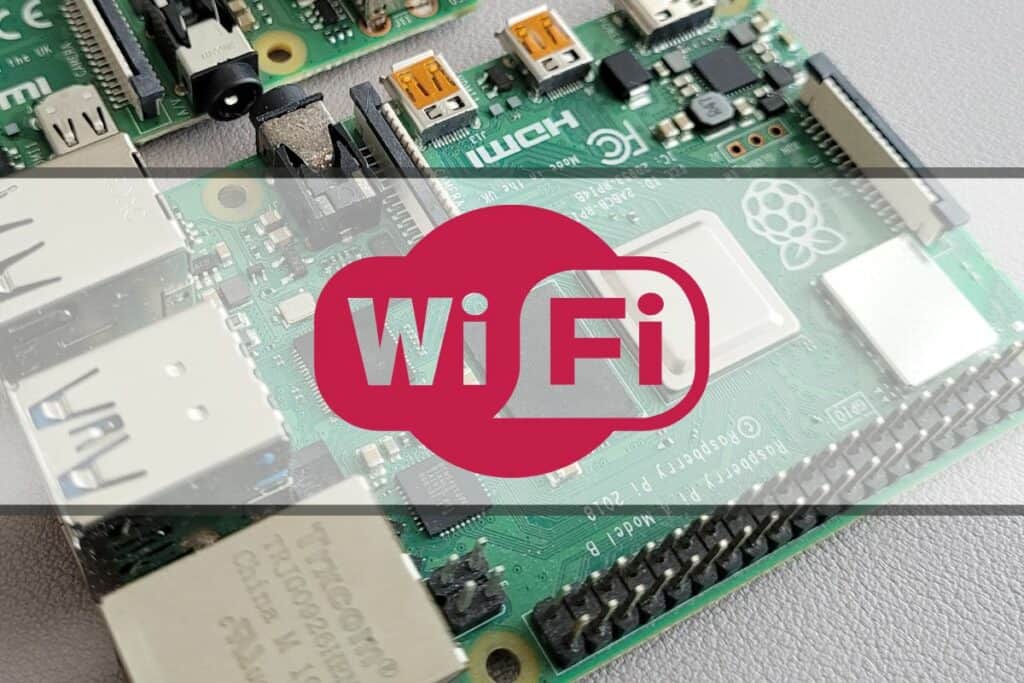
In terms of connectivity, we expect to see a normal progression for Ethernet, Wi-Fi, and Bluetooth capabilities for the Raspberry Pi 6.
Ethernet
For Ethernet, I hear requests to upgrade the Ethernet port from gigabit speeds to 2.5 Gbps speeds. Although I think that’d be pretty rad, I also think it’s a low priority.
Not many households have 2.5 Gbps-capable routers so far. The goal of the Pi is to be affordable, and it would add an unnecessary cost, but who knows, maybe 2.5 Gbps adoption will change dramatically in a year or two.
Wireless Connectivity
Wi-Fi has advanced significantly since the Pi 5 came out and is ripe for an upgrade. The Pi 5 and Pi 4 both used Wi-Fi 5 (802.11ac).
A jump up to Wi-Fi 6e (802.11ax) for the Raspberry Pi 6 would make perfect sense, both in terms of cost and technology maturity. It’s also convenient to say the Pi 6 comes with Wi-Fi 6.
You might also like: Do this to keep a full backup of your Raspberry Pi
Although Wi-Fi 7 exists, I doubt it would be stable for the Pi 6, as mass adoption for Wi-Fi 7 is still slow at the moment.
Bluetooth
Bluetooth is a wild card on the Raspberry Pi 6. Sometimes, Bluetooth seems to be making no progress, and other times, there’s a flurry of new versions. Both the Raspberry Pi 5 and Pi 4 boards came with BT 5.0.
Download the free PDF, keep it open, and stop wasting time on Google.
Download now
My wishful thinking is for the Raspberry Pi 6 to come with BT 6.0, to keep the version numbers all nice and aligned. But we all know technology doesn’t work that way. BT 6.0 was released back in September 2024, but it’s still getting ironed out by device manufacturers as we speak.
More realistically, the Raspberry Pi 6 might come with BT 5.4 support instead. Compared to older versions, BT 5.4 improves connection quality, reduces audio latency, and has better power efficiency for IoT devices like sensors and smart lights. It’s a nice incremental upgrade.
USB Ports
Did you know that USB 4.0 specifications came out in 2019? Cool beans, but it’s 2025, and I still don’t have any USB4-capable devices. I don’t think the Raspberry Pi 6 will have USB4 ports.
The two most useful USB upgrades for the Raspberry Pi 6 would be adding support for faster USB3 speeds and a dedicated USB Type-C port.
Here’s a table showing how I think USB ports might progress based on past models:
You might also like: Pi5 vs. Pi4: I tested them, here's the result
| Model | Highest USB Port Available | Maximum Transfer Speed |
|---|---|---|
| Raspberry Pi 6 | USB 3.1 or USB 3.2 (?) | 10 Gb/s or 20 Gb/s |
| Raspberry Pi 5 | USB 3.0 | 5 Gb/s |
| Raspberry Pi 4 | USB 3.0 | 4 Gb/s |
| Raspberry Pi 3B+ | USB 2.0 | 480 Mb/s |
On PC motherboards, you might be used to seeing USB2 ports in black, USB 3.0 ports in blue, and the faster USB 3.1 / USB 3.2 ports in red:

Truthfully, it’s not clear to me yet how USB3.1/USB3.2 speeds will be usable on a Raspberry Pi, but with faster storage support and peripherals, that would make it worthwhile.
Also, the new Raspberry Pi 6 needs to come with a dedicated USB Type-C port.
The Pi 5 and Pi 4 have USB Type-C for the power supply, but those ports aren’t meant for high data transfer speeds.

USB Type-C is convenient, with a universal and reversible plug. And if we’re super blessed, the Pi 6 might support USB-C displays, letting us connect a monitor to the Pi with a single cable.
Cameras and Expansion Interfaces
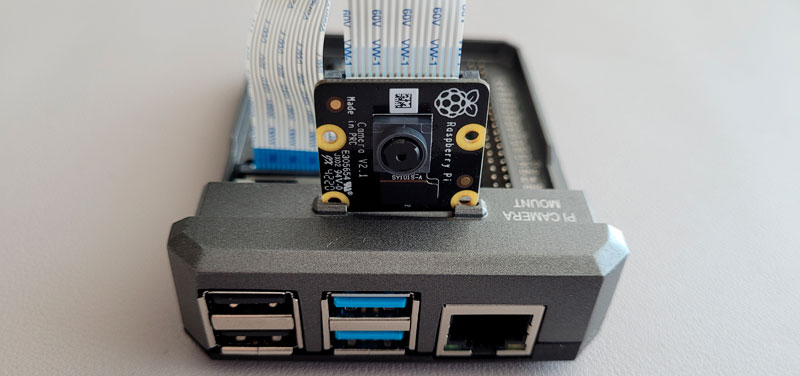
The Raspberry Pi camera ecosystem is quite diverse now, with roughly 4 different types of official camera modules. There’s some talk that the Pi 6 will have two camera ports, although I’m not convinced that’s a highly requested feature.
Let’s talk about other expansion slots. The Raspberry Pi 5 was the first to have an exposed PCIe connector in the form of a PCIe Gen2 x1 interface. This slot allows you to connect high-bandwidth devices like an NVME drive or an audiophile sound card.
Related: What Can You Actually Do with PCIe on Raspberry Pi 5?
Check this: Need a clear GPIO pinout diagram? Here's mine.
If the Raspberry Pi 6 were to upgrade this expansion slot to PCIe Gen3 x1, it would open up options for even more high-bandwidth and high-quality peripherals.
Real-Time Clock
The Raspberry Pi 5 was the first mainline board to come with a real-time clock (RTC). The RTC keeps time even when the power is off and allows for special functionality like wake-up timers.
Download the free PDF, keep it open, and stop wasting time on Google.
Download now
The Raspberry Pi 6 is also expected to have an RTC, but it’s unclear whether upgrading it is a priority. The RTC might be improved by using a crystal that keeps time more precise or switching to a more efficient battery that lasts longer when the Pi is powered off.
GPIO Headers
I also haven’t heard much clamoring for changes on this front: the GPIO pins.
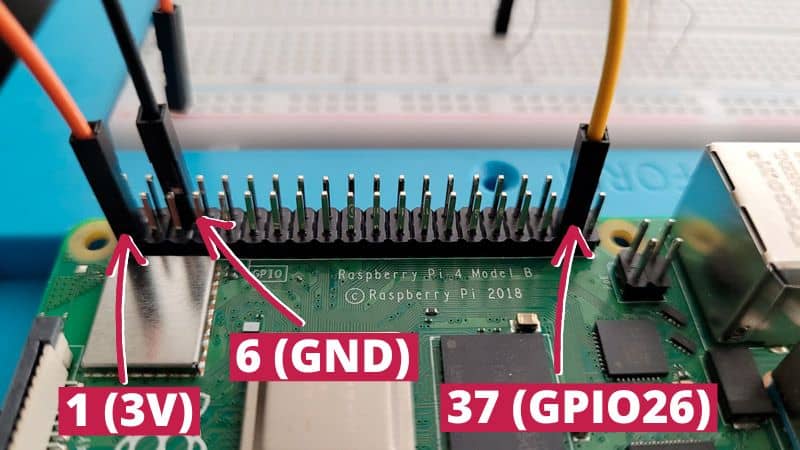
The mainline Pi boards come with a standard 40-pin GPIO layout. For compatibility’s sake, we expect the Raspberry Pi 6 will keep the same design.
RP1
The RP1 chip was first introduced on the Raspberry Pi 5 and was a complex, multimillion-dollar project designed in-house by the Pi Foundation. The RP1 chip acts like a ‘southbridge’ that we used to see on Intel desktop motherboards; it offloads I/O communication (USB, GPIO pins, I2C, etc.) so that the CPU can focus on higher-priority tasks.
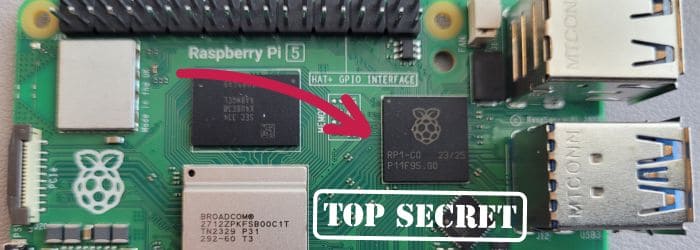
If there’s any improvement to the RP1 for the Raspberry Pi 6, it might be to increase its speed with a PCIe Gen3 x4 controller. This advancement would allow the board to handle faster interfaces and peripherals overall.
Power
I’m quite interested in how the problem of power will be solved on the Raspberry Pi 6.
The Raspberry Pi 5 had to use a nonstandard 5V/5A USB-PD power supply, a change from previous models, and this requirement was a head-scratching decision for many. It meant that the official power supply was often the only viable option to avoid seeing voltage errors, and it also added a significant cost to get started.
The Raspberry Pi 6 would be more welcoming to new users if it used a more standard power supply, like the charging bricks used for tablets. However, this issue is more complex than I’ve explained here and would require significant board redesigns for it to become a reality.

On a separate note about power solutions, did you know that the Raspberry Pi already supports Power-over-Ethernet? Using PoE, you can supply power and data with one cable and put the Pi in hard-to-reach places. The catch is that you need to buy a separate PoE HAT to do this.
I’d love it if the Raspberry Pi 6 would support PoE natively, so I don’t have to use different power bricks for all of my Pis. It would also make many projects more flexible. But PoE is still uncommon among the mainstream, so I’m not holding my breath. A guy can dream, though.
If you prefer watching videos instead of reading tutorials, you’ll love the RaspberryTips Community. I post a new lesson every month (only for members), and you can unlock them all with a 7-day trial for $1.
How Much Will a Raspberry Pi 6 Cost?
The original Raspberry Pi was sold at an affordable $35. Technically, you can still buy a Pi 4 for that price. But ever since boards with more memory have been offered, the prices have also risen.

For example, the Pi 5 ranges from $50 to $120 depending on how much RAM you want.
Here’s a table showing the original release prices of previous boards:
You might also like: 15 Easy Projects for Raspberry Pi Beginners
| Model | Official Price on Release |
|---|---|
| Raspberry Pi 5 | Between $50 (2GB) and $120 (16GB) |
| Raspberry Pi 4 | Between $35 (1GB) and $75 (8GB) |
| Raspberry Pi 3B+ | $35 |
| Raspberry Pi 3B | $35 |
| Raspberry Pi 2 | $35 |
| Raspberry Pi 1 | $35 |
Can the Raspberry Pi 6 cram in new hardware while keeping the price affordable?
After all, the Pi is meant to be an accessible device that is used for learning, so the cost of the base model shouldn’t be crossing into mini PC territory.
If it matches patterns in the past, we might see the Raspberry Pi 6 priced as:
- Base model with 2GB or 4GB: $50 to $65.
- Expanded 8GB or 16GB versions: $85 to $125.
I hope I’ve covered any questions you might have about the upcoming Raspberry Pi 6. The specs are fun to daydream about while we wait for it to finally drop!
Whenever you’re ready, here are other ways I can help you:
Test Your Raspberry Pi Level (Free): Not sure why everything takes so long on your Raspberry Pi? Take this free 3-minute assessment and see what’s causing the problems.
The RaspberryTips Community: Need help or want to discuss your Raspberry Pi projects with others who actually get it? Join the RaspberryTips Community and get access to private forums, exclusive lessons, and direct help (try it for just $1).
Master your Raspberry Pi in 30 days: If you are looking for the best tips to become an expert on Raspberry Pi, this book is for you. Learn useful Linux skills and practice multiple projects with step-by-step guides.
Master Python on Raspberry Pi: Create, understand, and improve any Python script for your Raspberry Pi. Learn the essentials step-by-step without losing time understanding useless concepts.
You can also find all my recommendations for tools and hardware on this page.