
Setting Parameters
Learn how to make your templates dynamic by parameterizing different elements in Orshot Studio
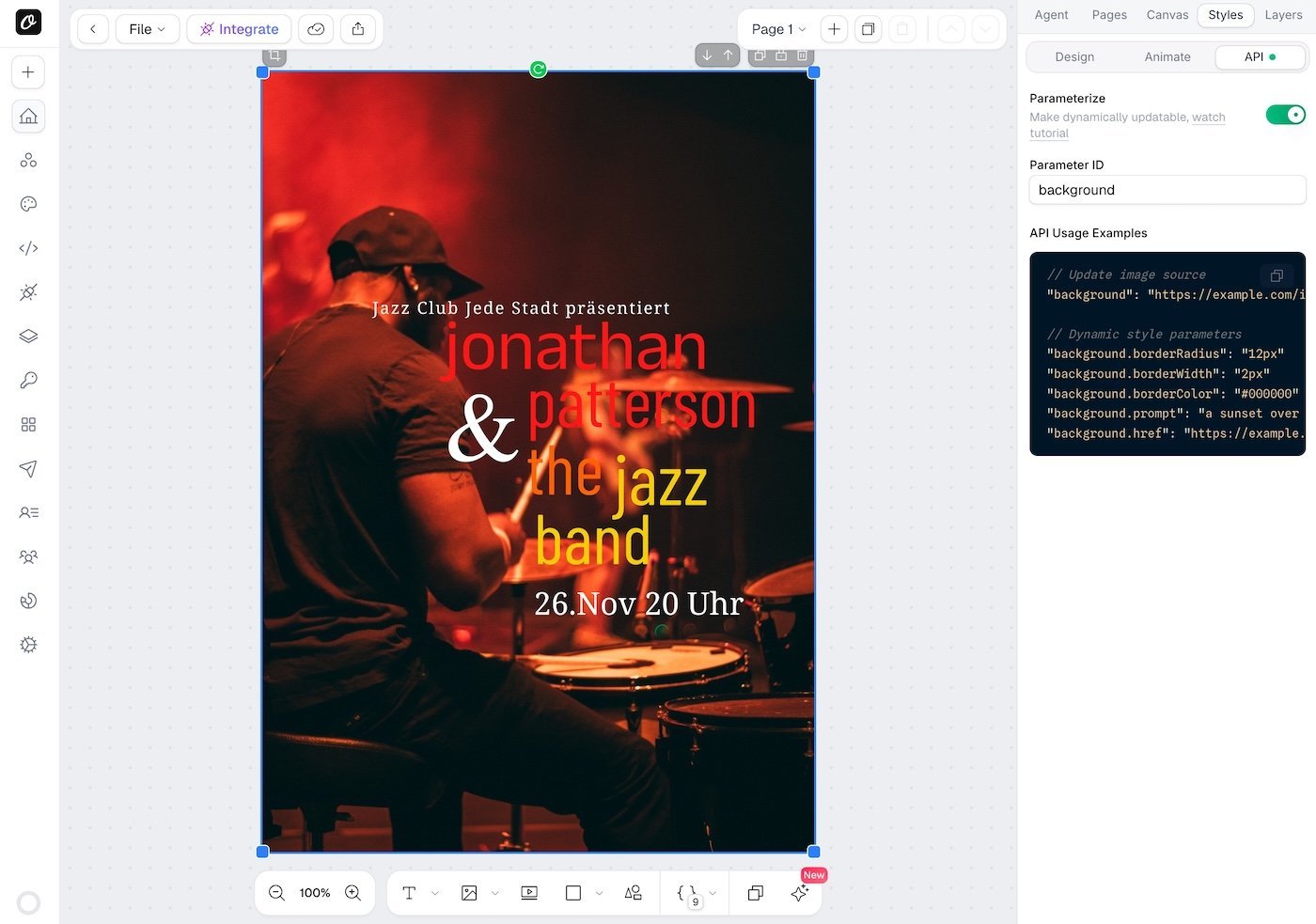
To make any element dynamic:
- Select the element on the canvas
- Open the Styles tab in the right sidebar
- Switch to the API sub-tab (next to Design and Animate)
- Toggle Parameterize on
- Set a unique Parameter ID
The API tab also shows usage examples for that element. A green dot appears on the API tab when the selected element has parameterization enabled.
Inline Parameters#
You can embed placeholders like {{name}} directly inside a text element's content. At render time, pass values using colon notation — parameterId:placeholderName — and each placeholder gets replaced while the rest of the text stays as-is.
{
  "heading": "Hello {{name}}, welcome to {{city}}!",
  "heading:name": "Sarah",
  "heading:city": "New York"
}
Renders as: Hello Sarah, welcome to New York!
This is useful for certificates, invoices, personalized messages, and any text where the structure is fixed but specific values change per render. See the full Inline Parameters guide for setup details, multi-page support, and more examples.
Video Element Parameters#
When you add a video element to your template and set a parameter ID, you can dynamically control:
- Video URL - Pass a custom video URL using the parameter ID
- Trim Start - Set the start time using
{parameterId}.trimStart - Trim End - Set the end time using
{parameterId}.trimEnd - Muted - Control audio with
{parameterId}.muted - Loop - Enable looping with
{parameterId}.loop
Example#
If your video element has parameter ID bgVideo, you can pass:
{
  "bgVideo": "https://example.com/video.mp4",
  "bgVideo.trimStart": 5,
  "bgVideo.trimEnd": 15,
  "bgVideo.muted": false,
  "bgVideo.loop": true
}Ready to automate?
Start rendering images, PDFs and videos from your templates in under 2 minutes. Free plan, no credit card.
Get your API key- Image, PDF and video generation via API
- Visual editor with AI and smart layouts
- Zapier, Make, MCP and 50+ integrations
- White-label embed for your own app
- 60 free renders — no credit card required