Claude Code GUI
You have a Claude Code GUI. Now you need a workspace.
Claude Code Desktop gives you a chat window. Nimbalyst gives you multi-session management, visual editors for mockups, diagrams, and data models, planning tools, and a mobile app — all built on top of Claude Code.


Claude Code now has a GUI. So why Nimbalyst?
The Claude Code CLI is powerful but lives in your terminal. Claude Code Desktop launched in 2026 with a clean graphical interface, Cowork for pair programming, and Dispatch for background tasks. Both are solid official surfaces for working with a single Claude Code session.
A GUI is not a workspace though. Once you are running concurrent Claude Code sessions, doing real Claude Code session management across branches, reviewing diffs file by file, sketching architecture diagrams, reviewing agent changes in markdown, mocking up UI, and tracking tasks, a chat window stops being enough. That is what Nimbalyst is built for.
Why Nimbalyst
What a workspace adds beyond a GUI


WYSIWYG markdown editor
Write specs, plans, and documentation in a rich WYSIWYG editor. Your agent sees the full document and project context — edit by hand or let AI draft, rewrite, and restructure.


Visual diff review
Review AI-generated changes file by file with inline red/green diffs. Accept, reject, or edit each change before it lands — including markdown, code, and config files.


Visual editors
Mockups, Excalidraw diagrams, data models, spreadsheets, and markdown — all inside the workspace where your agent already has codebase context.


Session kanban
See all your Claude Code sessions on a kanban board. Search, filter, resume, and monitor agents across branches — not one chat window at a time.


Task management
Track tasks, bugs, and ideas alongside your agent sessions. Plan the work and execute it in the same environment — no separate project tracker needed.
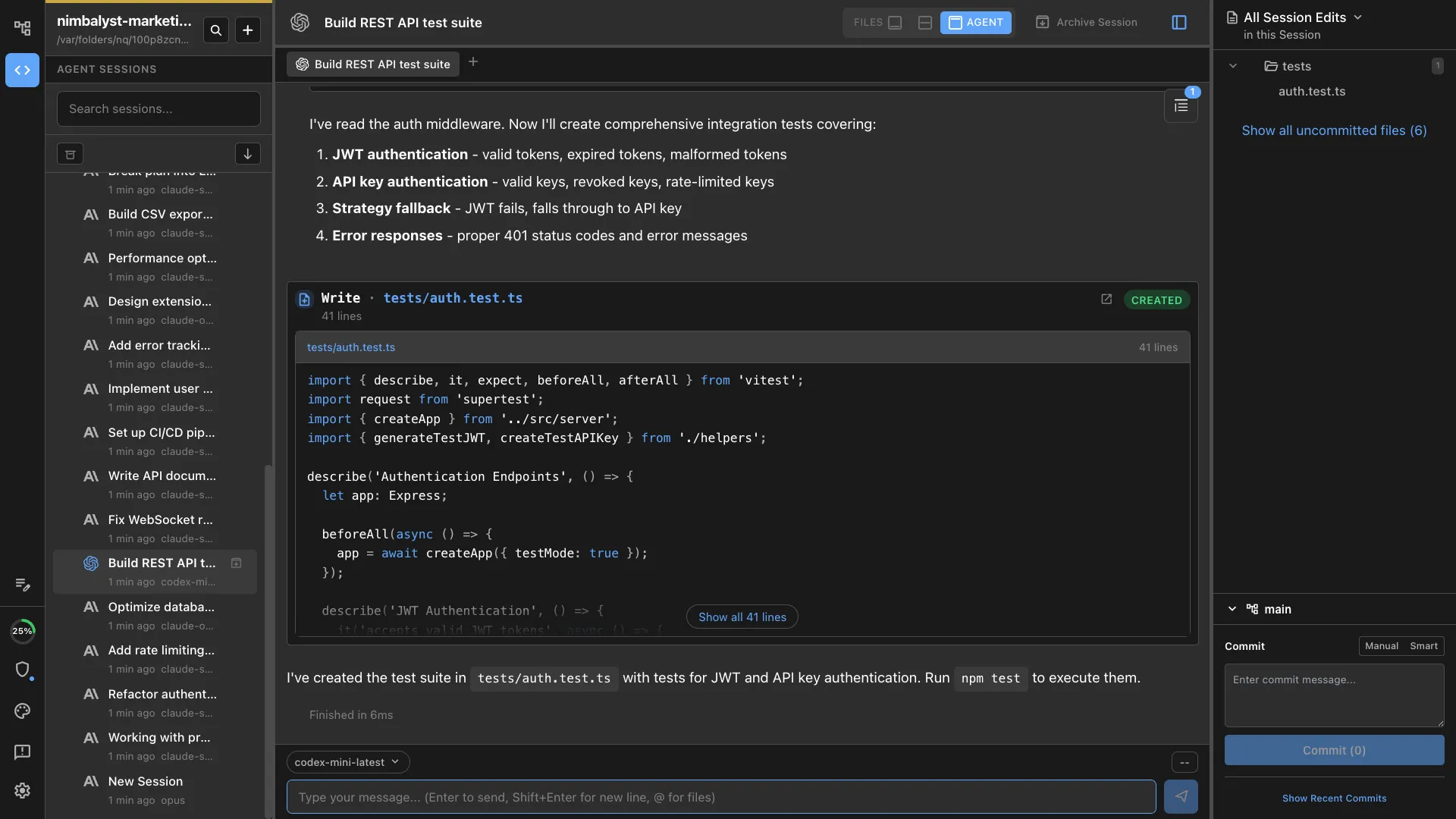
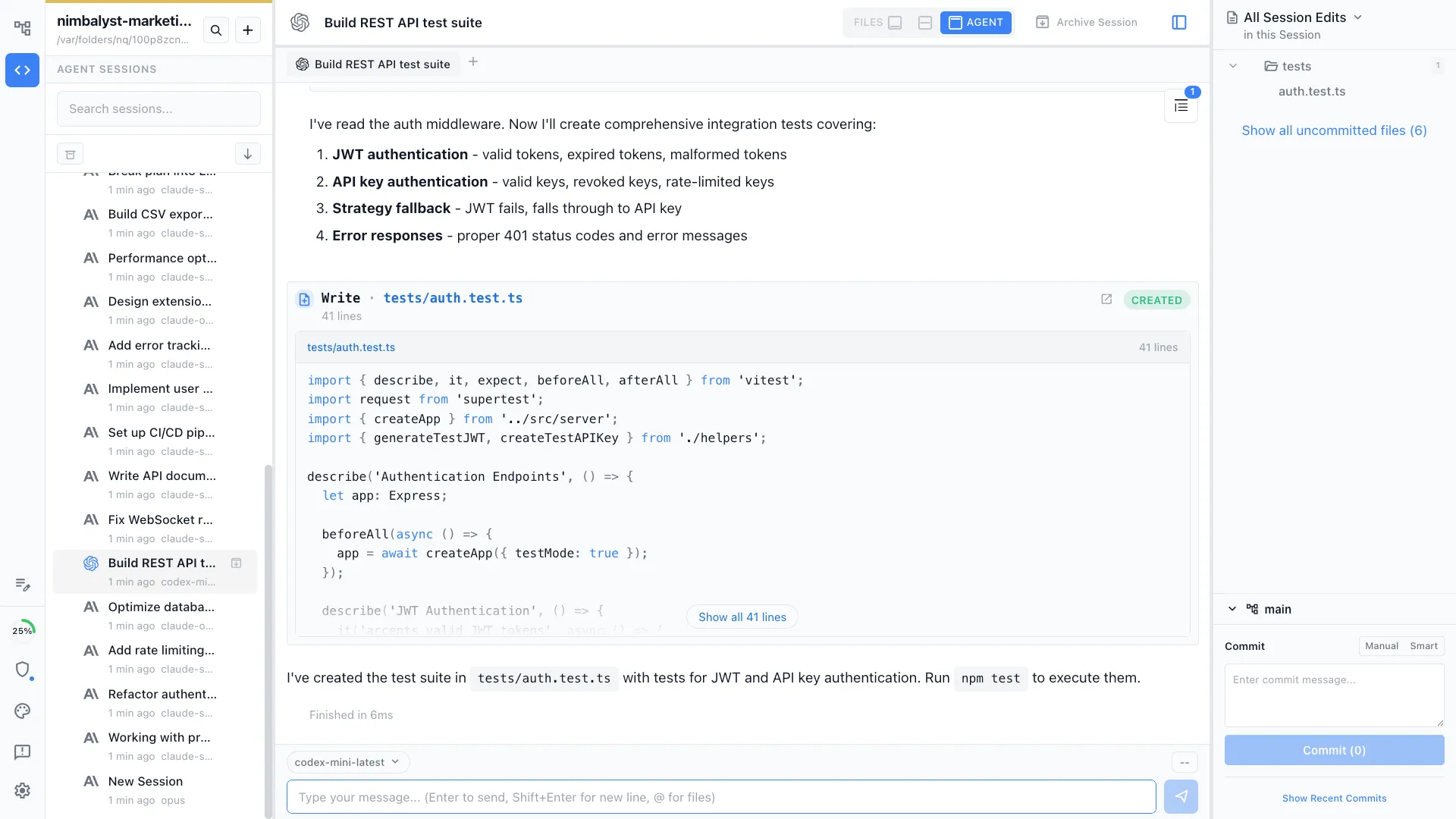
Codex support
Run Claude Code and OpenAI Codex side by side. Choose the best engine for each task, with shared workspace features, session management, and diff review.
Open source
The Nimbalyst desktop and iOS apps are MIT licensed and on GitHub. You can audit the app, fork it, and contribute fixes. No black box between you and your agent.
Comparison
Claude Code Desktop vs Nimbalyst
| Feature | Claude Code Desktop | Nimbalyst |
|---|---|---|
| Chat interface | Yes | Yes |
| Session management | Single session per window | Multi-session kanban with search, filter, and resume |
| Parallel agents | Dispatch (background tasks) | 6+ parallel sessions with unified status view |
| Visual editors | None | Markdown, mockups, diagrams, data models, spreadsheets, code |
| Diff review | Basic | File-by-file visual diffs with accept/reject per change |
| Planning & task tracking | None | Built-in task tracker, plans, and structured documents |
| Mobile app | None | iOS app for session monitoring and review |
| Codex support | Claude only | Claude Code and OpenAI Codex |
| Git worktree isolation | None | Optional one-click worktree per session |
| Extensions | MCP servers | MCP servers + custom visual editor extensions |
| Source code | Closed source | Open source on GitHub (MIT) |
FAQ
Frequently asked questions
Claude Code CLI vs GUI vs workspace: what's the difference?
Can Nimbalyst run concurrent Claude Code sessions?
Is Nimbalyst a replacement for Claude Code?
Does Nimbalyst work with Claude Code Desktop?
What is the best Claude Code GUI in 2026?
Can I use Claude Code in a visual interface?
Is Nimbalyst free?
Is Nimbalyst open source?
Learn More
Related guides and comparisons
Best Claude Code Session Manager (2026)
Side-by-side review of every Claude Code session manager for concurrent sessions.
Best Claude Code GUI Tools (2026)
A comprehensive comparison of every Claude Code GUI on the market.
Claude Code Desktop App
The open-source Claude Code desktop app for macOS, Windows, and Linux.
Visual Editor for Claude Code
Inline AI diffs across markdown, mockups, diagrams, code, and data models.
Kanban for Claude Code
Run multiple Claude Code sessions on a kanban board with phases and worktrees.
Parallel Claude Code Sessions
Run six or more Claude Code sessions in parallel with optional one-click worktree isolation per session.
Codex GUI & Workspace
The visual workspace for building with OpenAI Codex.
Nimbalyst vs Claude Code Desktop
Detailed side-by-side comparison of features, workflows, and tradeoffs.
Nimbalyst vs Claude Code CLI
Side by side: visual workspace vs the bare terminal agent.
Nimbalyst vs Opcode (formerly Claudia)
How Nimbalyst compares to the most popular open-source Claude Code GUI.
Session Management
Deep dive into multi-session kanban, search, and parallel agent orchestration.