The easy way · recommended
$ pip install mureo
$ mureo configure
mureo configure opens a local browser UI (bound to
127.0.0.1, ephemeral port — no remote access) that
walks you through everything: pick your Claude app, register the
MCP server, credential-guard hook, and skills, run Google / Meta
OAuth in the browser, register the official MCP providers, and
scaffold a Demo scenario or import a BYOD bundle — no terminal
secret-pasting, no JSON editing.
Mode A · 2 min · synthetic data
Demo — zero-friction trial
Try mureo end-to-end on a generated scenario. Four come built in
(seasonality-trap, halo-effect,
hidden-champion, strategy-drift) — each
ships STRATEGY.md, STATE.json, and a
synthetic ad bundle so the agent has something real to react to.
$ pip install mureo
$ mureo setup claude-code --skip-auth
$ mureo demo init --scenario seasonality-trap
No account, no OAuth, no XLSX. Switch scenarios with
--force. Best path for evaluation and onboarding
walkthroughs.
Mode B · 5 min · no OAuth
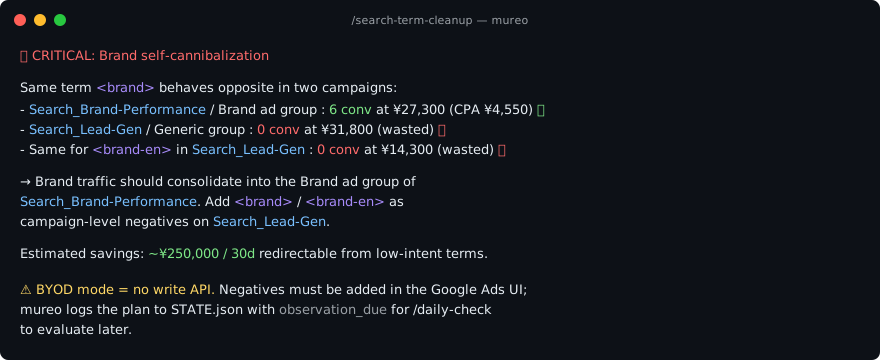
BYOD — read-only by construction
Drop a Sheet-bundle XLSX into mureo and get a strategy-grounded
multi-platform diagnosis. Every mutation tool returns
skipped_in_byod_readonly — the agent analyzes and
recommends but never writes to your real account.
$ pip install mureo
$ mureo setup claude-code --skip-auth
$ mureo byod import ~/Downloads/mureo-google-ads.xlsx
Google Ads via Apps Script template; Meta Ads via 2-click Saved
Report export (recognized in 9 languages).
Mode C · OAuth · full execution
Live API — full functionality
Connect mureo directly to Google Ads / Meta Ads APIs. Required
to actually execute changes (/rescue,
/budget-rebalance, /creative-refresh,
rollback apply) and for GA4 / Search Console support.
$ pip install mureo
$ mureo auth setup
$ mureo setup claude-code
Prerequisites: Google Ads Developer Token + OAuth Client; Meta
App ID + Secret. The wizard walks you through both.
Try a Demo scenario first to feel the agent loop, then bring your
own data via BYOD, then graduate to the Live API when you want
execution. See the
full getting-started guide
for the 3-modes × 3-hosts walkthrough (Claude Code, Claude Desktop,
Cowork) and the first end-to-end workflow.