|
Questa pagina in italiano |
(Last updated: 30/05/15)

|
+ |

|
PyTt
This is a tiny Python module to control a
Triggertrap Mobile dongle.
It just need Python v2.x and Pygame, so it should work on any system,
Raspberry Pi included.
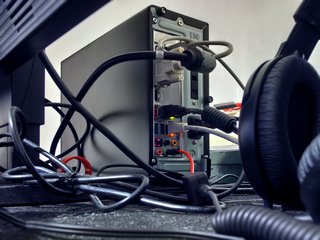 |
PC self-portrait! :-) |
How To
Very little code is needed to take a photo. Just create a PyTt.Trigger object, and then use the shutter and/or focus methods with the desired duration (in ms).
 import PyTt
 tt = PyTt.Trigger()
 tt.shutter(100)
|
Here's a simple time lapse script:
 import PyTt
 from time import sleep, clock

 delay = 1 # initial delay
 photosnum = 10 # photos to take
 interval = 3 # seconds between photos

 tt = PyTt.Trigger()

 print "Start!"
 sleep(delay)
 for i in xrange(photosnum):
     print "Shot %04d! Time: %.2f" % (i+1, clock())
     tt.shutter(100)

     # calculate time from the start, to avoid timing errors propagation
     waittime = (i+1) * interval - clock()
     print "  Waiting %.4f seconds..." % (waittime)
     sleep(waittime)

 print "Finished!"
|
Obviously there are many more interesting ways to use it, controlling the PC or device connected to the Triggertrap Mobile
dongle remotely via Internet or Bluetooth, monitoring a webcam for scenes changes, waiting for commands via IM, etc.
If you develop any nice scripts that makes use of PyTt, or a nice GUI, let me know and I'll be more than glad to make
available a samples package, or link to other pages, etc.
Download
PyTt v1.02, 4KB ZIP
Change Log
PyTt v1.02 - 15/03/13:
+ Trigger lag reduced to almost 0.
PyTt v1.00 - 14/03/13:
- First version released.
|
|