
설명
Shortcodes Ultimate is a WordPress shortcode plugin for adding reusable content elements without coding.
Create tabs, accordions, buttons, boxes, sliders, carousels, lightboxes, columns, post lists and other visual elements directly inside WordPress posts, pages, widgets and templates.
Use it when you need a practical content toolkit for blogs, business websites, affiliate sites, documentation, landing pages, client projects or existing WordPress sites with shortcode-based content.
What you can build
With Shortcodes Ultimate, you can quickly add common WordPress content elements such as:
- Accordions and FAQ sections
- Responsive tabs
- CTA buttons and download buttons
- Boxes, notes and callouts
- Columns and layout helpers
- Sliders and carousels
- Lightboxes for images and custom content
- Post lists and dynamic content blocks
- Spoilers, toggles and expandable content
- Media embeds and visual content blocks
Instead of installing a separate plugin for every small content element, Shortcodes Ultimate gives you one maintained toolkit for everyday WordPress content tasks.
Works with modern and classic WordPress workflows
Shortcodes Ultimate works with the Block Editor, Classic Editor, widgets and template files. You can insert shortcodes manually, use WordPress shortcode blocks or use the built-in shortcode generator to configure elements visually.
This makes the plugin useful for:
- Site owners who want to improve content without coding
- Bloggers and affiliate publishers who need reusable CTA and content blocks
- Agencies and freelancers maintaining multiple WordPress sites
- Developers who want shortcode-friendly output in templates
- Existing sites with older content that already uses shortcodes
Why use Shortcodes Ultimate?
- 50+ ready-to-use WordPress shortcodes
- Visual shortcode generator
- Live preview
- Works with the Block Editor and Classic Editor
- Shortcodes can be used in posts, pages, widgets and template files
- Responsive elements that work with your theme
- Built-in Custom CSS editor
- Developer-friendly hooks and documentation
- Free version available on WordPress.org
- Pro version available for advanced shortcodes, extra styles and premium support
Why shortcodes still matter in WordPress
The WordPress Block Editor is great for visual content editing, but shortcodes are still useful when you need portable, reusable content elements that work across different parts of a WordPress site.
Shortcodes are especially helpful when you want to:
- Reuse the same content element in many posts or pages
- Add dynamic content inside widgets or templates
- Maintain older WordPress sites that already use shortcodes
- Work across Classic Editor and Block Editor workflows
- Add content elements without switching to a full page builder
- Keep common UI elements available through a simple text-based syntax
Shortcodes Ultimate is designed for these practical workflows. It gives you a large collection of ready-made shortcodes and a visual generator, so you do not need to write shortcode syntax manually unless you want to.
Free and Pro
The free version of Shortcodes Ultimate includes a large collection of useful shortcodes for everyday WordPress content tasks.
Shortcodes Ultimate Pro adds advanced shortcodes, additional styles, Content Slider, Pricing Table, Testimonials, Shortcode Creator, Elementor support and premium support.
Useful links
스크린샷
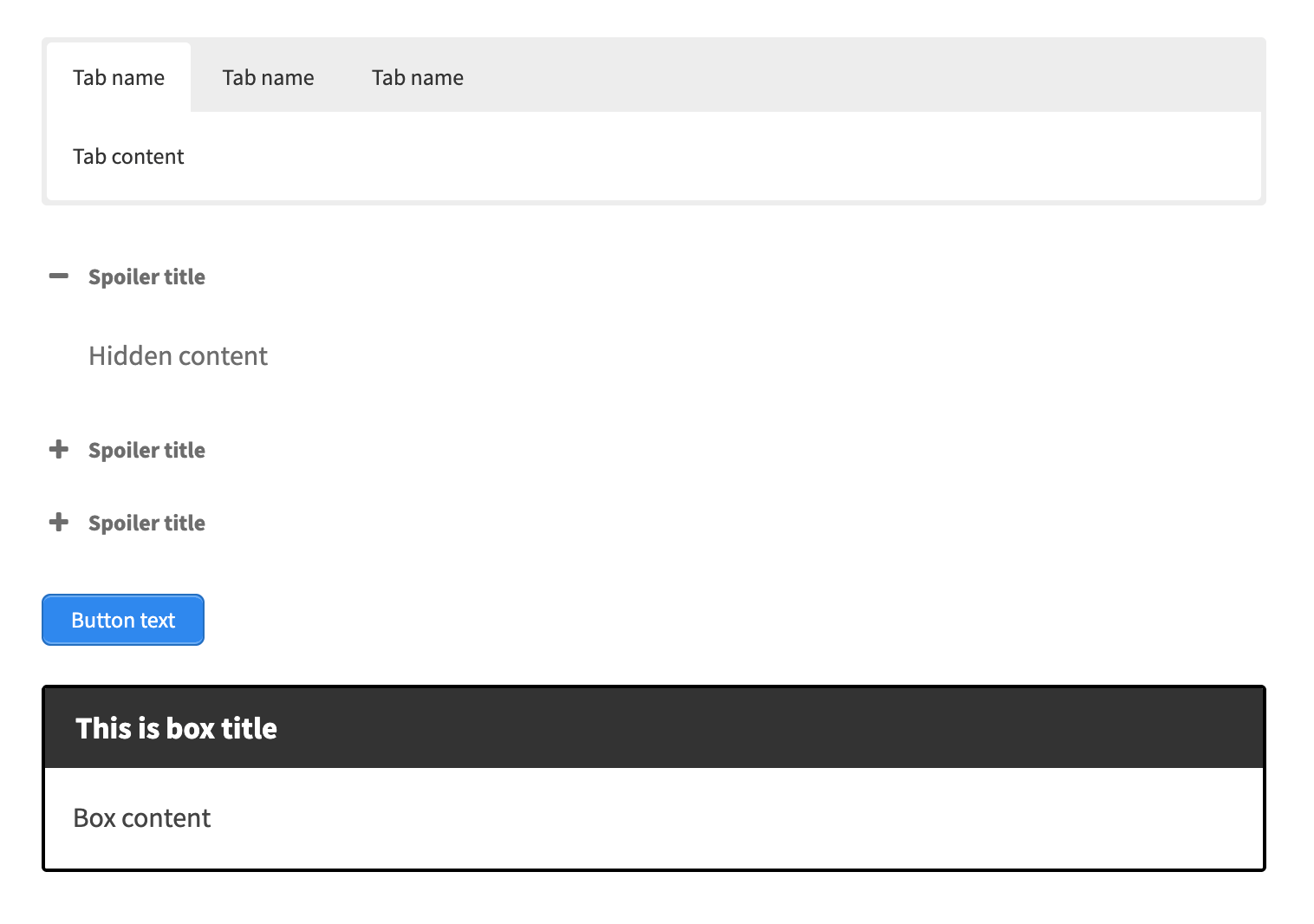
Frontend examples of popular shortcodes: tabs, accordion, button and content box. 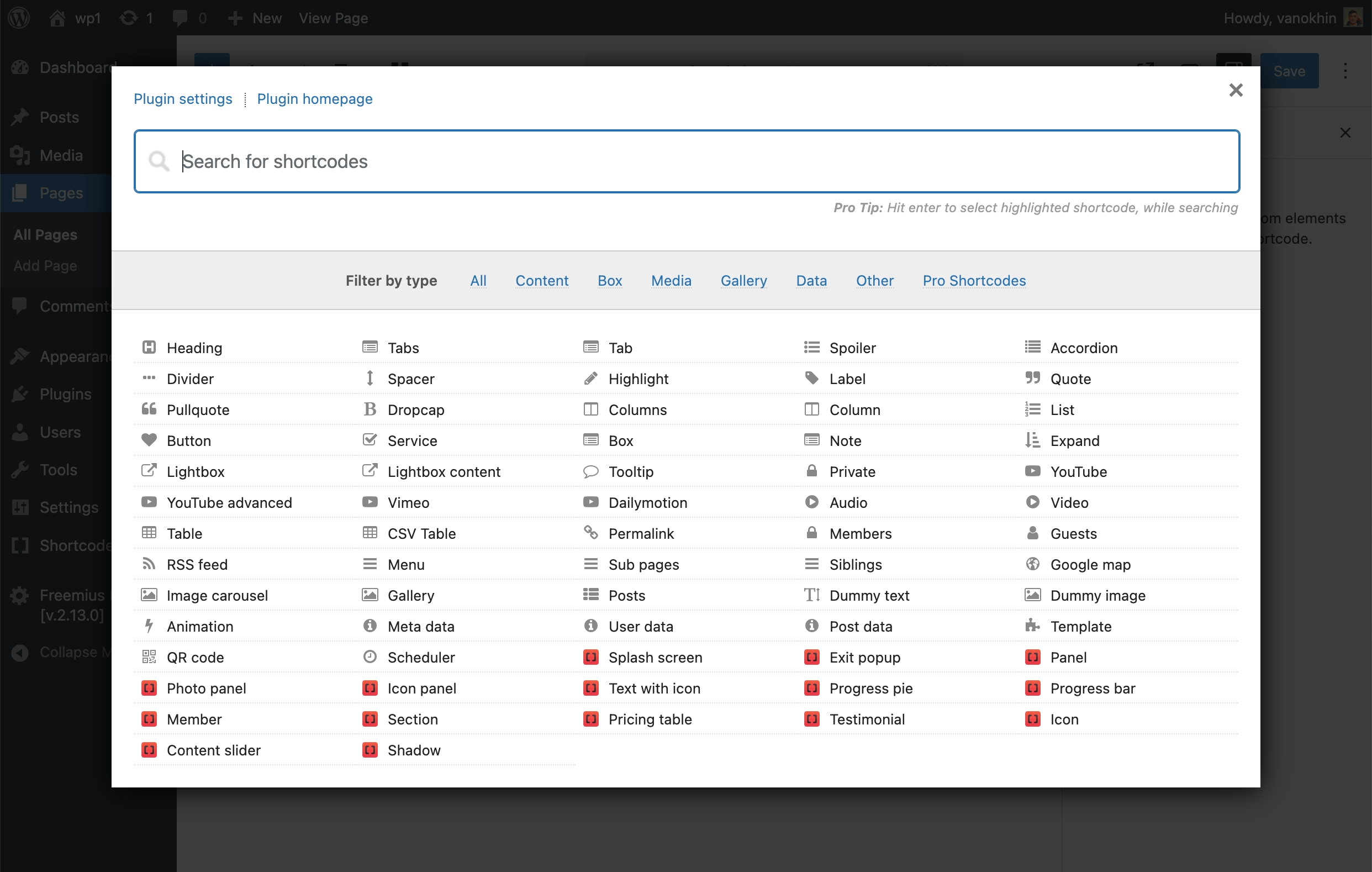
Insert Shortcode window with searchable shortcode list. 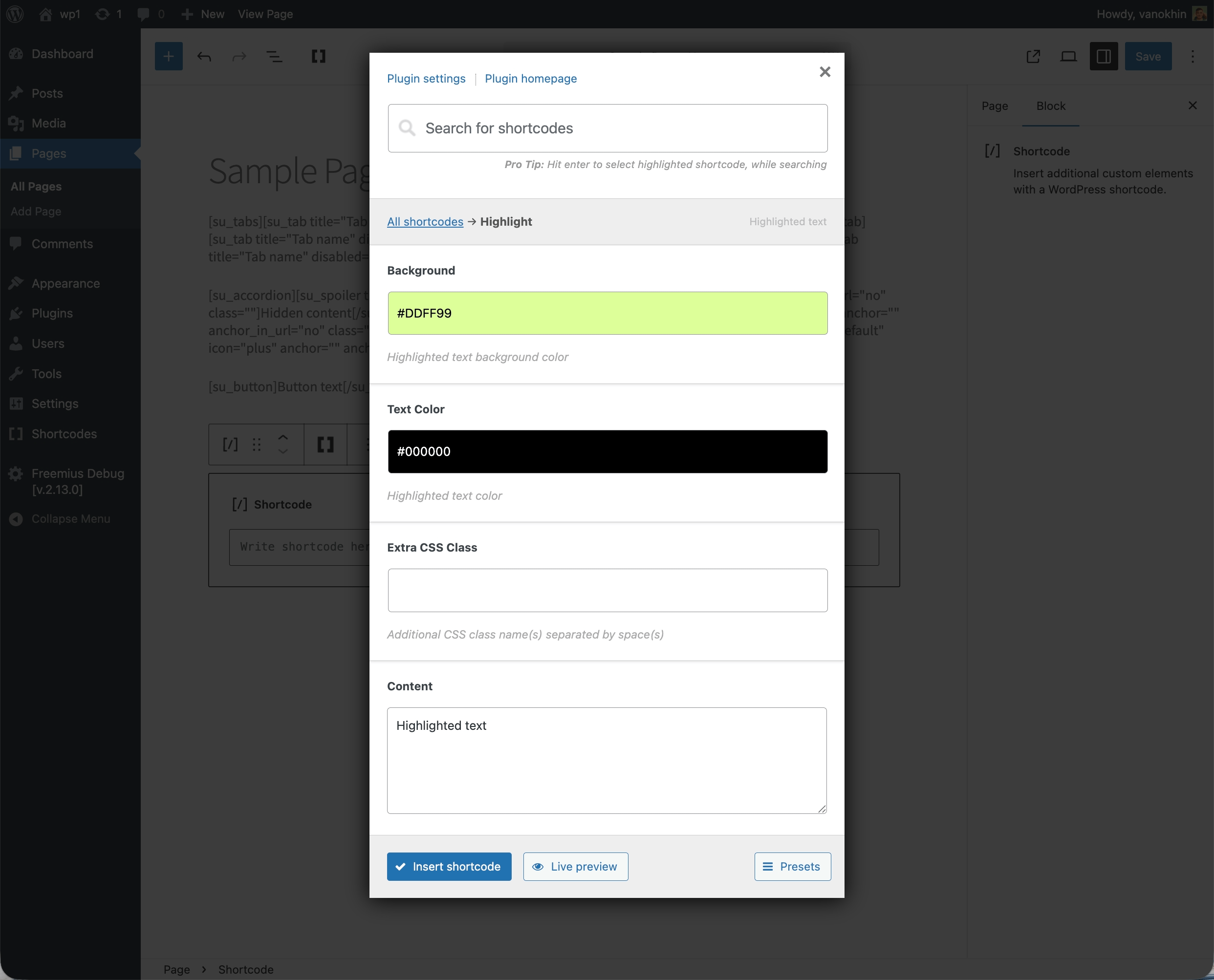
Visual shortcode settings with configurable options. 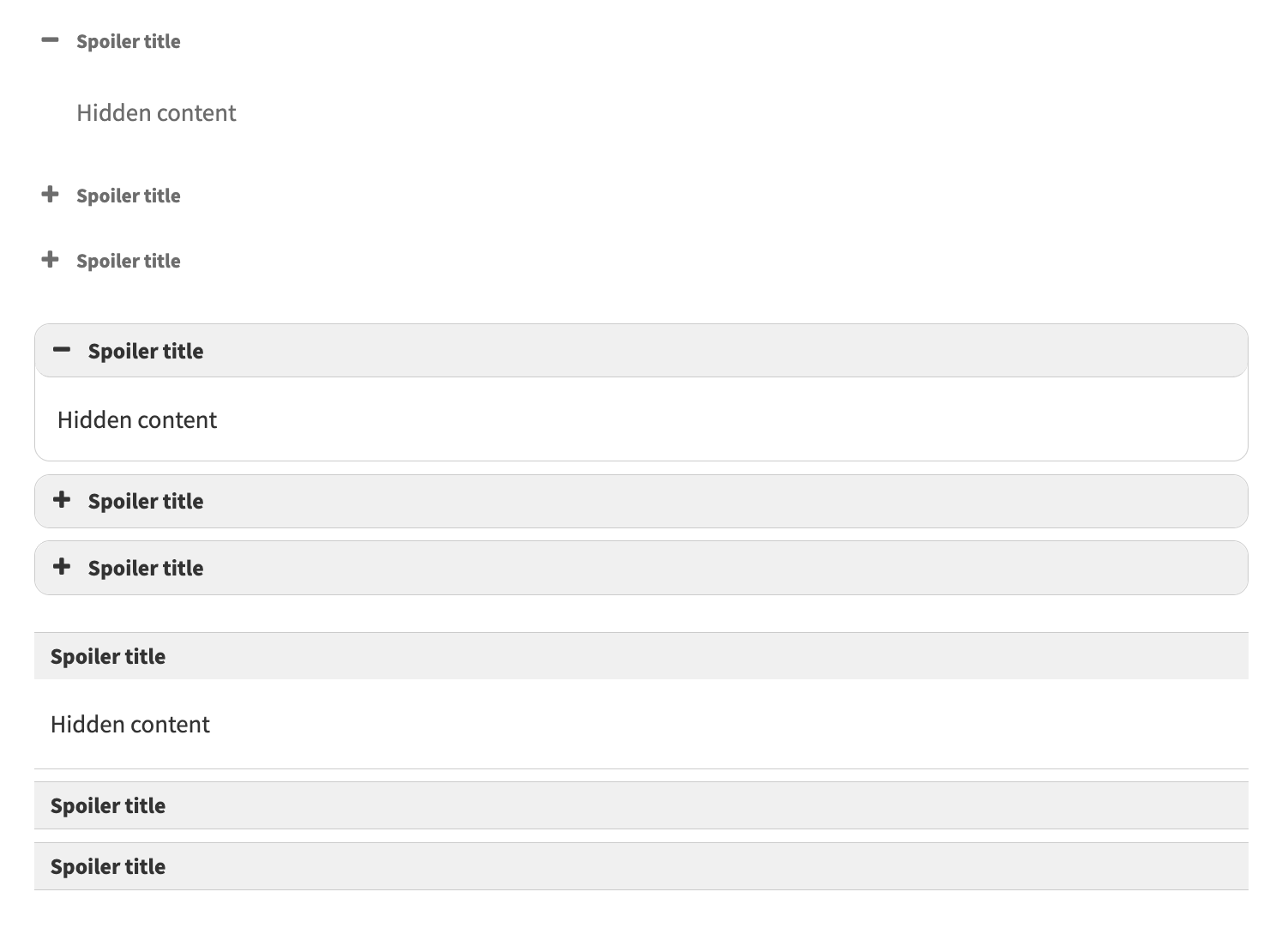
Accordion shortcode example for FAQ sections. 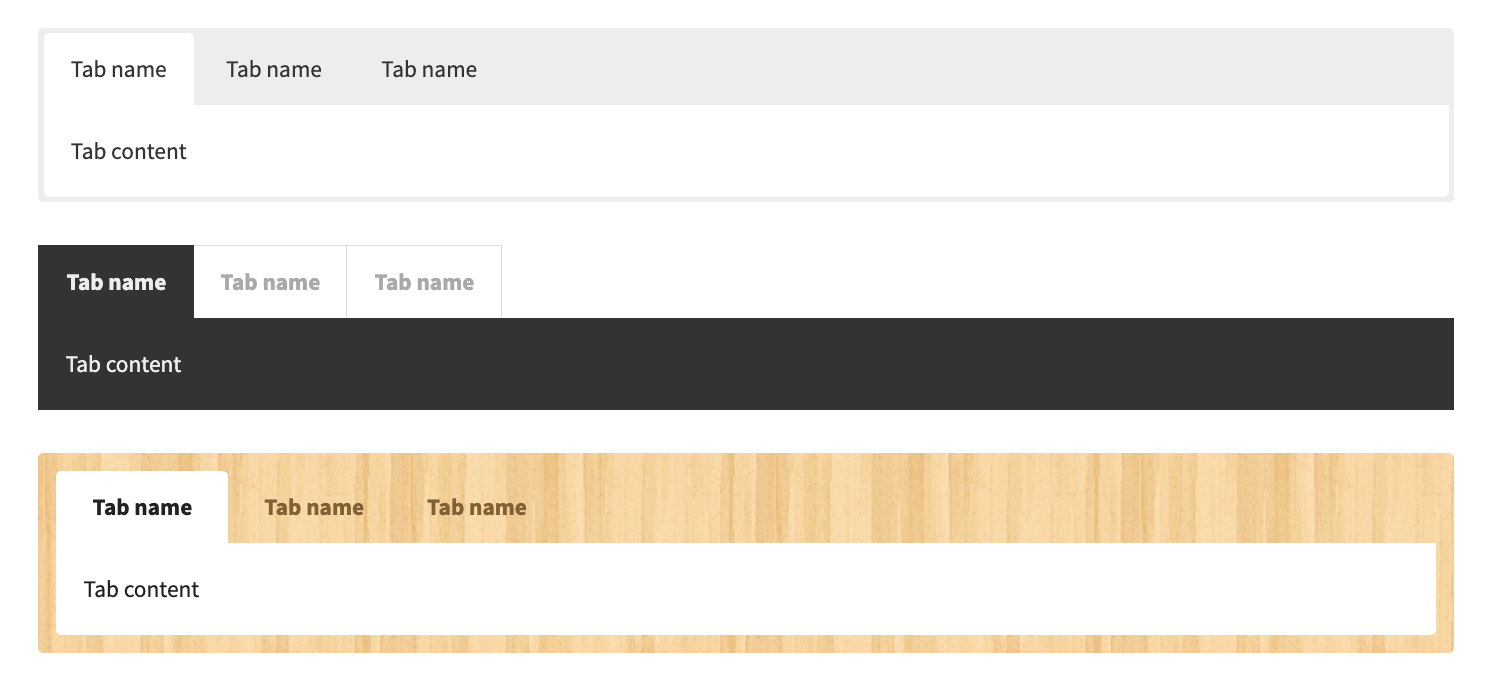
Tabs shortcode example for organizing long content. 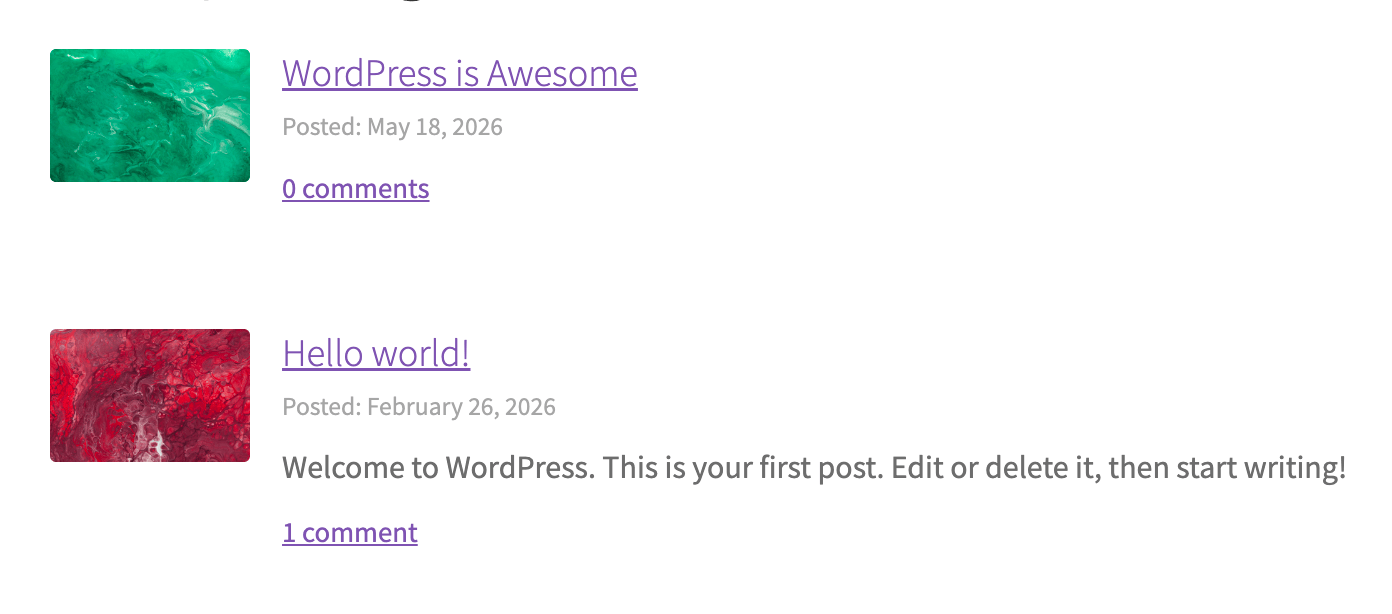
Posts shortcode example for displaying WordPress posts inside a page. 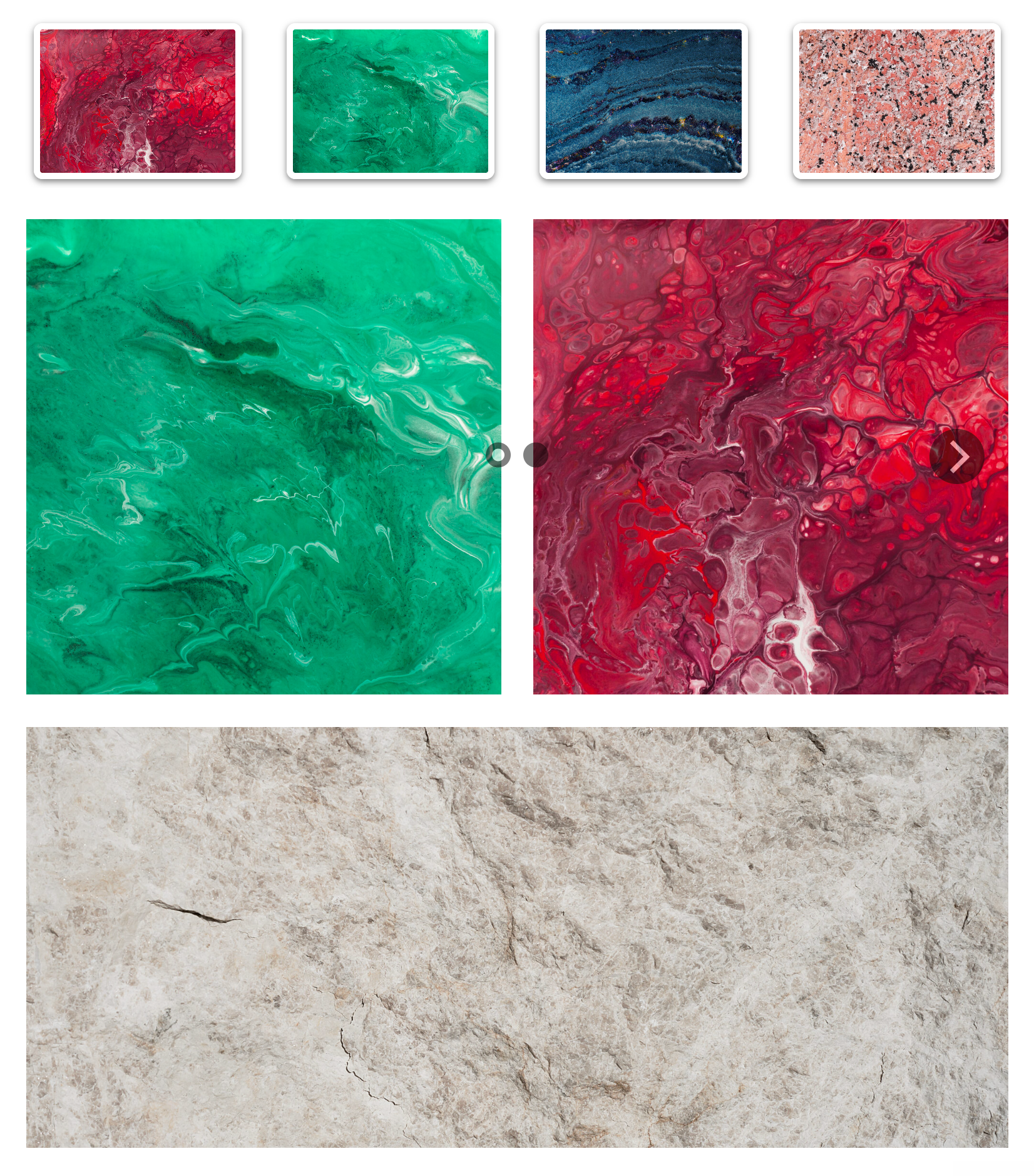
Image Carousel example for visual content sections. 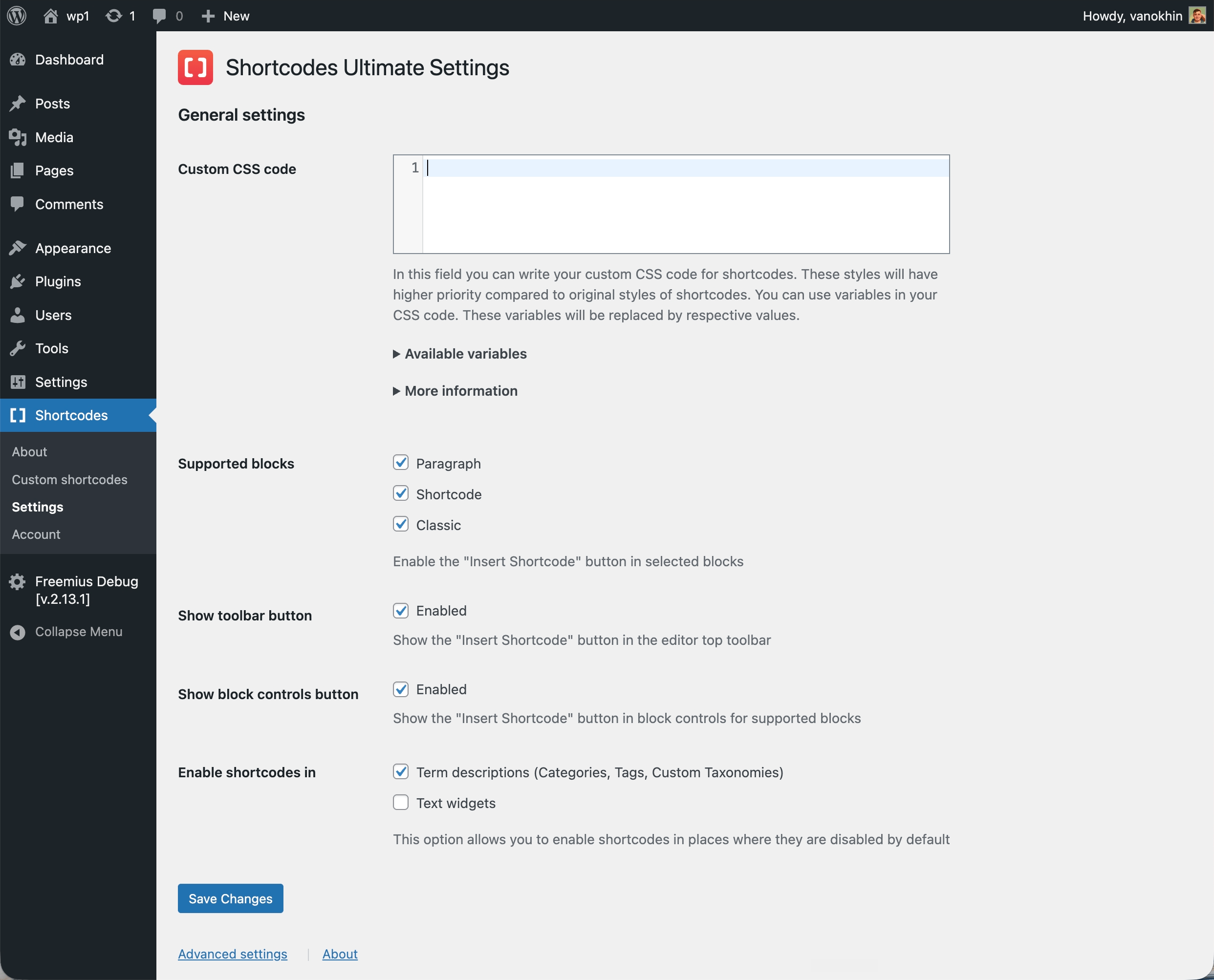
Custom CSS editor for adjusting shortcode styles. 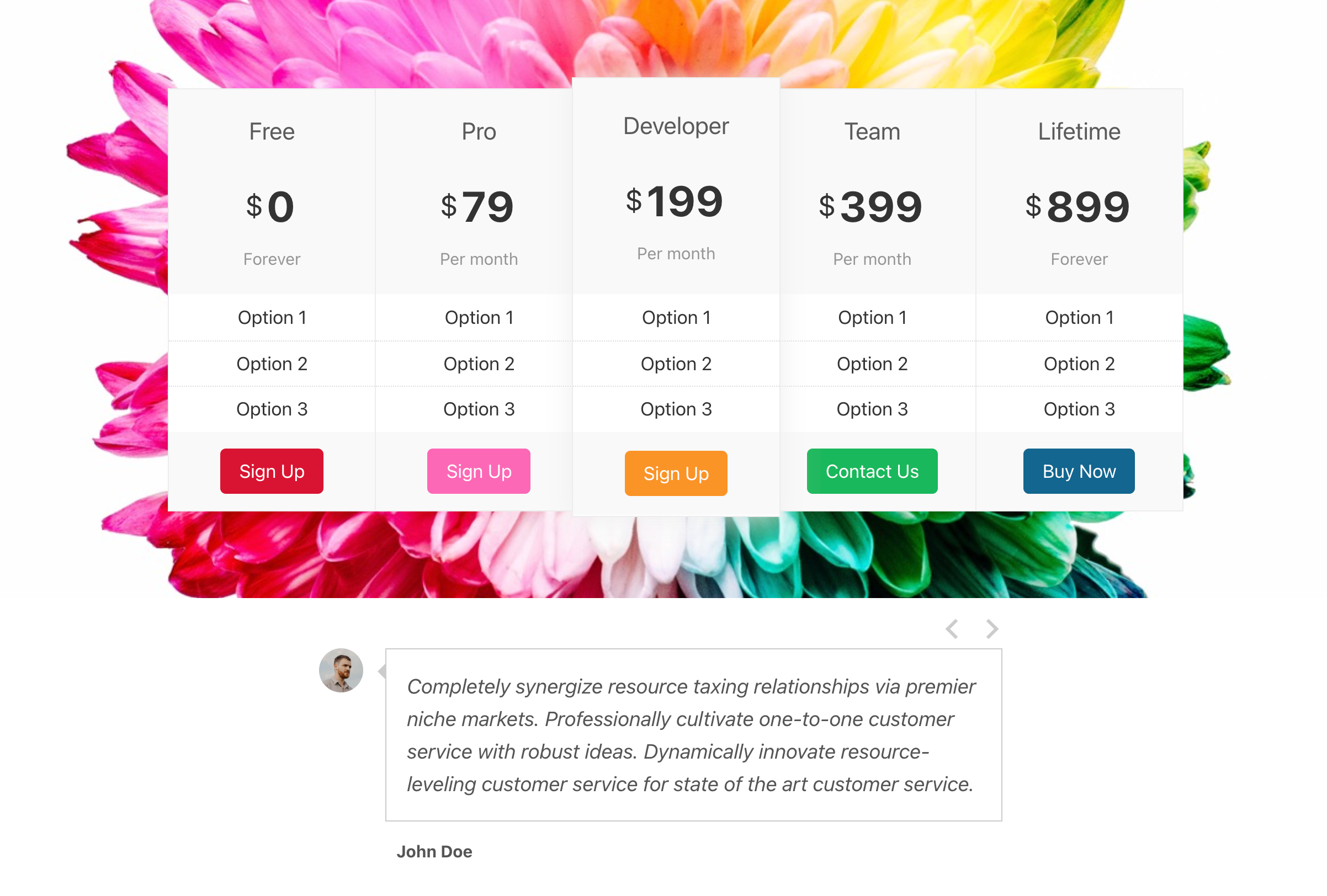
Pro examples including Content Slider, Pricing Table and Testimonials.


설치
알림판 내에서(권장)
- 알림판 – 플러그인 – 새로 추가로 이동합니다.
- 쇼트코드 얼티밋 검색;
- 설치를 클릭한 다음 활성화를 클릭합니다.
수동 설치
- 플러그인을
.zip파일로 다운로드하십시오. - 다운로드한 아카이브의 압축을 풀고
/wp-content/plugins/디렉터리 아래의shortcodes-ultimate폴더를 업로드합니다(결과 플러그인 경로는/wp-content/plugins/shortcodes여야 함) -최종/); - 알림판 – 플러그인으로 이동하여 플러그인을 활성화합니다.
FAQ
-
Does Shortcodes Ultimate work with the WordPress Block Editor?
-
Yes. Shortcodes Ultimate works with the WordPress Block Editor. You can insert shortcodes into Shortcode blocks, Paragraph blocks and Classic blocks. You can also use the plugin’s Insert Shortcode workflow to configure a shortcode visually and insert the generated shortcode into your content.
-
Does it work with the Classic Editor?
-
Yes. Shortcodes Ultimate works with the Classic Editor and remains useful for sites that still use classic WordPress editing workflows.
-
Can I use Shortcodes Ultimate with Elementor?
-
Yes. You can use WordPress shortcodes inside Elementor shortcode widgets and other areas that support shortcodes. Shortcodes Ultimate Pro also includes Elementor support for smoother workflows.
-
Can I use shortcodes in widgets?
-
Yes. You can use Shortcodes Ultimate in widget areas and other WordPress areas where shortcodes are processed by your theme, WordPress setup or plugins.
-
템플릿 파일에서 쇼트코드를 사용할 수 있습니까?
-
Yes. Developers can output shortcodes in theme or plugin template files using WordPress shortcode functions such as do_shortcode(). For example:
<?php echo do_shortcode('[su_button url="https://example.com"]Click me[/su_button]'); ?>Use this carefully and only in places where you control the shortcode content.
-
Why should I use shortcodes instead of blocks?
-
Blocks are excellent for visual editing. Shortcodes are useful when you need reusable content elements that can work across posts, pages, widgets, templates and older content.
Shortcodes Ultimate is especially helpful for hybrid WordPress sites, older sites, content-heavy sites and workflows where you want a simple way to insert the same type of element in many places.
-
Is there a free version?
-
Yes. The free version of Shortcodes Ultimate is available on WordPress.org and includes a large collection of useful shortcodes for everyday content tasks.
-
What does Shortcodes Ultimate Pro add?
-
Shortcodes Ultimate Pro adds advanced shortcodes, additional styles, Content Slider, Pricing Table, Testimonials, Shortcode Creator, Elementor support and premium support.
-
Will Shortcodes Ultimate work with my theme?
-
Shortcodes Ultimate is designed to work with most properly coded WordPress themes. Because themes can apply their own CSS, some visual differences are possible. If something does not look right, check the documentation or contact support.
-
Can I customize shortcode styles?
-
Yes. Shortcodes Ultimate includes styling options for many shortcodes and a Custom CSS editor for additional adjustments.
-
Do I need coding skills to use it?
-
No. Most users can insert and configure shortcodes through the visual shortcode generator. Developers can also use shortcodes manually or inside template files when needed.
-
Where can I find documentation?
-
Documentation is available here:
https://getshortcodes.com/docs/?utm_campaign=wporg&utm_medium=readme&utm_source=faq_docs
-
Where can I get support?
-
Free users can use the WordPress.org support forum. Pro users can access premium support through the Shortcodes Ultimate website:
https://getshortcodes.com/support/?utm_campaign=wporg&utm_medium=readme&utm_source=faq_support
후기


기여자 & 개발자

변경이력
7.5.1
- 워드프레스 6.6까지 테스트 완료
- 프리미우스 SDK 업데이트
7.5.0
- Fixed “WP_Scripts::add was called incorrectly” notice on WordPress 6.9.1
- Improved input sanitization in several shortcodes
7.4.10
이 업데이트에는 보안 개선 사항이 포함되어 있으며 모든 사용자에게 권장됩니다.
7.4.9
이 업데이트에는 보안 개선 사항이 포함되어 있으며 모든 사용자에게 권장됩니다.
7.4.8
Security update for the Lightbox shortcode
7.4.7
테스트 환경: 워드프레스 6.9 (2025년 12월 2일 출시 예정)
7.4.6
이 업데이트는 보안이 개선되었으며 모든 사용자에게 권장됩니다.
프리미우스 SDK 업데이트
7.4.5
이 업데이트에는 보안 개선 사항이 포함되어 있으며 모든 사용자에게 권장됩니다.
프리미엄 애드온에 문제가 있는 경우 구매 복원 페이지를 방문하여 최신 버전을 다운로드하세요. 이미 문제가 해결되었을 가능성이 높습니다.
이전 변경 로그 항목은 변경 로그.txt 파일에서 사용할 수 있습니다.