Indie game storeFree gamesFun gamesHorror games
Game developmentAssetsComics
SalesBundles
Jobs
TagsGame Engines

Franuka

369
Posts
11
Topics
2,292
Followers
51
Following
A member registered Aug 26, 2020 · View creator page →

Creator of

Recent community posts

Hello!
Those are slopes/ramps, they are meant to be placed on top of hills to create a path, like so:
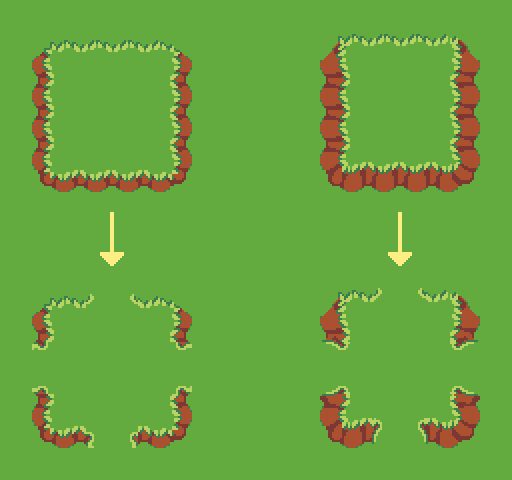
Hope this helps, let me know if you have any other questions

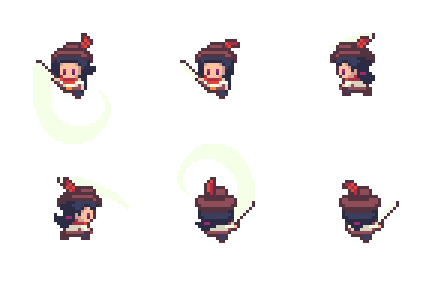
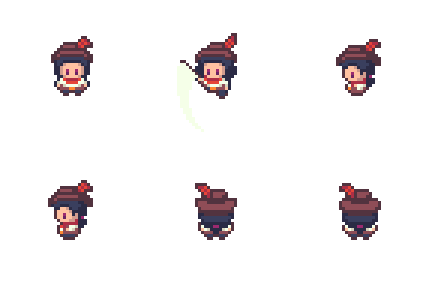
Sorry, I don't follow. This is the animation, coming from "Idle":


Is that not what you're seeing in your files?

Hi mate. You mean this animation? I'm not sure I understand what the issue is. He is using a sword for a melee attack.

Thank you!

Hello there. I'd like to develop a full farming-game expansion with more crops, animations, specific buildings (barn, mill, etc.) and UI. It'll take some time, but I'll probably do it next year.

I'd like to develop a full farming-game expansion with more crops, animations, specific buildings (barn, mill, etc.) and UI. It'll take some time, but I'll probably do it next year.

Awesome thank you, I'll check it out!
Yes, characters are a bit taller so that I can add more detail, headgear, etc.

Yeah no problem on commercial use, go for it
Good luck with your project :)

Thanks! Asset packs are a really easy and cheap way to kickstart your projects since they have tons of assets that would otherwise take too long to make. You can always modify them or create your own if needed, and that way you'll also be learning. Hope these are useful to you, cheers!

Great game and idea, very polished and fun :)

No, not yet at least. You can find characters with tool animations in my Heroes pack (https://franuka.itch.io/fantasy-rpg-heroes-pack)

This pack uses an overall darker colour palette. You can use my other Fantasy RPG characters since the size and style is the same, but the colours are a bit brighter.

I know, I usually prioritize how the page looks over how "stealable" it is. Honest people will still eventually buy it if the assets are good, and if someone wants to take the time to rip part of the assets, well...I take it as a compliment :)

You're right that showing all 4 directions with the Idle animation might not be necessary here. 

Awesome, thanks a lot for the support and stay tuned here or on instagram/x for more news :)

Hi man, thanks!

I plan to keep updating this and/or create related assets that work with it. Currently this pack is sitting at $1450, so we haven't reached the last goal yet. What you see above is a shared goal among all my packs (the whole bundle), so it's not what I take into account for the set goals in the description. But yes, I will keep adding content regardless of that, although most likely for next year.

Cheers!

Thank you King! That was definitely an inspiration, so I'm glad you think it fits :)

Excelentee!

Venis mejorando mucho en el arte y pulido de los juegos

Thank you for the kind words and support <3

Hi, please send an email to franukai@gmail.com for questions regarding commissions. Thanks!

(1 edit)

Ok awesome! Glad to hear you were able to make them work manually, at least. That's some good info.

I'll consider your suggestions for future content :)

Well, for starters, it depends on which version of RPG Maker you're using. And they use many different tilesheets depending on what the tiles are for. So, for example, there's a tilesheet for animated tiles, another for ground tiles, another for building tiles, walls...
The placing is different, too. And animated tiles are split into half-sized tiles, I think. So yeah, it's complicated. I tried adapting them once but gave up because it would require too much work for now. Feel free to try, of course, hopefully you'll find it easier than me.

Here's a guide explaining it for MV: https://robotsweater.medium.com/bots-guide-to-custom-art-in-rpgmaker-mv-understa...
And I also found these templates that might help: https://slyheegames.itch.io/rpg-maker-mvmz-sizing-templates
---

I don't have plans for expanding this pack in the near future, but I do want to add attack and death animations to these sprites in a future update. I have many other updates planned before that, though, sorry! There's a lot I want to do but I usually have to compromise and choose some things over others, haha.

Anyway, thanks so much for the support! <3

That would require a lot of work, since they use a different tiling format. I don't have plans for it at the moment, but I'll consider it for the future. Thanks for the feedback.

Nice game gg well done, would go to Chimborazo again aunque me juzguen por mi sombrero

(1 edit)

Heeeey, nice game, pretty hard too :)
I made it to 00:34

Hi gabo, you can download a free demo here: https://franuka.itch.io/rpg-icon-pack-demo

Hello there! I barely use Unity, so I don't have a specific guide for that, sorry...

What I can tell you is that the slider is made out of 3 parts: The background rectangle, the stretchable filling (for measuring health, volume, etc.), and a little decorative "knob" on top (that moves at the end of the filling).

Sorry that I can't help you more at the moment! I'll look into it.

Thank you very much! Ohh true, I think the little flame guy was called Calcifer. Beautiful movie :)

Awesome, I'm glad it works! Yes, it's a bit weird haha. I'll add it to the description so others know.

Hello! Here on the left are the settings I used for importing them into Unity, for pixel clarity.
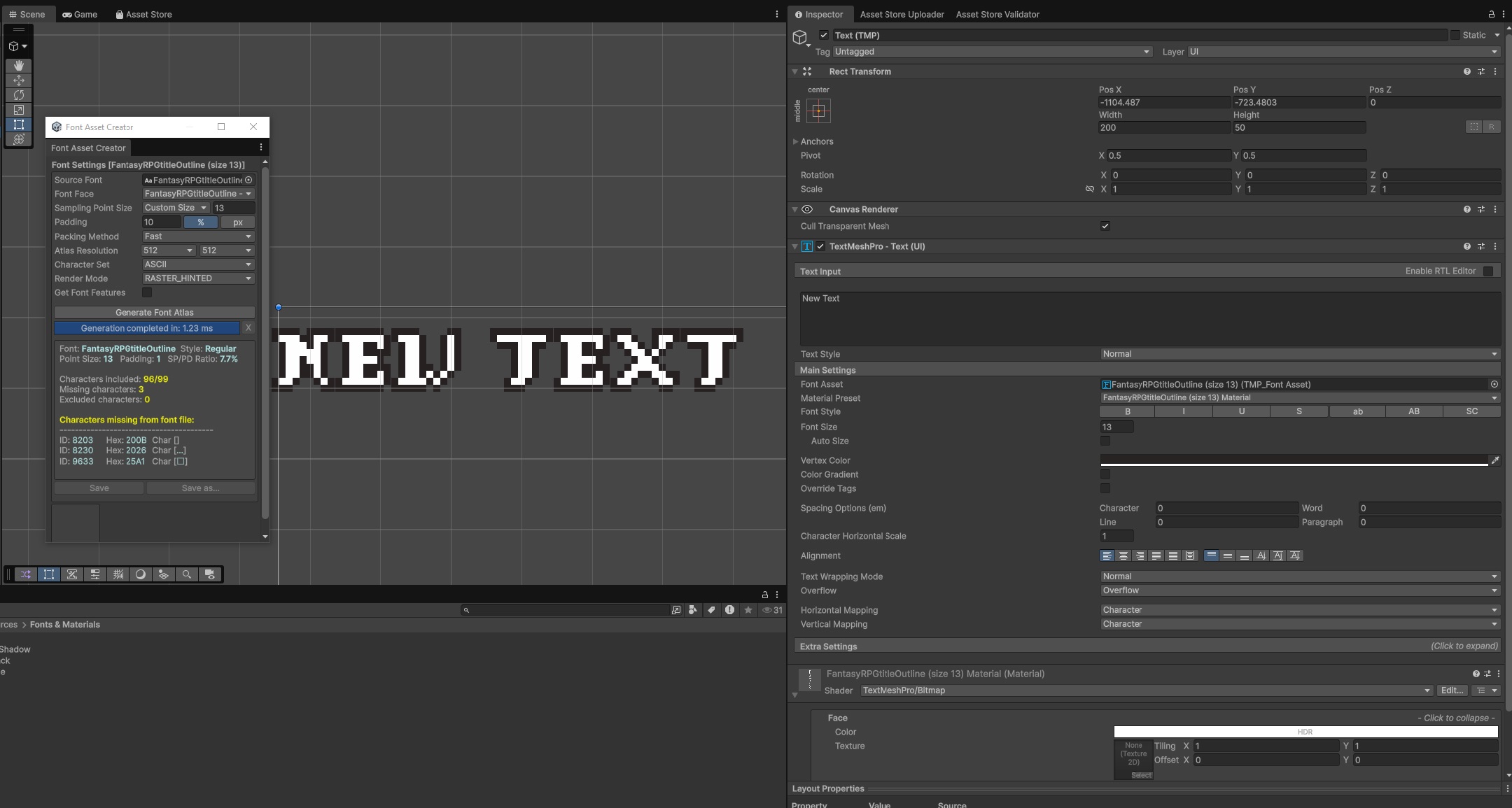
For alignment, I found that both fonts should have the same X position, but the outline should be placed 1px higher on Y axis. So, if "FantasyRPGtitle" Pos Y is 4, then "FantasyRPGtitleOutline" should be at 5. This way they align perfectly. Not sure why this is needed, since I created them in the same size and grid...
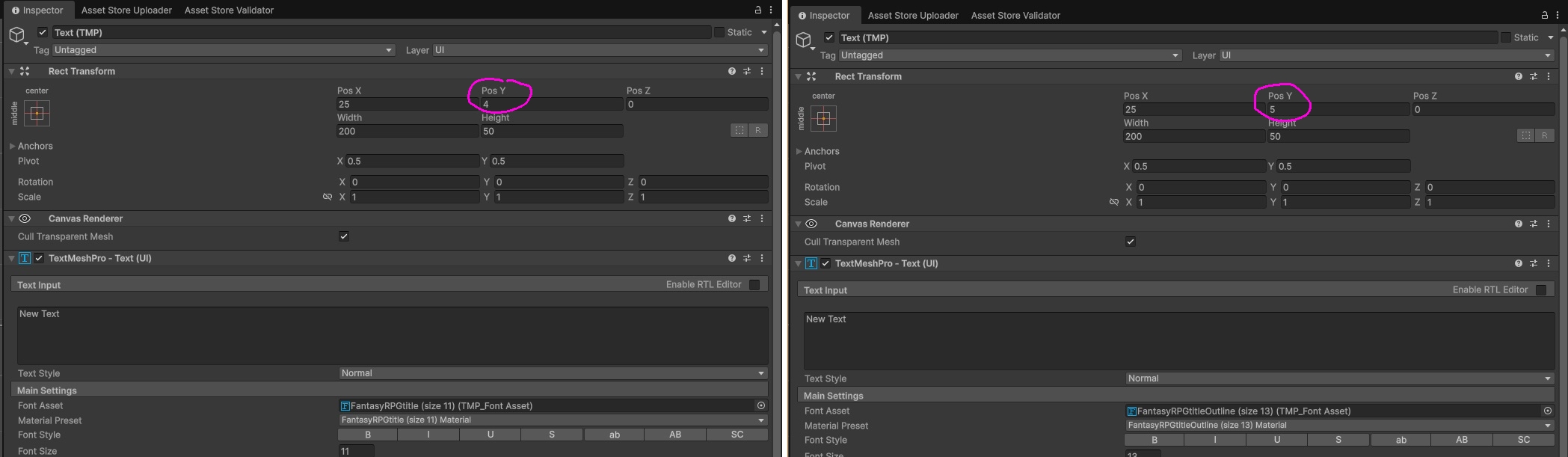

I hope this solves the issue for you!
Thanks King! 🙏

Yeah it's one of my most successful ones so I'm giving it some love :D

Haha thank you very much. Enjoy!~

Thanks for the support! Best of luck with your project

It's a valid question! Every update will be completely free if you already bought its corresponding asset pack. All are included in the bundle, so no need for any new payments.

Thanks! I'm glad you're looking forward to it 

Thank you very much! Those are going to be great and come with a few extra surprises to complement the pack :)

Hi mate! I use Aseprite to create these. There you can set a grid (16x16, 32x32, 48x48, for example) and easily select each piece of the background boxes.
I thought this was also possible in game engines and other tools, but let me know if it would be necessary to splice the 9 parts first. I can put them in single files if needed.

Thanks for the feedback! I'm glad you like the assets so far. I'll take your suggestions into account for a future update. Cheers!

Added forest tiles :)

So it seems! Screenshots animate again, hooray!! :)