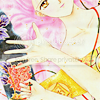
Color manga images for Photoshop CS2;
Hello! I've had quite a few inquiries regarding my style on how to color black and white manga images, so this will be a tutorial to merely guide you through the process! I hope this helps :D LET'S START.
Please remember that while this is done in Photoshop CS2, there are most certainly ways to achieve the same effect in older versions of Photoshop, or even Paint Shop Pro! ♥
1) First! We'll be starting with this image of Maron from the manga Kamikaze Kaitou Jeanne by amazing mangaka Arina Tanemura! Cute, isn't she :3

( Collapse )
This is my finished product:

I hope this has been helpful for some of you! Leave any comments, praises, suggestions, or flames (hopefully there won't be any of those :3;) here in this entry. And remember to friend invisible_plan if you like what you see here! Thanks guys! ♥
Please remember that while this is done in Photoshop CS2, there are most certainly ways to achieve the same effect in older versions of Photoshop, or even Paint Shop Pro! ♥
1) First! We'll be starting with this image of Maron from the manga Kamikaze Kaitou Jeanne by amazing mangaka Arina Tanemura! Cute, isn't she :3
( Collapse )
This is my finished product:
I hope this has been helpful for some of you! Leave any comments, praises, suggestions, or flames (hopefully there won't be any of those :3;) here in this entry. And remember to friend
invisible_plan if you like what you see here! Thanks guys! ♥-
-
 okay
okay
-