


The Oil Paint Effect
The Oil Paint Effect
Preview:
In this tutorial:
*'Realilistic' Coloring Style
*Textures as Fills
*Stroking the Old Fashioned Way
*Transparency
tutorial
Preview:
In this tutorial:
*'Realilistic' Coloring Style
*Textures as Fills
*Stroking the Old Fashioned Way
*Transparency
tutorial
Duplicate Images
Duplicate Images
Preview:
In This Tutorial:
*Base Prep
*Duplicating an Image
*Desaturation
*Lighting Textures
*Text Elements
tutorial
Preview:
In This Tutorial:
*Base Prep
*Duplicating an Image
*Desaturation
*Lighting Textures
*Text Elements
tutorial
Manga Fundamentals
Fundamentals of making a great manga base.
*Eight sections
*LOTS of pictures
*complete icons as examples
*Requires basic photoshop skills
*Made in PS6

tutorial
*Eight sections
*LOTS of pictures
*complete icons as examples
*Requires basic photoshop skills
*Made in PS6
tutorial
-
-
 working
-
Yuuko Tutorial
Going from 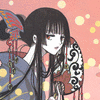 to
to 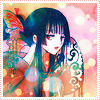
Made with: Photoshop CS2 [but probably translatable to other versions of PS, at least]
Level: Intermediate [not for your first icon]
Required Knowledge: Adjustment Layers, Layer Masks [preferably], Basic Photoshop Know-how
Click Here!
to Made with: Photoshop CS2 [but probably translatable to other versions of PS, at least]
Level: Intermediate [not for your first icon]
Required Knowledge: Adjustment Layers, Layer Masks [preferably], Basic Photoshop Know-how
Click Here!
Deryad Tutorial PS7
Go from this to this: 
(At my Tutorial Journal)
x-posted to toon_tutorials, illustrated_tut, itutorial
(At my Tutorial Journal)
x-posted to
toon_tutorials, illustrated_tut, itutorial(no subject)
From this to  in 3,938 easy steps~
I'm using PSP9, but it should translate to almost anything, as should the condescending tone. Fairly image-heavy.
( here, have a bad pun regarding fake cuts~" )
in 3,938 easy steps~ I'm using PSP9, but it should translate to almost anything, as should the condescending tone. Fairly image-heavy.
( here, have a bad pun regarding fake cuts~" )
Tutorial 05-Karen
Going from this: 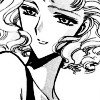 to this:
 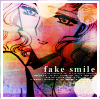 , per request of
  boutique <3
Difficulty: Moderate. Don't try if you're a beginner.
Requirements: Curves, Hue/Saturation, Basic Photoshopping
Written for: Photoshop CS2 [but should be transferrable to other editions]
CLICK HERE!
to this: , per request of boutique <3 Difficulty: Moderate. Don't try if you're a beginner.
Requirements: Curves, Hue/Saturation, Basic Photoshopping
Written for: Photoshop CS2 [but should be transferrable to other editions]
CLICK HERE!
image map tutorial
Whew, time for another giant-sized tutorial. Today, I'll show you how to make an image map for your journal. Made in Photoshop 6, but should translate relatively well.
Techniques covered in this tutorial:
*making larger sized graphics
*coloring line art
*textures as backgrounds
*brushes on different blend modes
*making your own brushes
*various fonts in one image
 -->
--> 
WARNING: This tutorial contains 30+ images at a relatively large size. Dial-up users, be ware.
tutorial
Techniques covered in this tutorial:
*making larger sized graphics
*coloring line art
*textures as backgrounds
*brushes on different blend modes
*making your own brushes
*various fonts in one image
--> WARNING: This tutorial contains 30+ images at a relatively large size. Dial-up users, be ware.
tutorial
line art color
The-Gigantic-Photoshop-Coloring-Tutorial-I'v
Using this tutorial, I will show how I turn a black and white manga image into a colored image.


WARNING: This tutorial contains several large images, so dial-up users be ware.
full images and tutorial behind the cut
Using this tutorial, I will show how I turn a black and white manga image into a colored image.
WARNING: This tutorial contains several large images, so dial-up users be ware.
full images and tutorial behind the cut
-
-
 tired
tired
-