
Contact Information
The Spark, @ UNT Library
Locations:
- Discovery Park B135
- Frisco Landing 150
- Willis Library 150/135
Email: TheSpark@unt.edu
Podcast: UNT MindSpark
Phone:
- (DP)940-565-3175
- (FL) 972-668-7457
- (W) 940-369-5259
Hours
Submit Requests
Listen to Our Podcast

WHERE TO LISTEN:


Check out our blog - The Spark Hub!
Laptop Check outs and Student Printing

| Laptop Lending Program |
|---|
|
The Spark oversees the checkout process for the Library IT's laptops that are part of the lending program. There is one program currently available: 24hr laptops. Please see Library Laptop Circulation policy. 24hr Laptops
The Spark will not be checking out semester-long laptops over the Summer 2026 session. The laptop lending program is currently undergoing revision and details of our updated laptop policies will be updated on this page in the coming weeks. |
| Accessories |
|---|
|
The service desk has a number of student computing and study support tools and equipment available for checkout. So if you are in need of a flat bed scanner, power bank, phone charger or webcam the resources are available at the Spark.
Apple Adapters Specs / Manuals / Info
Circulation Information
|
ChargeTech Portable Power
Power When You Need It - 40,200 mAh battery will extend the life of your laptop by 20 hours* giving you the power to do more. See additional hours broken down below.
SMARTPHONE LARGE TABLET USB-C LAPTOP DSLR CAMERA
100 HOURS 21 HOURS 15 HOURS 8 HOURS
Power for laptops, tablets, smartphones, speakers, lights, and where ever you need it.

Specifications and Info.
- Model Type: 40K AC Battery Pack
- Info: Specifications | Manual
Circulation Information
- Catalog Record: Check Availability / Place a Hold
- Fines Rate: $10 per hour late

Specifications and Info.
- Model Type: 27K AC Battery Pack
- Info: Specifications | Manual
Circulation Information
- Catalog Record: Check Availability / Place a Hold
- Fines Rate: $10 per hour late
Cell Phone Chargers

Specs / Manuals / Info
- Model Types: USB Type-C, MicroUSB (Android), Lightning Cable (iPhone), 30 Pin Connector (iPhone), and wireless chargers
Circulation Information
- House Location: WILLIS, DP, & FRISCO
- Ask The Spark Service Desk!
- Note: 4 hour checkout
- Fines Rate: $2 per hour late
Canon Flatbed Scanner

Specs / Manuals / Info
- Model Type: Canon CanoScan LiDE 300
- Info: Specifications | Manual
Circulation Information
- House Location: WILLIS & DP
- Catalog Record: Check Availability / Place a Hold
- Fines Rate: $10 per day late
Dry Erase Markers

Specs / Manuals / Info
- Model Type: Dry Erase Markers
- Includes: 4 markers & 1 eraser
Circulation Information
- House Location: WILLIS
- Ask the Spark Service Desk!
- Note: 4 hour checkout
- Fines Rate: $2 per hour late
Gumdrop DropTech B1 Headphones

Specs / Manuals / Info
- Model Type: Gumdrop DropTech B1
- Info: Specifications
Circulation Information
- House Location: WILLIS, DP, & FRISCO
- Ask the Spark Service Desk!
- Note: 4 hour checkout
- Fines Rate: $1 per hour late
NexiGo Webcams

Specs / Manuals / Info
- Model Type: NexiGo N60 1080p Webcam
- Features:
- 1080p Full HD
- Ultra-Wide Angle
- Compatible with devices such as Mac, Windows, Android and applications such as Skype, Zoom, Twitch, etc.
- Info: Manuals
Circulation Information
- House Location: WILLIS & DP
- Catalog Record: Check Availability / Place a hold
- Fines Rate: $10 per day late
Omni Charge Power Banks

Specs / Manuals / Info
- Overview: The Omni Power 20+ offers 5 different ways to charge your devices, such as wireless charging, USB-C, USB-A, DC, and AC.
- Info: Manual
Circulation Information
- House Location: DP
- Ask The Spark Service Desk!
- Note: 4 Hour In Space Use Only Checkout
- Fines Rate: $2 per hour late
U-Locks
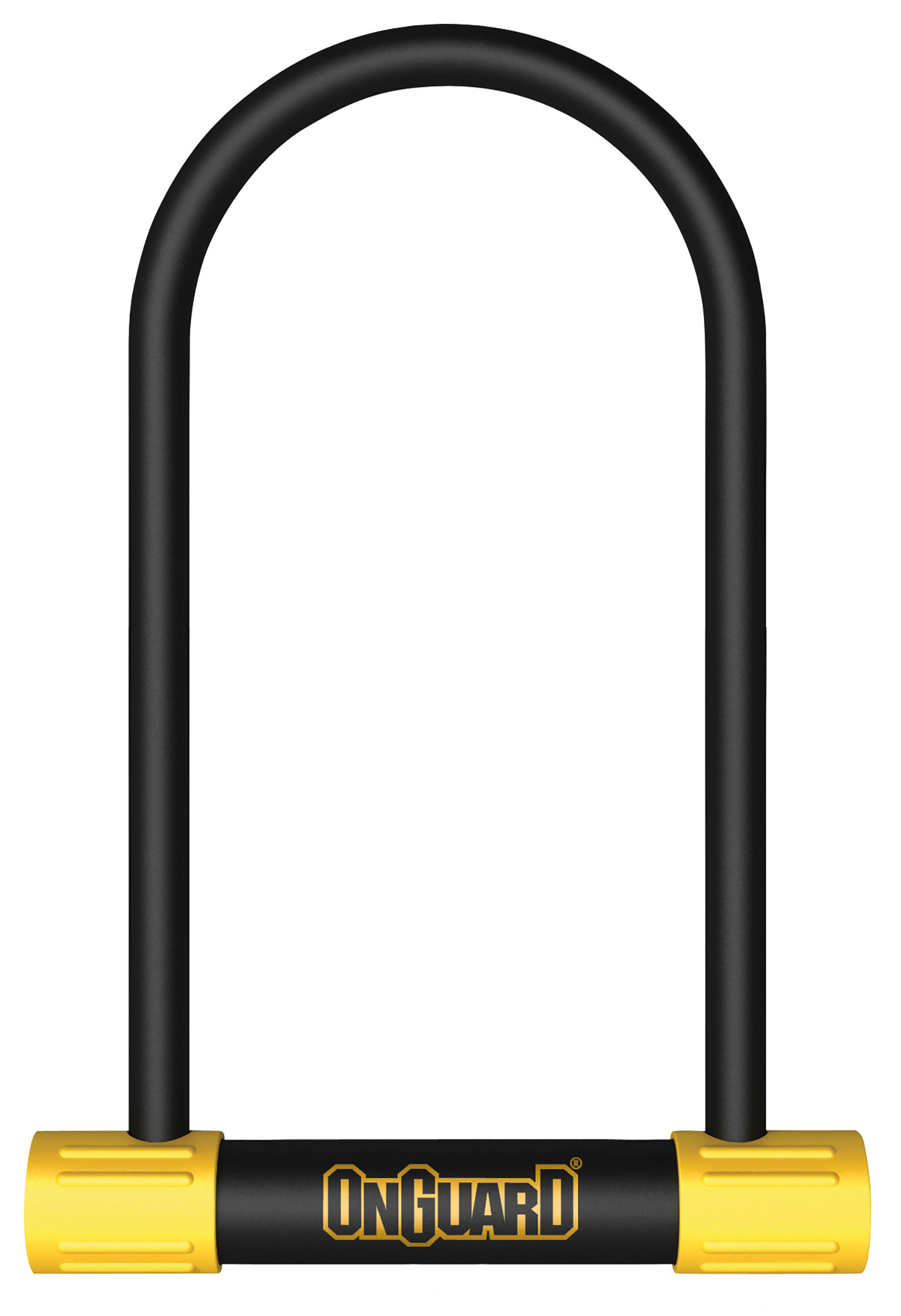
Specs / Manuals / Info
- Model Types: OnGuard 8009 Bulldog LS U-Lock & OnGuard 8015M Bulldog Medium DT
- Specifications:
- For 8009
- Size: 4.53" x 11.50"
- Weight: 3.1 lbs
- For 8015M
- Size: 3.55" x 6.90"
- For 8009
Circulation Information
- House Location: WILLIS & DP
- Ask The Spark Service Desk!
- Note: 4 Hour Checkout
- Fines Rate: $2 per hour late
WebCam- Logitech C270

Specifications and Info.
-
Overview: Logitech C270- The C270 HD Webcam with crisp HD 720p/30 fps video calls with diagonal 60° field of view and auto light correction. Compatible with popular platforms including SkypeTM and Zoom. The built-in noise-reducing mic makes sure your voice comes across clearly up to 1.5 meters (5 ft) away.
- Dimensions: Including fixed mounting clip
- Height: 2.87 in (72.91 mm)
- Width: 1.26 in (31.91 mm)
- Depth: 2.62 in (66.64 mm)
- Cable length: 5 ft (1.5 m)
- Weight: 2.65 oz (75 g)
- System Requirements: Compatible with
- Windows 7 or later
- macOS® 10.10 or later
- Chrome OS™
- USB - A port
-
Info: User Guide
Circulation Information
- Catalog Record: Check Availability / Place a Hold
- Fines Rate: $10 per day late
Student Printing @ UNT
| Printer Location in Denton |
|---|
|
The Library has printers available in multiple buildings and Library locations on the UNT Campus. Due to high volume of traffic in the area as well as users of the printers and to best protect your personal prints, it is important for you to be at the printer before you release your print. To help you locate a printer in the Library location please review the information charted below. For information on how to release your print go to Student Printing. |
|
Building/ Library |
Floor | Location Details | # of Printers | Printer/s |
|---|---|---|---|---|
| Discovery Park Library | 1st | B112- Next to the service desk | 2 |
1- Black and White 1- Color, Multifunction (Printer/Copier/Scanner) |
| Sycamore Library | 1st | Sycamore Hall just outside room 105-107 Inside Sycamore Library | 2 |
1- Black and White 1- Color, Multifunction (Printer/Copier/Scanner) |
| Willis Library | 1st |
North of the center stairs, across from the Spark service desk |
4 |
3- Black and White 1- Color, Multifunction |
| In the adaptive resources area, just south of room 130, in front of the windows | 2 | 1- Black and White 1- Color, Multifunction (Printer/Copier/Scanner) |
||
| 2nd |
East wall just outside the Elevator corridor, across from the center stairs |
4 |
3-Black and White |
|
| Next to the long double line of computers between the Media Library service desk and the Nest | 1 | 1- Multifunction Black and White (Printer/Copier/Scanner) | ||
| 3rd | East wall just outside the Elevator corridor | 1 | 1-Multifunction Black and White (Printer/Copier/Scanner) |
|
| 4th |
East wall next to room 430A |
1 | 1- Multifunction Black and White (Printer/Copier/Scanner) |