1 CSS Portfolios: Free Code Snippets & Examples
CSS portfolios organize creative case studies, developer resumes, and project showcases into highly engaging, responsive grids, establishing a polished professional identity above the fold. By coordinating native filtering states, smooth scroll timelines, and volumetric hover transformations directly in stylesheets, these templates deliver immersive personal sites with absolute load speeds.
- Symmetric project alignments and modular resume cards are structured natively using CSS Grid with repeat(auto-fit, minmax()) areas.
- Interactive category filtering and dynamic project details are managed natively using the :checked state hack paired with general sibling combinators.
- To preserve critical INP (Interaction to Next Paint) performance during complex card zooms, transform calculations execute on GPU layers.
Explore these responsive layout designs to master the integration of native grid systems and performance-first visual architectures into your personal portfolios.
Table of Contents:
Examples
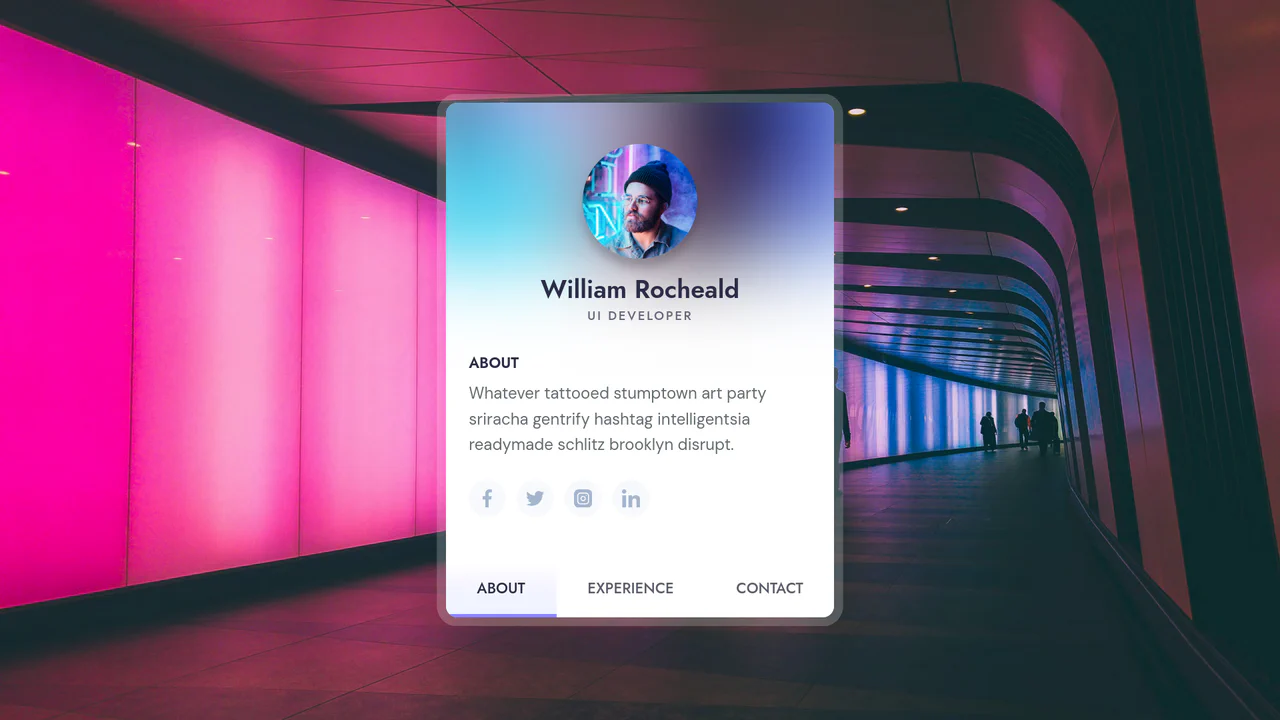
Responsive Portfolio Profile Card
This Responsive Portfolio Profile Card packs a full personal website’s functionality into a single, elegant component. Designed to mimic a native mobile app interface, it features a sticky bottom navigation bar that toggles between “About,” “Experience,” and “Contact” sections. The standout feature is the smooth, animated transition of the card’s dimensions and header layout as users switch contexts.
 Chrome 50+
 Edge 15+
 Firefox 45+
 Safari 10+
See the Pen Responsive Portfolio Profile Card.