Desktop Legends - Demo
Desktop Legends is an interactable battlefield designed to run on a portion of your desktop. Defeat foes, earn coins, upgrade your hero, customize the battlefield, and use powerful abilities when you want to get involved.

Progression happens on your time, with no penalties for being engrossed in your work, or needing a bathroom break. Amass coins while the hero fights for you, then spend those to advance the game state.

Use the coins dropped by enemies to enhance your hero's power, level up your enemies, and unlock powerful divine interventions. Each upgrade adds the potential for you to vanquish more enemies or earn more coins.

Change the vibes to match your style. Unlock custom, hand-drawn decorations to swap to a fresh look at any time. Mix and match backdrops, heroic banners, and more to create your perfect arena.

Combine forces with your hero to make a stand worthy of song! You are the divine intervention keeping your hero from succumbing to the hordes of enemies. Drop meteors, shake goblins for loose change, and more!

Join our Discord
Download
Development log
- Desktop Legends v1.1.0Sep 03, 2025
- v1.0.1 - Fixed memory leakAug 31, 2025
- Announcing Desktop Legends!Aug 30, 2025


Comments
Log in with itch.io to leave a comment.
You should make it more obvious the amount of money you have when purchasing an upgrade. Currently it's in the background and I didn't realise so I had to keep closing the upgrades to check my money before going back.
Actually I'm correcting myself cause I thought I was tripping because suddenly I could see my money. You can't see your money when upgrading but the UI glitches if you remove the background which lets you see it.
Great feedback! Displaying the currency in the upgrade UI is definitely needed.
Hobgoblin upgrade said "75" to get it from 2 > 3 in the store book, but it actually cost me 150.
This should have been fixed in version 1.1.0 but I'll take another look and push an update if I can replicate the issue.
so ive left this over night and only got eleven coins.....i do have the afk part of it unlocked with the auto collect coins so idk.
Are you playing in the browser or using the download?
the browser. i generally have no problem with afking in the browser.
hmm. I have seen that the game pause when the game's browser window is not the top window or if you scroll down the page such that the game is no longer visible.
After 3 days of playing (just at night) I'm maybe halfway through the current upgrades- feels like a good balance but I can't wait to see additional characters/cosmetics!
Just curious- what's the logic on the upgrades cost? They're not all the same. My tolerance and armor look the same on the progress bar but the tolerance costs more.
Healthy dose of gut feeling :) They increase by a percentage based on what the last level's cost was.
Is there a volume/mute button? If not please add one its sorta loud.
There is! It's in the settings menu. Click on the menu button at the top right of the window then click the cog on the bookmark at the top of that window
Yeah i realized that only like a min later; sorry about that.
It's a nice game so far, but I would like to see an in-game explanation of each stat and what they do. For example, why should I even bother increasing my "Tolerance"? Is that like a damage resistance stat or something else entirely?
Yep, we're looking in to how to make that clearer. Functionally it's like a health stat for the hero, but since the hero can't die calling it "Health" didn't make much sense either.
Yeah I wondered that too!
i love it so much and im only like 25 mins in!! great work.
Thank you! Those black boxes are definitely not intended. I haven't been able to replicate this yet, so if you wouldn't mind sharing the Windows version, graphics card, and whether windows transparency effects are on (Settings -> Personalization -> Colors -> Transparency Effects). Also I'm curious what happens if you go to the game settings and turn Windowed Mode on.
If you'd rather we have a feedback form here or hop in our Discord and we can chat more. Thanks for playing!
this is windowed mode and my specs :) ive also submitted a little google doc but couldnt put screenshots in it
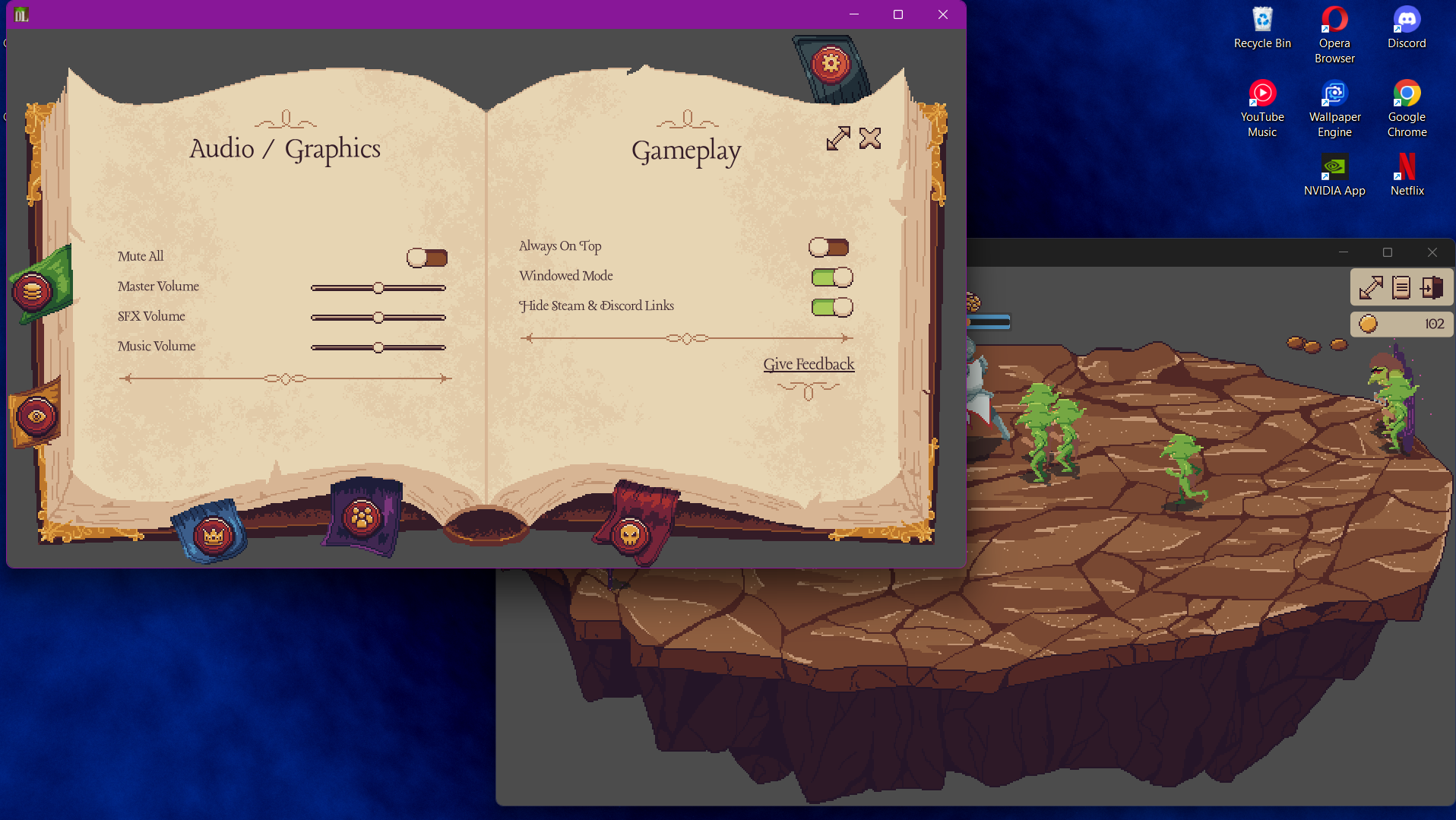
other then that tiny bug i literally love every aspect of this game so far, its just got enough upgrades but isnt too complex, great game all round
Thank you for the further details! Glad you're enjoying it so far :)
of course! if theres anything else i can do im happy to support!
sorry i also forgot to add, my graphics card is rtx 4050 (for laptops)
Thank you! Always great to see screenshots in action.