Wikitext is the main markup language used to format content on Fandom. It can be used to add photos, tables, bold styles, links, and many other visual changes.
It's not necessary to know wikitext in order to edit a page: you can use the Visual Editor to avoid it. However, users who learn it may appreciate the additional control they have over page content.
Wikitext can be used via source editor in either editor. To access an article's wikitext:
- Visual Editor: click "VisualEditor" in the top middle, above the edit bar, which will open a menu where you can select "Source editing".
- Before editing, you can go right to source mode by clicking the arrow next to the edit button, and clicking "edit source" from the drop-down menu.
- When editing a section of an article, click "edit source" to edit that section in source.
On both platforms, you can also choose your preferred editor in preferences, and it will open by default when you click the edit button.
Below is an outline of basic wikitext that you can use while editing. Many of the options listed below have shortcut buttons in the editor toolbars.
Text formatting
| Description | You type | You get |
|---|---|---|
| Italicize text | ''italic''
|
italic |
| Bold text | '''bold'''
|
bold |
| Underlined text | <u>underline</u>
|
underline |
| Bold and italic | '''''bold & italic'''''
|
bold & italic |
| Strikethrough | <s>strikethrough</s>
|
|
| Superscript | 1<sup>st</sup>
|
1st |
| Subscript | O<sub>2</sub>
|
O2 |
| Small Text | small <small>text</small>
|
small text |
| Big Text | big <span style="font-size:larger;">text</span>
|
big text |
| Internal link (within a wiki) |
|
|
| Colored link | [[Help:Contents|<span style="color:dodgerblue;">Help:Contents</span>]]
|
Help:Contents |
| Redirect to another page | #REDIRECT [[Help:Contents]]
|
 Help:Contents Help:Contents
|
| External link (to other websites) |
|
|
| Cite link | <cite>https://www.fandom.com/</cite>
|
https://www.fandom.com/ |
| Sign your posts on talk pages (username only) | ~~~
|
Your username |
| Sign your posts on talk pages |
~~~~ (4 tildes)
|
Your username 00:23, 21 May 2026 (UTC) |
| Insert the current date and time (UTC). Generally only used on talk pages. | ~~~~~ (5 tildes)
|
00:23, 21 May 2026 (UTC) |
| Display wikitext code as typed | <nowiki>[[This is not a link]]</nowiki>
|
[[This is not a link]] |
| Display text as source code | <code>Source Code</code>
|
Source Code
|
| Description | You type | You get |
|---|---|---|
| Headings A table of contents will automatically be generated when four headings are added to an article. (Skip level 1; it's used for the page name.) |
|
Level 2
Level 3
Level 4
Level 5
Level 6
|
| Horizontal rule | Text before ---- Text after |
Text before Text after |
| Indented paragraph or line |
|
No indent
|
| Bulleted list |
|
|
| Numbered list |
|
|
| Mixed list |
|
|
| Definition list | ;item 1 : definition 1 ;item 2 : definition 2-1 : definition 2-2 |
|
| Preformatted text with working links |
|
Color Text |
| Preformatted text that shows underlying wikitext |
|
[[Color]] Text |
Image formatting
| Description | You type | You get |
|---|---|---|
| Image | [[File:SeaOtter.png]]
|
 |
| Sized image (width change with aspect ratio maintained) |
[[File:SeaOtter.png|100px]]
|
|
| Thumbnail image | [[File:SeaOtter.png|thumb|Caption text]]
|
|
| Aligned image |
|
|
| Linked image | [[File:SeaOtter.png|link=Help:Contents]]
|
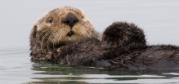 |
| Changed alt text | [[File:SeaOtter.png|alt=A sea otter]]
|
|
| Direct link to image | [[Media:SeaOtter.png]]
|
Media:SeaOtter.png |
Paragraphs
MediaWiki ignores single line breaks. To start a new paragraph, leave an empty line. You can force a line break within a paragraph with the HTML tag <br>.
| You type | You get | |
|---|---|---|
Without <br>
|
Don't break lines |
Don't break lines |
With <br>
|
Do break<br> lines |
Do break |
HTML tags
Further wikitext examples
For more complex content that is sometimes more easily managed with wikitext editing, see:
See also
- Help:Editing
- MediaWiki's examples of Formatting
- MediaWiki's thorough reference on image formatting
- For print cheatsheets, see the MediaWiki reference card or the poster-size cheatsheet (available in many languages)
Further help and feedback
- Browse and search other help pages at Help:Contents
- Check Fandom Community Central for sources of further help and support
- Check Contacting Fandom for how to report any errors or unclear steps in this article