I’m addicted to consult.el. It is so convenient that when I
found out that isearch-forward-symbol-at-point (M-s .) was a thing,
I immediately felt the desire to integrate it with
consult.el. Luckily, this was way easier than I thought.
Let’s walk through the steps I took. As often happens with Emacs, along the path of exploring its source code, we will find some random pearls here and there to pick.
TL; DR:
(defun consult-line-symbol-at-point ()
  "Search for a line matching the symbol found near point."
  (interactive)
  (consult-line
   (or (thing-at-point 'symbol))))

(global-set-key (kbd "M-s .") #'consult-line-symbol-at-point)
(global-set-key (kbd "M-s M-s .") #'isearch-forward-symbol-at-point)
I promised myself to write a Tree-sitter major mode for F#. I’ve been told that it should not be such an insurmountable endeavour, but given that I start from the scratch, along the journey I will need to learn a bunch of new topics from the ground up. Nice, that’s why we use Emacs, right?
For each of those themes, I will publish a little blog post to share the lesson learnt.
Today it’s the Imenu’s turn.
Let’s develop squint a little package for controlling the font
height, so you won’t need to squint your eyes when you are on smaller
screens.
It will look like this:
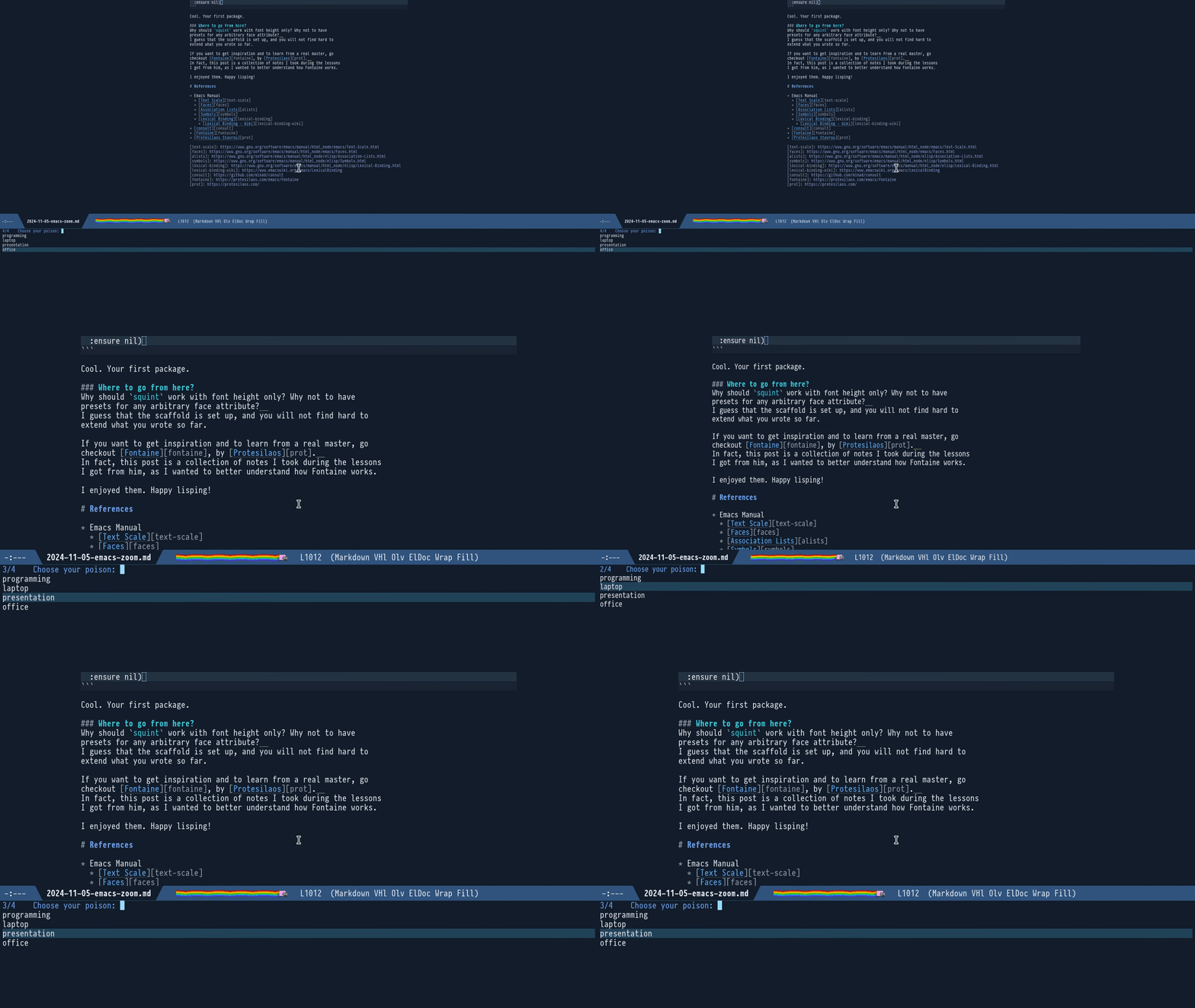
It will give us the chance to touch on:
- Face attributes.
- Asking the user to choose interactively from a list of options.
- The powerful
consult--read. - Lisp’s Dynamic and Lexical Binding.
- Few other little topics here and there.
We all know how to use git commit --amend to fix up the very last commit.
How beautiful would it be to have a command like:
git commit --amend=3
to extend this power to fix up the 3rd to last — or any other past — commit?
Enter git fixup.
So you want to code in F# with Emacs?
I can relate, I also love both. Oh dear, if I love them!
So, presto! Let’s make Emacs your next F# IDE!
In our exploration of the ways to navigate back to previous buffer
positions, Registers can be seen as mark ring items with an assigned
name, so that they can be conveniently accessed by that name in an arbitrary order.
But in fact they are much, much more:
- They can be persisted so they survive reboots.
- They can resurrect killed buffers.
- Other than buffer positions, they can contain snippets of text, keyboard macros, windows layouts and even custom values.
Playing Hansel and Gretel is just the excuse to happily slip into
yet another rabbit hole.
Let’s go!
Bookmarks are like Registers, with a few special traits:
- They are long-lived (they survive reboots).
- They can re-open closed buffers.
- They have arbitrarily long names.
- They are context aware.
Consider them as specialized, super convenient Registers.
A cool trick not everybody knows with Visual Studio and JetBrains’
IDEs is that it is possible to navigate back to previous positions
with Ctrl -.
A similar trick also works with Bash:
cd -
and with Git:
git checkout -
Neat, right?
Of course, there are way more powerful tools built around this idea
(such as z, autojump and zoxide). And
— did you doubt? — similar powerful features are in Emacs
too. Let’s explore them.
Rings — fixed sized variables acting as circular buffers — are a beautiful idea: one day I will eventually write something about how undoing changes is handled in Emacs with the undo-ring. I find outrageous that other editors have not followed the same idea.
In the previous installment we learnt how to
surround a region with hard-coded <<< and >>>. Let’s learn now how
to interactively ask arguments to the user and to go beyond hard-coded
delimiters.
- Select a region.
- Let Emacs surround it with custom delimiters.
- Profit.
- When a file of type Y is opened, Emacs sets a specific major mode.
- Each major mode is equipped with a hook, a variable holding a list of functions.
- After that major mode is activated, all the functions in its hook are run.
- If you add a function to the mode’s hook it will be run for that kind of file.
- You can use `add-hook` for that.
Therefore, just use:
(add-hook '<major-mode>-hook #'<function-you-wish-to-trigger>)
For example, to have line numbers in your Python files, use:
(add-hook 'python-mode-hook #'display-line-numbers-mode)