

Go to Android platform Display platforms icon
Go to Android platform Go to Windows platform Go to Mac platform Go to iOS platform
Apktool M icon

Apktool M

2.4.0-260709
3.8 29 reviews
693.5 k downloads
security security

Edit any APK directly on Android

Advertisement
Remove ads and more with Turbo
Advertisement
Remove ads and more with Turbo
Andrés López icon
Reviewed by
Andrés López
Content Editor
Andrés López is part of Uptodown's in-house Editorial Team. Translated by Uptodown Localization Team

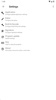
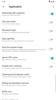
Apktool M is an app that allows you to edit any APK directly from your Android device. You will have a huge number of tools at your disposal, for example, to change an app's icon or name before installing it, or even modify the version of the file or the minimum SDK required to use the app. And all of this is very easy to do.

The fastest way to edit an APK

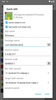
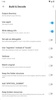
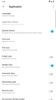
To edit an APK with Apktool M, simply select it from the drop-down menu on the left and choose the Quick Edit option. From here, you can quickly and easily modify both the icon and the name of the app. You can also change the package name, version, versioncode, minimum and target SDK, installation location, and even the app's signature. In fact, you can choose from several different signatures. You can check special boxes to make the APK debuggable or better adapted to Android TV.

Advertisement
Remove ads and more with Turbo

Verify the signature of any APK

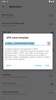
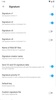
Another thing that makes Apktool M an interesting option is that you can verify the signature of any app. From the same drop-down menu, just tap the APK in question and choose the Verify Signature option. You can see all the information about the APK signature after a few seconds. Another option is to remove signature verification, which normally takes a minute or two.

More tools for working with APKs

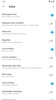
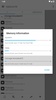
With Apktool M, you can decompile any APK in a matter of seconds. Of course, you can check out any information about an app, including all the permissions it needs or the type of protections it comes with. In any case, if you have any doubts about how to use any of the app's tools, you will find a comprehensive FAQ section in the Options menu, with a step-by-step tutorial that explains all its features.

Powerful APK editor with lots of features

Download the Apktool M APK if you want to play around with any app and test different APKs. Lots of users use this tool to install an app under another name and with another icon, so no one can tell which app is actually installed on the device just by looking at it. But this is only one of its possible uses. Apktool M has enormous potential.

Requirements (Latest version)

  • Android 4.0, 4.0.1, 4.0.2 or higher required

Information about Apktool M 2.4.0-260709

Basic information

Developer Maximoff
Category Utilities
Rating Not specified
Languages English
22 more

Distribution model

Pricing Free
License Proprietary
Copyright © 2026 Maximoff
Why is this app published on Uptodown? (More information)

Security and privacy

Required permissions
See 12 permissions
Certificate signature 37bfbd63421b20a6da4dd54a9b2b00a3
See security and antivirus report

Download info

Downloads 693,464
Date Jul 11, 2026
File type APK
Size 12.61 MB
SHA256 a838aba53d52b5947b6baba0a337636831bf42273feb89ce698271773cf77214

Technical details

Package Name ru.maximoff.apktool
Advertisement
Remove ads and more with Turbo

Older versions

See more
apk 2.4.0-260707 Android + 4.0, 4.0.1, 4.0.2 Jul 9, 2026
apk 2.4.0-260519 Android + 4.0, 4.0.1, 4.0.2 Jun 4, 2026
apk 2.4.0-260501 Android + 4.0, 4.0.1, 4.0.2 May 3, 2026
apk 2.4.0-260328 Android + 4.0, 4.0.1, 4.0.2 Apr 1, 2026
apk 2.4.0-260312 Android + 4.0, 4.0.1, 4.0.2 Mar 24, 2026

Rate this App

Review the app
Apktool M icon

Rating

3.8
5
4
3
2
1
29 reviews

Comments

See more
mistercasti10 icon
mistercasti10
2 months ago

It’s not safe—don’t install it.

1
Reply
elegantbrowncrane32736 icon
elegantbrowncrane32736
2 months ago

Good

1
Reply
massivesilverparrot93654 icon
massivesilverparrot93654
2 months ago

Doesn't build properly.

1
Reply
dinamit_48 icon
dinamit_48
3 months ago

Unfortunately, not all apps can be repacked, and sometimes this program just disassembles the app into parts instead of converting it...

1
Reply
steven0869 icon
steven0869
4 months ago

Great app if you know how to use it. I wouldn’t recommend it for beginners, but if you do know how to use it, good job on the app.

1
Reply
amazinggoldenpear12404 icon
amazinggoldenpear12404
5 months ago

Is this application safe?

Like
1
See more
Advertisement
Remove ads and more with Turbo
Doubao icon
Powerful AI assistant developed by ByteDance
أقرب إليك icon
Manage your Syriatel network
v2rayNG icon
Connect securely, privately and without restrictions
Microsoft Outlook icon
Official Microsoft Outlook client for Android
Talkatone icon
Phone calls and text messages through WiFi
Útil ETECSA icon
A direct shortcut to ETECSA's telecommunications
7Zipper icon
Manage all your files from this easy-to-use app
2ndLine Second Phone Number icon
A secondary telephone number for your Android device
Telegram icon
Fast, secure, cross-platform messaging app
X (Twitter) icon
Enjoy the world's most concise social media platform
Instagram icon
The king of mobile photography, now on Android
WhatsApp Messenger icon
The easiest and most convenient way to chat with your friends
Snapchat icon
Share your day using pictures
Discord icon
A special communication tool for gamers
Facebook icon
The social network par excellence on your Android
Telegram X icon
A faster version of Telegram with experimental features