


I've been having a big think over Linux distros. See, I've been looking back at my still-new Linux experience of nine months, and wondering how my own journey can help other people get started with FOSS operating systems. Whenever the topic of a Windows refugee-friendly OS came up, I would recommend Linux Mint because, first, it's the one everyone says, and second, it was the Linux OS that I started with, fresh off Windows.
I always follow that up with a comment about how you don't have to stick with Linux Mint if you don't want to. You can do what I did, which is to dip your toe into the Linux distro water and find something that suits you better. But if I'm setting up Linux Mint as "my first Linux distro," why not just skip the middleman and get right into the distros that have a bit more meat on them?
For professional and daily driver use, I enjoy KDE Plasma over Linux Mint's Cinnamon
There's a lot in KDE Plasma to love
To better understand why I don't recommend Linux Mint to Windows refugees anymore, I should explain that I have three different groups in mind when making my choices. The first group includes people using their PCs in a professional and/or regular manner, to whom I would recommend a KDE Plasma distro. When I first used Linux Mint, I remember getting really frustrated with Cinnamon. Sure, it looks all Windows-y out of the box, but when I tried editing it just the way I wanted, I found that it was really finicky and didn't quite do what I wanted.
KDE Plasma, on the other hand, has a ton of customization options for people to pick from. Even if someone doesn't want to crack open the widgets page on first boot and start changing stuff like crazy, the default look and feel of KDE Plasma is very easy for a Windows escapee to pick up and use. Plus, it comes with some nice features built in that replace some of Windows' tools, such as KDE Connect taking Windows Your Phone's spot.
So, why don't I just recommend Linux Mint with KDE Plasma? Well, the cool thing about abandoning Cinnamon and embracing KDE Plasma is that it unlocks a ton of distros we can pick from. Someone coming over from Windows can dig into what they want from their new home and find a KDE Plasma distro that supports it.
Of course, there is such a thing as too much choice, and a newcomer who just wants a one-size-fits-all answer may get confused. Fortunately, I feel pretty safe in recommending Kubuntu as a very first distro to someone who just wants to give Linux a try and see if it's for them. If they want more features faster, I'd show them Fedora KDE. If they're scared that they might mess up their Linux PC, I'd direct them to openSUSE Leap or Tumbleweed, which will gladly roll out the Snapper red carpet for a newcomer. And as much as I love KDE Plasma, I'm sure there are even more distros out there that I've never tried that also work as a newcomer's dream.
For gamers, there are better choices than Linux Mint
Why go for Mint when you can grab a gaming-oriented OS instead?
Now, let's take a look at the second group: people who play games on their system and want a similar experience on Linux. Some of these gamers will want to push their new OS to its absolute limit, while others will just be happy if something runs.
For these people, I'd recommend they skip Linux Mint and head straight for the gaming distros. The obvious pick is Bazzite, which actually got one of our own writers reconsidering Windows. It comes with Steam set up and ready to go right out of the box, and it's pretty easy to use, to boot. If the immutable system puts people off, they can try Nobara, and if they want top-notch performance, there's CachyOS. These all make more sense for me to recommend to a gamer than Linux Mint.

For a Windows-like experience, there's Zorin OS 18
If you really, really, really can't let go of Windows

Finally, there's the third group. These people do not care for the in-depth customizability of KDE Plasma. These people do not care about tweaking their system for the ultimate gaming experience. They want one thing, and one thing only: Windows on Linux. They want the UI, they want the apps, and they want as little friction as possible.
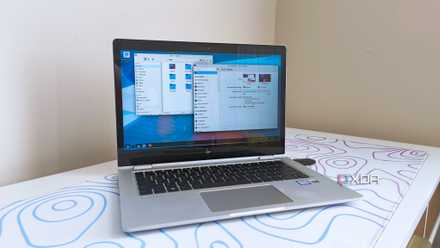
A year ago, I would have surrendered here and said that Linux Mint was the best choice. However, since then, we've seen the rise of another distro: Zorin OS 18. This operating system is specifically designed with Windows escapees in mind. We're talking a UI that looks like Windows, compatibility with OneDrive to help people transfer their files, and even a system that detects when a user tries to run an EXE file and will either recommend an alternative or let the user set it up in Wine. The only downside is that some features are behind an optional paywall, which leaves a bad taste in my mouth; other than that, it's as Windows as you can get.

Zorin OS 18 opens its doors to those fleeing Microsoft as the Windows 10 end-of-life date looms
It's shaping up to be the perfect Linux distro for people leaving Windows.
There's a lot of choice out there to suit everyone
I think the main draw to the Linux Mint recommendation is that it's very much a Swiss army knife. It's good for professionals, it works for gamers, and it can tide people over who want Windows without Microsoft. However, I'd argue that it's more of a jack-of-all-trades, and that we'd be better off giving people the choice between Kubuntu, Bazzite, or Zorin OS 18, depending on what they want from their system.