

Claude Code sounds exciting until you realize the best setup changes aren’t the flashy ones. The temptation is to treat it as a magic shortcut that can sprint through a project with a single dramatic prompt. That can work for demos, but real development work is messier than that. Once I started setting it up the way serious users seem to be using it now, the biggest improvements came from the dullest adjustments.
The lesson wasn’t that Claude Code needs some elaborate ceremony before it becomes useful. It was that a little structure makes the tool feel far less chaotic. Better instructions, tighter permissions, cleaner project context, and a few habits around how I ask for changes all mattered more than any single clever command. The result wasn’t a workflow that felt futuristic for five minutes, but one that kept being useful after the novelty wore off.
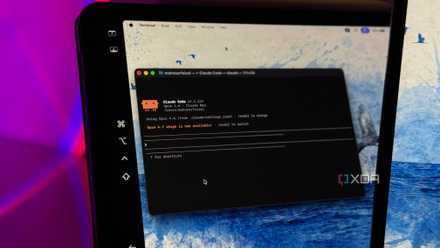
If Claude Code is going away for Pro users, I can't recommend Claude anymore
This one hurts to write.
The best Claude Code setup starts with boring boundaries
Small defaults made the whole workflow feel calmer
The first thing I changed was how much freedom I gave Claude Code at the start of a session. It’s tempting to let it roam through a repo, inspect everything, and start making broad decisions. That feels efficient, but it can also turn a simple request into a foggy treasure hunt. I had better results when I treated the first prompt less like a command and more like a job brief.
That meant giving Claude Code the boundaries I usually keep in my head. I started telling it which files mattered, which parts of the project were off-limits, and what kind of change I actually wanted. I also got more specific about whether I wanted a patch, a review, a plan, or a diagnosis. Those distinctions sound fussy, but they stopped the tool from charging into the wrong lane.
The best way to accomplish this is to tell Claude exactly what you expect it to do and not to do. For example, give it instructions like “Before you edit anything, inspect only the files related to this feature and tell me what you think needs to change. Don’t modify unrelated files.”
The boring part is that none of this feels impressive. There’s no dramatic automation moment when you say, “Only inspect these files first,” or “Don’t edit anything until you explain the likely cause.” Still, those small defaults changed the texture of the workflow. Claude Code stopped feeling like a brilliant intern with a flamethrower and started feeling more like a careful pair programmer.
Project context matters more than clever prompts
A clean setup beats another prompt trick almost every time

The second improvement came from providing Claude Code with a clearer project context before asking it to do real work. I don’t mean dumping a novel into the prompt every time. I mean, making sure the repo itself explains clearly how it’s supposed to behave. A clear README, useful comments where they belong, consistent scripts, and predictable file organization made a bigger difference than I expected.
This is where power-user setups can look deceptively plain from the outside. The good ones aren’t always packed with secret incantations. They often just make the project easier for an AI tool to understand without forcing it to infer everything from scratch. When the tool can see the test command, the build process, the naming conventions, and the task boundaries, it wastes less time guessing.
I also found that Claude Code behaves better when I make it narrate its assumptions before touching anything important.
 Quiz
Quiz
How much do you know about Claude?
Trivia challenge
Think you know Anthropic's AI assistant? Put your knowledge of Claude to the test.
Which company created Claude?
What is the name of the safety and values framework Anthropic developed to guide Claude's behavior?
What is the name most commonly associated with inspiring Claude's name?
Which of the following best describes Claude's context window capability in its more advanced versions?
Which of the following principles is NOT part of Anthropic's core goal for Claude?
What was a key distinguishing feature of Claude 2 when it launched compared to many rival models at the time?
Anthropic describes itself primarily as which type of company?
Which of the following tasks is Claude specifically designed to handle well?
Your Score
Thanks for playing!
That doesn’t need to be a grand planning ritual. I’ll usually tell the assistant something like, “Read the README, package scripts, and relevant config files first. Then summarize the project conventions you’ll follow before proposing changes.” That one habit took several wrong turns before it became cleanup work.
The flashy workflows are still useful in the right place
Automation can help once the fundamentals are already settled

There’s a fair argument that this undersells what Claude Code can do. Power users aren’t only tightening prompts and writing better project notes. They’re also wiring Claude Code into broader workflows, connecting it to issue trackers, using it across larger repos, and letting it handle tedious refactors that would have eaten up an afternoon. That side of the tool is real, and it’s part of what makes it exciting.
I can see why the flashier setup gets most of the attention. Watching Claude Code generate a plan, modify several files, run tests, and iterate on the result is far more interesting than talking about permissions and scope. It also points toward a future where the coding assistant is less of a chat box and more of a project-aware development agent. That’s the version people want to show off, because it feels like the shape of things to come.
Instead of going with the flashy workflow, try instructing Claude Code to “Make a plan first, list the files you expect to touch, and wait for approval before applying changes across the repo.” That’s always worked wonderfully for me and has become one of my Raycast snippets for my coding sessions.
The problem is that these workflows depend on trust, and trust is earned in small pieces. If Claude Code misunderstands the project, edits too broadly, or skips over a subtle constraint, the impressive part becomes a liability. A tool that can move quickly can also make a mess quickly. That’s why the flashy layer only feels safe when the boring layer is already doing its job.
The boring tweaks are what make the powerful features usable
Control makes Claude Code feel faster, not slower

The strongest case for the boring setup is that it doesn’t actually slow the workflow down. It feels slower for the first minute, because you’re being more deliberate. After that, it usually saves time because you spend less effort correcting overconfident work. The pace improves because the tool has fewer chances to misunderstand the assignment.
That was the biggest surprise for me. I expected stricter boundaries to make Claude Code feel less powerful, but they made it more useful. Asking it to inspect before editing, limiting its initial scope, and giving it a clearer definition of done made the output easier to trust. It also made reviews less exhausting, because I wasn’t trying to reverse-engineer why it changed three unrelated files.
The best setup isn’t about turning Claude Code into a fully autonomous developer. It’s about giving it enough structure that its strengths show up more often. It can still move quickly, explain code, suggest changes, generate tests, and spot patterns that are easy to miss. The difference is that it does those things within a workflow that feels controlled rather than theatrical.
The quiet setup work is what actually sticks
The more I used Claude Code this way, the less interested I became in the dramatic version of AI-assisted development. I still like the big moments when it finds the bug or writes the tedious helper function correctly on the first pass. Those are satisfying, and they’re part of why the tool is worth using. But the changes that made me keep using it were much less glamorous.
Claude Code became more valuable when I stopped asking it to prove how smart it was and started giving it a cleaner workspace. The boring tweaks made the difference because they reduced friction, improved trust, and made the tool easier to review. That’s not the loudest version of the story, but it’s the one that matters after the demo ends. Power-user setups aren’t powerful because they look complicated; they’re powerful because they make good behavior repeatable.

- OS
- Windows, macOS
- Individual pricing
- Free plan available; $17/month Pro plan
- Group pricing
- $100/month per person for the Max plan
Claude is an AI assistant and LLM developed by Anthropic.