


List and Comparison of the Top Best Data Recovery Software Download for Windows and Mac users to quickly recover lost data, deleted files, and photos or formatted partition data:
Data recovery software is an application that recovers lost files from any storage medium. It can recover files that have been accidentally deleted or lost due to virus attacks, hard drive failures, or any other reason.
This software scans the storage medium to find the lost files. It can recover different types of files like audio, video, contacts, emails, etc.
How Does Data Recovery Work?
Whenever a file is deleted, it is moved to the recycle bin. Even after the deletion of the file from the recycle bin, it doesn’t get removed. The path to this deleted file gets removed by the file system, making it less accessible. Space that was assigned to this file will be marked as available to be used by another file when required.

However, a binary file is still available on the computer. The file remains available until it gets overwritten by another file. Parts of the file might remain on the hard drive for several years.
If the deleted file gets partially overwritten by another file then the data recovery software will not be able to recover the file and provide you with usable data. The best data recovery software should support all storage media and file structures and thereby should be able to recover files from all types of storage media.
The image given below will show you the various reasons for data loss with their percentage.

Suggested reading=>> USB Device Not Recognized: [8 Possible Fixes]
In general, access to the core architecture of the hard disk is given to the data recovery software. This software refers to and accesses the file structure entries to extract data from a corrupt storage device.
Also read =>> How to recover deleted files after Windows 11 update
Table of Contents:
- List of Best Data Recovery Software Solutions
- Comparison of Top Data Recovery Solutions
- #1) NinjaOne Backup
- #2) Tenorshare 4DDiG Data Recovery
- #3) EaseUS Data Recovery
- #4) Stellar Data Recovery
- #5) System Mechanic Ultimate Defense
- #6) Zinstall
- #7) MyRecover
- #8) AnyRecover
- #9) Aiseesoft Data Recovery
- #10) Advanced Disk Recovery
- #11) Wise Data Recovery
- #12) R-Studio Data Recovery Software
- #13) PhotoRec
- #14) TestDisk
- #15) PC Inspector File Recovery
- #16) Undelete 360
- #17) TogetherShare
- #18) Disk Drill (Free) Mac and Windows
- #19) FonePaw Data Recovery
- #20) iBeesoft Data Recovery
- #21) Wondershare Recoverit
- #22) iMyFone Data Recovery Solutions
- #23) MiniTool Data Recovery Software
- #24) DMDE Data Recovery Software
- Conclusion
List of Best Data Recovery Software Solutions
- NinjaOne Backup
- Tenorshare 4DDiG Data Recovery
- EaseUS Data Recovery
- Stellar Data Recovery
- System Mechanic Ultimate Defense
- Zinstall
- MyRecover
- AnyRecover
- Aiseesoft Data Recovery
- Advanced Disk Recovery
- Wise Data Recovery
- R-Studio Data Recovery Software
- PhotoRec
- TestDisk
- PC Inspector File Recovery
- Undelete 360
- TogetherShare
- Disk Drill
- FonePaw Data Recovery
- iBeesoft Data Recovery
- Wondershare Recoverit
- iMyFone Data Recovery Solutions
- Minitool Data Recovery Software
- DMDE Data Recovery Software
Comparison of Top Data Recovery Solutions
| Data Recovery Solutions | Platform | Supported File Types for Recovery | File system/structure | Price |
|---|---|---|---|---|
| NinjaOne Backup | Mac, Android, iOS, Windows, Linux. | Photos, Videos, Documents, Archives, Messages, Call logs, Audio files, etc. | NA | Contact for quote |
| Tenorshare 4DDiG Data Recovery | Windows & Mac | Photos, Videos, emails, audio files, documents, archives & others. | NTFS, FAT, APFS, HFS+, HFS X, etc. | For Windows: It starts at $45.95; For Mac: It starts at $55.95. |
| EaseUS Data Recovery | Windows & Mac | 1000+ file types for documents, videos, audios, graphics, email, and other files | FAT, exFAT, NTFS, NTFS5, ext2/ext3, HFS+, ReFS file systems. | Free, Pro ($69.95/month), and Pro+WinPE ($99.90/month). For Mac OS, EaseUS has two editions i.e. Free and Pro ($89.95/month). |
| Stellar | Windows & Mac | Photos, videos, audio files, contacts, messages, calendar, and call history. | NTFS, FAT, FAT16, FAT32, and exFAT HFS, HFS+, and APFS. | Free to Test. Premium Data Recovery plans starts at $99.99 Photo Recovery plan starts at $39.99 |
| System Mechanic Ultimate Defense | Windows | Photos, videos, emails, audio files, documents, archives, etc. | NA | $63.94 annual license |
| Zinstall | Windows | Photos, videos, programs, profiles, emails, accounts, passwords, etc. | NA | $189 in one-time fee. |
| MyRecover | iOS and Window | All file types | NTFS, FAT32, exFAT, ReFS | Windows recover costs $39.95 per month. iOS recovery costs $29.95 per year. |
| AnyRecover | Windows and Mac | Photos, Videos, etc. 1000+ file types are supported. | FAT 16, NTFS, FAT 32, APFS, HFS+, HFS X, exFAT. | 1-Month Plan: $50.99, 1-Year Plan: $67.99, Lifetime Plan: $84.99. |
| Aiseesoft Data Recovery | Windows and Mac | Images, audio, videos, emails, documents, etc. | — | Free trial available. |
| Advanced Disk Recovery | Windows | Audio, Video, text & all other file types. | — | $39.95 till 30 March 2020 then $69.95 annually. |
| Wise Data Recovery | Windows and Mac | Documents, Audio, Video, Images, Emails. | NTFS, HFS, HFS+, HFSX, Ext2, and Ext3 | For Windows: It starts at $ 39.97 for 1 year per PC, For Mac: It starts at $69.99 |
| Minitool Data Recovery Software | Windows and Mac | Photos, Videos, Emails, Audio, Archives, etc. | — | Free to use with limited features, Starts at $69/month. |
| DMDE Data Recovery Software | Windows, macOS, Linux | All common file types (documents, images, videos, archives, etc.) | NTFS, FAT32, exFAT, HFS+/X, APFS, ext2/3/4, btrFS, ReFS | Free (up to 4,000 files), $20/year (Express), $48 (Standard), $95 (Professional) |
Let’s explore each tool in detail!!
#1) NinjaOne Backup
Best for Quick and Flexible Data Backup and Recovery.

NinjaOne automates the hardest parts of IT, delivering visibility, security, and control over all endpoints for more than 20,000 customers.
The NinjaOne automated endpoint management platform is proven to increase productivity, reduce security risk, and lower costs for IT teams and managed service providers. The company seamlessly integrates with a wide range of IT and security technologies. NinjaOne is obsessed with customer success and provides free and unlimited onboarding, training, and support.
NinjaOne is #1 on G2 for endpoint management, patch management, remote monitoring and management, and mobile device management.
Features:
- Backup and Recover Full Server
- Full image backup
- End-user self-service file restore
- Bare metal fast restore
- Document, file, and folder backup.
Verdict: NinjaOne can backup all the information important to you in a secure and flexible manner to eventually make their fast and easy recovery convenient. NinjaOne’s ability to backup and recover a full server in a smooth and efficient manner makes it one of the best data recovery software out there.
Price: Contact for Quote
Best for high data recovery rates and data security.

Tenorshare 4DDiG Data Recovery is a tool for data recovery on Windows & Mac devices. It can recover data in various data loss scenarios such as formatting and deletion. It scans quickly and provides the preview for free.
4DDiG Windows Data Recovery solution can recover data from an unbootable/crashed Windows OS. It supports recovering various types of files such as photos and videos. It can recover the permanently deleted files.
4DDiG Mac Data Recovery solution provides complete & 100% secure data recovery. Recovering data with Tenorshare 4DDiG is just a 3 click process.
It is easy to use. It can recover data instantly in any scenario such as emptied trash, accidental deletion, system crash, update failure, disk corruption, partition loss, CPU failure, broken screen, virus attack, disk format, etc.
Features:
- Tenorshare 4DDiG Data Recovery makes use of patented technology to recover the data completely and retain its original format & size.
- It supports all the mediums for data recovery such as Flash Drives, Hard Drives, Memory Cards, Digital Cameras, etc.
- More than 1000 types of files and file systems are supported by Tenorshare 4DDiG Data Recovery.
Verdict: Tenorshare 4DDiG Data Recovery is a one-stop solution for recovering lost data and that too without tech knowledge. Its patented technology makes it a reliable data recovery tool.
Price: 4DDiG Windows Data Recovery is available with three licensing options, 1 Month ($45.95), 1 Year ($49.95), and Lifetime ($59.95). 4DDiG Mac Data Recovery licensing options are 1 Month ($55.95), 1 Year ($59.95), and Lifetime ($69.95). All of these prices are for one device. It offers a 30-days money-back guarantee.
#3) EaseUS Data Recovery

EaseUS Data Recovery has various functionalities like accidentally deleted file recovery, formatted recovery, virus attack recovery, hard drive damage, recycle bin empty data recovery, OS crash recovery, lost partition recovery, and RAW Partition recovery.
We can recover data from various types of devices like PC, laptops, Hard drives, Pen drives, Digital Cameras, Video players, etc.
Features:
- It can recover data from different loss situations.
- It can recover files, photos, documents, videos, etc.
- It can recover after deletion, formatting errors, partition losses, OS crashes, virus attacks, etc.
- It supports more than 1000 file types for documents, videos, audio, graphics, email, and other files.
- It supports FAT, exFAT, NTFS, NTFS5, ext2/ext3, HFS+, ReFS file systems.
System Requirements: Windows XP+ or Windows Server 2003+. RAM: Minimum 128 MB. It will require at least 32 MB of space.
Price: EaseUS provides a free version and a free version that can recover up to 2 GB of data for Windows and Mac OS. For Windows OS, there are three editions, i.e. Free, Pro ($69.95/month), and Pro+WinPE ($99.90/month). For Mac OS, EaseUS has two editions i.e. Free and Pro ($89.95/month).
Verdict: EaseUS supports Windows and Mac OS. It provides flexible scanning modes like Quick Scan and Deep Scan. This provides a preview before the final recovery and that can avoid unnecessary recovery.
#4) Stellar Data Recovery
=> Download your free copy of the Stellar Data Recovery Tool to check what you can recover.
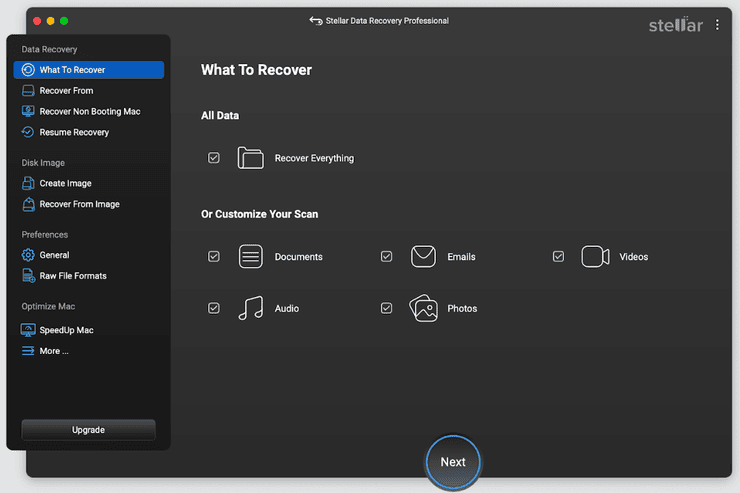
Stellar Data Recovery is the best for consumers and businesses. It can work with desktop, laptop, mobile, server, flash drive, memory card, and other external storage. It provides 24*5 support. It has Data Recovery Software, Photo Recovery Software, iPhone Recovery Software, and Video Repair Software.
Features:
- For video repair, it works with DSLR, drone, digicam, surveillance camera, & Mobile Phone.
- Photos, videos, and audio files can be recovered from an SD card, CF Card, USB Sticks, or from any other media.
- It can work with your iPhone and iPad to recover deleted photos, videos, contacts, messages, calendars, and call histories.
Further Reading => Stellar Data Recovery Software – A Detailed Review
Price: The table below will show you the details of the pricing plans for various software. It offers a 30-day money-back guarantee for licensed products. Free downloads are also available for the product.
| Data Recovery | Professional: $89.99 Premium: $99.99 Technician: $199 |
| Photo Recovery | Standard: $39.99 Professional: $49.99 Premium: $69.99 |
| iPhone Recovery Software | Standard: $39.99 Toolkit: $49.99 Toolkit Plus: $149.99 |
| Video Repair | Standard: $49.99 Premium: $69.99 Technician: $99.99 |
Verdict: It’s an easy-to-use, future-ready solution. It will also help you to create software for Email Repair, Data Recovery, Database Repair, and File repair.
#5) System Mechanic Ultimate Defense

System Mechanic can be used to easily recover files on your Windows PC or digital device, regardless of what caused the data loss scenario. With System Mechanic, you’ll get all the tools you need to search and recover deleted documents or multimedia files from hard drives, CDs, cameras, flash players, mp3s, etc.
You can search for lost data with regards to a specific location or throughout the entire system. You can also customize your search, choosing which hard-drives or folders to focus on. You can also perform sector-level searches to find more deleted data. If you do find your missing data, it will only take you one click to restore it to its original destination.
Features:
- Custom Search for missing data
- Retrieve data from distressed devices.
- Recover data from multiple digital devices and drives
- One-click restoration.
System Requirements: Windows XP and Above, Minimum 270MB of hard disk space and 512 MB RAM required.
Price: $63.94 annual license.
Verdict: System Mechanic can help you recover any document or multimedia file in no time. It works well with most digital devices and drives. Restoration will only take you one click. You can even recover data from a damaged device, which is why this software makes it to the top of our list.
#6) Zinstall
Best for Automatic Backup and Restore.
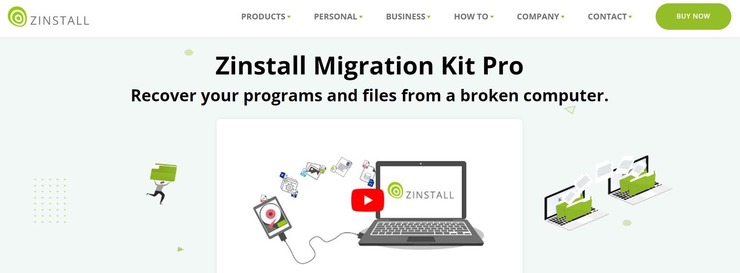
Zinstall is a software that lets you backup your entire computer automatically. The platform works well with a device powered by the Windows OS. The platform automatically backs up files, programs, settings, profile, accounts, passwords, etc. There is absolutely no manual intervention required from your side.
Just a few clicks is all it will take to backup or transfer your entire computer to a new storage drive or device. The software allows you to keep your backup anywhere you wish. You can use the software with a local storage device, network drive, or a cloud storage platform.
Features:
- Fully automated backup
- Keep backups on local storage devices, network drives, or cloud storage devices.
- 24/7 Customer support
- Works with any Windows computer
Verdict: Zinstall is a software that’ll let you recover almost anything from your dead computer. All you have to do is physically hook-up your dead drive to your new computer and run Zinstall. It’ll recover everything from your programs and media files to your passwords and emails.
Price: The platform costs $189 as a one-time fee.
#7) MyRecover
Best for iOS and Windows data recovery.
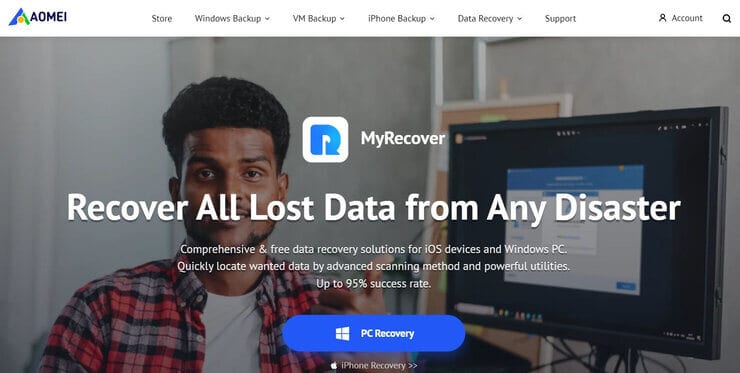
With MyRecover, you get a solution that allows you to recover data in a comprehensive fashion from iOS and Windows devices. You’ll be able to recover data, irrespective of how severe the data loss scenario was.
You’ll be able to recover more than 200 different types of files and applications with this tool. The tool can restore data from HDD, SSD, USB drive, SD cards, and other types of external storage devices. The tool is very easy to use, allowing you to recover data of all types in just a few steps.
Features:
- Recover all kinds of data
- Restore app data
- Compatible with all types of storage devices
- Compatible with all OS and common file systems
Verdict: Easy to use and effective, MyRecover offers a data recovery solution that is quick in its functioning. It can recover data from all types of data loss scenarios and supports most file types.
Price: Windows recovery costs $39.95 per month whereas iOS recovery costs $29.95 per year.
#8) AnyRecover
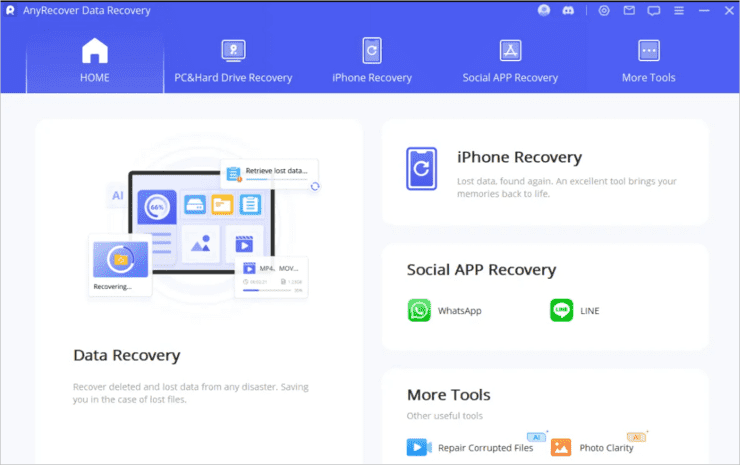
AnyRecover is a data recovery software that is available in a free and paid version. It can recover lost or deleted files from different data loss situations. It supports various devices for data recovery. It can be used to recover data that is lost by formatting, deleting, partition loss, disk damage, virus attack, etc.
Features:
- AnyRecover can perform emptied Recycle Bin Recovery, lost partition recovery, external device data recovery, and raw partition recovery.
- It supports all types of storage devices such as digital camera, computer, memory card, flash drive, camcorder, etc.
- You can preview the data before the recovery.
- It supports the recovery of multiple files.
System Requirements: Windows and Mac.
Price: AnyRecover offers a free edition to recover up to 3 files. The Pro version will cost you $50.99.
| Mac OS | Windows OS |
|---|---|
| AnyRecover Free | AnyRecover Free |
| AnyRecover Pro: $50.99 | AnyRecover Pro: $50.99 |
| Lifetime license: $84.99 | Lifetime license: $84.99 |
Verdict: You will not require any expert skills to use AnyRecover. It provides free technical support and lifetime free updates with the Pro plan.
#9) Aiseesoft Data Recovery

Aiseesoft Data Recovery is a solution to recover deleted or lost files from a computer, hard drive, memory card, etc. You can recover photos, audio, videos, documents, emails, etc.
It has the capabilities to recover data that is lost/deleted accidentally, due to the formatted partition, some hard drive problems, RAW hard drive, or crashed computer.
Features:
- Supported devices to recover data include memory cards, computers, laptops, flash drives, digital camera camcorder, hard drive, removal drives, etc.
- It has a powerful search feature that will help you find lost data quickly.
- It performs the data scanning process quickly.
- The deep scan feature can find all the deleted files.
System Requirements: Windows 10/8/8.1/7/Vista, Windows XP (SP2 or above). Mac OS X 10.7 or above.
Price: Aiseesoft Data Recovery offers flexible licensing options: 1 Month License ($23.96), a Lifetime License ($55.96 for 3 PCs), and a 1-Year License ($39.96). It is available to download for free. It provides a 30-day money-back guarantee.
Verdict: Aiseesoft Data Recovery is an all-in-one solution for recovering any type of data such as emails, images, etc. It is suitable for all situations. It has powerful search and deep scanning capabilities.
#10) Advanced Disk Recovery

Advanced Disk Recovery can quickly recover deleted, formatted, or lost data. It can retrieve lost or deleted photos, videos, audios, documents, etc. from a Hard Drive, USB, or other storage media.
It is a 100% safe and hassle-free solution. All deleted data can be recovered without overwriting the original data. Various devices are supported by this solution like PC, laptop, SSD, USB, and External Disk.
Features:
- Advanced Disk Recovery provides compatibility with all types of file formats.
- External Memory Cards, USB, SSD, and Hard Drives are supported by Advanced Disk Recovery.
- To locate and restore files according to time, size, data, etc., the tool will allow you to use filters.
- It can recover files and folders in case of an accidental format.
System Requirements: Windows 10, 8.1, 8, 7, Vista, and XP for both 32-bit and 64-bit.
Price: Advanced Disk Recovery is available at a discounted price of $39.95 annually until 30 March 2020. The regular price is $69.95 annually. It also offers 60 days money-back guarantee.
Verdict: Advanced Disk Recovery solution supports external devices and can recover all types of data.
#11) Wise Data Recovery
Best for Recovering 2 GB of data for free.
WiseCleaner’s Wise Data Recovery is one of the most efficient data recovery solutions you are going to come across in the market today. From lost photos and documents to emails and videos, this software can recover it all quickly and in just a couple of simple steps.
The software can easily recover data from external drives, USB drives, SD cards, mobile phones, and other removable storage devices. The tool leverages advanced algorithms when scanning a device for lost data to recover. As such, it is capable of executing a scan in mere seconds. The software can be used to recover data from NTFS, HFS, HFS+, HFSX, Ext2, and Ext3 file systems.
Features:
- Auto Updates
- Premium Tech Support
- Quick Scan
- Repair Corrupt Videos and Photos
- Preview Files before Recovery
Verdict: Quick and easy to use, WiseCleaner’s Wise Data Recovery is a great data recovery tool for both Windows and Mac users. It can recover all sorts of data from all types of storage devices, regardless of what caused the data loss in the first place.
Price: The free version of the Wise Data Recovery tool allows you to recover files not more than 2 GB in size for Windows and not more than 1 GB for Mac. For an unlimited number of file recoveries, you’ll need to subscribe to one of the plans below:
Windows:
- $39.97 for 1 year per PC
- $49.99 for 1 Year per 3 PCs
Mac:
- Standard: $69.99
- Professionals: $80.99
- Premium: $89.99
- Technician: $134.1 for 3 systems
#12) R-Studio Data Recovery Software
R-Studio is available for Windows, Mac, and Linux. It can perform data recovery from local disks, removable disks, heavily corrupted disks, unbootable disks, or clients connected to LAN and Internet. This tool is best for small to large data recovery options.

Features:
- It supports a wide range of file systems.
- The most common partition schemes are supported.
- It makes use of an advanced recovery algorithm.
Price: The image below will show you the pricing for R-Studio data recovery. It also has a pricing plan for Disk Cloning, Backup, File Repair, and PC Privacy. You can get a quote as per your requirements for the product and the number of licenses. It offers freeware products like R-Undelete Home, R-Photo, and R-Linux.

Verdict: It provides an emergency startup version. It has more features like a built-in file viewer and disk image creation.
Suggested Read => Top Test Data Management Tools
#13) PhotoRec

PhotoRec supports Windows, DOS, Linux, FreeBSD, NetBSD, Sun Solaris, and Mac OS. It can recover the data even if the media’s file system is severely damaged or reformatted.
Features:
- It can recover videos, archives, and documents.
- It can work with hard drives and CD-ROMs.
- It will help you to recover lost pictures from the digital camera memory.
Price: It is a free and open-source tool.
Verdict: PhotoRec is safe because of its read-only access to drives and memory cards. It supports FAT, NTFS, exFAT, ext2/ext3/ext4 file system, and HFS+ file systems. It doesn’t have a graphical interface
#14) TestDisk

TestDisk and PhotoRec are companion programs. TestDisk is for recovering lost partitions. It can convert non-bootable disks into a bootable disk.
Features:
- Partitions and files can be recovered.
- It supports cross-platform.
- It is free and open-source.
Price: Free and open source.
Verdict: TestDisk has a command-line tool interface and thus it is not suitable for newbies as it requires technical knowledge.
#15) PC Inspector File Recovery

PC Inspector File Recovery is a freeware program. It supports FAT12/16/32 & NTFS file systems. Many languages are supported by this tool. This will allow you to save data to the networked drive. It will help in the organization of recovered files by placing them in the correct file structure.
Features:
- There is an automatic finding of partitions even if the boot sector or FAT is damaged or erased.
- File recovery with the original date and time stamp.
- This will allow you to store recovered files on network drives.
- Even if the header entry is no longer available, this tool can recover files.
- It supports various Disk formats like ARJ, AVI, CDR, and many others.
Price: Freeware.
Verdict: PC Inspector File Recovery can recover lost partitions. It will not work in case of mechanical problems with a disk drive. As per the reviews, there are complaints about freezing during the recovery process.
Further Reading => A Complete Review of FoneGeek iOS System Recovery
#16) Undelete 360

Undelete 360 will allow you to recover files from the recycle bin, computer, digital camera, and flash drive. It works with Hard Drives, Digital Cameras, Floppy Drives, and USB Flash Drives. It makes use of a fast and efficient algorithm. It can perform file recovery and folder recovery.
Features:
- It can recover files that have been deleted from the command line.
- Files that are created and deleted by certain applications can also be recovered.
- Files that are deleted permanently using Shift+Delete keys can also be recovered.
- It can recover files that have been deleted from Windows network shares and from USB memory sticks.
Price: Undelete 360 is freeware.
Verdict: Undelete 360 is a freeware program for performing file and folder recovery.

TogetherShare offers a reliable and cost-effective solution for enterprises and businesses. It supports recovering of all types of files such as videos, photos, documents, emails, etc.
The software is easy to use and will let you recover the data in just three simple steps. File Systems that are supported by the tool are FAT 12/16/32, exFAT, NTFS, NTFS 5, ext 2, ext 3, etc.
Features:
- TogetherShare Data Recovery Software supports recovering data from HDD, SSD, memory card, digital camera, RAID, Server, USB flash drive, etc.
- It has capabilities for recovering data that is lost due to virus infection, logical error, power failure, etc.
- It can recover data from inaccessible hard drive partition.
- It supports recovering unlimited files with the paid version.
- One enterprise license can be used for unlimited PCs.
System Requirements: Windows, Mac, iPhone.
Price: TogetherShare Data Recovery Software offers a free version. There are two more versions, the Pro version ($69.95 per PC) and the Enterprise version ($299.00, one license for unlimited PCs). It offers a 30-days money-back guarantee.
Verdict: TogetherShare Data Recovery Software is a powerful software that can perform deleted file recovery, formatted data recovery, partition recovery, and other data recoveries. The tool is safe and easy to use. It provides tech support and lifetime upgrades for free.
#18) Disk Drill (Free) Mac and Windows

Disk Drill can recover files on Windows and Mac. Pandora Recovery is now converted to Disk Drill with additional features. It will give you improved quality and will allow you to recover archived, hidden, compressed, or encrypted files.
Features:
- It can recover all file formats.
- It supports all file systems.
- It can recover any undamaged storage device.
- It provides full support for FAT, NTFS, HFS+, EXT4.
- It can recover documents, videos, archives, music, or photos.
System Requirements: Windows XP and above and 16 MB of disk space.
Price:
For Mac and Windows OS, Disk Drill offers three pricing plans as shown below.
Disk Drill for Windows allows recovery of 500MB for free.
The table below will show you the details of the pricing plans:
| Mac OS | Windows OS |
|---|---|
| Basic: Free | Basic: Free |
| Pro: $89 | Pro: $89 |
| Enterprise: $399 | Enterprise: $199 |
DISCOUNT: 10% OFF coupon code for Disk Drill Pro for your article: SOFTWARETESTING
Verdict: As per the user reviews, it is easy to use and fast. It performs scanning at a fast rate. It has features of full partition recovery, surface scan, easy preview, and support for all file types.
#19) FonePaw Data Recovery

FonePaw Data Recovery is a professional data recovery tool that both Windows and Mac users can leverage. It can be unexceptionally helpful when you encounter situations such as accidental file deletion or losing files due to hard drive formatting.
Various file types, including photos, videos, audio files, and even your chat history of instant messenger apps, can be easily retrieved via powerful software. All the operation steps are fairly easy so even non-techies can quickly regain their lost files.
Features:
- Preview the file before performing the recovery.
- Useful Quick Scan and Deep Scan modes to help you locate lost files conveniently.
- Wide support for recovering different types of files.
- Gain back lost data from digital camera memory cards, external hard drives, flash disks, computers, and other storage devices.
System Requirements: Windows 10/8.1/8/7/Vista/XP (32 bit or 64 bit) and macOS 10.7 to macOS 10.15
Price: FonePaw Data Recovery offers a free trial for all users. Here are all the pricing plans for the full version.
| Lifetime License | Family License |
|---|---|
| $39.95 | $79.95 |
| 1 Windows PC or 1 Mac | 5 Windows PCs or 5 Mac |
Verdict: Easily retrieve lost data back to Windows PC, Mac, SD cards, and removable hard drives. This software program is ideal for recovering data that are accidentally deleted. The useful filter feature will be beneficial to quickly locate what you unexpectedly lost.
#20) iBeesoft Data Recovery

Download iBeesoft Data Recovery to find all the recoverable files.
iBeesoft data recovery has separate versions for Windows, Mac, and iPhone to recover files from computer (PC&Mac) internal hard drives, external hard drives, and iPhone respectively.
No matter how you lost the files, like deletion, factory reset of the device, system crash, virus attack, format or any data loss scenarios, the data recovery is ready to rescue your data.
Suggested read =>> Top Android Recovery Apps for Smartphones
Features:
- iBeesoft Free Data Recovery enables users to recover up to 2GB of files for totally free.
- iBeesoft Data Recovery comes with a very simple interface to display all recoverable files, including deleted files and existing but hidden files.
- Data recovery lets you preview videos, photos, documents, and more before recovery.
- It has a filter for categorizing the scanned results according to the path, time, and type.
- Supported storage devices are Mac & PC internal hard drives, Memory Cards, Digital Cameras, External Hard drives, USB Flash Drives, etc.
- Supported file types for recovery are pictures, audio, videos, documents, archives, etc.
Price: iBeesoft offers data recovery solutions with different licensing options.
| Data Recovery for Windows | Basic: Free to recover up to 2GB files, Personal License: $45.95, Family License: $69.95, Company License: $299.95 |
| Data Recovery for Mac | Free trial: Free to show recoverable files, Personal License: $55.95, Family License: $69.95, Company License: $299.95. |
| iPhone Data Recovery for Windows | Free trial: Free to show recoverable files, Personal License: $39.95. |
| iPhone Data Recovery for Mac | Free trial: Free to show recoverable files, Personal License: $39.95. |
Verdict: If you want to recover files from a computer or external hard drive, try iBeesoft Free Data Recovery. It’s free to recover up to 2GB of files, which is seldom offered by any other developers.
iBeesoft is a powerful solution for data recovery with functions for recovering deleted files, unformatted drives, RAW drive recovery, etc. Anyway, a great data recovery software to find the recoverable files you need.

Recoverit by Wondershare is a comprehensive and professional solution to recover lost data from computer disk, flash drive, SD card, etc. It provides a preview before recovery.
With Recoverit, it is only a 3-step data recovery process, Select, Scan, and Preview the recovered files to get them back. Its technical support is available for free, 24*7.
Wondershare Recoverit can recover deleted files like photos, videos, audio, emails, etc. It supports more than 1000 file formats. It can recover data from your PC, Mac, hard drive, USB, SD card, etc.
Features:
- Wondershare Recoverit makes use of patent technology to recover deeply hidden videos.
- It can repair different formats of video files.
- It can repair multiple videos at the same time.
- It can rescue the data from a crashed PC.
System Requirements: Windows and Mac.
Price: Recoverit offers pricing plans for Individuals, Teams & Businesses, and Students & Teachers. For the small teams (less than 5 PCs), it will cost $139.95 per year. Medium to large size organizations can get a quote. Plans for individuals start at $59.95 per year.
Wondershare Recoverit offers a 7-days money-back guarantee. It also offers a free version to recover data.
Verdict: Wondershare Recoverit is providing service since 2003. It is trusted by more than 5 million users. This comprehensive and professional solution can recover all lost data from computer disk, flash drive, SD card, etc.
#22) iMyFone Data Recovery Solutions

The most effective solution to recover lost data and files from hard drives on Windows and Mac. D-Back also has separate versions for mobile phone data recovery, called D-Back for iOS and D-Back for Android.
D-Back Data Recovery software is the best free data recovery program for recovering lost files, photographs, documents, and more after formatting, wiping, partition loss, disk damage, virus attacks, iPhone, Android phone, and more.
It is designed to help everyone recover deleted and lost files in only three easy steps. Available on both Windows and Apple computers, it supports the recovery of over 1000+ file formats from internal hard drives, memory cards, USB drives, external hard drives, and even crashed computers. In addition, previewing recoverable data before final recovery.
Features:
- All-in-one solutions for a variety of data loss scenarios.
- Recover deleted files from hard drives, USB flash drives, SD cards, SSDs, cameras, iPhone, Android, etc.
- Supports 1000+ file types, including photos, videos, office documents, archives, and more.
- Provides an add-on feature to repair corrupted videos.
- Free download and trial.
System Requirements: Windows and Mac
Price:
| Type | Windows/Mac |
|---|---|
| PC Data Recovery | Preview recoverable files 1-Month: $59.95 1-Year: $79.95 Lifetime: $99.95 |
| iPhone data recovery | Free: Preview recoverable files 1-Month: $49.95 1-Year: $59.95 Lifetime: $69.95 |
| Android data recovery | Free: Preview recoverable files 1-Month: $29.95 1-Year: $39.95 Lifetime: $49.95 |
DISCOUNT: 10% discount on all iMyFone D-Back licences using the coupon code: 90register
Verdict: iMyFone Hard Drive Recovery Software is one of the most popular and trusted free hard drive data recovery software on the market today. The simple, easy-to-operate, and high data recovery rate allows you to use it with confidence.
#23) MiniTool Data Recovery Software
Best for Excellent disk scanning performance.

MiniTool is a data recovery software that stands tall on this list because of its speed and user-friendliness. The software will help you recover lost files from laptop, USB drives, SSD, HDD, memory card, etc. MiniTool can come to your rescue, regardless of the data loss scenario you are facing.
From accidentally deleted files to those lost due to virus attacks, MiniTool is quite effective in its recovering capabilities. You can also rely on the software to retrieve files from an inaccessible partition or disk. MiniTool’s has constantly upgraded itself since launch. The tool has only improved with regards to its scanning performance and ability to resolve memory issues.
Features:
- Recover files from RAW Partition
- Recover from OS Crashes
- Retrieve files from virus attacks
- Recover files from deleted partitions.
Verdict: MiniTool’s Data Recovery Software has always been one of our personal favorites. Its newer version, however, has only cemented its position as one of the best data recovery solutions out there. It’s super-fast in its retrieving capabilities and can work through various data loss scenarios with resounding success.
Price: MiniTool’s Data Recovery Software can downloaded and installed on Mac and Windows devices for free with limited features. The premium plans are as follows:
- Personal: $69/month and $89/year.
- Perpetual License: $99
Website: https://www.minitool.com/data-recovery/recover-files-from-card.html
#24) DMDE Data Recovery Software
Best for advanced and regular users looking for a powerful yet affordable data recovery solution.

DMDE (DM Disk Editor and Data Recovery Software) is a highly effective tool for recovering data under various data loss scenarios. It excels in reconstructing file systems, recovering lost partitions, and supporting advanced disk editing. The software is available across multiple platforms, including Windows, Linux, and macOS, and has received recent updates to enhance its user-friendly interface.
With both free and paid options, DMDE is a versatile choice for users with varying needs. Its free version supports recovering up to 4,000 files per operation, while the paid versions provide unlimited file recovery capabilities, including recovery of all subfolders per operation and advanced tools for more professional needs such as additional options for managing copying and disk access, reports, portable activation keys, etc.
Features:
- Recovers removed data and data from lost partitions and corrupted file systems.
- Supports multiple file systems, including NTFS, FAT32, exFAT, HFS+/X, APFS, ext2/3/4, btrFS, ReFS.
- Includes a powerful disk editor for advanced data inspection and recovery.
- RAID reconstruction capabilities for recovering complex storage setups.
- Disk imaging and cloning for secure data preservation.
- Portable applications with no installation required.
System Requirements:
- OS: Windows 7/8/10/11, Linux, macOS
- RAM: 512MB or higher
- Storage Space: 50MB for installation
Price:
- Free Edition: Recovers up to 4,000 files per operation.
- Express License: $20/year for personal use.
- Standard License: $48 (one-time payment)
- Professional License: $95 (one-time payment, includes advanced features).
Verdict: DMDE is a robust and cost-effective data recovery solution suitable for personal and professional use. It provides advanced tools, including RAID reconstruction and low-level editing, at an affordable price. The software caters to both novice and experienced users with recent interface enhancements for ease of use.
Conclusion
We have reviewed and compared the top data recovery software in this article. Stellar Data Recovery, Disk Drill, R-Studio, Recuva, EaseUS, and Wise Data Recovery offer a free edition of the tool. PhotoRec and TestDisk are companion programs.
These are free and open-source tools. PhotoRec is for recovering photos, videos, documents, etc. TestDisk is for recovering lost partitions.
Also read =>> Partition Manager Software for Windows 10
PC Inspector File Recovery and Undelete 360 are freeware. MiniTool offers freeware as well as licensed products. For licensed products, it offers a money-back guarantee of 30-days. Stellar Data Recovery has licensed products with a 30-day money-back guarantee. It also offers a free download of the products.
Hope this article has helped you in choosing the right Data Recovery Software!
Was this helpful?
Recommended Reading
-

A complete review of Stellar Data Recovery to protect you from the biggest data breach incidents and ensure complete data protection: According to a report published in IT Governance, there have been 5 billion security incidents in 2023 alone. While organizations and institutions have become more vigilant, the security measures…
-

This tutorial explains how to use EaseUS Data Recovery software to effectively recover deleted data from a variety of storage systems: Have you ever accidentally deleted weeks' or months’ worth of work from your system? If so, then find solace in the fact that you are not alone. This severe…
-
Here we review and compare the top iPhone Data Recovery Software to help you select the best iPhone recovery software as per your requirement: You’re always vulnerable to data loss whether you’re using a computer, smartphone, or another device that can store data. Similarly, it does not matter if you…
-
This tutorial explains what is Recovery Testing, its lifecycle, disaster recovery best practices, and the differences between Recovery testing and Reliability testing: Software failures are unavoidable, some failures do not let the complete system down, but some failures can be a disaster. To reduce the impact of the disaster, “Recovery…


I am Arthur Bill, and I want to share my experience with Elite Web Recovery in recovering my stolen funds. When I discovered that my funds had been stolen by crypto currency scammers, I was devastated and didn’t know where to turn. I thought all hope was lost and fell into depression until I came across Elite Web Recovery and how they get stolen bitcoin back. After doing some research about the company called Elite Web Recovery, I decided to give them a try. From the moment I contacted them, they were professional, responsive, and empathetic to my situation. During the initial consultation, Elite Web Recovery took the time to understand the details of the theft and gather all necessary information. Their team conducted a thorough investigation to trace the money and identify the perpetrators behind the theft. They used advanced technology and cybersecurity expertise to track the stolen funds. They worked tirelessly to recover every cent that was taken from me. Their team kept me informed throughout the process and gave me regular updates on their progress. For those of you trying to get back your stolen money, you can get in touch with Elite Web Recovery so they can help.