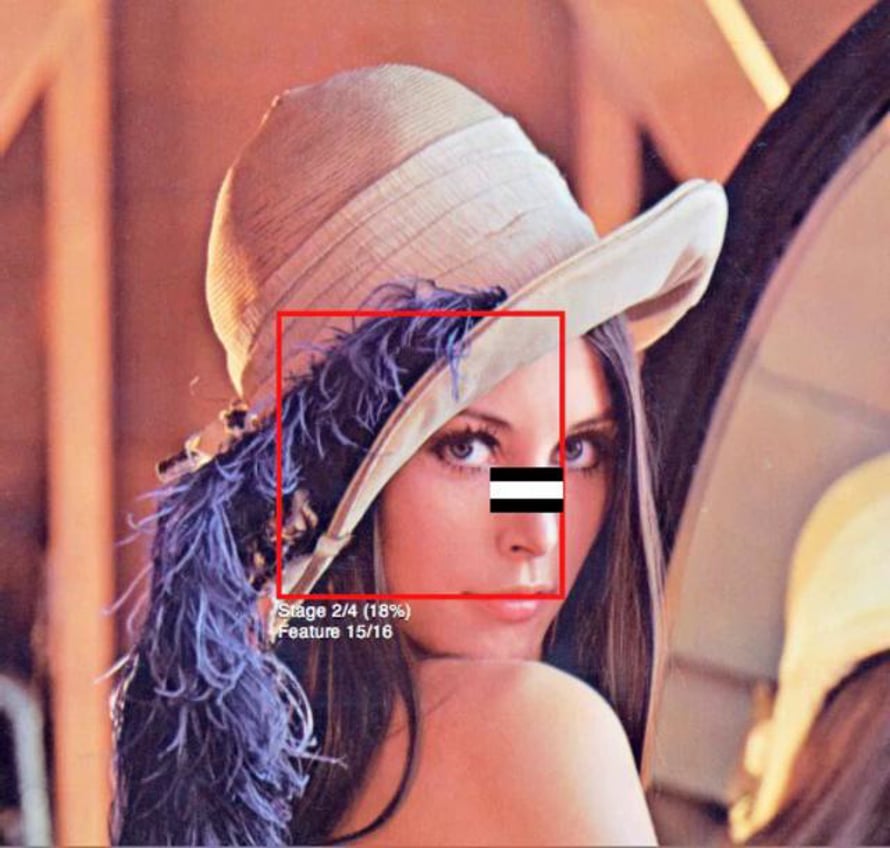
OpenCV Face Detection: Visualized

This video is deprecated and is scheduled for removal as the Lena image is no longer recommend for educational use in computer vision demonstrations. Unfortunately, the code is now archived and this video will not be recreated for another face and will instead be removed.
This video visualizes the detection process of OpenCV's face detector. The algorithm uses the Viola Jones method of calculating the integral image and then performing some calculations on all the areas defined by the black and white rectangles to analyze the differences between the dark and light regions of a face. The sub-window (in red) is scanned across the image at various scales to detect if there is a potential face within the window. If not, it continues scanning. If it passes all stages in the cascade file, it is marked with a red rectangle. But this does not yet confirm a face. In the post-processing stage all the potential faces are checked for overlaps. Typically, 2 or 3 overlapping rectangles are required to confirm a face. Loner rectangles are rejected as false-positives.
This visualization was done as part of the documentation for CV Dazzle, camouflage from face detection. For more information, visit cvdazzle.com
Get started for free
24/7 customer support
Our customer support team is available to help 24/7. Enterprise members also receive dedicated account managers and a guaranteed uptime SLA.
© 2026 Vimeo.com, Inc. All rights reserved.
TermsPrivacyYour Privacy ChoicesU.S State PrivacyCopyrightCookies