
Raspberry Pi Zero vs Zero 2: Should You Buy It? (Benchmark)
We have been waiting for something new for a long time, and the Raspberry Pi Zero series was the one that needed an upgrade the most. And now, the Raspberry Pi Zero 2 is available! I received mine a few days ago, tested many things, and I’m ready to share my experience with you in this article.
The Raspberry Pi Zero 2 W was released on October 28, 2021, and brings a new SoC to the series, with a quad-core ARM Cortex-A53 @ 1Ghz. The other specifications are similar, but the performances are highly increased by this CPU upgrade.
In this article, I will introduce this new model by comparing it to the older one. I will also share my first impressions, and give you some data to make your own decision. Keep reading to know everything about the new Raspberry Pi Zero 2 and to figure out if it’s a good fit for you.
If you’re looking for inspiration for your next Raspberry Pi project, I’ve put together a list of 75+ ideas with full descriptions, difficulty ratings, and links to tutorials. Whether you’re a beginner or more advanced, there’s something here for you. Grab the list for free here!
Pi Zero vs Pi Zero 2: Specifications
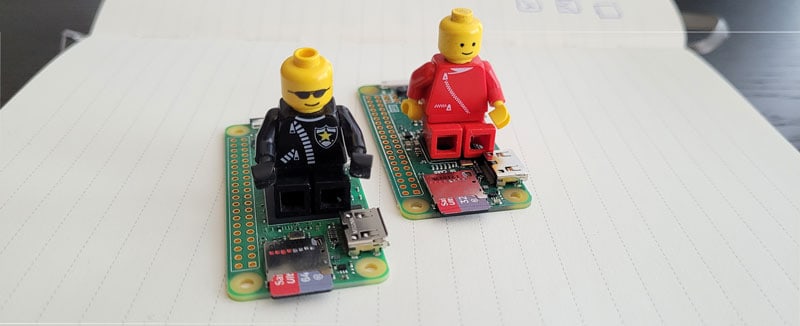
Let’s start by introducing the Raspberry Pi Zero 2 by comparing its specifications to the first model. The whole idea is to boot the CPU with a quad-core SoC, which should really improve the user experience for most usages.
We’ll get back to this later, here are the specs:
| Raspberry Pi Zero 2 W | Raspberry Pi Zero W | |
|---|---|---|
| SoC | Broadcom BCM2710A1, quad-core 64-bit | Broadcom BCM2835 |
| CPU | 4x ARM Cortex-A53 @ 1Ghz | 1x ARM1176JZF-S @ 1 GHz |
| GPU | Broadcom VideoCore IV @ 400 MHz (Core) | Broadcom VideoCore IV @ 400 MHz (Core) |
| Memory | 512MB | 512MB |
| USB | 1 Micro-USB | 1 Micro-USB |
| HDMI | 1 Mini-HDMI | 1 Mini-HDMI |
| Network | Wi-Fi (2.4Ghz) / Bluetooth 4.2 | Wi-Fi (2.4Ghz) / Bluetooth 4.1 |
| Power Supply | 5V via Micro-USB | 5V via Micro-USB |
| Dimensions | 65 mm x 30 mm x 5 mm | 65 mm x 30 mm x 5 mm |
| Price | Around $15 (check price here) | Around $10 (available here) |
So, when I say the main change is in the CPU, it’s almost the only change in fact, but it’s a big one. Adding multicore on this Raspberry Pi should highly improve your experience as several tasks can run at the same time.
Check this: Tired of Raspberry Pi OS? Level up with these top-rated systems.
Need some inspiration for your next Raspberry Pi project? Get access to my personal list here!
Download now
Those who had a Raspberry Pi Zero know what I’m talking about. It works pretty well once the setup is completed, but the installation part generally takes forever as everything is slow. We’ll see how this new model address this issue.
Just a quick word about the price. The Raspberry Pi Zero is intended to be the cheapest model available (except for the Pico, but it’s not really comparable). The first version was released at $5, then $10 for the one with Wi-Fi, and the newest 2 W is around $15 from official distributors.
Warning: current prices are all over the place for a new Raspberry Pi. Make sure to check this article to pay the right price when buying a Raspberry Pi. I also give a few tips to find one in stock (which currently isn’t that easy).
As with any new model, you won’t find it directly on Amazon (and the first ones will probably be too expensive), so your best choice is to go to the official website and pick one of the approved resellers.
Pi Zero vs Pi Zero 2: First Impressions
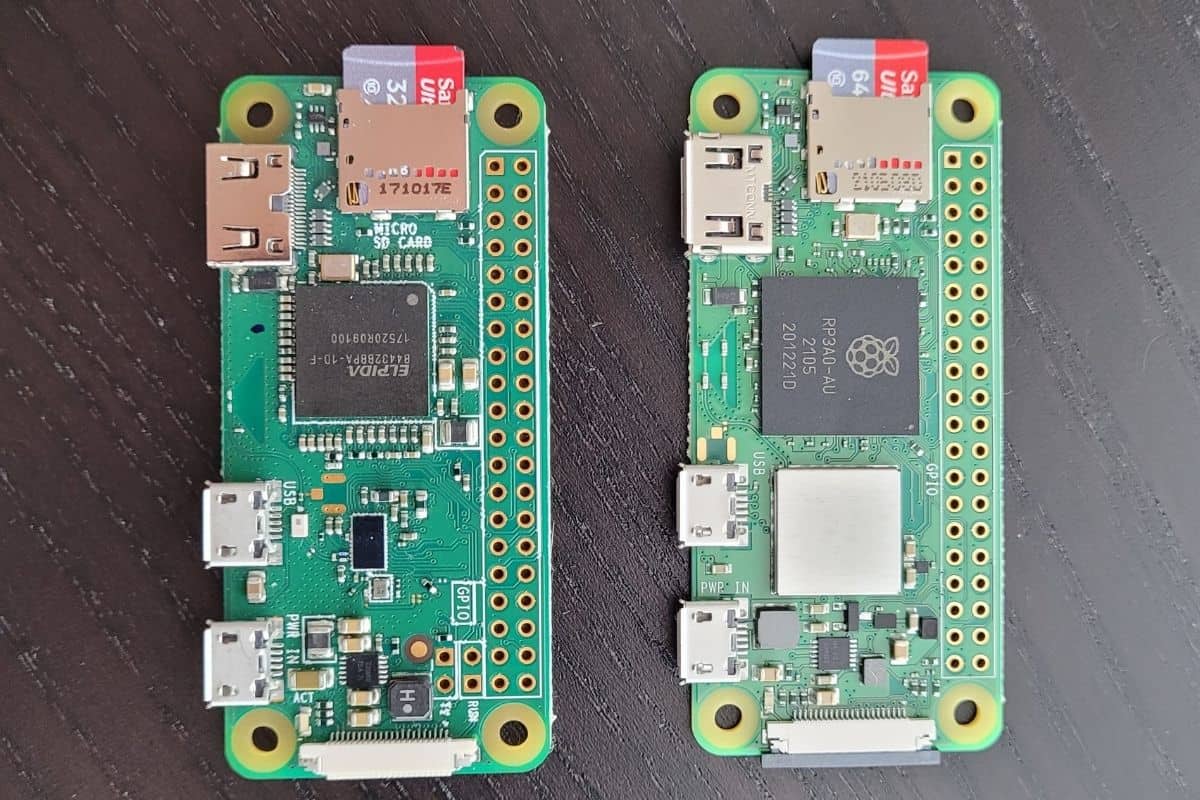
On the board itself, you won’t see any major differences. One you can’t miss is the metal shield next to the CPU. As on all the recent models, it’s there to protect the wireless components from cross-interference.
But the dimensions and ports are the same, so if you had all the adapters for the Pi Zero, you can use the same ones on the Raspberry Pi Zero 2. Same goes for the case. I bought mine with this complete kit from Vilros, and everything is compatible with the new model.
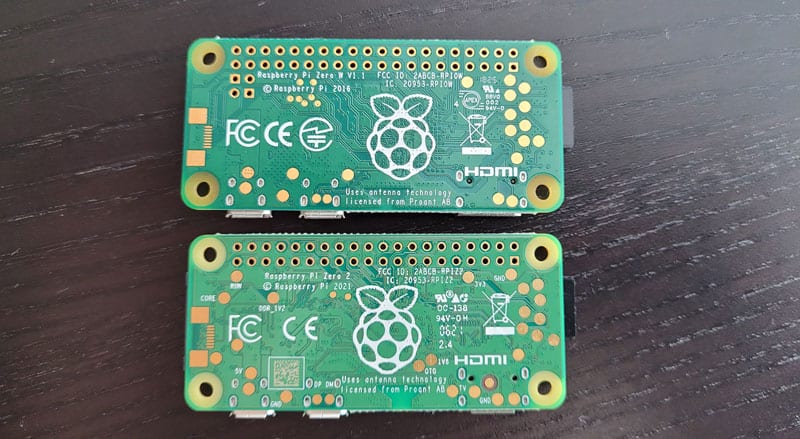
Hopefully, you have the model reference on the back, so you won’t confuse the two. But as a whole, no major differences in the hardware, logo on the CPU, metal shield, and revision number on the back.
Read next: I've tested hundreds of Linux apps, here are the ones I recommend.
Need some inspiration for your next Raspberry Pi project? Get access to my personal list here!
Download now
So, is it worth the upgrade? We’ll see that in the next sections.
Pi Zero vs Pi Zero 2: User Experience
I have had it for a few days, so I haven’t tested everything yet. But, if you’re used to the Raspberry Pi Zero (1) W, you will quickly see a difference. The idea was to install Raspberry Pi OS (with Desktop), see how it works on both, and do a few tests.
I can tell you that you’ll notice a major uplift immediately from the get go:
- Updating the system took me almost 30 minutes on the Raspberry Pi Zero but less than 15 minutes on the new model. I used the same Internet connection, same SD card, and same Raspberry Pi OS image on both. So, the only explanation is the new multicore CPU.
- The user experience is also very different on the desktop environment. If you have one task running on your system, everything will be very slow on the Raspberry Pi Zero. But the multi-thread management on the new model will avoid this. For example, if you’re using Chromium and extracting an archive at the same time, you’ll notice major speed differences.
- Even installing the tools for the benchmark (and to run the tests) was way better with the new model. By the way, it took me forever to do this. It works well on high-end models, but these tests are a bit too heavy for the Raspberry Pi Zero family. Anyway, it probably took more than 24 hours on the Raspberry Pi Zero, but only about 8 hours on the Raspberry Pi Zero 2.
So, I think you’ll really see a difference. For example, I remember trying to install Nextcloud on my Raspberry Pi Zero. It’s possible, but you’ll often get some freezes in the interface for no reason. It wasn’t really a good experience, so I use a Raspberry Pi 3B+ for this instead.
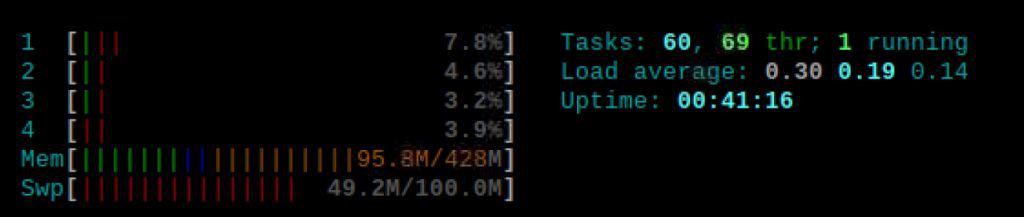
The new Raspberry Pi Zero 2 W will probably unlock a whole list of projects you can do.
It’s probably not the best for desktop usage, but for most server-oriented projects or home automation, I think it’s a good fit for a great price.
I’m saying that it’s not the best for computer use, but it works pretty well. For people who only check their emails once a day, for kids, or for users in developing countries, I think this new model can go beyond what we expected for the Raspberry Pi Zero series until now.
Download the free PDF, keep it open, and stop wasting time on Google.
Download now
The ports available can be a limitation, as you have only one USB port and no Ethernet port available.
If you’re looking for perfect project ideas for the Raspberry Pi Zero 2W, click on the link to find my top recommendations.
Want even more ideas? I put together a free resource with over 75 Raspberry Pi project ideas, each with a quick description, tutorial link, and hardware requirements. Whether you’re just starting out or looking for something to do this weekend, this list will keep you busy for a while. Just click here to get instant access.
Pi Zero vs Pi Zero 2: Benchmarks
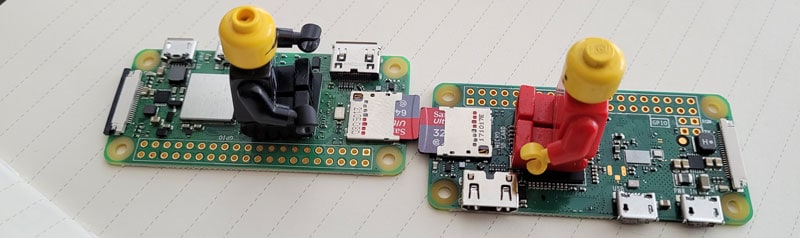
OK, for the nerds reading this, I have done a few tests to show you the differences between the two models. As I told you previously, it took me forever to get this done, but I have some numbers to confirm my first impressions.
I completed the tests using the Phoronix Test Suite. I did the same tests on the Raspberry Pi Zero W, the Raspberry Pi Zero 2 W, and the Raspberry Pi 4 (to have a reference). It’s the same SD card, with the same image on the two Raspberry Pi Zero models.
Here are the benchmark results:
| Test | Raspberry Pi Zero W | Raspberry Pi Zero 2 W | Raspberry Pi 4 (4GB) |
|---|---|---|---|
| AoBench (CPU) | 655 Seconds | 363 Seconds | 125 Seconds |
| LAME MP3 Encoding (CPU) | 206 Seconds | 96 Seconds | 42 Seconds |
| 7zip Compression (CPU) | 282 MIPS | 1541 MIPS | 3616 MIPS |
| FFMpeg (CPU) | 1127 Seconds | 109 Seconds | 46 Seconds |
| Flac Audio Encoding (CPU) | 1890 Seconds | 939 Seconds | 207 Seconds |
| HDParm Read (Disk) | 22 MB/s | 22 MB/s | 42 MB/s |
| Memcpy (Memory) | 420 MB/s | 1357 MB/s | 2748 MB/s |
| Memset (Memory) | 1650 MB/s | 1621 MB/s | 3339 MB/s |
| PyBench (System) | 42234 Milliseconds | 19974 Milliseconds | 5202 Milliseconds |
Note: I used a slightly better SD card on the Raspberry Pi 4 that may explain the difference with HDParm.
Download the free PDF, keep it open, and stop wasting time on Google.
Download now
According to the benchmark results, the Raspberry Pi Zero 2 W beats the Raspberry Pi Zero in all the CPU tests, but also on some memory and system tests. As a whole, the user will experience a system between two to five times faster, depending on the tasks.
These results are explained by a better CPU and multi-thread support. Also remember that the new processor supports 64-bit applications, so it might also improve the performance on some operating systems and applications.
If you enjoy learning about Raspberry Pi, you’ll feel right at home in the RaspberryTips Community. It’s a friendly group of makers helping each other grow. Join us today for $1 and see what it’s like inside.
Final Thoughts
As a whole, I think the Pi Zero 2 W will find a good place in my collection. My old Pi Zero was the one with the most uptime, as it ran 24/24, but it will now be replaced by this new model. I may even buy a few more to host servers for backup purposes, home automation, and other projects.
If you’re not certain if it’s for you, I would recommend it for anything other than desktop usage if your budget is limited. For desktop usage, a Raspberry Pi 4 or 400 will always be better. Also, the limited memory can be an issue with some server projects. In that case, I’d prefer a Raspberry Pi 3 or 4 if possible (even the Pi 3A might be a better choice).
I can’t wait to see what manufacturers and makers will do with this new model, as I think there’s big potential. I’ll probably wait for new articles about it in the future, but for now, you can find some great projects ideas for it here: 16 cool projects ideas for the small Raspberry Pi Zero.
Recommended reading: Where to Buy a Raspberry Pi: Common Pitfalls & Expert Tips
Whenever you’re ready, here are other ways I can help you:
Test Your Raspberry Pi Level (Free): Not sure why everything takes so long on your Raspberry Pi? Take this free 3-minute assessment and see what’s causing the problems.
The RaspberryTips Community: Need help or want to discuss your Raspberry Pi projects with others who actually get it? Join the RaspberryTips Community and get access to private forums, exclusive lessons, and direct help (try it for just $1).
Master your Raspberry Pi in 30 days: If you are looking for the best tips to become an expert on Raspberry Pi, this book is for you. Learn useful Linux skills and practice multiple projects with step-by-step guides.
Master Python on Raspberry Pi: Create, understand, and improve any Python script for your Raspberry Pi. Learn the essentials step-by-step without losing time understanding useless concepts.
You can also find all my recommendations for tools and hardware on this page.



Pi4 is still very slow for real daily computing. Arm chips still unable do the task that amd and Intel does. I won’t call desktop pc use for pi type and equivalent boards. In today requirement, we still need non freeze computing in simple docs and 1080p videos.
In the first table you have the Bluetooth versions incorrectly listed. The Zero W is while version 4.1, while the Zero 2 W is 4.2. You have them swapped.
Thanks