
Krita

1.5M ratings
277k ratings

See, that’s what the app is perfect for.

Sounds perfect Wahhhh, I don’t wanna
image

Krita 5.0 is out!

After several years of hard work, we are happy to present you Krita 5.0!

This is a huge release, with a lot of new features and improvements. Some highlights:

  • The way Krita handles things like brushes, gradients and palettes, as well as tagging, has been completely revamped. The new system is much faster, uses much less memory and is much more dependable!
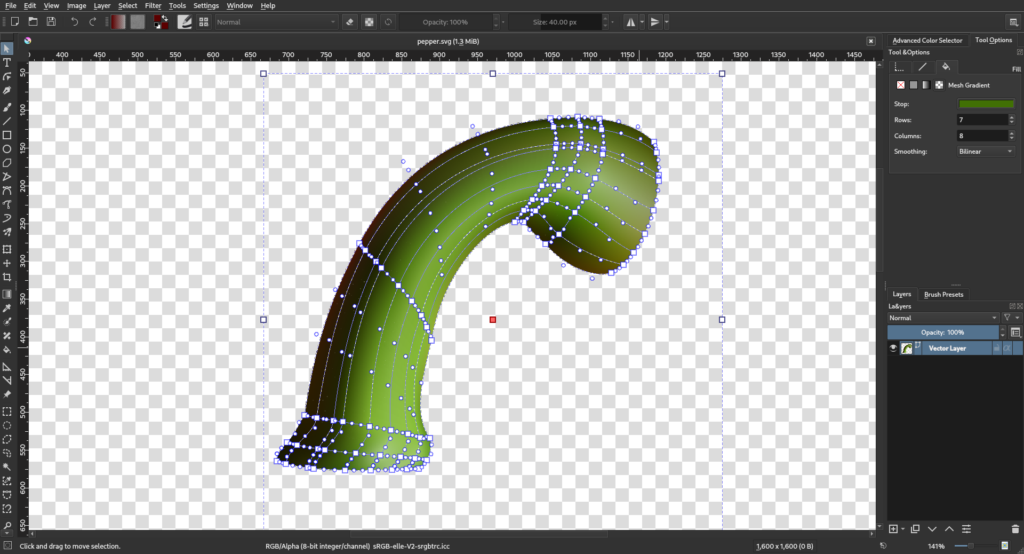
  • Gradients have been improved: they are far smoother and can handle wider gamuts.
  • The smudge brush engine has been completely rewritten, and we’ve got a new brush engine, based on MyPaint
  • The Animation system has been overhauled, with both user interface improvements and new features, such as clone frames and animated transform masks
  • Krita now has a built-in storyboard editor!
  • There’s a recorder to create a video out of your painting sessions
  • And much much more!

We hope you enjoy this release!
krita krita announcements krita 5.0
Krita 4.4 Krita announcements Krita

If you are a fan of textures and gradients, Krita 4.4 is for you!

Krita krita 4.4 Krita announcements

Anonymous asked:

Hi! Recently when I click "Save as" or "Save" the window that pops up isn't the windows default save window (where the Quick Access and Recent folders dropdown can be shown, which I heavily rely on), but Krita's own Save as window in the selected theme. Is there a way to revert back to the Windows' default Save window?

Settings->configure Krita->miscelaneous->use native save dialogs.

Anonymous asked:

Krita is refusing to uninstall from my surface tablet/pc :( i have been trying to do everything i can, but it simply says ' this program cannot run on your pc ' everytime i attempt to uninstall.

I am afraid I have no idea what is going on here, and I would recommend not using the deinstaller, but directly going to the installed programs list in the windows settings and deinstalling from there.

Anonymous asked:

Whenever I attempt to render an animation, it shows in the corner "Failed to Render Animation!" I'm using v. 4.2.2 of ffmpeg, static, and for windows 10. In the profile, it's baseline. I'm new to Krita's animation, but I worked really hard on the animation, and I would rather not lose it all. Could you help?

It’s best to export a PNG sequence, and then try to load that into something like windows movie maker.

Second beta for 4.4 is out, this version has a lot of new fill layer features.

If you have questions, please go to krita-artists.org.

Krita krita 4.4