


Tutorial #2
From this  to this
 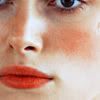 in photoshop 6.0
Includes selective colouring, channel mixer and curves.
.PSD available
1. Prepare your base (sharpen, blur etc.)
2. Add a curves layer and use the following settings:
INPUT: 96
OUTPUT: 152
Remember to play around with this according to the base. I found I sometimes needed to lower it as it was too bright.
3. Add a Selective Colouring layer and use the following settings:
REDS: -87 / -26 / +53 / +45
YELLOWS: +76 / +15 / -39 / 0
NEUTRALS: -16 / -2 / 0 / -10
4. Add a Channel Mixer layer and use the following settings:
RED: 112 / 4 / -24 / -4
GREEN: -2 / 100 / 8
BLUE: -12 / 6 / 114 / 0
5. Add a Hue/Saturation layer and up the REDS saturation to 42 and lightness to -30.
6.Add a Color Balance layer and use the following settings:
MIDTONES: -57 / -9 / -21
SHADOWS: 41 / 25 / 33
HIGHLIGHTS: 33 / 11 / 29
Keep the Preserve Luminosity box checked.
7. Add a Selective Colouring layer and use the following settings:
REDS: -26 / 75 / 100 / 100
YELLOWS: 0 / 0 / 100 / -39
NEUTRALS: 1 / 0 / -21 / 22
8. Duplicate your base, drag to the top and set to Softlight 50%.
.PSD here
PLEASE COMMENT IF YOU TAKE!
to this in photoshop 6.0Includes selective colouring, channel mixer and curves.
.PSD available
1. Prepare your base (sharpen, blur etc.)
2. Add a curves layer and use the following settings:
INPUT: 96
OUTPUT: 152
Remember to play around with this according to the base. I found I sometimes needed to lower it as it was too bright.
3. Add a Selective Colouring layer and use the following settings:
REDS: -87 / -26 / +53 / +45
YELLOWS: +76 / +15 / -39 / 0
NEUTRALS: -16 / -2 / 0 / -10
4. Add a Channel Mixer layer and use the following settings:
RED: 112 / 4 / -24 / -4
GREEN: -2 / 100 / 8
BLUE: -12 / 6 / 114 / 0
5. Add a Hue/Saturation layer and up the REDS saturation to 42 and lightness to -30.
6.Add a Color Balance layer and use the following settings:
MIDTONES: -57 / -9 / -21
SHADOWS: 41 / 25 / 33
HIGHLIGHTS: 33 / 11 / 29
Keep the Preserve Luminosity box checked.
7. Add a Selective Colouring layer and use the following settings:
REDS: -26 / 75 / 100 / 100
YELLOWS: 0 / 0 / 100 / -39
NEUTRALS: 1 / 0 / -21 / 22
8. Duplicate your base, drag to the top and set to Softlight 50%.
.PSD here
PLEASE COMMENT IF YOU TAKE!