Indie game storeFree gamesFun gamesHorror games
Game developmentAssetsComics
SalesBundles
Jobs
TagsGame Engines

[SOLVED] Bubbles and text off screen

A topic by BurbJones created 23 days ago Views: 94 Replies: 15
Viewing posts 1 to 11

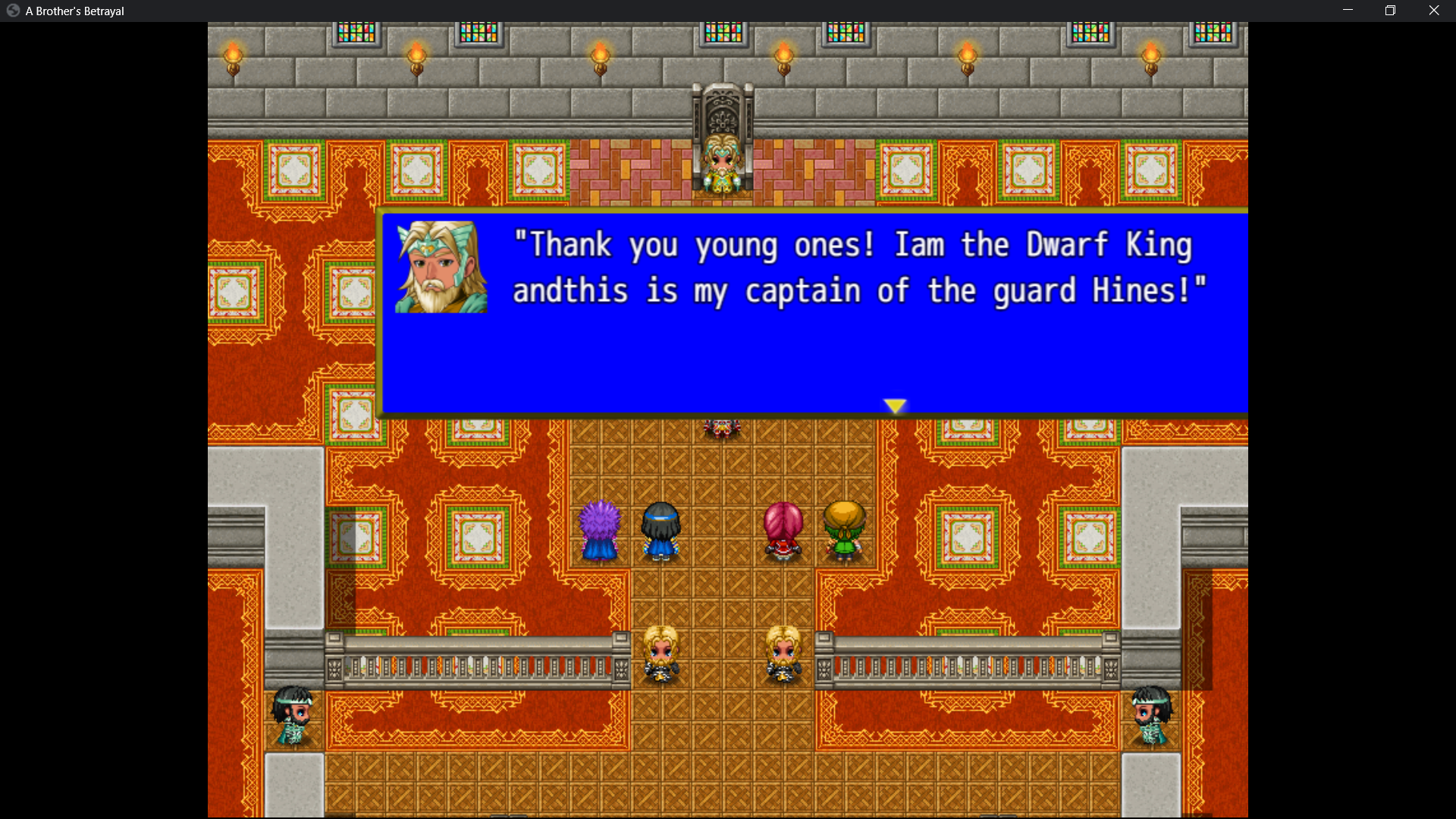
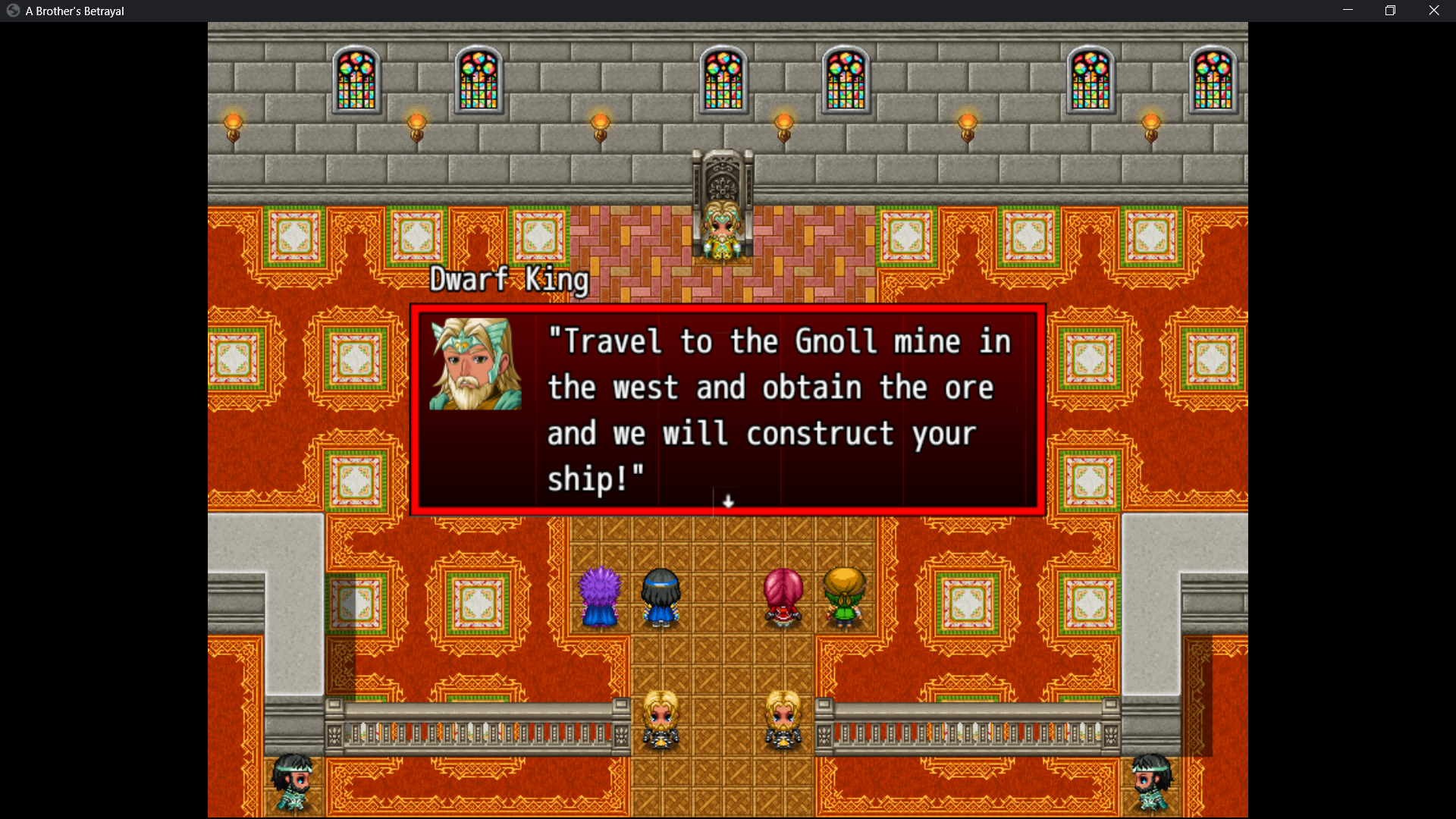
Hello can you please tell me how to fix this. I cannot get the text and box to stay on the screen.
(1 edit)

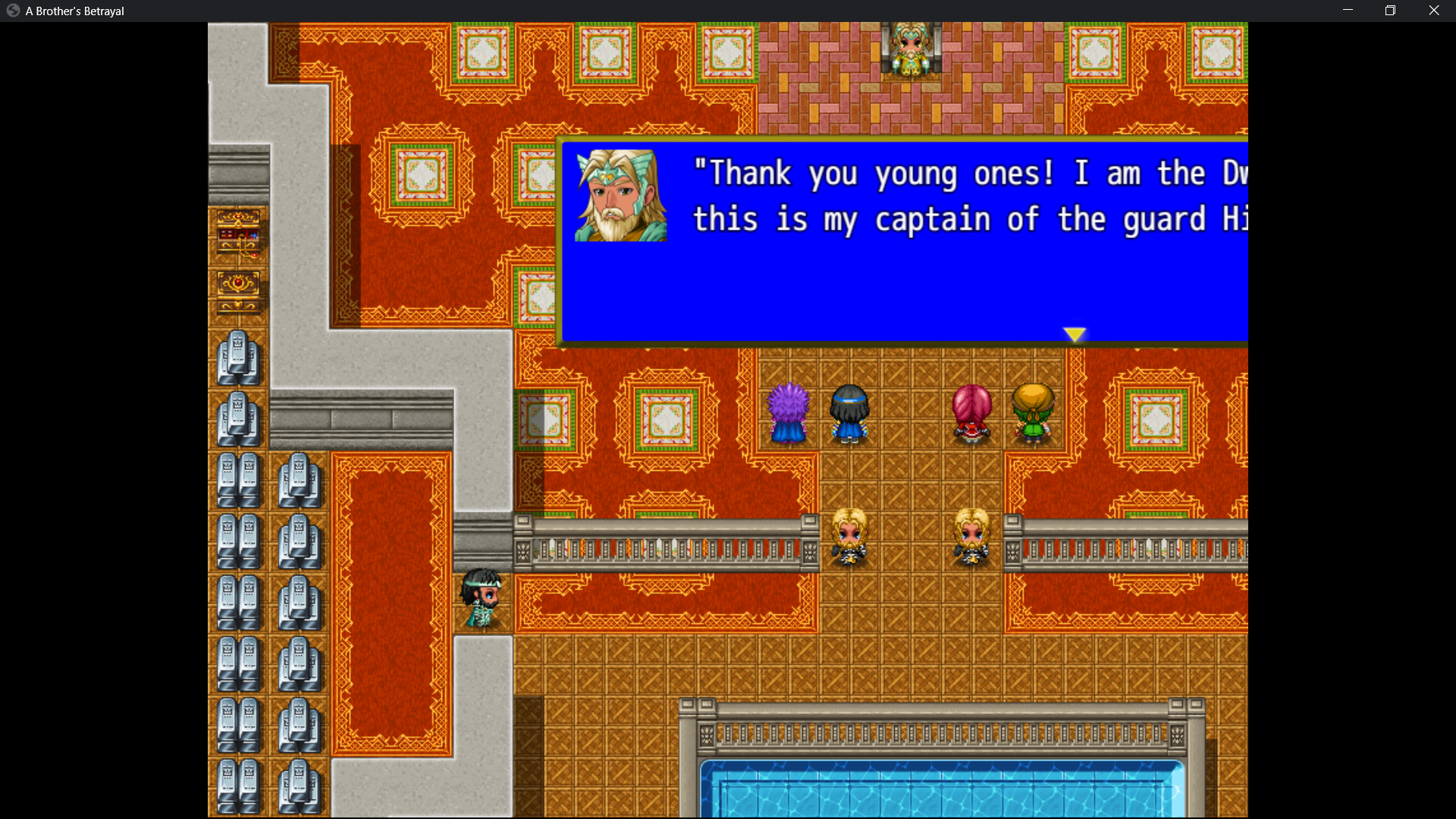
Yeah I can't get this to look right. I've tried all of the setting. I've adjusted the box width and I have adjusted the box location using map coordinates. The text box is off the screen to the right and it has tons of extra space under and around the text. I want it to look like your pictures in the demonstration. I want the text box cropped and neat not huge and messy. The box is way oversized and off the screen . Please help lol

Developer (1 edit)

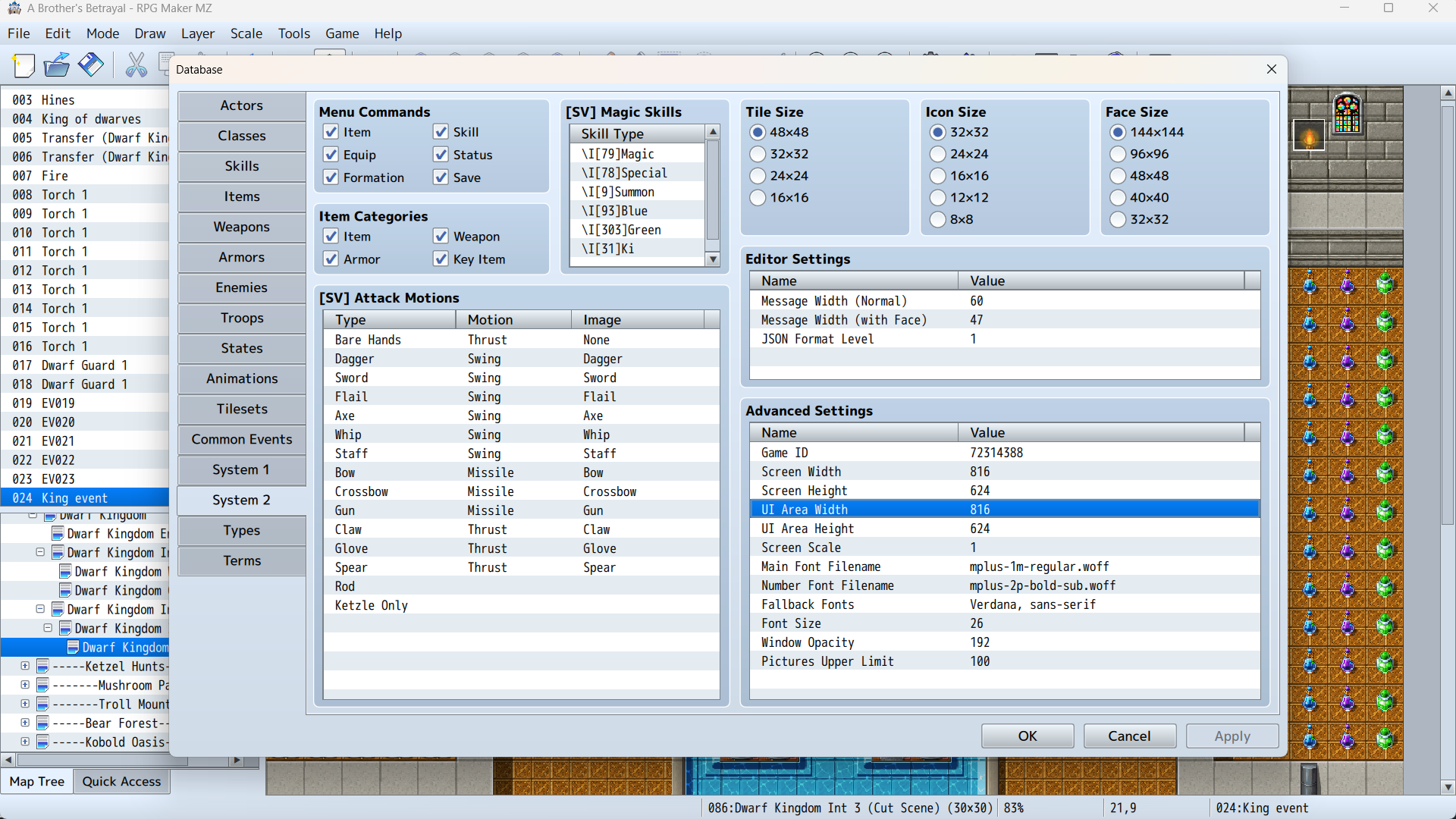
Hello. Is your UI resolution and Game resolution the same size?

There's my settings. Also I am using Visu Stella Message core. Maybe that is conflicting with this?

When I turn line break ON in Visu stella is makes the words run off the screen to the right.

When I turn line break OFF in Visu stella it jumbles all of the words together like this. It puts 2 words together and the box is still off the screen LOL. 

(1 edit)

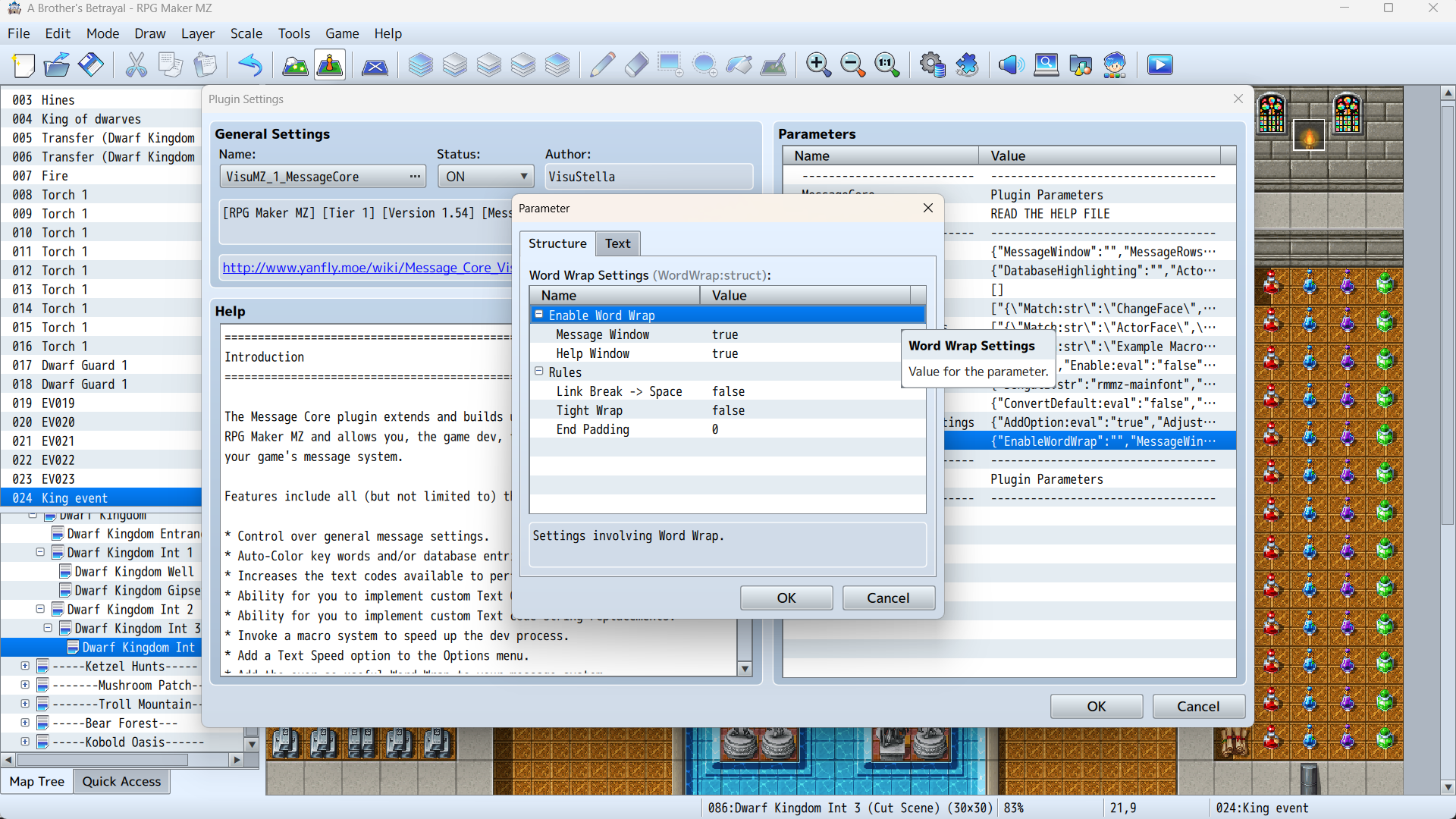
Here's Visu settings I have

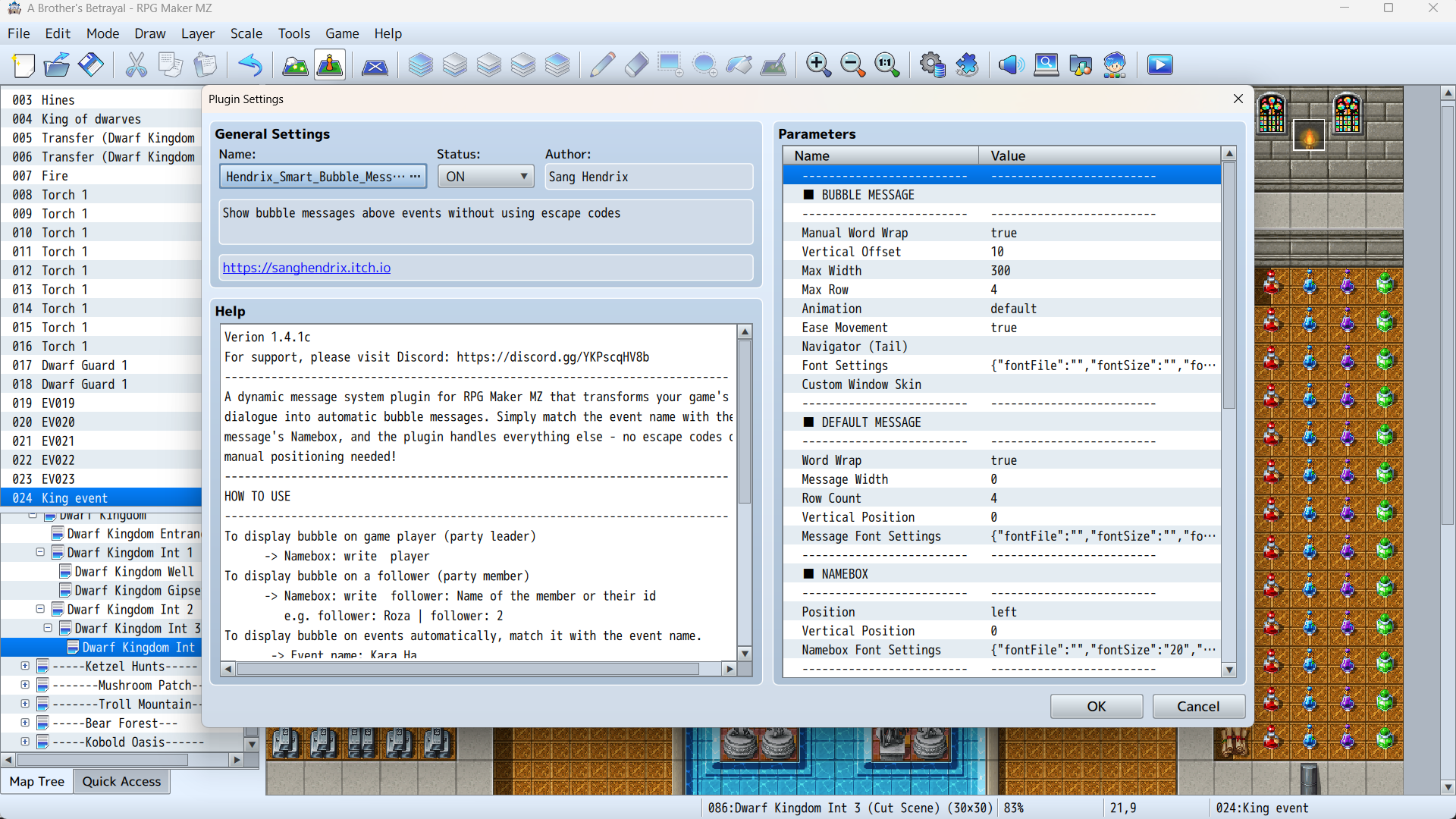
Here's Your settings I have

Developer (1 edit)

Let's test without other plugins. Keep only Smart Bubble ON. Is there any issue occurs at all?

If all issue happens when you enable Visu then it isn't due to Smart Bubble and you shouldn't enable 2 plugins that modify the same stuff together (message).

Hello , I disabled Visu stella and now it works! I have 1 more problem. The name plates are showing incorrect names. Or sometimes they don't show the name of the speaker at all. I need instructions on how to get the correct names for the speakers because I'm having trouble.

Developer

The easiest way is to write to your namebox the name you want to show, and make sure there's an event with the same name so the bubble is showing on the correct speaker. There are other usages that written in the description of the plugin. If they're written in a way that isn't understandable to you, do give me a word and share me how you setup your talking event.
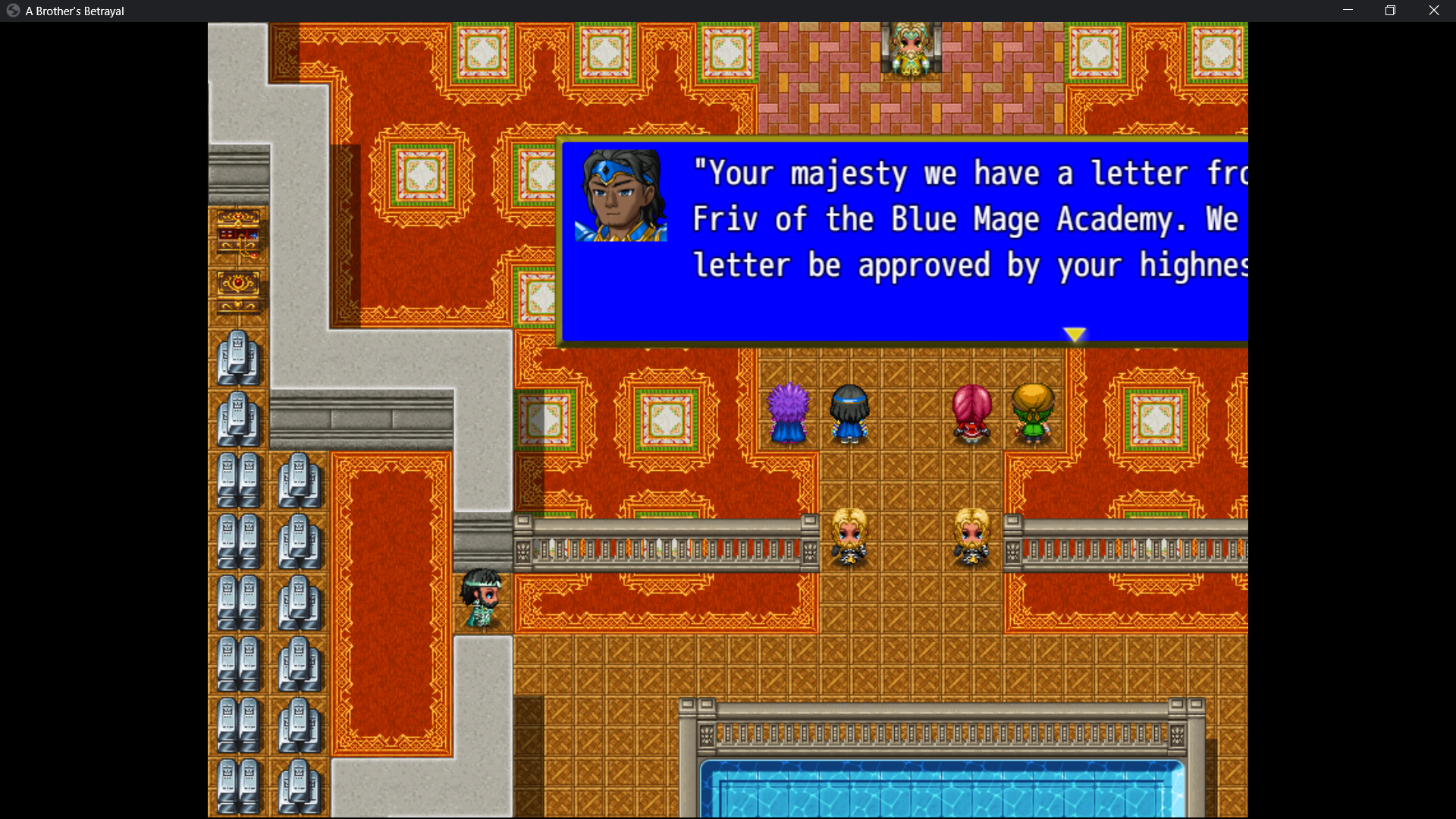
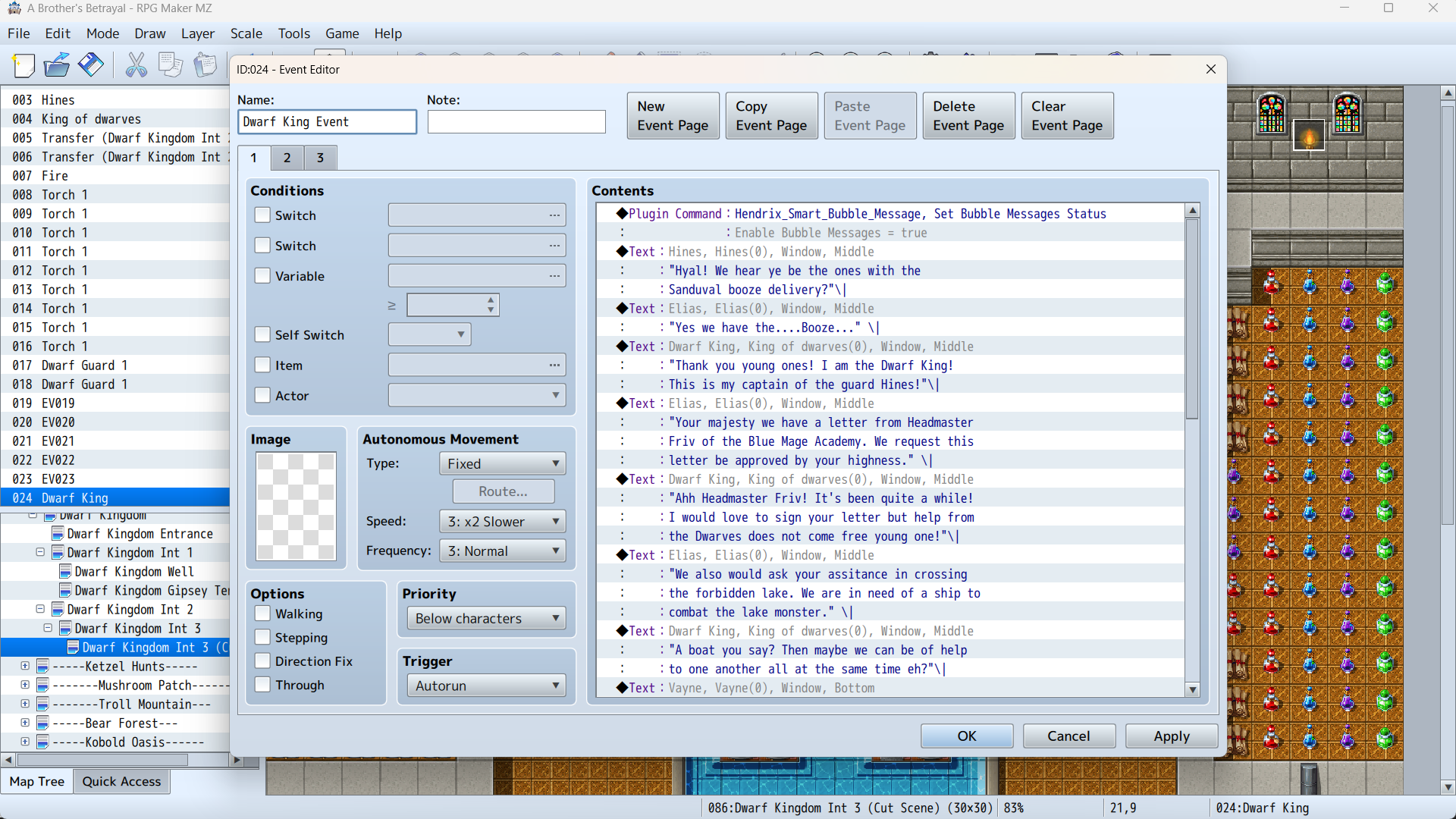
My event is one event with multiple text boxes. I don't give each actor their own personal event. I make all text in one event. So this is probably why the name plates arent working correctly?

Developer

So let's say your name box writes "Dwarf King", then your map needs to have an event called "Dwarf King". There are more ways on how to put bubble to certain event without this condition, make sure you've read them all.

(1 edit)

Ahh I see! So I can just need to match all the event names properly! Got it! 

Hello! I have this working and it looks great! Thanks for all of your help! I have saved you as a favorite!