

icon tutorial
How to go from:
this: To:
To: 
X works amazing with black and white + colored pictures =D
X no selective coloring!
X very simple!
X using photoshop all versions
other examples:

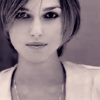
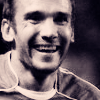
1- start with your base
2- press (Ctrl + Shift + u) to replace your image to black and white
>> 
3- Duplicate your base, set to screen 50% (change this depending on the brightness of the image)
>> 
4- New layer, fill with #032B49 set to exclusion 60%
>> 
5- New layer, fill with #F6DBEF set to color burn (burn) 100%
>> 
6- Duplicate your base, drag to top, set to soft light 100% then go to Filter >> Blur >> Gaussian Blur 3.0
>>
and you're done =D
X i'd love to read your comments, or see what you've come up with ^_^
this:
To: X works amazing with black and white + colored pictures =D
X no selective coloring!
X very simple!
X using photoshop all versions
other examples:
1- start with your base
2- press (Ctrl + Shift + u) to replace your image to black and white
>> 3- Duplicate your base, set to screen 50% (change this depending on the brightness of the image)
>> 4- New layer, fill with #032B49 set to exclusion 60%
>> 5- New layer, fill with #F6DBEF set to color burn (burn) 100%
>> 6- Duplicate your base, drag to top, set to soft light 100% then go to Filter >> Blur >> Gaussian Blur 3.0
>> and you're done =D
X i'd love to read your comments, or see what you've come up with ^_^